
Reads and writes
Not every connector can do everything Corma offers. Each connector lists its operations in two groups: reads, the data Corma pulls in from the app (like users or licenses), and writes, the changes Corma can make in the app (like creating an account or revoking access). What's available depends on that app's API and the permissions you've granted it. Below: what reads and writes exist, how to check which ones a connector has, and how to turn a single one on or off.
ℹ️ Reads and writes replace what Corma used to call "capacities". The operations are the same; only the name and the way you manage them have changed.
How to view a connector's reads and writes
Before you connect
Click Connectors in the sidebar.
Find the connector with Search connectors or the Category filter. Each card shows how many operations it reads and how many it writes.
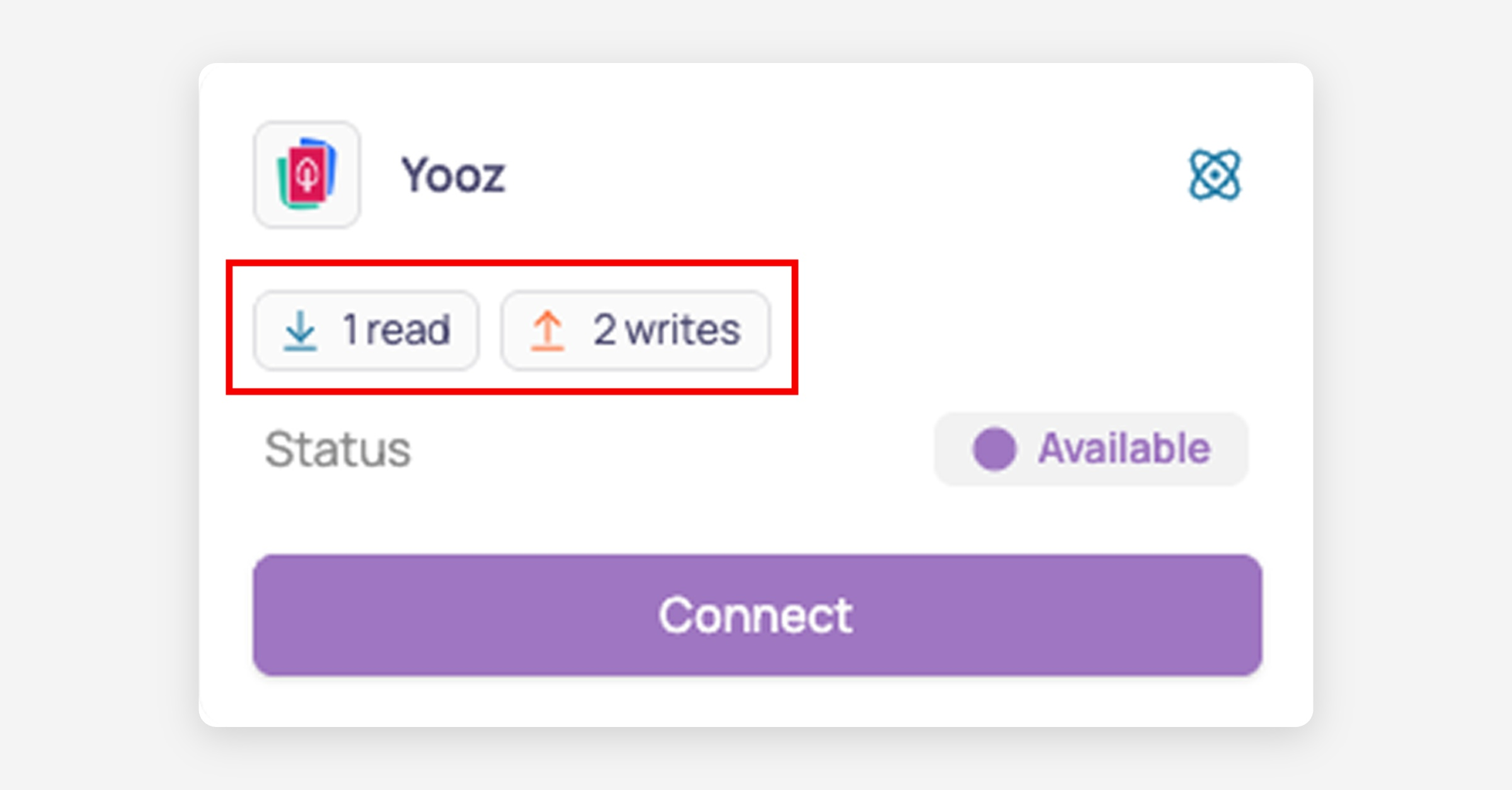
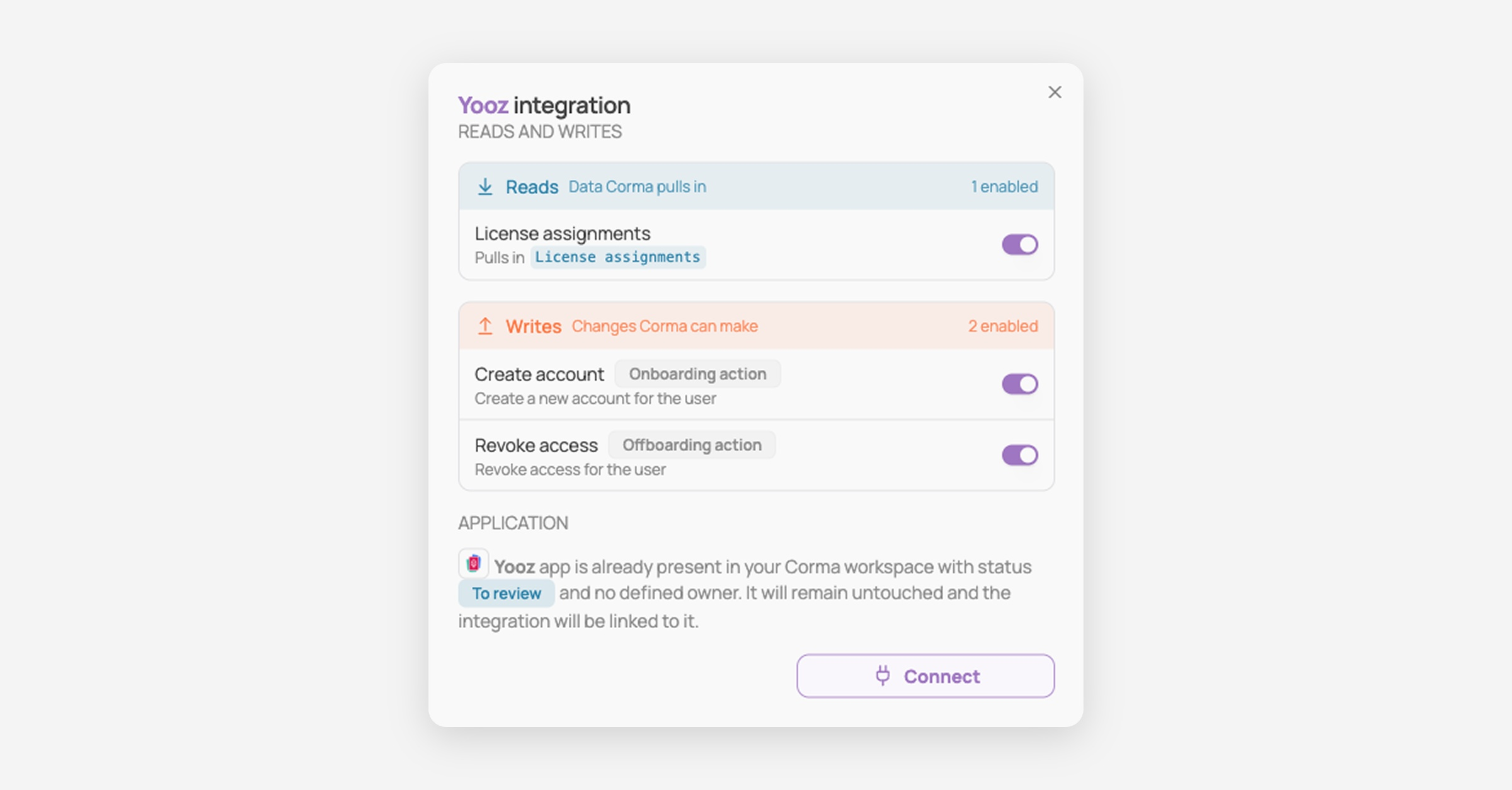
Click Connect to see the full list. Switch off any read or write you don't want before you click Connect again.
On a connected connector
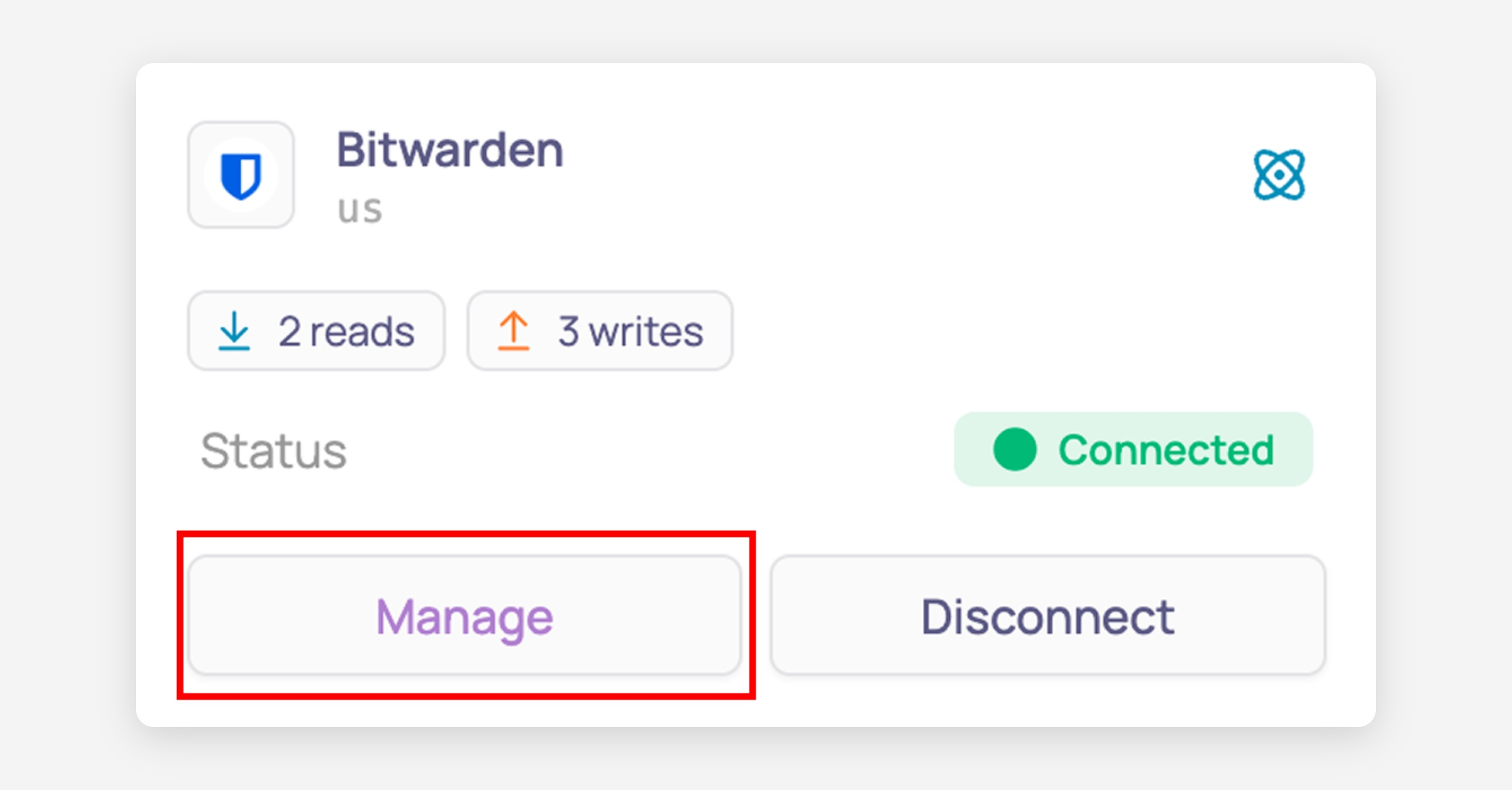
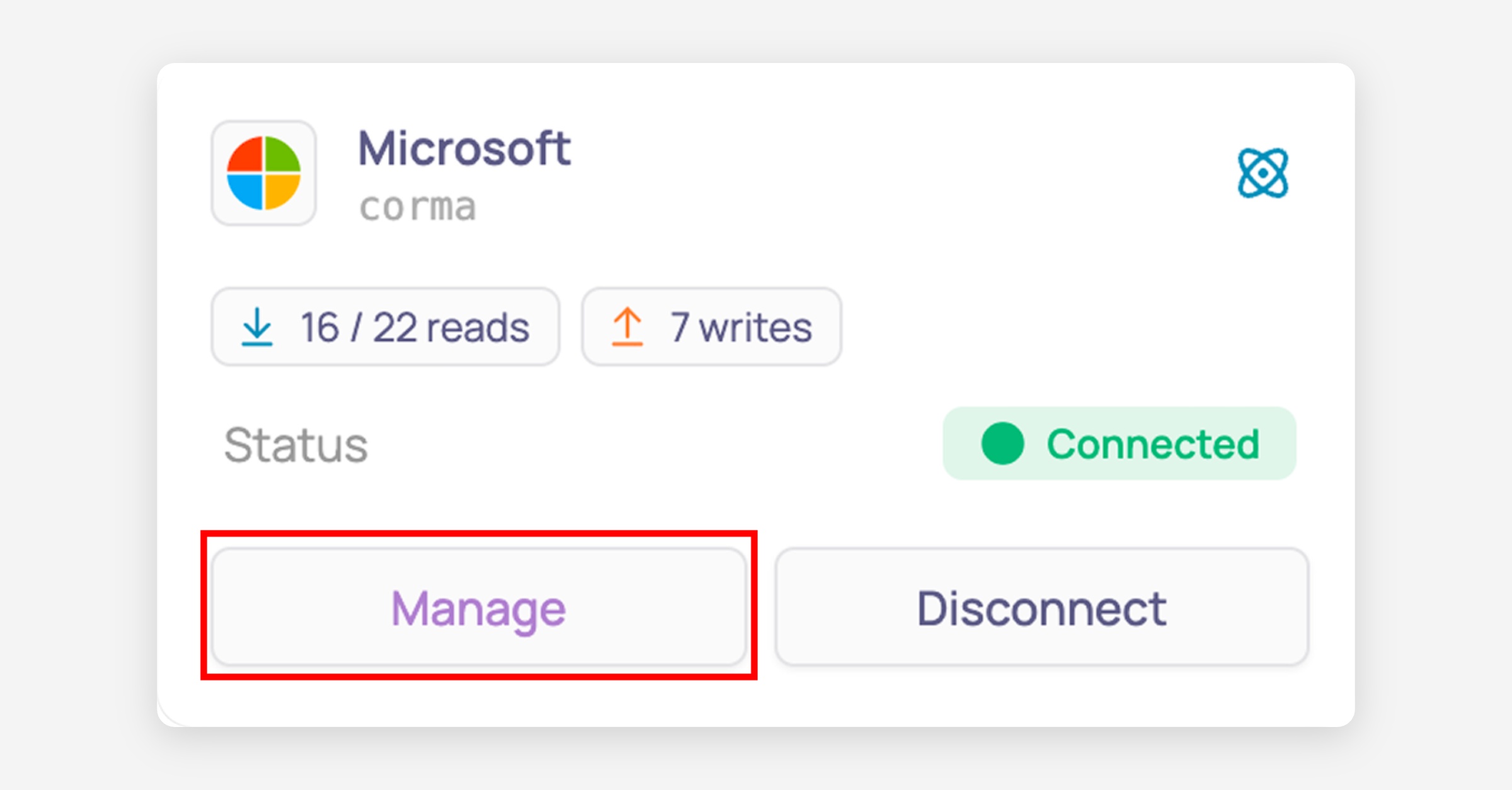
On the connector card, click Manage.
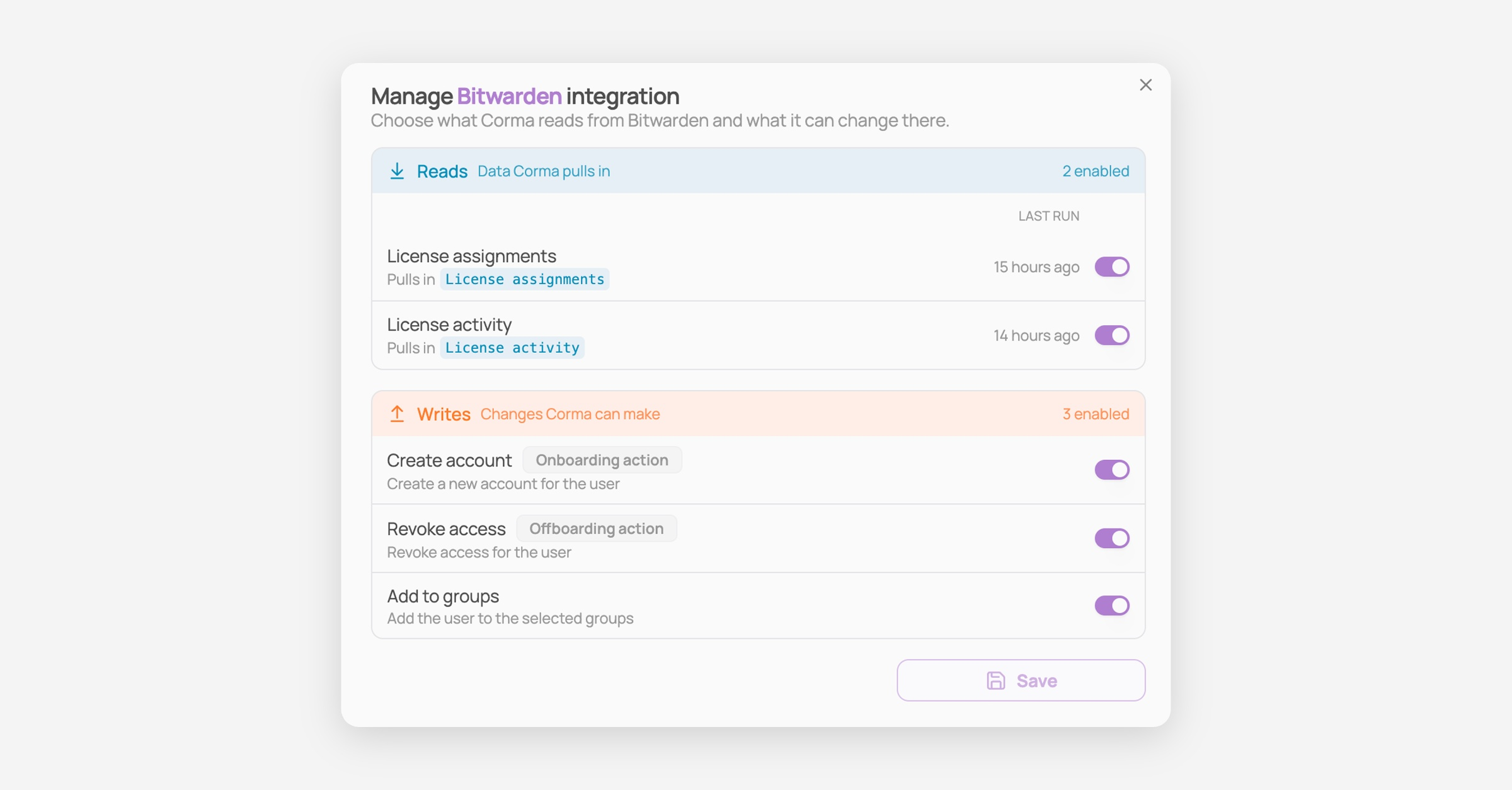
The list shows every read and write for that connector. Each read shows what it pulls in and when it last ran, so a read that stopped running is easy to spot. The count at the top of each section shows how many are switched on.
Understanding the reads and writes list
In the list
What you see | What it means |
|---|---|
Pulls in | The kind of data this read brings into Corma. One read can pull in more than one, for example License assignments and License activity. |
Last run | When this read last ran, for example 9 hours ago or Yesterday. Reads run automatically, so this tells you how fresh the data in Corma is. |
Off | The read is switched off. Corma no longer pulls in that data, and the Last run column shows Off instead of a time. |
8 enabled or 8 of 13 enabled | How many reads or writes in that section are switched on. When some are switched off, you see how many out of the total. |
Onboarding action / Offboarding action | The write Corma uses when it onboards or offboards someone. |
The line under a write | What the write does in the app, for example "Create a new account for the user". |
Writes don't have a Last run: they only run when Corma needs to make a change, for example when someone is onboarded or offboarded.
On the connector card
What you see | What it means |
|---|---|
2 reads, 1 write | How many reads and writes the connector has. |
0 / 2 reads | How many reads are switched on, out of the total. |
Status | Whether the connector is working, for example Connected or Invalid credentials. |
Tip: If a Last run looks older than you'd expect, check the connector's status. Invalid credentials means Corma can no longer sign in to the app: click Reconnect and enter new credentials.
How to turn a read or write on or off
Prerequisites: the connector must be connected to Corma, and you need admin privileges.
Click Connectors in the sidebar.
Find the connector card you're interested in. To see only your connected connectors, click Status and select Connected.
Click Manage.
Switch the toggle on the row of each read or write to turn it on or off. The rest of the connector stays connected.
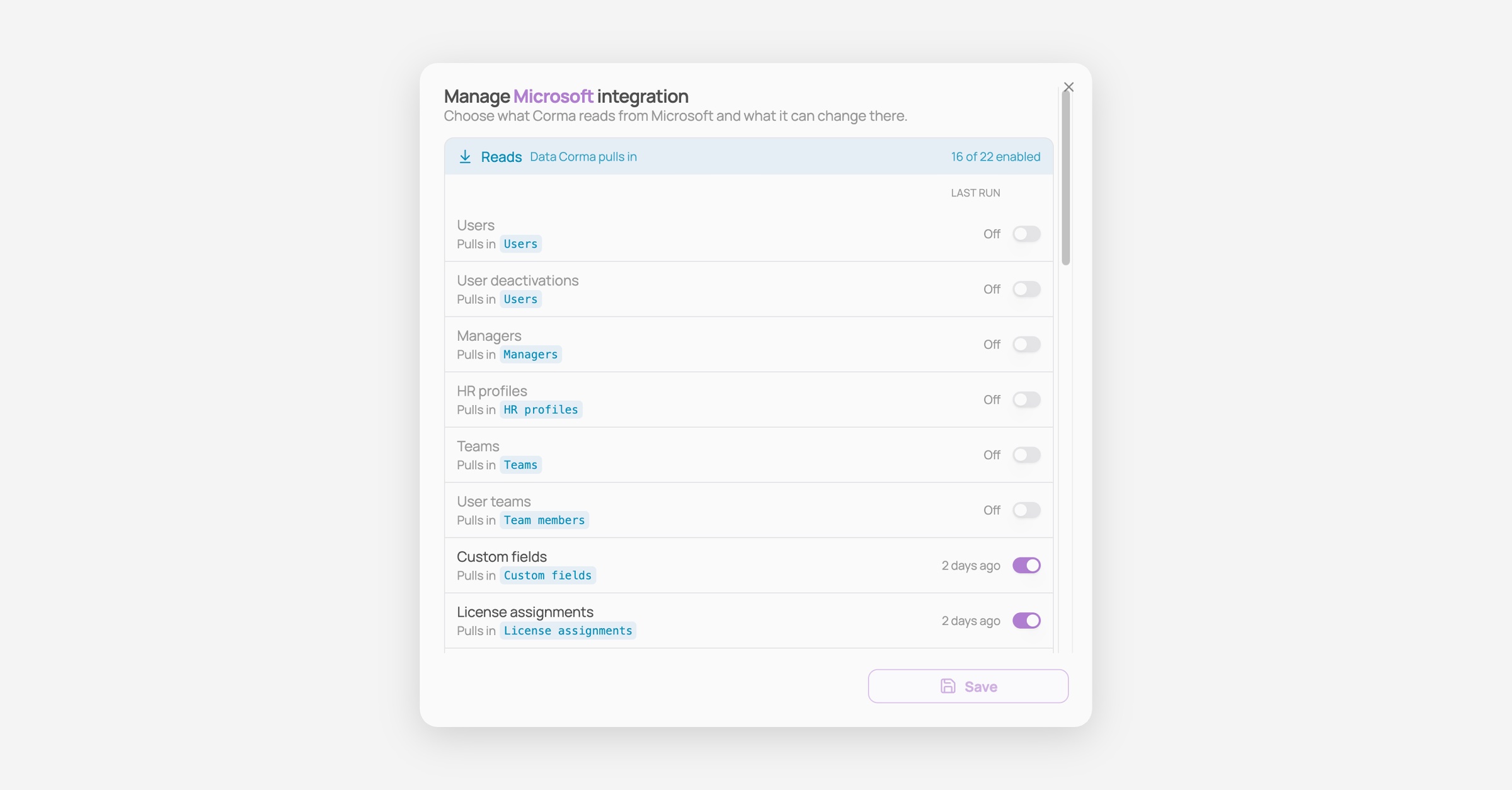
Click Save.
Tip: Not sure what a connector reads and writes before connecting it? The counts on each card in Connectors tell you, and clicking Connect shows the full list before anything is connected.Common reads
Each read shows what it pulls in, meaning the kind of data it brings into Corma.
User & access management
Read | What Corma pulls in |
|---|---|
Users | The people who have an account in the app |
HR users | Your employees, from your HR tool |
User deactivations | Users who were deactivated in the app |
HR profiles | HR details such as job title and department |
Teams and User teams | Your teams and who belongs to each one |
Managers | Who each person reports to |
HR directory | Users, HR profiles, teams, team members and managers, in one read |
Custom fields | Extra user fields your company defined in the app |
Groups and Group members | The groups in the app and who belongs to each one |
License & usage
Read | What Corma pulls in |
|---|---|
License assignments | Who holds a license in the app |
License revocations | Licenses that were removed in the app |
License activity | When each user last used the app |
Suite apps and Sub-apps | The products included in a suite, like the apps inside Microsoft 365 |
Sub-app license assignments, revocations and activity | Licenses and usage for each product inside a suite |
SSO & third-party apps
Read | What Corma pulls in |
|---|---|
SSO apps and SAML apps | Apps your employees sign into through this tool |
Third-party apps | Other apps connected to your account in this tool |
Third-party app accesses and activity | Who uses those apps, and when |
SSO tokens and SSO token revocations | The access tokens granted to apps, and the ones removed |
Finance
Read | What Corma pulls in |
|---|---|
Expenses | Your spend on software, from your finance tool |
If a connector has a License activity read, or pulls in license activity along with its license assignments, Corma can show usage for that app. If it doesn't, the connector doesn't provide usage data.
Common writes
Write | What it does |
|---|---|
Create account (Onboarding action) | Creates a new account for the user |
Revoke access (Offboarding action) | Revokes the user's access |
Reset password | Resets the user's password and sends a temporary one |
Add to groups and Remove from groups | Adds the user to, or removes them from, the selected groups |
Add to org unit | Moves the user into the selected organizational unit |
Add workspace roles and Remove workspace roles | Gives or removes the selected Google Workspace roles |
Assign Microsoft licenses and Remove Microsoft licenses | Gives or removes the selected Microsoft licenses |
Transfer data and Transfer emails | Transfers the user's data or emails to another user |
Sign out from all sessions | Signs the user out of all active sessions |
Add to channels and Send message to channel | Adds the user to the selected channels, or posts a message to a channel |
Push apps to Siit and Push Corma user ids to Siit | Sends your authorized app list and matched user ids to Siit |
Writes tagged Onboarding action or Offboarding action are the ones Corma uses when it onboards or offboards someone. Some connectors, like most HR tools, have no writes: Corma only reads from them.
Was this helpful?