

Overview
Corma's Licenses Module streamlines the process of identifying, tracking, and managing every license across your connected apps.
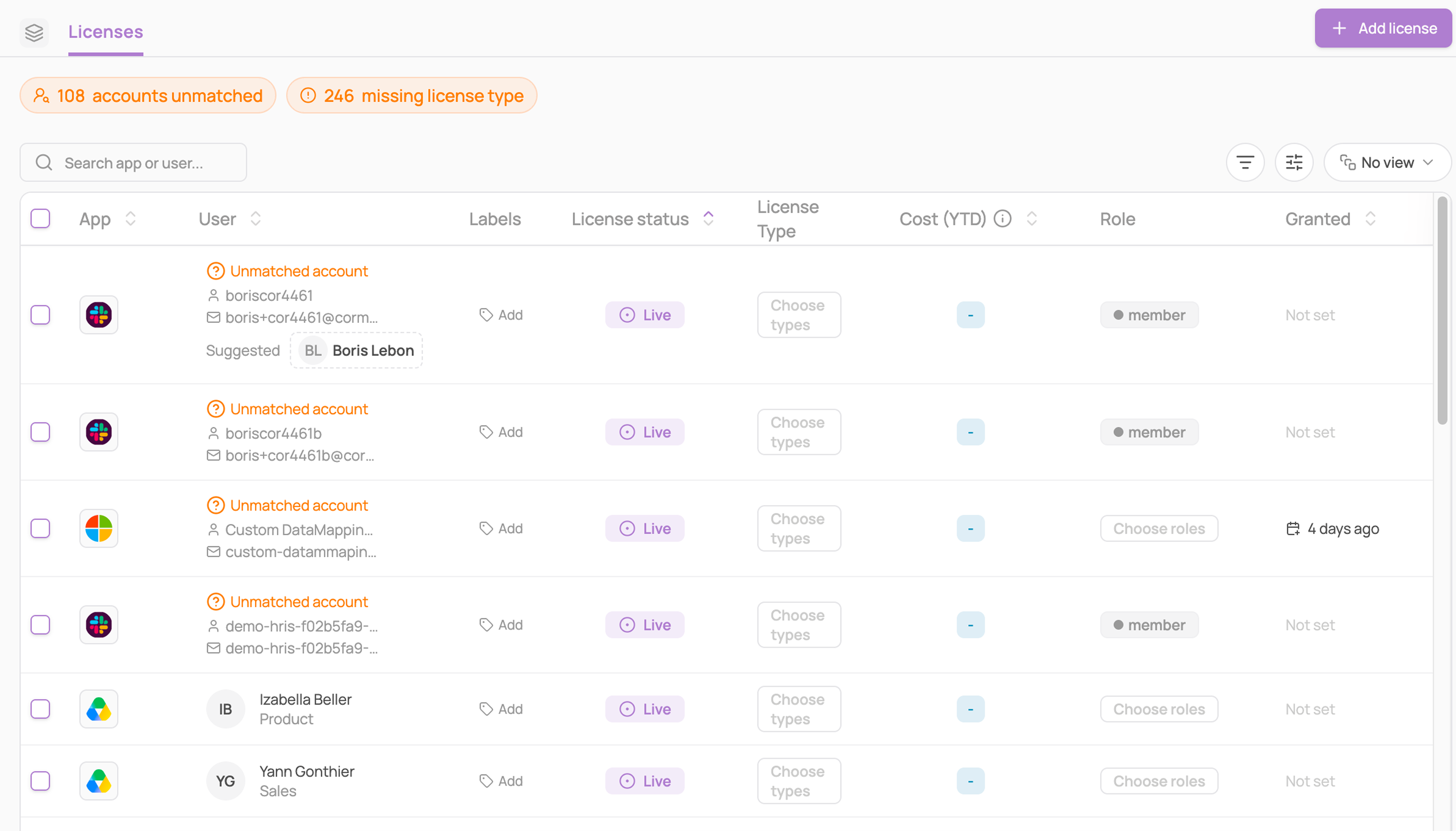
Filtering licenses
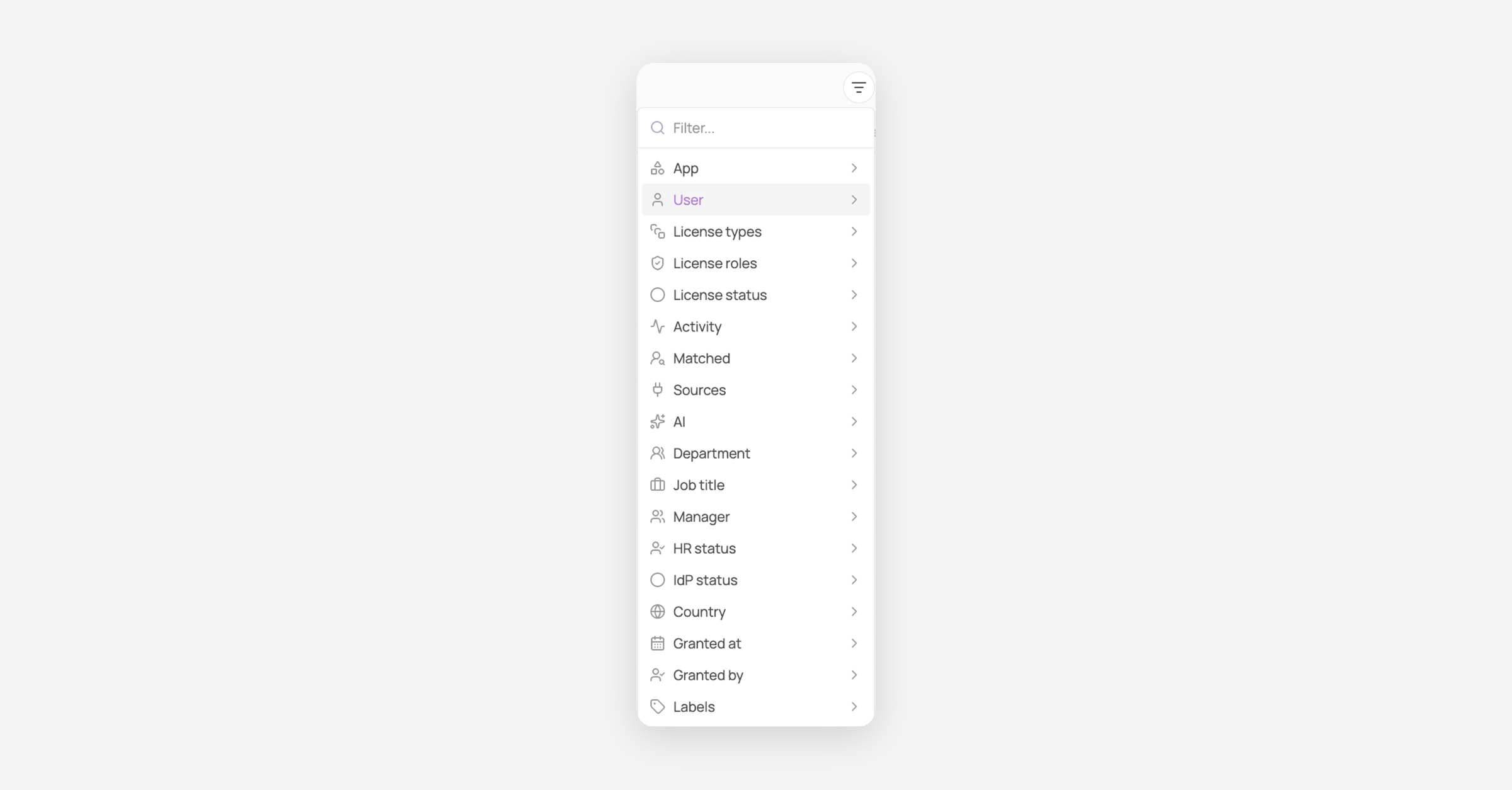
Use the funnel icon at the top of the page to filter the license list:
Filter | What it does |
|---|---|
App, User, Department, Country, Job title, Manager | Standard directory filters |
HR status, IdP status | Filter by the user's employment or identity provider status |
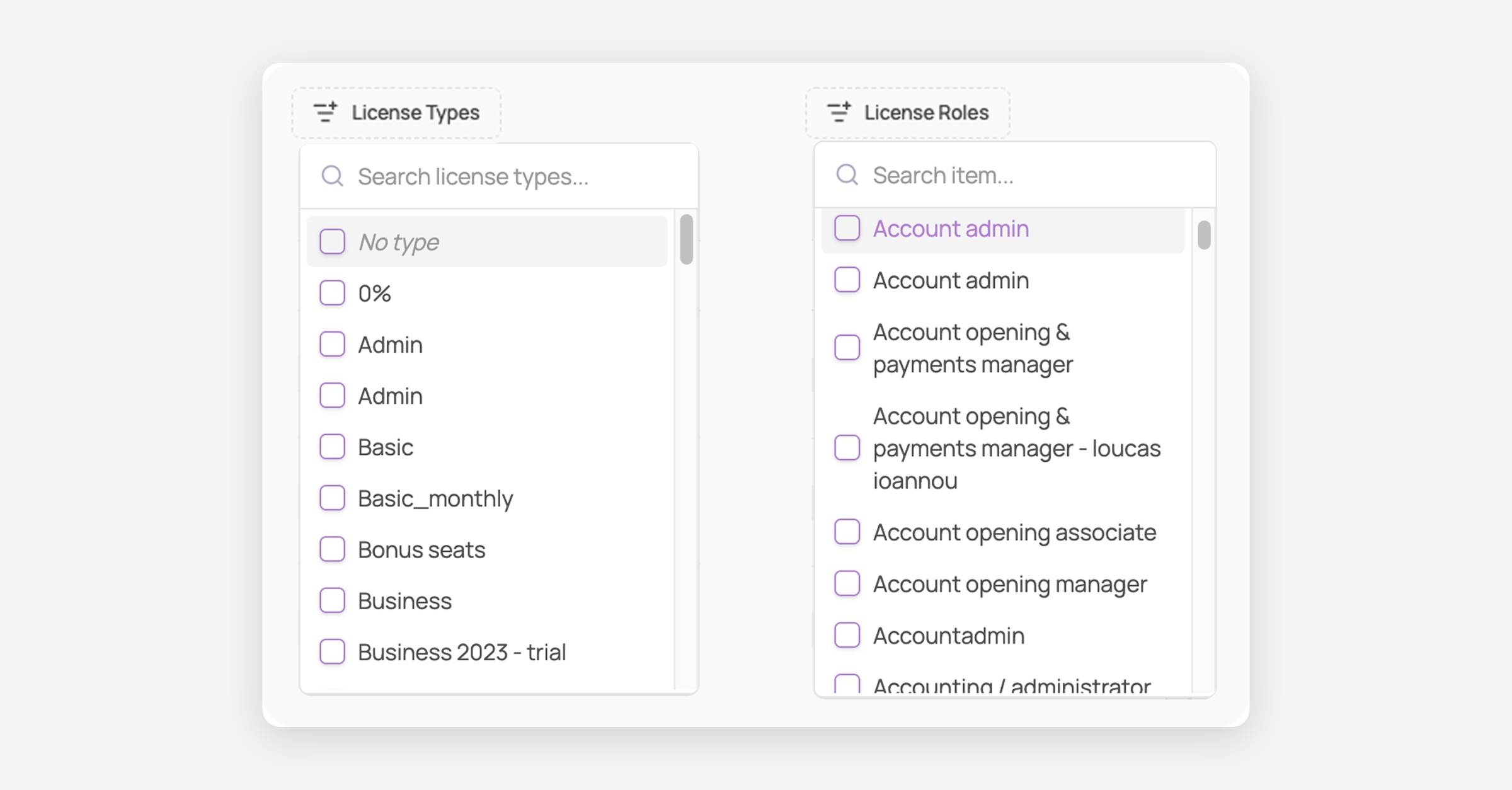
License Types, License Roles | Filter by the type/role assigned to the license |
License status | Filter by billing status (see below) |
Activity | Filter by usage status (see below) |
AI | Filter to show only AI tools (e.g. ChatGPT, Claude), only non-AI tools, or all apps |
Matched | Filter to show only matched or only unmatched accounts |
Source | Filter by where the license data came from |
Labels | Filter by the labels applied to the license |
ℹ️ Two counters sit above the table: one for unmatched accounts and one for licenses with a missing license type: click either to jump straight to that filtered view.
License Types and License Roles
For each user, you can select their license type and role on every app page to simplify access management:
License types define what kind of seat or usage rights a user consumes
License roles define the permissions and responsibilities a user has within an application
You can define license types and roles in different places:
Licenses page
App specific page → Licenses tab
License Status and Activity
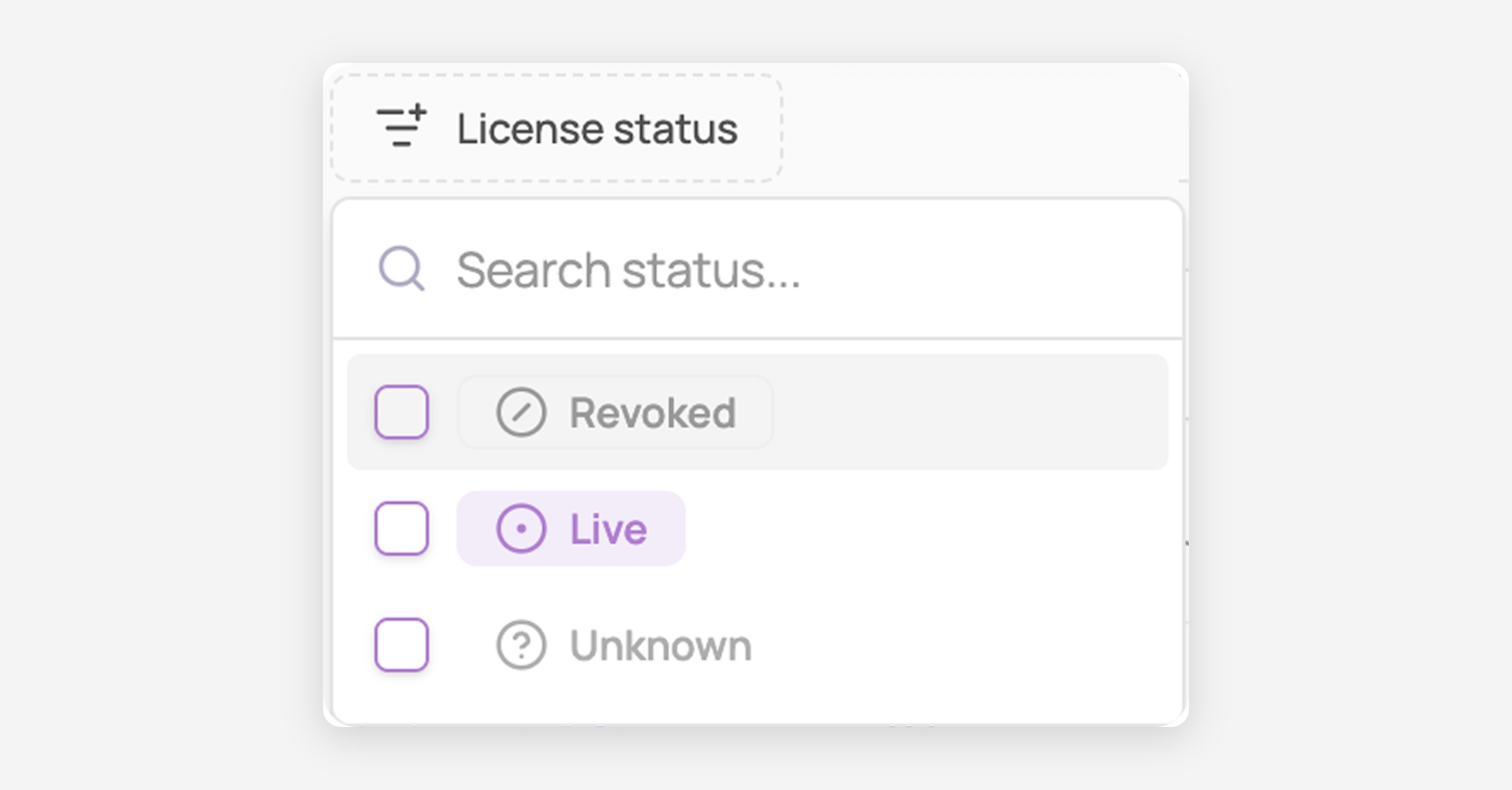
License status
The license status indicates whether a license is currently active from a SaaS billing perspective.
Live: the license is currently provisioned and billed in the SaaS tool
Revoked: the license has been removed or deprovisioned in the SaaS tool
Unknown: the license status is uncertain
Activity
The activity status reflects real usage of the application, based on detected activity within a defined time window.
Active: recent activity has been detected for this license
Inactive: no activity has been detected within the activity threshold window
Table columns
The main table shows:
App, User: the app and user tied to the license
License status, License Type, Role: as defined above
Cost (YTD): a year-to-date cost estimate, built from the license type and its contract seat items (unit price × billing frequency)
Granted: when the license was granted, and by whom (if set manually)
Last activity: how recently the license was used, feeding into the Activity status above
Usage: a small chart showing login/activity frequency (e.g. "0 log/month" if unused)
Sources: icon(s) showing which system(s) the license data was traced from (e.g. browser extension, SSO, direct integration). Hover them to see when each source last updated the license sync
App account details: the name, email and account ID the app itself holds for this license, for matched and unmatched accounts, so you can spot a wrong match without leaving the table. Show or hide it from the column picker