
Workspaces
Workspaces
Corma supports multiple independent workspaces, allowing companies and service providers to manage separate organizational entities with full data isolation, all from a single account.
What Is a Workspace?
A workspace is a fully isolated environment within Corma.
Each workspace has its own:
Users
Applications
Licenses
Contracts
Data sources
Settings
There is no data overlap between workspaces. Everything is strictly separated.
Who Is This For?
Multi-entity companies Organizations with multiple subsidiaries, departments, or geographic entities that need strict data isolation, separate user bases, and independent SaaS governance per entity.
Managed Service Providers (MSPs) & IT partners Service providers who manage SaaS environments for multiple client companies and need to switch between client workspaces, with different roles and access levels per workspace.
Switching Between Workspaces
You can switch between workspaces at any time from the left sidebar:
Click on your workspace name in the top-left corner
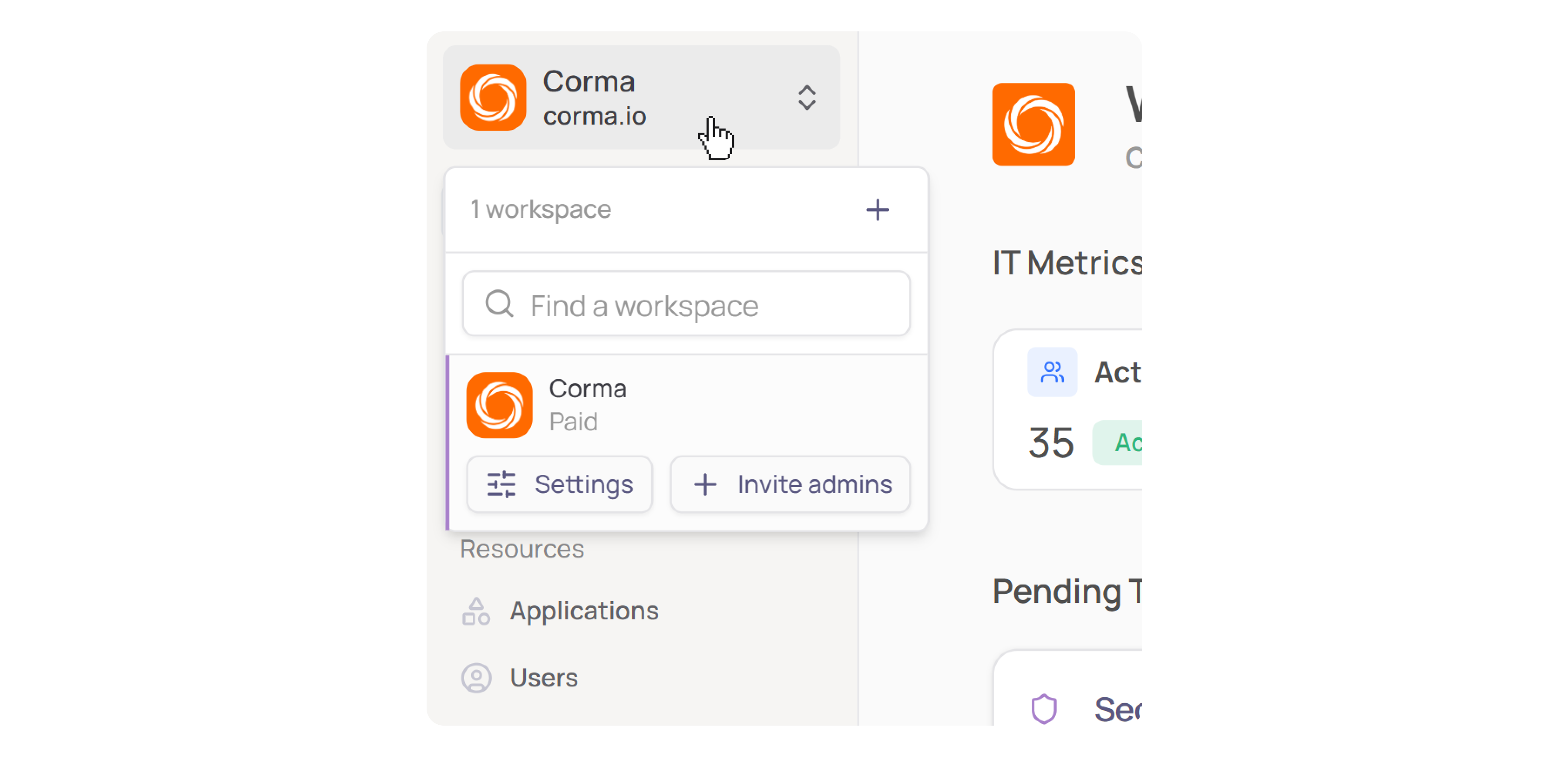
A dropdown will appear showing all workspaces you have access to
Click on any workspace to switch to it
Each workspace is fully independent. Switching workspaces changes your entire view, including users, apps, licenses, and settings.
Creating a New Workspace
Click on your workspace name in the top-left corner
Click the + icon next to "workspaces"
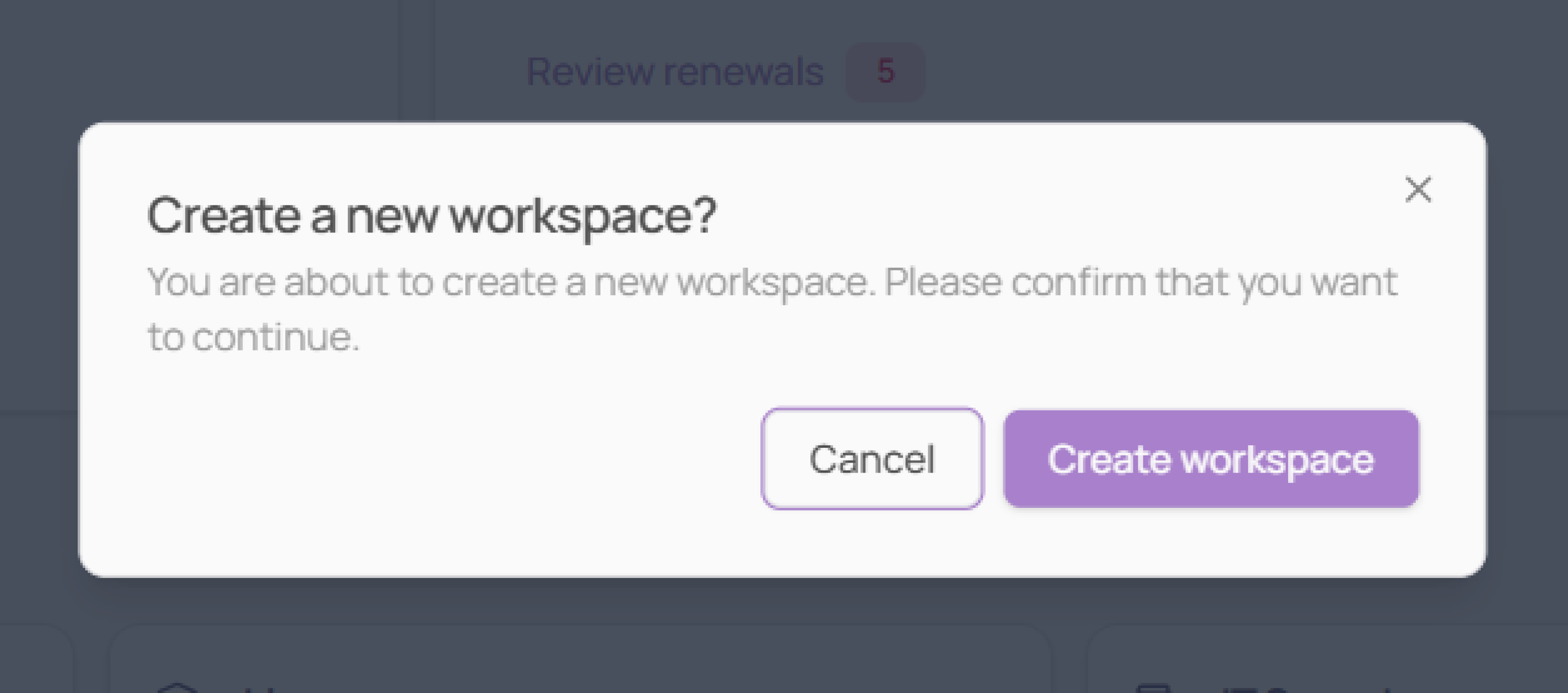
A confirmation dialog will appear, click "Create workspace" to confirm
Your new workspace will be created and you can begin configuring it independently
Roles Across Workspaces
A user can belong to multiple workspaces with different roles in each. For example, an IT partner may have admin access in one client workspace and read-only access in another. Roles and permissions are managed independently per workspace.
Key Benefits
Full data isolation: no information flows between workspaces
Flexible access control: different roles per workspace per user
Scalable for MSPs: manage multiple client environments securely from one account
Enterprise-ready: meets strict data separation requirements for complex organizations
Was this helpful?