
Corma changelog
Custom labels for Apps, Users, and Licenses
Introducing Labels
You can now create your own custom labels for Apps, Users, and Licenses — a flexible way to organize your workspace beyond Corma's built-in fields.
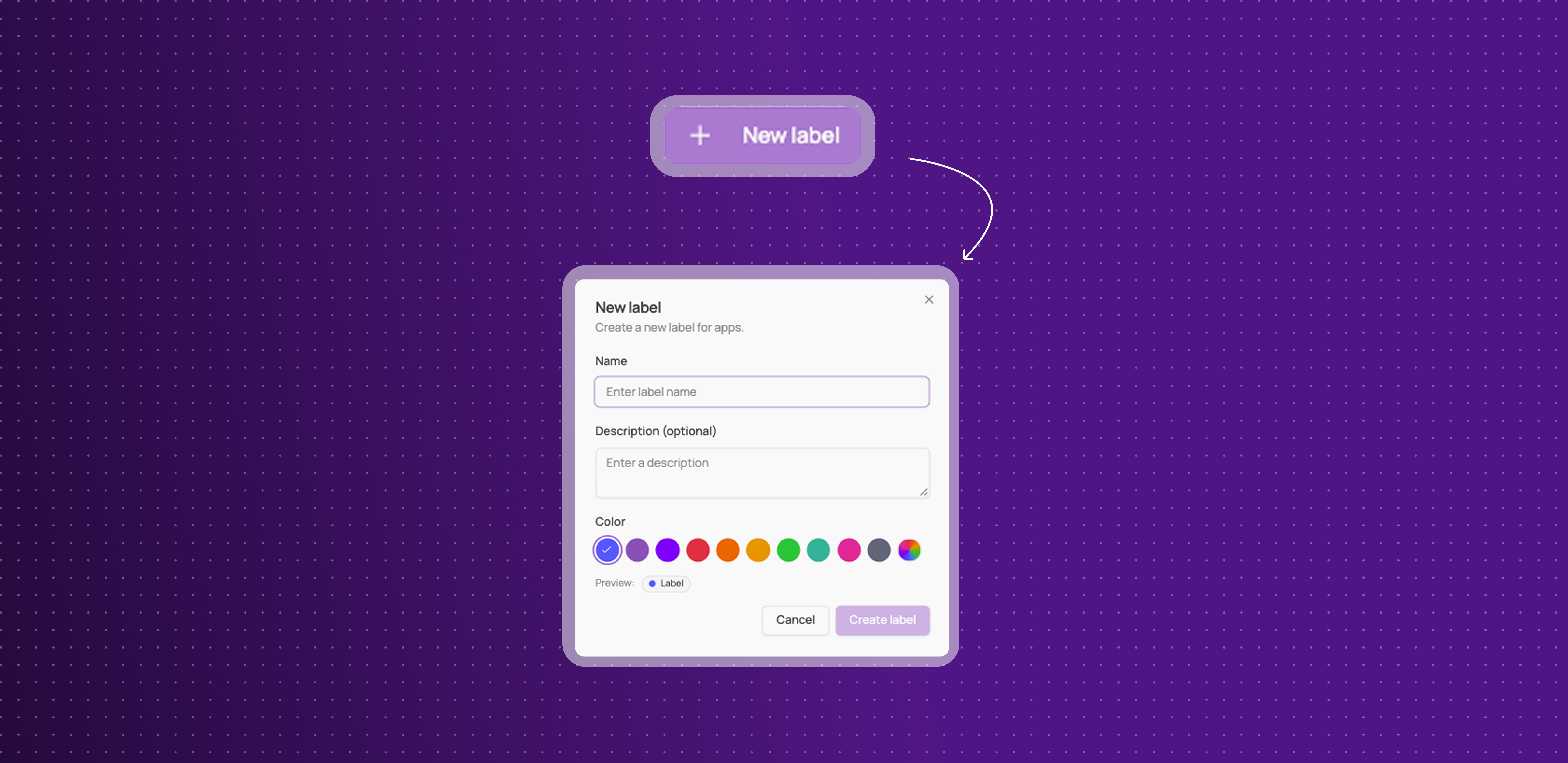
Create labels your way: name a label, pick a color from 10 presets (or enter a custom hex), and choose whether it applies to Apps, Users, or Licenses.
Apply them anywhere: add labels directly from an app or user's page, or right from the Applications, Users, and Licenses tables.
See them at a glance: labels show up as colored pills in your tables, with a hover card listing everything if more than one is applied.
Filter by label: find everything tagged with a specific label across your tables.
Manage them centrally: a new Labels page in Settings lists every label, how many items it's applied to, and when it was last used.
This gives you a flexible way to organize and find what matters to your company, on top of everything Corma already tracks.
Improvements
Public API keys can now be created as read-only, in addition to full-access.
Custom agents can now ask for login credentials mid-chat, instead of requiring them all upfront.
The Bitwarden integration now works with self-hosted Bitwarden workspaces, not just Bitwarden Cloud.
Provisioning now has a "No action" option, matching the existing deprovisioning behavior.
CSV imports for users and licenses no longer time out on large files.
The Security page's "Restricted apps in use" card is back, with apps sorted by last activity.
Fixes
Extension activity data no longer updating has been fixed.
Some Modjo license syncs failing has been fixed.
Licenses missing account ID after custom agent provisioning has been fixed.
Workflow runs getting stuck "in progress" has been fixed.
Dropdowns inside modals being cut off has been fixed.
Session cookies growing too large and causing login errors has been fixed.
Okta sometimes misclassifying catalog apps as custom apps has been fixed.
Temporary access requests and Shadow IT policies
Temporary access requests
Employees can now request access for a limited time instead of indefinitely, and Corma revokes it automatically once that time is up.
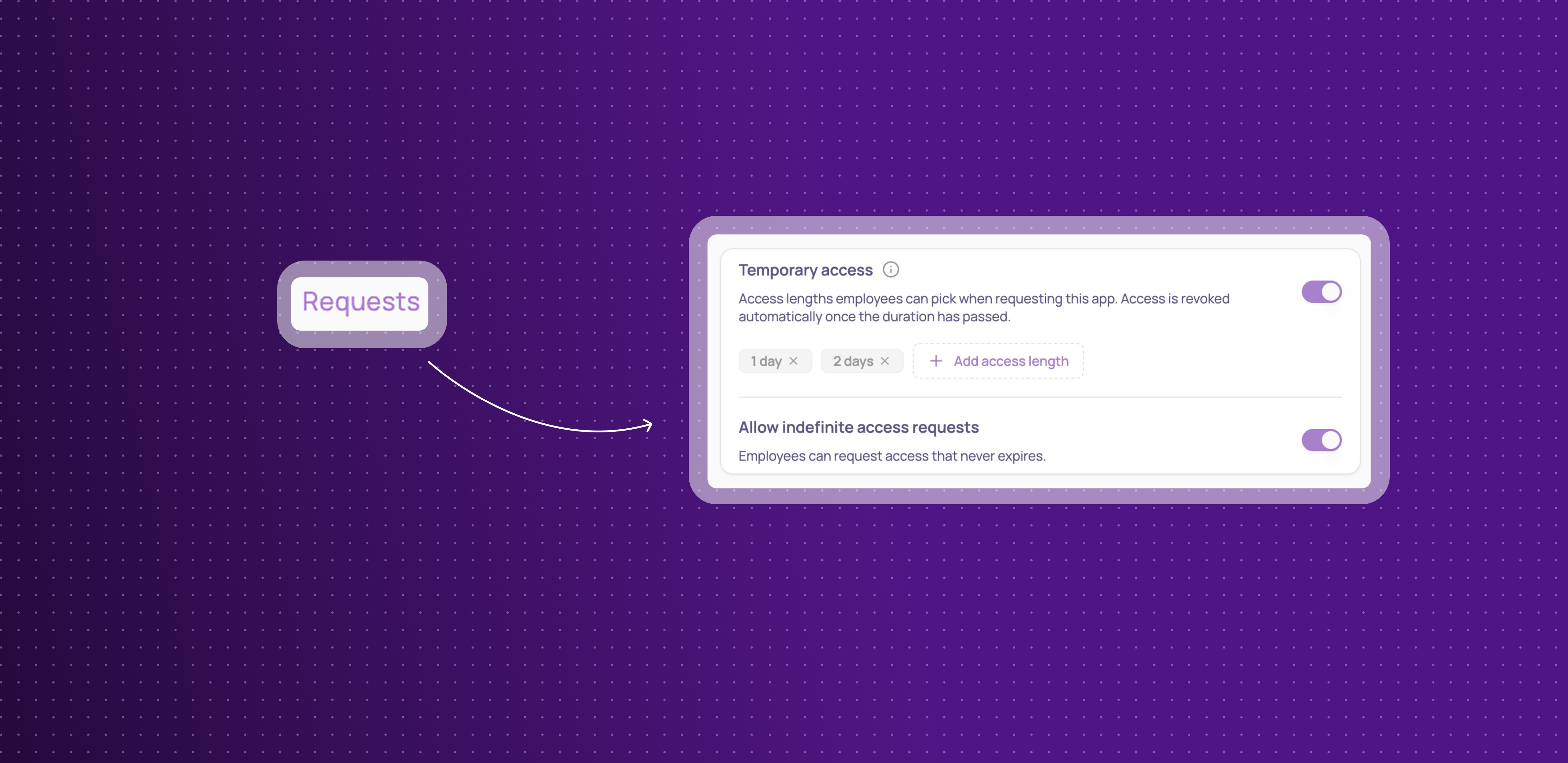
Add access lengths per app: in an app's Requests settings, turn on Temporary access and add the durations employees can choose from — hours, days, weeks, or months.
Choose from Employee App Store or Slack: employees pick their access length from the same dropdown, whether they request through the App Store or Slack.
Decide if indefinite access stays allowed: turn off indefinite requests entirely if every request for an app should be time-bound.
Automatic revocation: once the duration passes, access is revoked automatically and the employee is notified — if they still need it, they submit a new request.
This means access can be granted for exactly as long as it's needed, without anyone having to remember to clean it up afterward.
Shadow IT policies
Your Security page has a new look, and you can now define your own policies for how employees are stopped from using unauthorized apps:
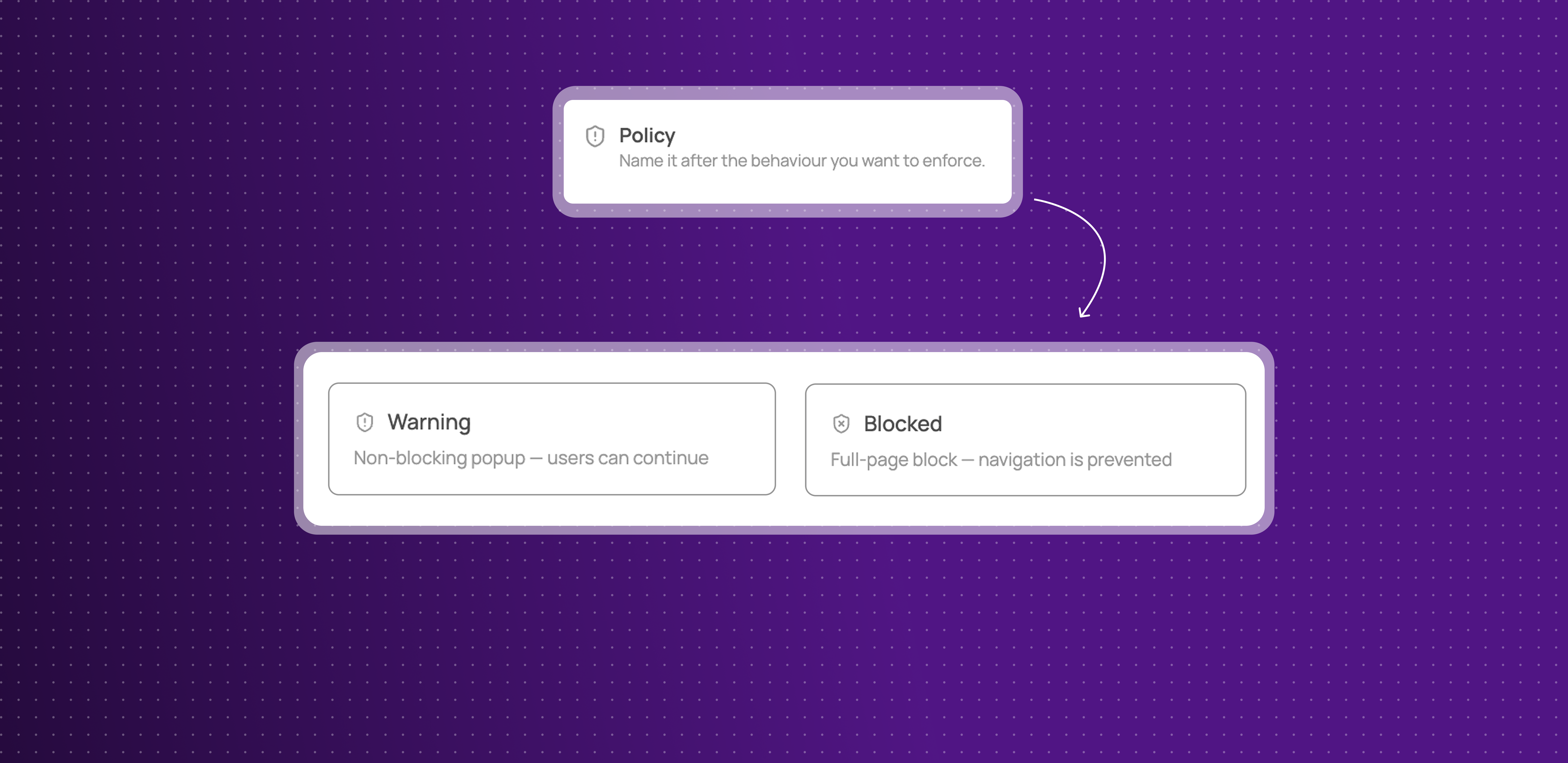
Warning or Blocked: choose whether employees see a dismissible warning or a full-page block when they open an app covered by a policy.
Applies to a list of apps: one policy can cover several apps at once, and each app can belong to only one policy.
Exclude specific teams: leave out any user groups who should be allowed to use the app.
Write your own message and call to action: customize what employees see, with optional buttons pointing them to an approved alternative.
Enforced through the browser extension: policies apply the moment an employee opens the app in their browser.
This gives admins real, granular control over Shadow IT, instead of relying on an app's status alone.
Improvements
Okta integration can now sync HR data (department, job title, country, and more), not just identity.
Sorting added for the Extension and Desktop agent columns on the Users table.
Password requirements (length, character rules) for the Reset Password action are now configurable in Settings.
App details, previously hidden behind clicking an app's logo, now live in their own dedicated Settings tab.
Custom agent connections now show their creation and connection date, current credential method, and can be renamed — disconnecting and reconnecting no longer wipes your existing configuration.
Integration connections can now be disconnected directly from their card, without losing existing automations.
Fixes
Slack ticket messages losing their action buttons and outcome has been fixed.
Non-admin users seeing settings controls they shouldn't has been fixed.
Kelio syncs timing out and failing to import data has been fixed.
A Shadow IT policy edge case with certain domains has been fixed.
Offboarding suggestions missing for distant termination dates has been fixed.
The "Re-assign license" button not opening its modal has been fixed.
The Google "transfer email" workflow action failing has been fixed.
Custom agents now support internal apps & Teams notifications are available
Bring custom agents to your internal apps
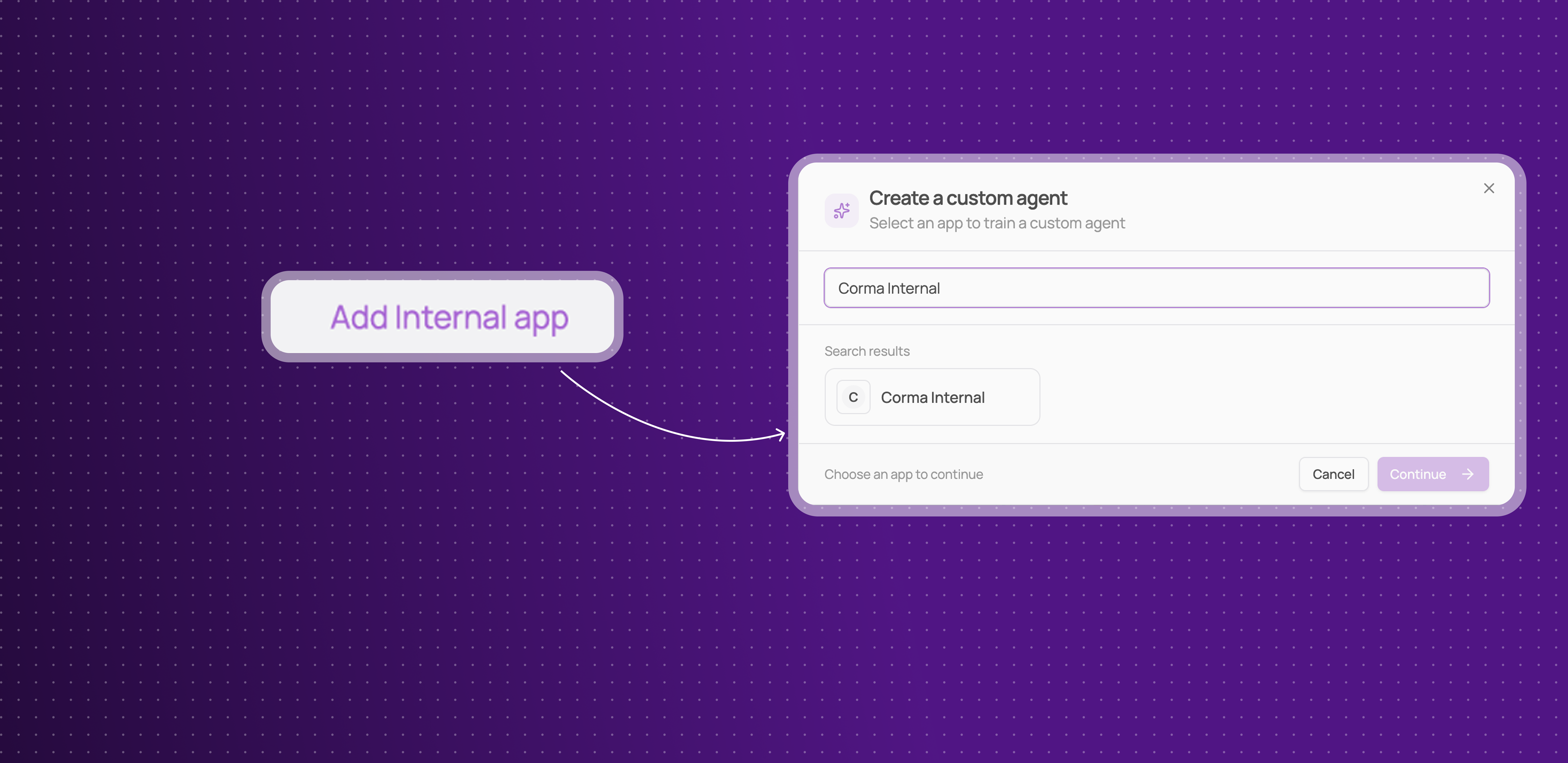
You can now build a custom agent for your own internal applications, not just apps in Corma's public catalog.
Full coverage, even for homemade tools: if your company built or uses a tool that isn't in Corma's 50,000+ apps catalog, you can now train a custom agent for it the same way you would for any other app.
Same provisioning and deprovisioning automation: internal apps get the exact same custom agent capabilities as public ones, no more manual exceptions for the tools built in-house.
This means you can reach closer to full automation across your entire stack, including the tools that are unique to your company.
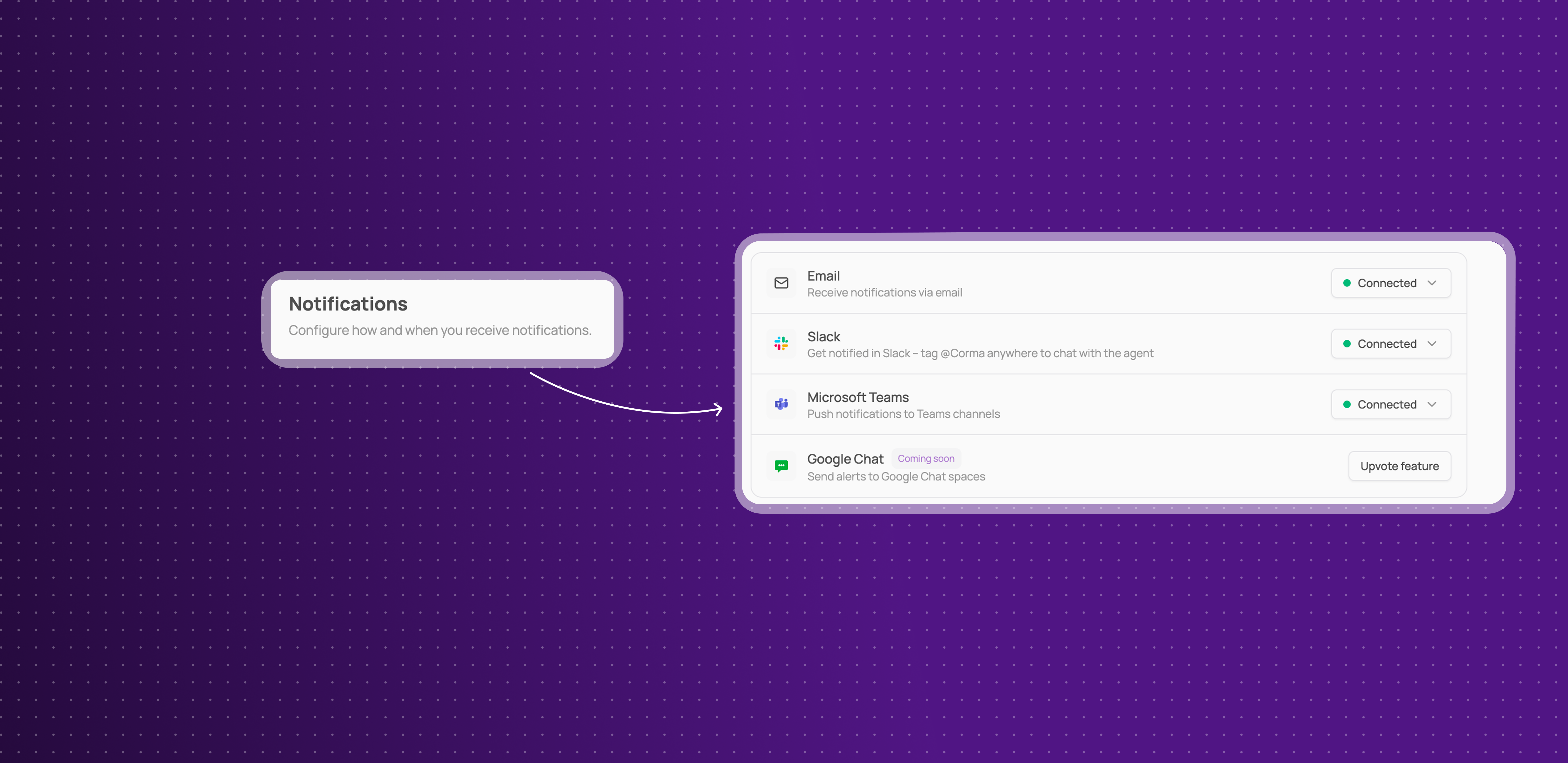
Microsoft Teams notifications
Corma can now send workflow and access management notifications directly to Microsoft Teams, alongside existing Slack support.
Stay informed in Teams: get notified about workflow runs and access events without needing to check Corma or Slack.
This means teams that use Microsoft Teams instead of Slack no longer have to miss out on real-time notifications.
See how to conifgure it here: Enable Microsoft Teams notifications on Corma
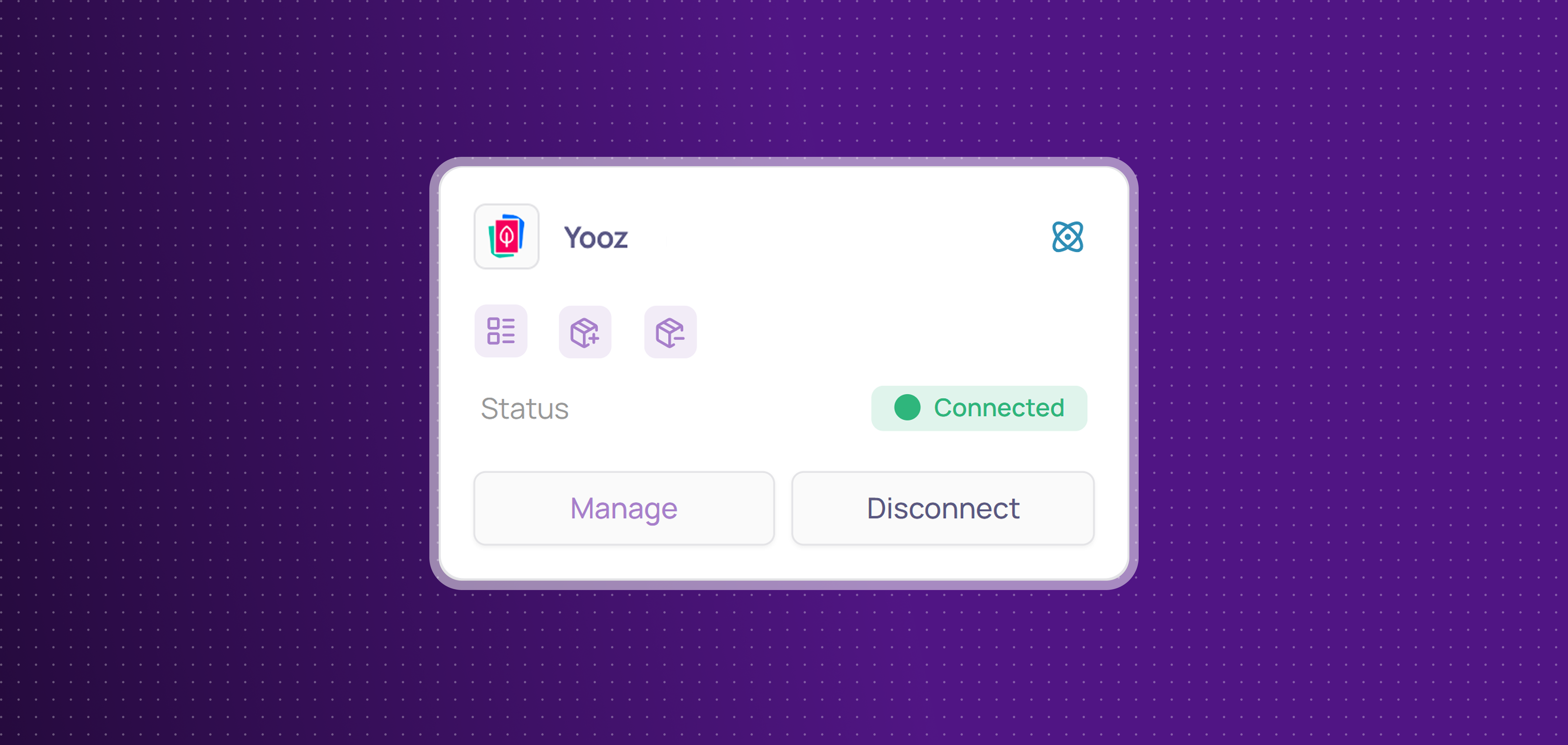
Yooz Integration
Corma now integrates with Yooz!
Yooz is an AP automation and invoice-processing platform that helps finance teams digitize and streamline their accounts payable workflows.
You can now:
Collect licenses: centralize Yooz users and licenses in Corma
Provisioning & deprovisioning: automatically assign and revoke Yooz access directly from Corma to effortlessly manage your licenses use
Improvements
Custom agent setup no longer disconnects when switching tabs, and you can now see a log of custom agent runs and their status.
Apps that already have a custom agent connected are now shown as disabled with an explanatory tooltip, instead of disappearing from the creation modal.
Start and termination dates can now be cleared once set, with an improved date picker.
Offboarding no longer creates noisy duplicate manual tasks for child products under aggregated vendors like Microsoft, Atlassian, and Google.
User CSV import now supports a personal email column, alongside the professional one.
New filters on the Applications page: filter by User Group or by Country.
The App filter on license tables now supports an "is not" operator, letting you exclude specific apps instead of only including them.
Activity extraction added for Cursor & Claude
Fixes
Onboardings sometimes getting stuck in "Ongoing" status has been fixed.
Admin invitations by email sometimes failing has been fixed.
CSV export emails being wrongly suppressed when email notifications were disabled has been fixed.
Search sometimes treating similarly-named tickets or users as identical results has been fixed.
Termination dates set more than 30 days in advance are no longer hidden and can be nulled
Access owners losing the ability to manage their apps from the employee portal has been fixed.
Tasks and Requests are now merged as Tickets
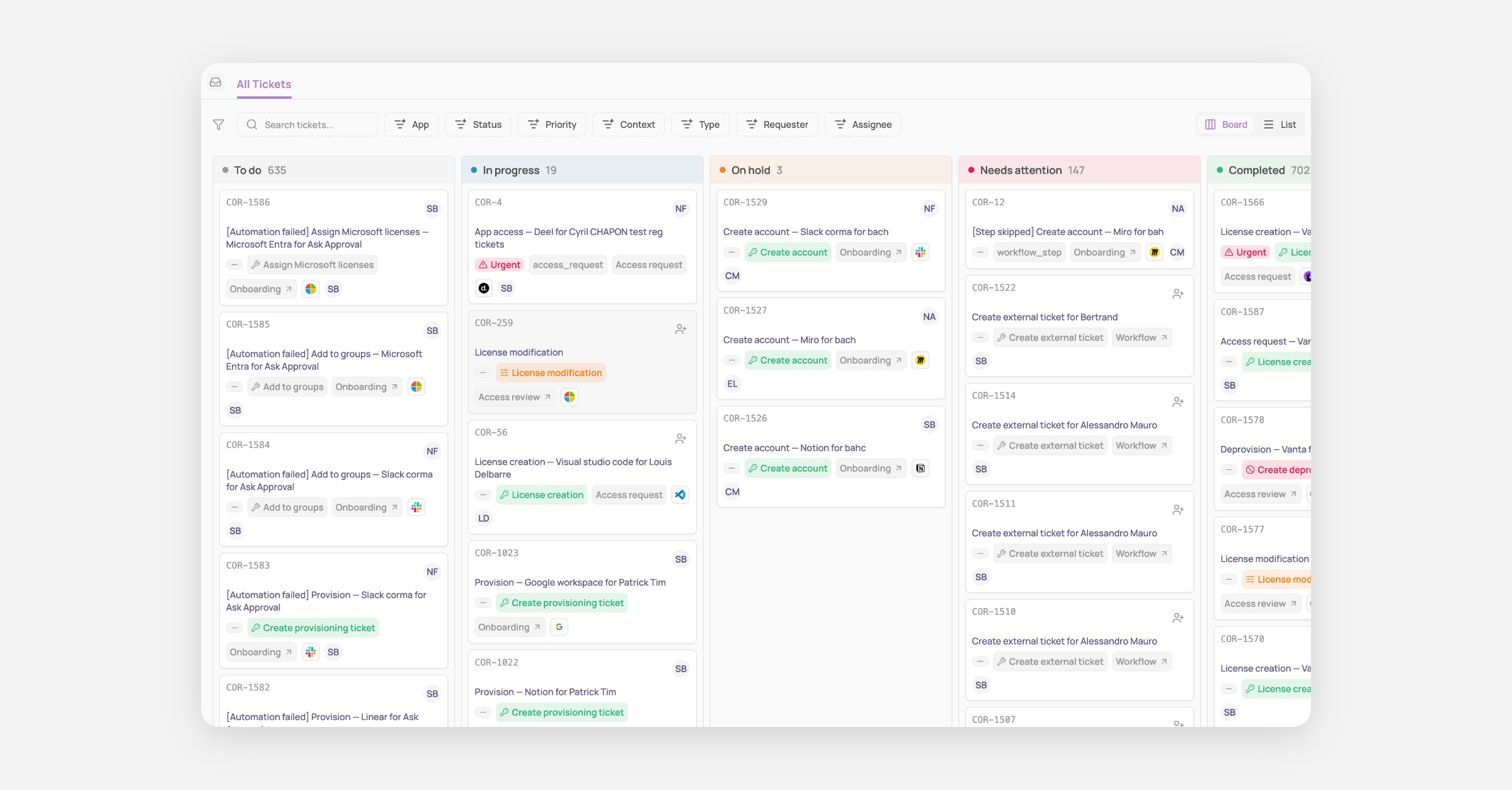
Big announcement today: Tasks and Requests that used to be separate concepts have now been merged as one single concept called “Tickets”!
This is a major shift in the product logic, which aims to greatly simplify how IT teams view and handle every task that requires manual input and is triggered by Corma’s access management solution.
How it was before:
Previously Tasks were all the actions that had to be performed manually and that Corma could not automate via API or Agent. While Requests were all access requests submitted by employees or their managers to gain access to a tool they need to do their job.
Both lived separately; only tasks could generate Jira or Siit tickets, and our users were confused since ultimately both result in the same thing: an IT team member needs to perform a manual action and validate it in Corma so we could update the record of truth of your access and licenses.
Well no more!
How it is now:
As of today, both Tasks and Requests are now living under the same page and concept called Tickets.
This means no more back and forth between what you need to do in Tasks and what you need to do in Requests. Everything is centralized in Tickets, clearly and automatically titled, auto-assigned to the relevant person, and labelled with the full context of this ticket.
An access removal is linked to an access review that was recently completed? You will see it clearly in the ticket and can directly go to the relevant access review to see who made the decision.
This also means that now every ticket, no matter the type of ticket, that lives in Corma can generate a ticket in your main ticketing system. Our goal is to take this further very soon by giving you:
More flexibility to create custom ticket types in Corma (e.g. New app request, Need a password reset, etc…)
A full 2-way synch between Corma tickets and tickets in your ITSM, starting with Jira and Siit.
That’s not all: New Triggers, Actions and APIs
We’re all releasing some new Triggers, Actions and APIs today to go along this massive change in our product:
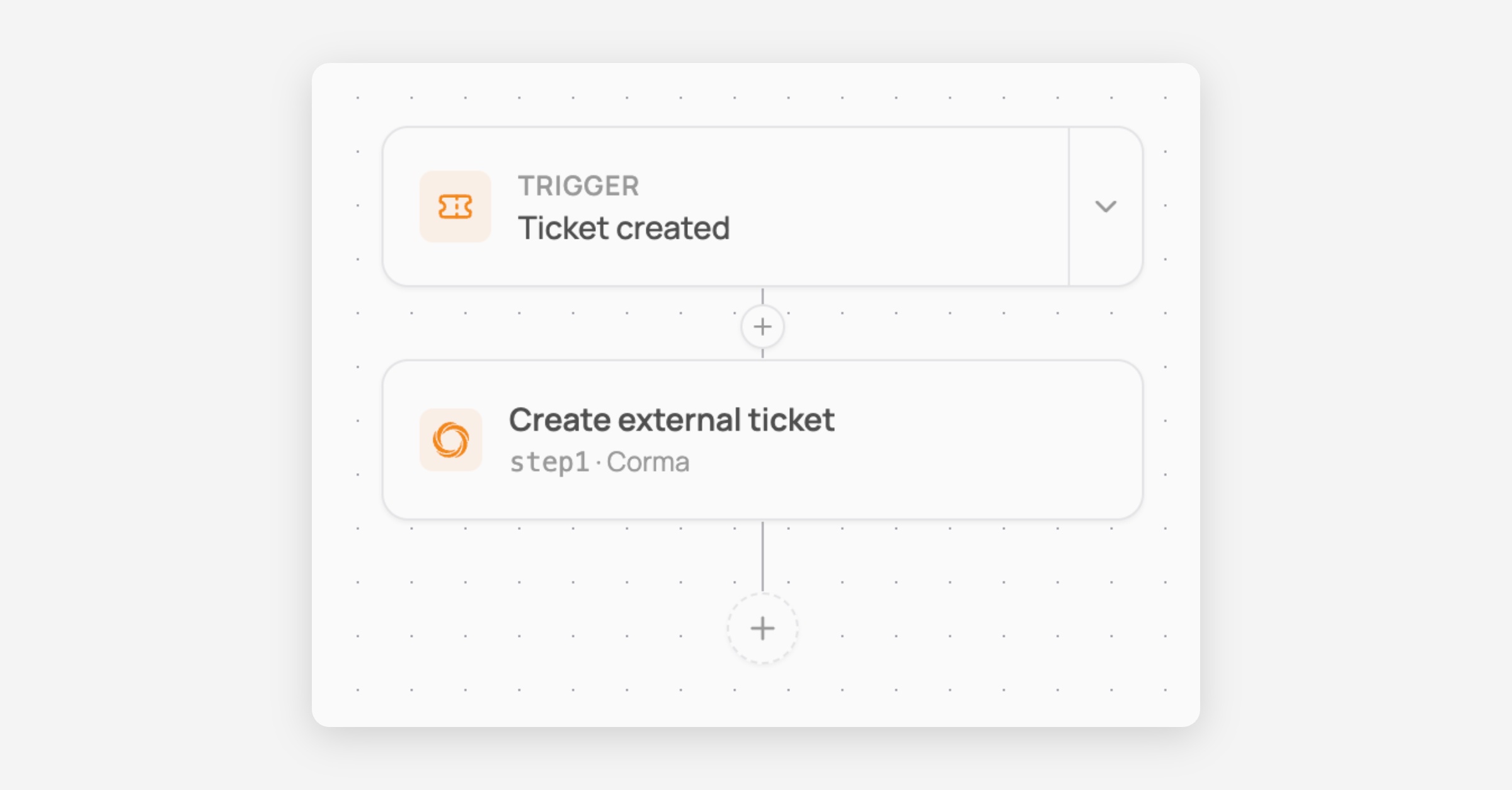
New trigger: Ticket created
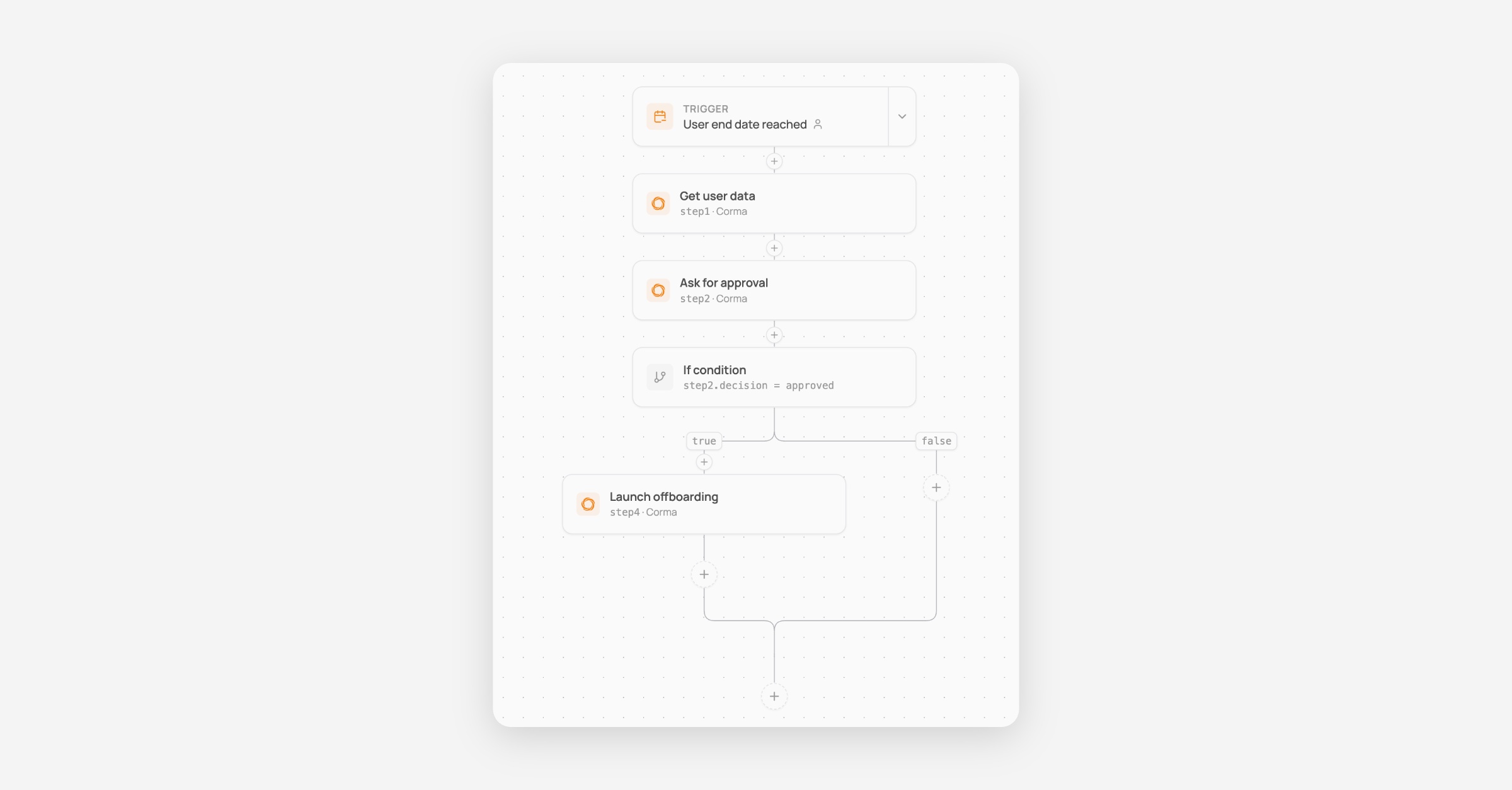
You can now trigger workflows whenever a ticket is created in Corma. This allows you to build workflows like the simple one below to create tickets in your main ticketing system every time one is created in Corma so no data silo is created between your tools.
You can go further with our branching system to build much more complex workflows, for instance to put tickets in different Jira projects and with different task types depending on the app being targeted by the workflow!
New workflow action: Ask approval
A brand new action to ask approval of anyone before proceeding with the rest of your workflow.
Here is an example below of a workflow where, when a user has their termination date today, it asks the manager for confirmation before deprovisioning all their accounts automatically.
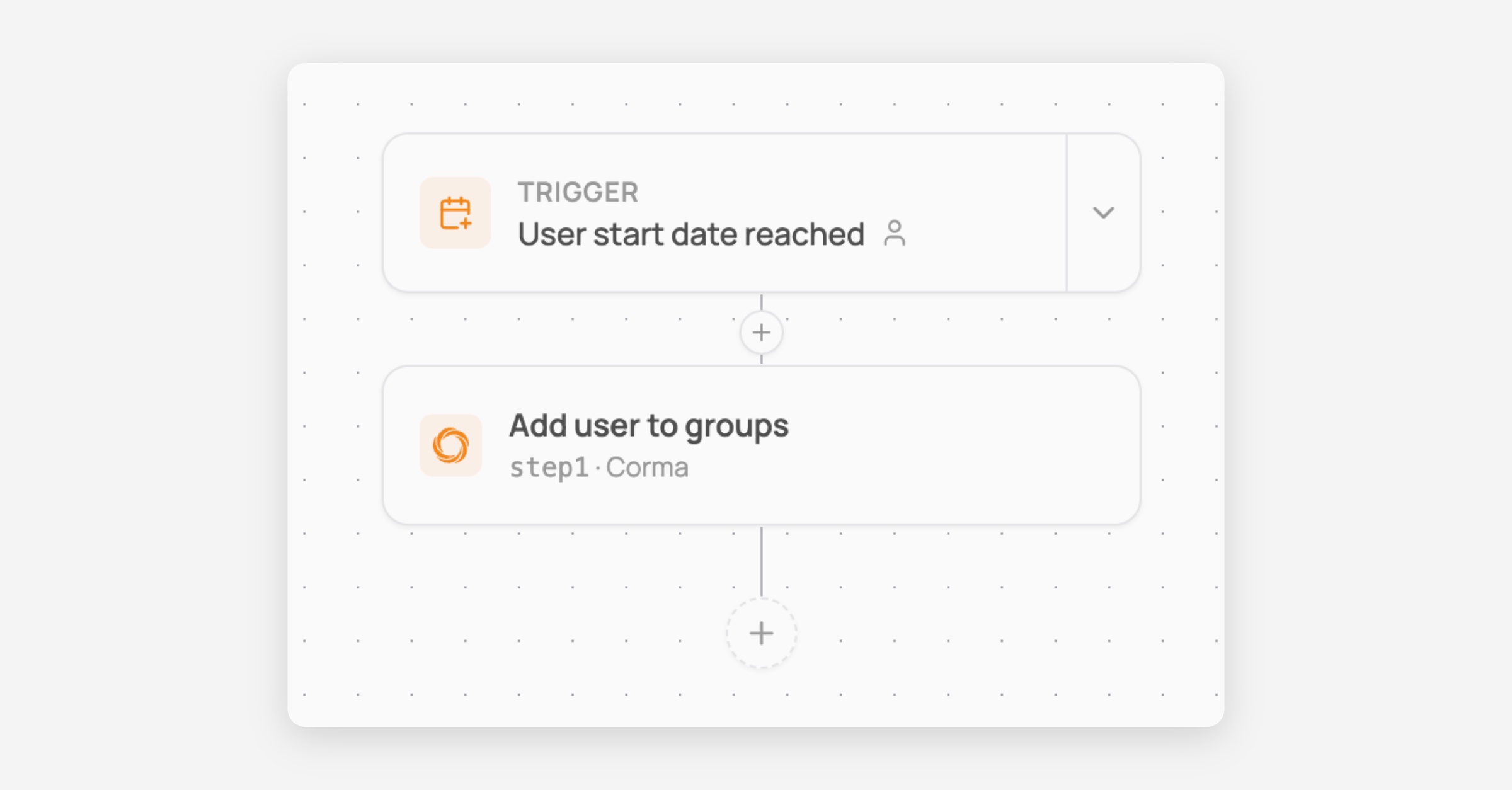
New workflow action: Add user to group
Add user to Corma user groups directly from the workflow as a new automated action
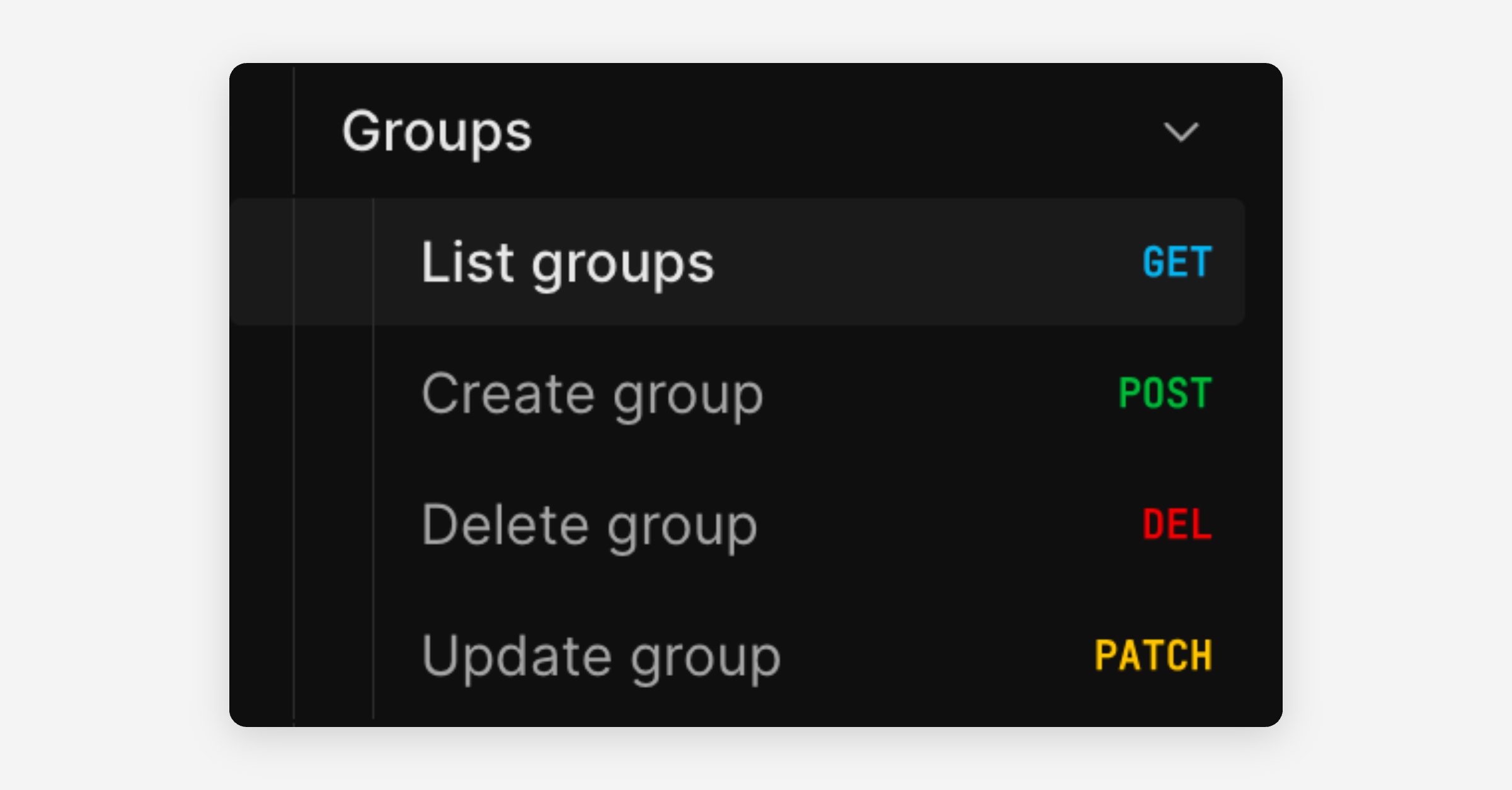
New public APIs: Manage User Groups
Brand new endpoints to manage Corma user groups programmatically outside of Corma.
Perform GET, POST, DELETE and PATCH operations on any group except IdP groups that cannot be modified, as the source of truth lives in the IdP.
And much more of course:
New User Group rule based on user type
Salesforce connector fixes
Activity extractor for ChatGPT agent
Microsoft token skip fix for large paginated responses
Branching workflows, and custom agent improvements
Add branching logic to your workflows
Your workflows can now split into different paths depending on conditions you set. For example, sending internal employees down one path and external contractors down another.
Branching steps: add if/switch conditions to any workflow, with scoped variables and validation.
Live run graph: see exactly which path a workflow run took, with the ability to retry or skip individual steps.
This makes it possible to handle more complex, real-world processes without needing multiple separate workflows.
(Note: the "ask for approval" branching action is coming soon.)
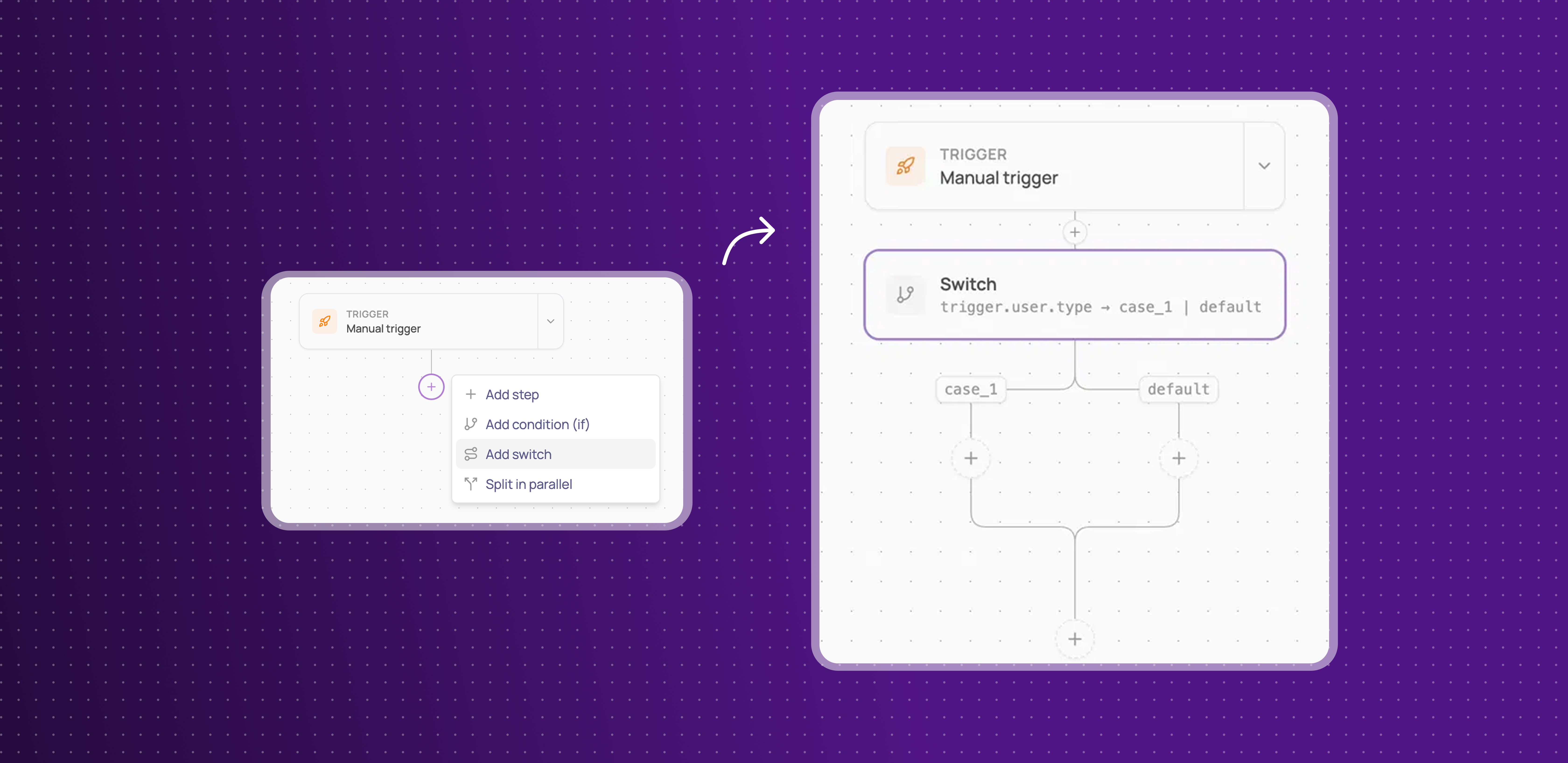
Learn more about how to set up conditional workflows here
Improvements
The chat panel during custom agent setup can now be extended.
Clicking an invoice now opens a redesigned modal.
Fixes
Custom agent not being available for apps that already have an API connector (e.g. Amplitude, Yousign) has been fixed.
Dark Mode, Enriched Search, Department renaming, and a new Kelio Integration
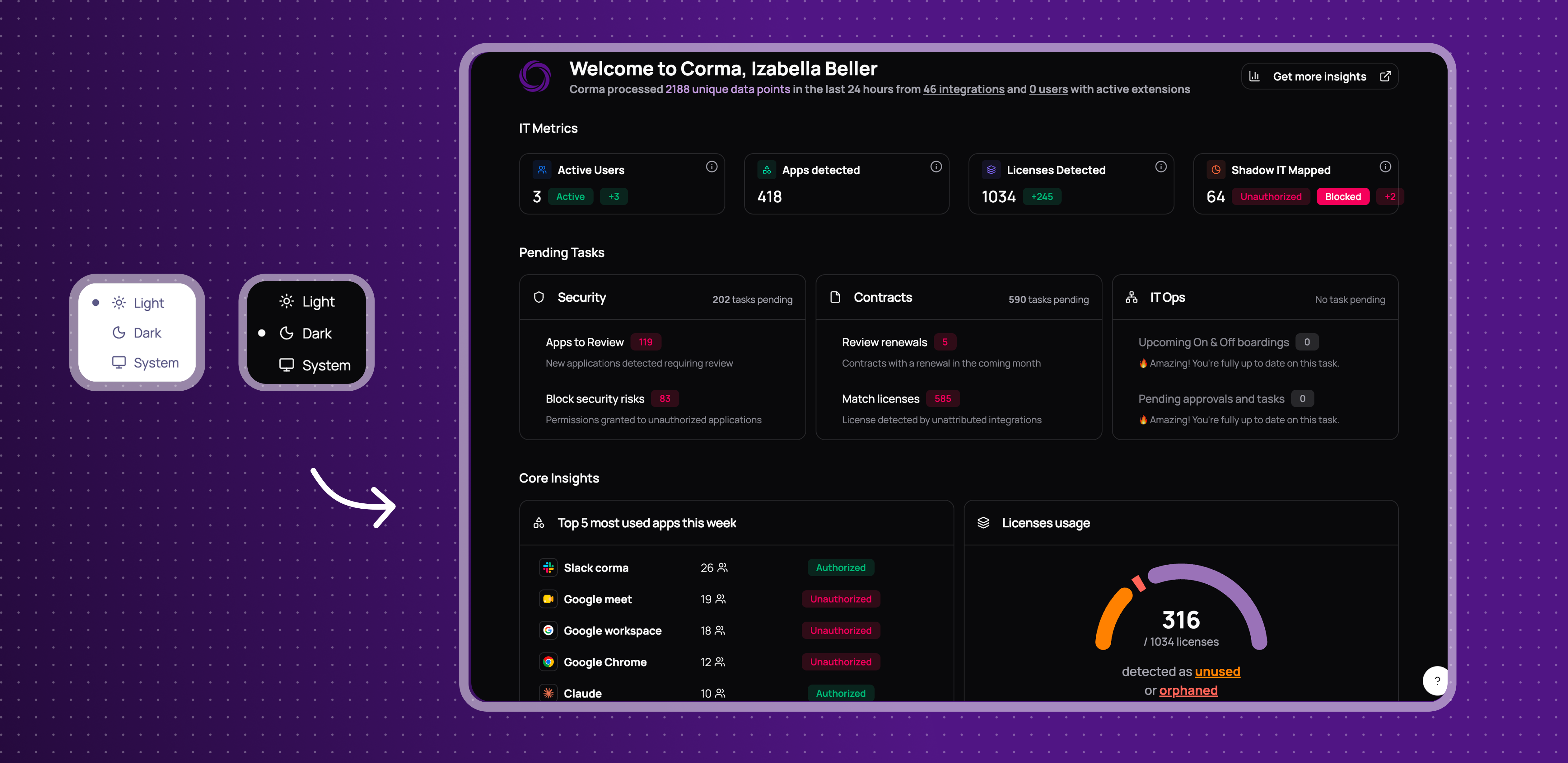
Dark Mode, for your eyes only
You can now switch Corma's appearance to a dark theme from your profile settings.
Appearance setting: choose your preferred theme from the profile dropdown.
Applies across the app: dark mode carries through every page.
This gives you a more comfortable viewing experience, especially in low-light environments.
A smarter search bar
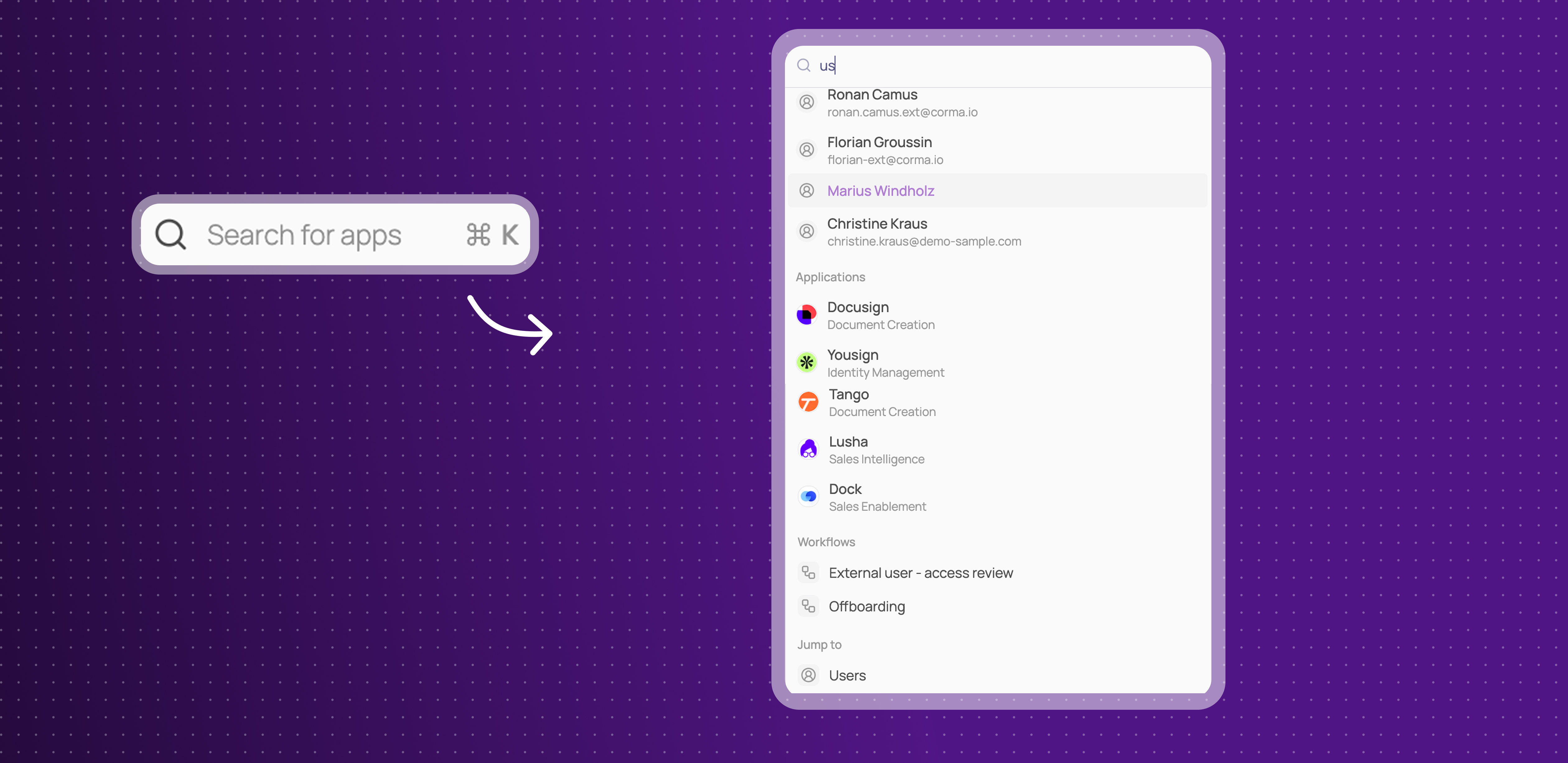
Corma's search now looks across more than just apps. You can find users, workflows, user groups, bundles, and access reviews directly from the search bar.
Search across more than apps: find users, applications, bundles, access reviews, workflows, and user groups all from one search bar.
Faster navigation: jump straight to the page or item you're looking for without digging through menus.
This makes it quicker to find exactly what you're looking for, wherever it lives in Corma.
Settings page got a revamp and Team is now Department
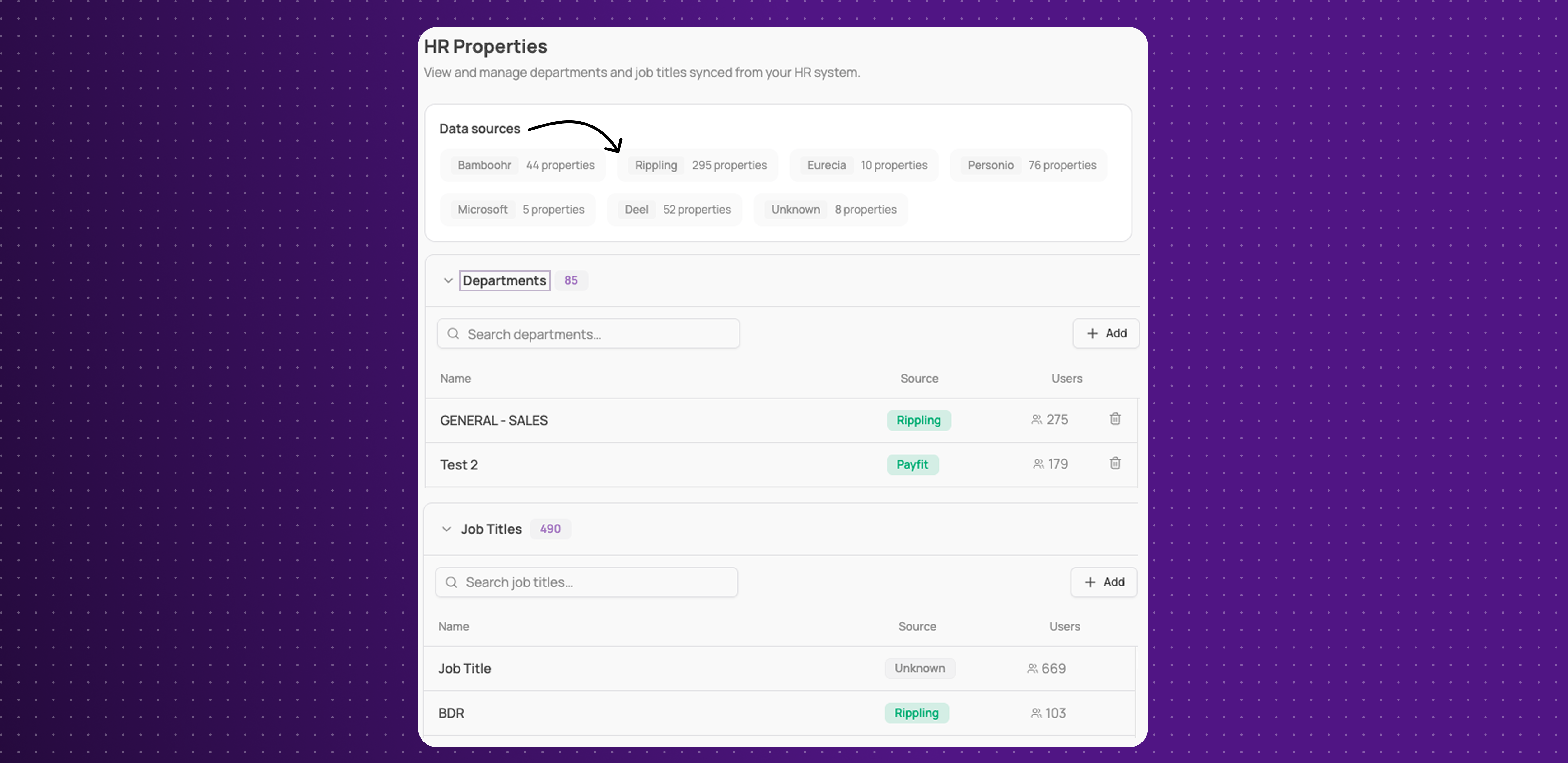
You can now navigate a redesigned, cleaner Settings section, and what was called "Team" is now "Department," with a new view for managing HR properties and where each one comes from.
Cleaner admin panel: a redesigned, less cluttered Settings layout.
Department renaming: "Team" is now "Department" throughout the app.
HR properties view: see and manage your Departments and Job Titles synced from 80+ HR tools, each showing its source and how many users are tied to it.
This gives admins a clearer way to manage company settings and understand where HR data comes from.
Kelio Integration
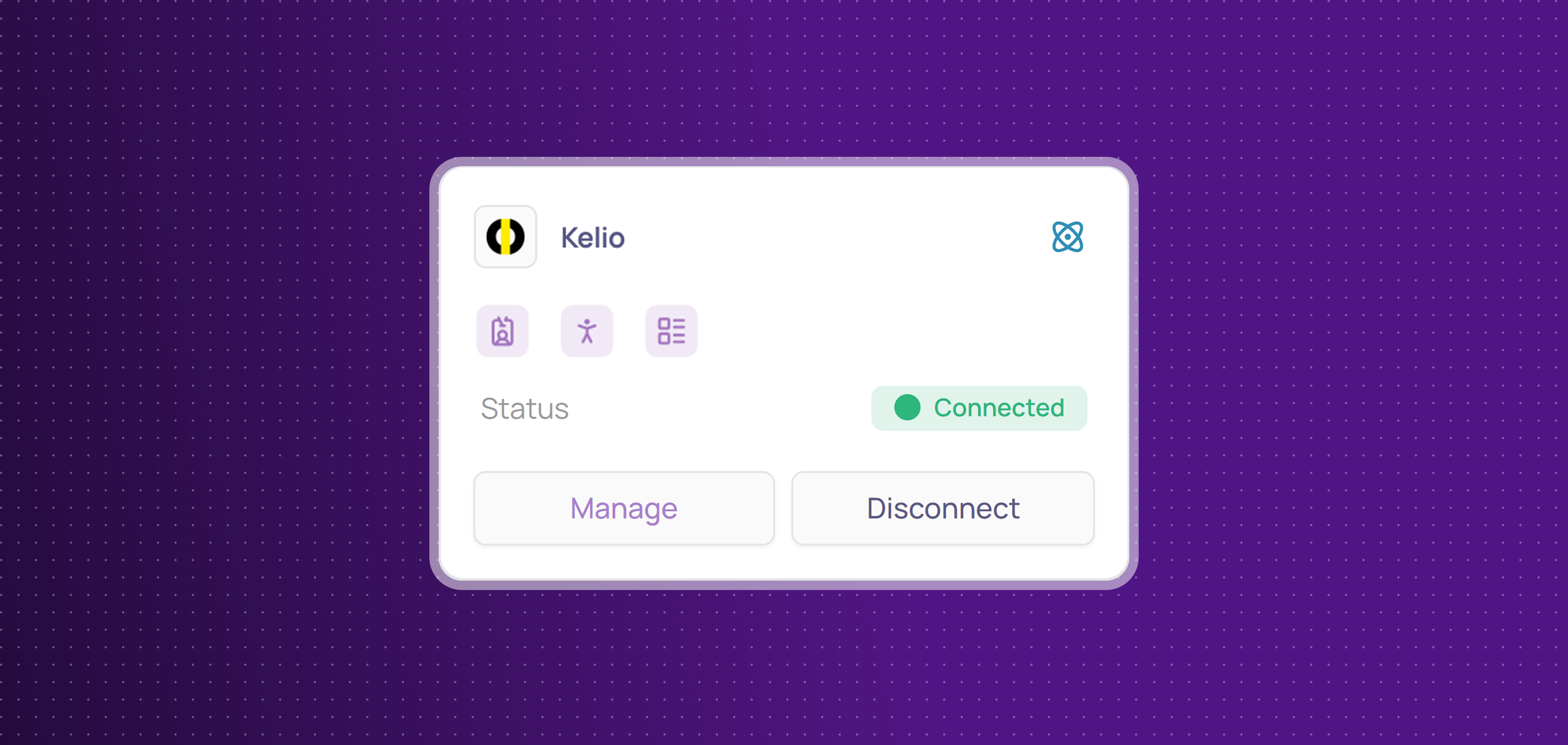
Corma now integrates with Kelio! Kelio is a French HR and time-management platform used to manage employee records, absences, and time tracking.
You can now:
Get HR data: sync manager, department, job title, country, start date, and termination date directly from Kelio.
Improvements
New "Offboard user" button added directly to the Provisioning > Offboarding page.
License revoke actions show what the underlying deprovisioning action will do (e.g. account deletion) before you confirm.
Audit log entries more clearly distinguish suspended users from revoked access, and no longer show a confusing "Ongoing" state.
App descriptions are shown on the employee app store.
New employees not yet assigned to a team no longer see a confusing blank onboarding page.
Fixes
Jira tickets not being created for manual tasks has been fixed.
Copy/paste for email and password in the agent's embedded browser during connector login has been fixed.
Monday.com connector OAuth connection failures have been fixed.
Unauthorized apps not appearing correctly in the employee portal's app list has been fixed.
The employee portal search shortcut has been fixed and now uses Cmd+K, matching the admin portal.
The "request new app" action in the employee portal not submitting has been fixed.
Employees being able to request apps they already have access to has been fixed.
The "no decision" filter on employee-mode access reviews not being uncheckable has been fixed.
Deleting a user sometimes returning an error has been fixed.
Updating an app's owner sometimes failing with no clear error has been fixed.
Usernames created through Corma (e.g. via Google, Slack, or Atlassian) sometimes showing in the wrong format has been fixed.
Redirection links of onboarding has been fixed.
A visual glitch has been fixed.
License and access status occasionally showing stale or taking a long time to update after syncing has been fixed.
New Notes on Users and Apps & 2 new Integrations
Notes on Users and Apps
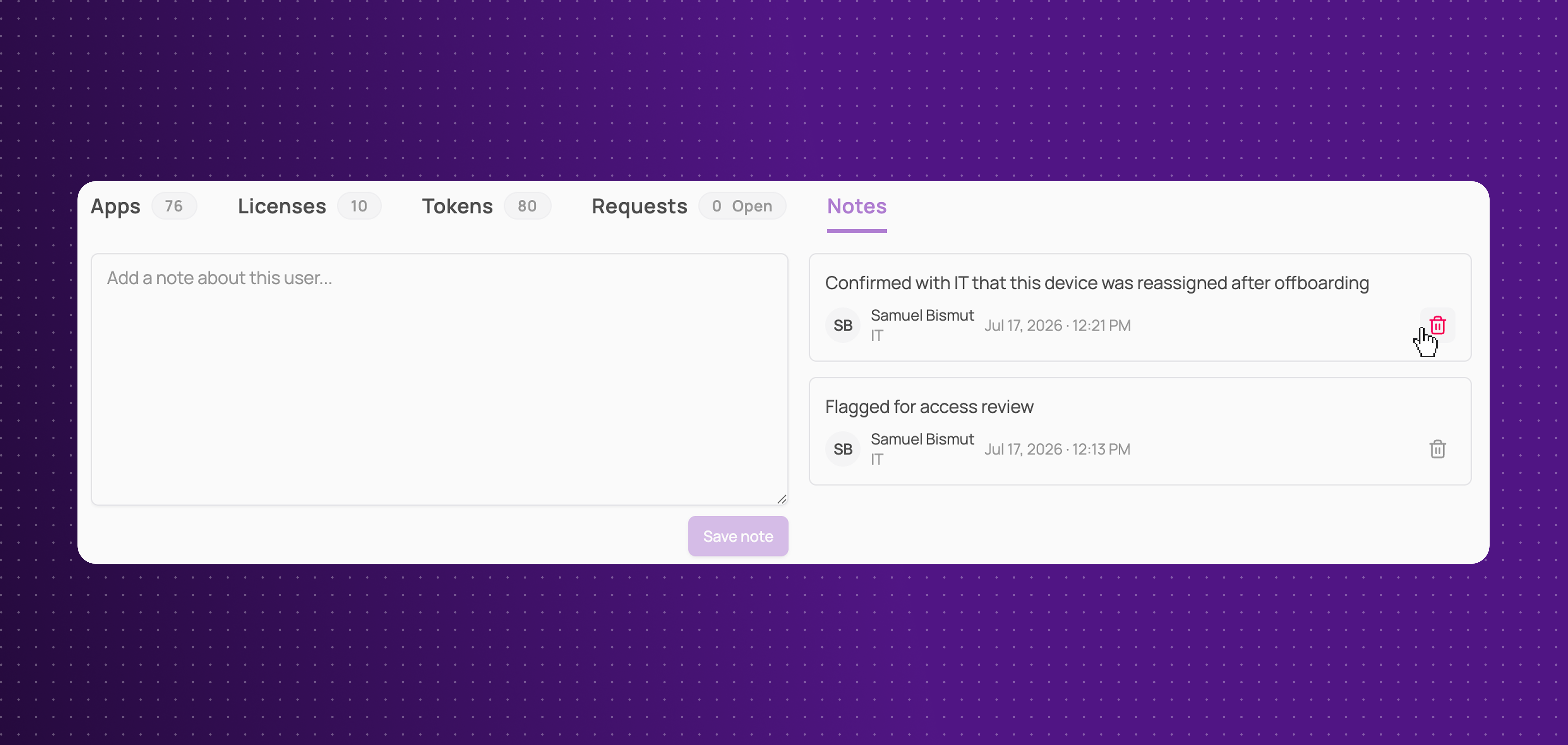
Notes on user and app pages now support a full history instead of a single over-writable text field.
Dedicated Notes tab: compose and review notes in their own tab, alongside Licenses and Requests
Full history: see every note ever added, not just the latest one
This makes it easier to track context and decisions over time.
HiBob Integration
Corma now integrates with Hibob!
HiBob is an HR platform used to manage employee data, onboarding, and organizational structure. You can now:
Identity: collect employee identities from Hibob and list them in Corma to keep your user directory accurate and up to date
Get HR data: enrich user profiles in Corma with key HR attributes from Hibob, including job title, team, manager, country, start date and termination date
Collect licenses: centralize Hibob users and licenses in Corma
Airtable Integration
Corma now integrates with Airtable!
Airtable is a flexible database and workflow tool many teams use to organize projects and data. You can now:
Collect licenses: centralize Airtable users and licenses in Corma
Provisioning & deprovisioning: automatically assign and revoke Airtable access directly from Corma to effortlessly manage your licenses use
Improvements
Backoffice now supports bulk matching for multiple entries at once
New filters added to Backoffice: app, status, source, and mapping type
Mappings and Apps sections merged into one for simpler navigation
Bulk-add users to a team directly from the main Users page
The offboarding "start date" field is now optional and renamed for clarity
Bulk maintain/revoke decisions on access reviews, instead of one at a time
Rename an access review after it's already been launched
The "user start/end date reached" trigger can now target specific user types
Microsoft Entra guest users are now automatically classified as "External"
Added a "Matched" filter on individual app pages
Personio integration now syncs employee country data
Notifications now link directly to the specific item they're about, instead of a generic page
Renewal reminders can now be set more than 30 days in advance
Fixes
An error message when workflow configuration fails to load has been fixed
"Change app status" action missing custom variables has been fixed
Left or archived users receiving emails about open tasks has been fixed
Figma agent provisioning/deprovisioning actions not appearing has been fixed
Microsoft license assignment failing for new users has been fixed
Bundle users not appearing after manual attribution at onboarding has been fixed
A missing loading indicator in the onboarding/offboarding drawer has been fixed
Access review status filter on the employee portal has been fixed
A matched SSO-detected app not appearing in Applications list has been fixed
Akuiteo license data mislabeled as license type instead of role has been fixed
User creation failing during onboarding for free-plan Linear clients has been fixed
Invoices with missing price or billing interval data failing to process has been fixed
Saving a 'license status changed' trigger with no changes has been fixed
Manually revoking a license status not triggering related workflow has been fixed
Targeted app not showing in "Change app status" run logs has been fixed
"Create ticket" action failing without a target user has been fixed
Custom Agents, Workflow Triggers & Actions, Tomorro Integration
Custom Agents
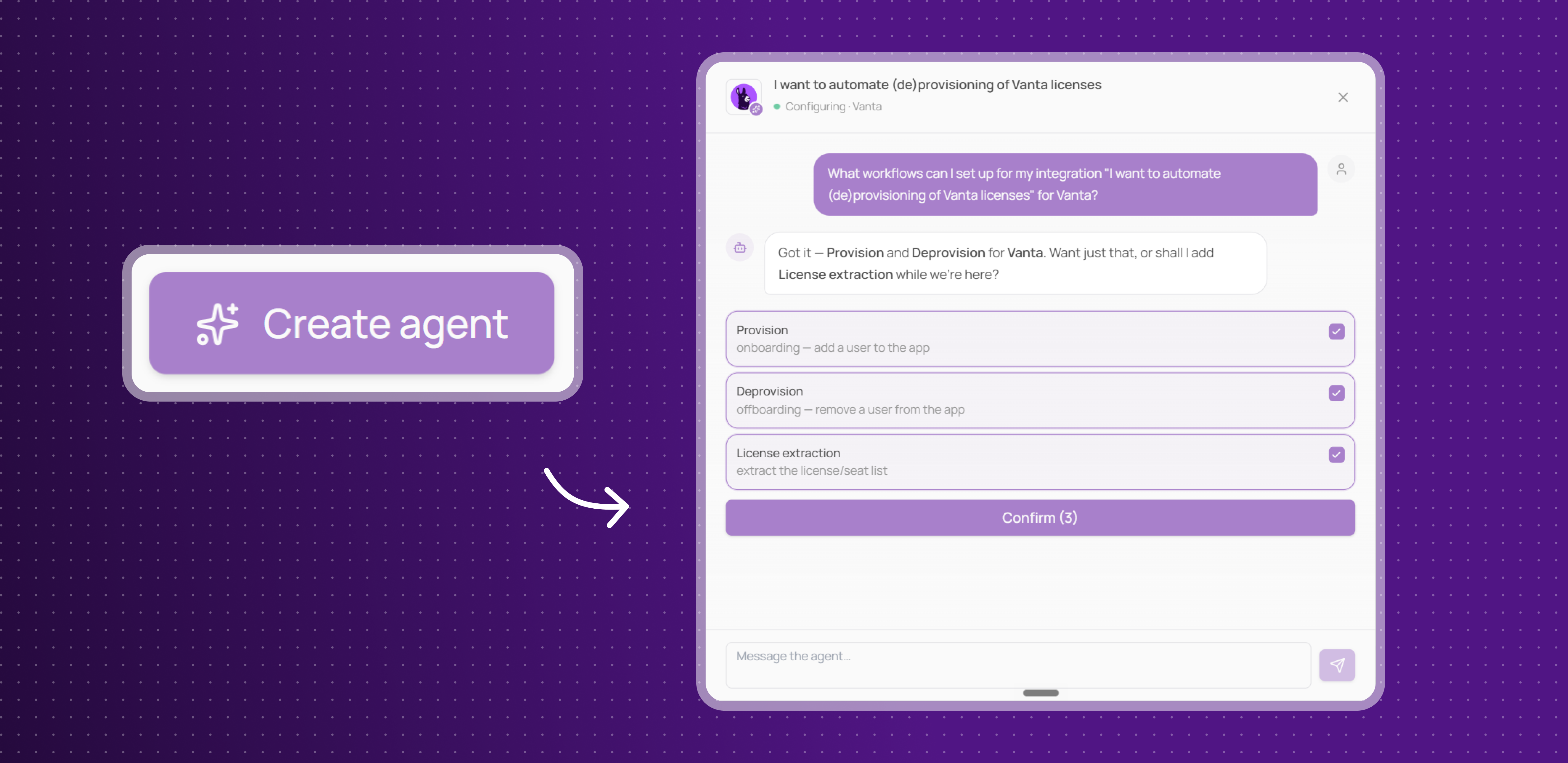
Corma can now build a custom integration for apps that don't have a native connector, just by watching you use them.
Train by demonstration: record yourself performing a task once (like onboarding a user), and Corma's agent turns it into a reusable automation
Chat to refine it: review, ask questions, and adjust the automation directly in a chat interface before it goes live
Works like any other integration: once built, the custom agent handles provisioning, deprovisioning, and license syncs for that app just like a native connector
This unlocks automation for the long tail of apps in your stack that would otherwise require manual work.
Workflow Builder: new actions
You now have more ways to act across your stack without manual intervention:
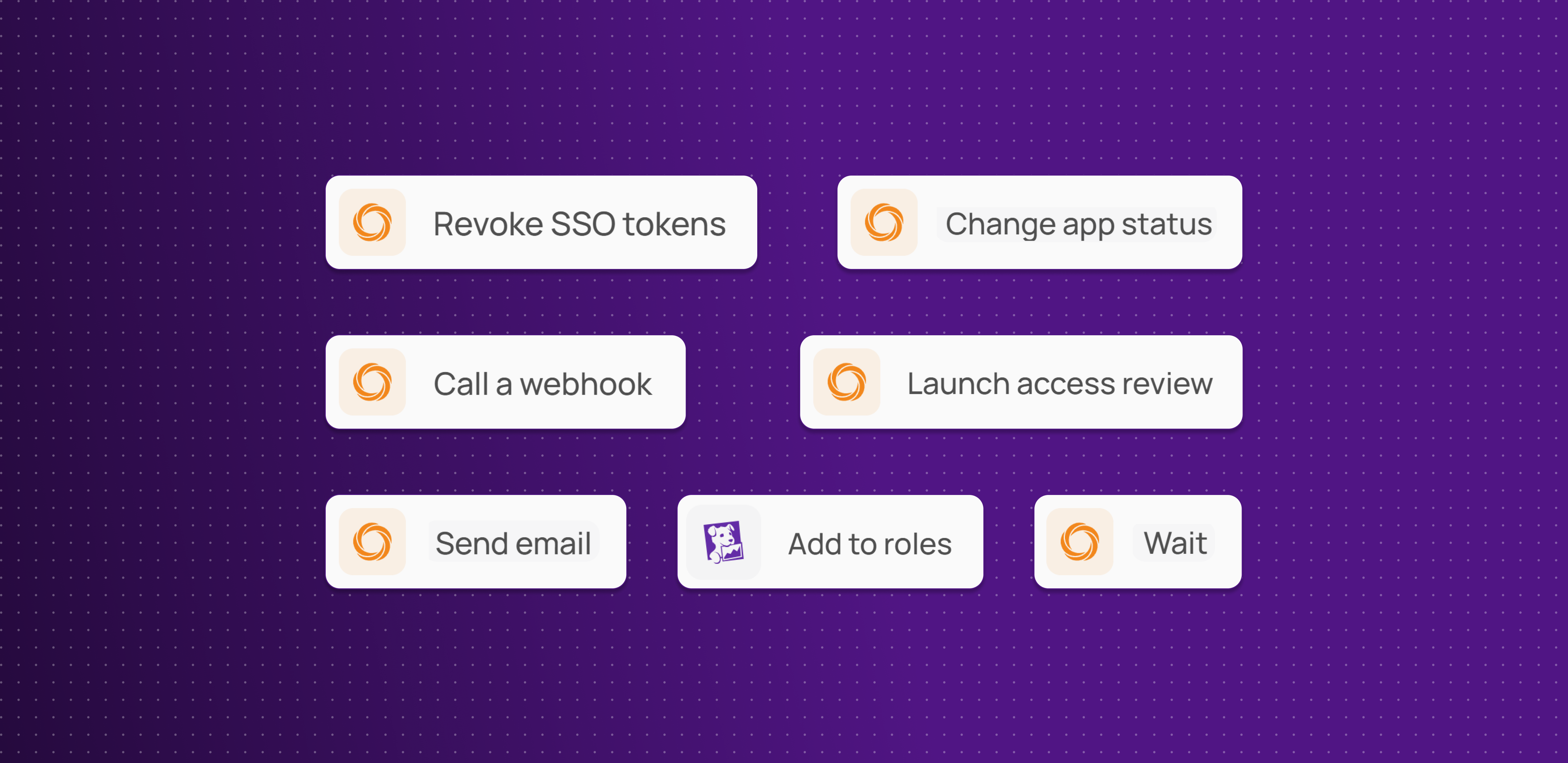
Change app status: mark an app as authorized, tolerated, or another status
Revoke all tokens: revoke every access token for a user on an app in one step
Launch access review: trigger a review with defined reviewers, apps and due date
Send email: send a custom email to specified recipients
Wait: pause a workflow for a set duration
Call webhook: send data to and receive responses from any external URL
Add role on Datadog: assign a Datadog role directly from Corma
More actions to automate across your stack, cutting down on manual work and one-off scripts.
Workflow Builder: new triggers
There are now more ways to kick off a workflow automatically:
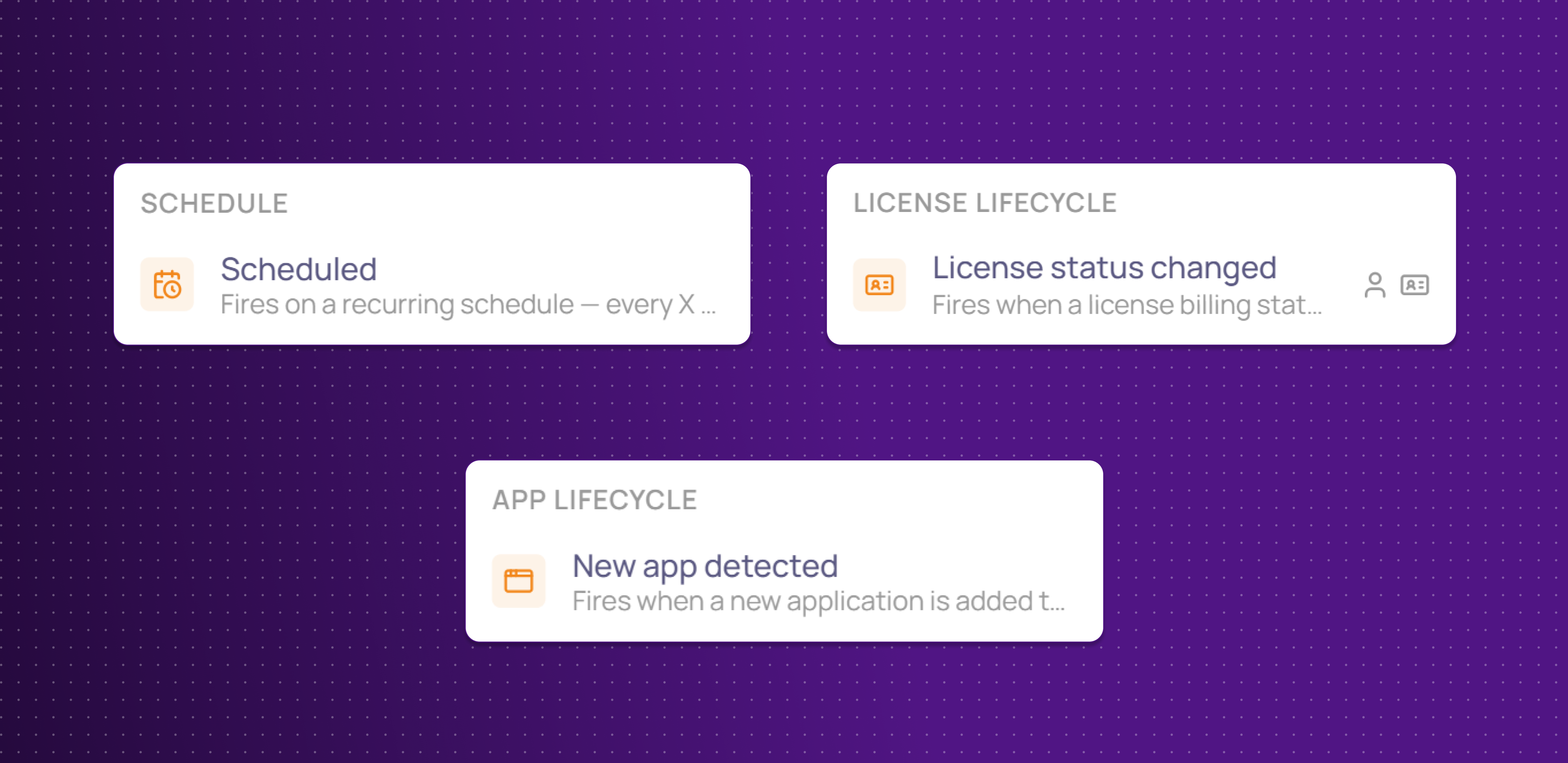
Scheduled: run a workflow on a recurring schedule (e.g. every X days or months)
License status changed: trigger on billing or activity status changes: renewed, expired, cancelled, activated, deactivated
New app detected : fire a workflow whenever a new app is discovered in your SaaS directory, with the option to filter by app status
More ways to kick off a workflow automatically, so automations react to real events instead of manual runs.
Tomorro Integration
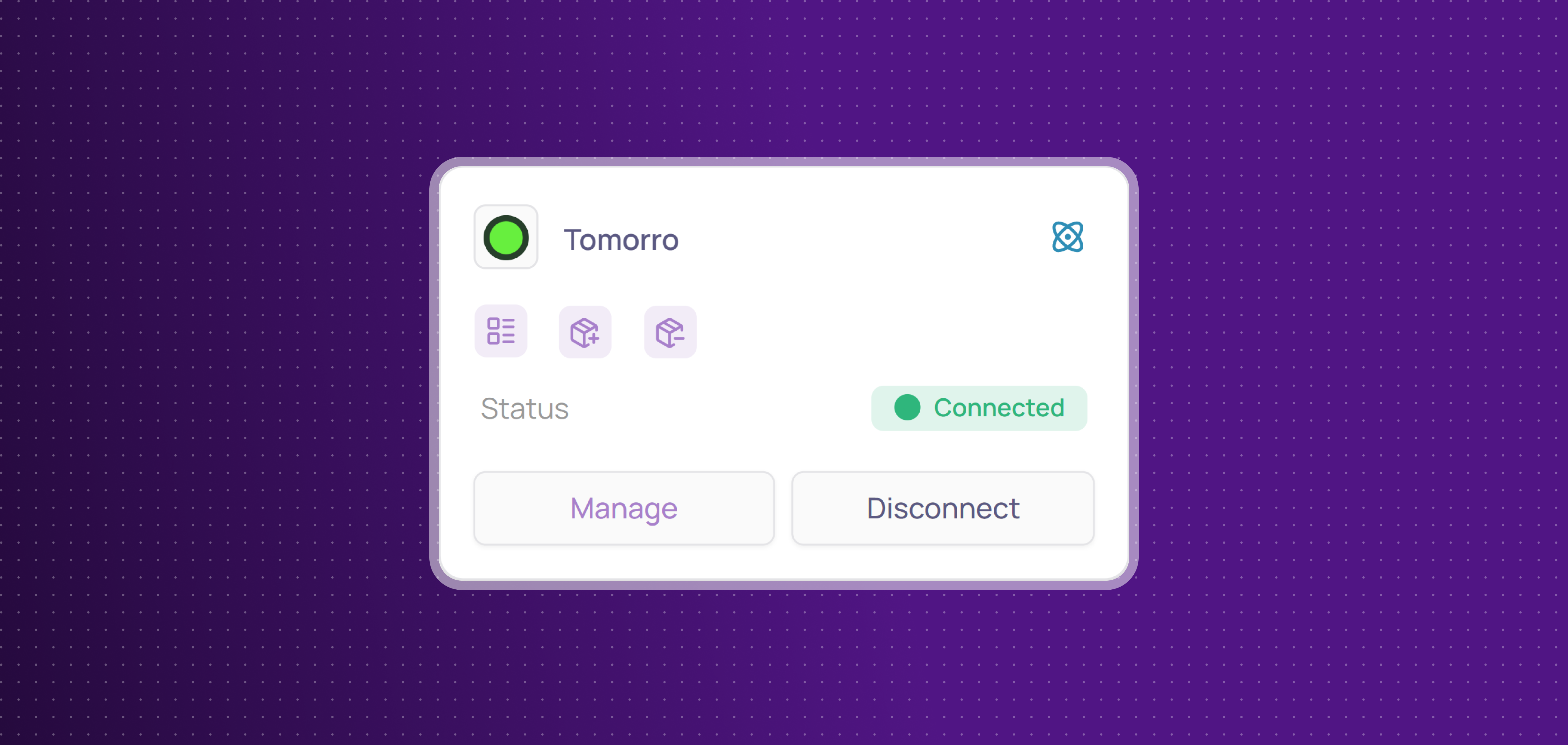
Corma now integrates with Tomorro!
Tomorro is a spend management platform that helps finance teams track expenses, automate approvals, and gain real-time visibility into company spending.
You can now:
Collect licenses: centralize Moss users and licenses in Corma
Get expenses: collect invoices and sync expense data from Moss to centralize your spend tracking and reconciliation directly in Corma
Improvements
URL and login fields are now optional when creating internal applications, and the URL field can be edited after creation.
Notes can now be added directly on a user's profile page, the same way as on an app's page.
Fixes
Onboarding/offboarding page failing to load for a client has been fixed
Claude integration showing as connected after a failed login has been fixed
Automation builder misreading CSV columns and dropping data has been fixed
License-triggered action bugs (missing link, missing log entry) have been fixed
License action bugs (failed triggers, missing option) have been fixed
Multiple workflow bugs (stuck steps, audit logs, display issues) have been fixed
Bulk deletion of 100+ users timing out has been fixed
Unmatched CSV license rows now save as unmatched accounts
"Delete User" crashing has been fixed
HR sync crashing after the first customer has been fixed
Internal app descriptions silently failing to save has been fixed
SSO, MFA, and SAML checkboxes showing wrong state has been fixed
Broken internal API documentation has been repaired
Multiple Workflows bugs (activation, drafts, loaders, config) have been fixed
"Send Slack message" crashing without a user target has been fixed
A dropdown not closing after selection has been fixed
Google Workspace issues now trigger a reconnect alert instead of failing silently
Revoked accounts not being correctly identified has been fixed
Connected integrations disappearing from filters has been fixed
Decimal prices in contract line items not accepting commas/dots has been fixed