
Overview
Integration with your HR tool will enhance the possibilities of our provisioning Module. Please refer to the HRIS page for indications on how to integrate it to Corma.
🎬 See it in action here (5 min)
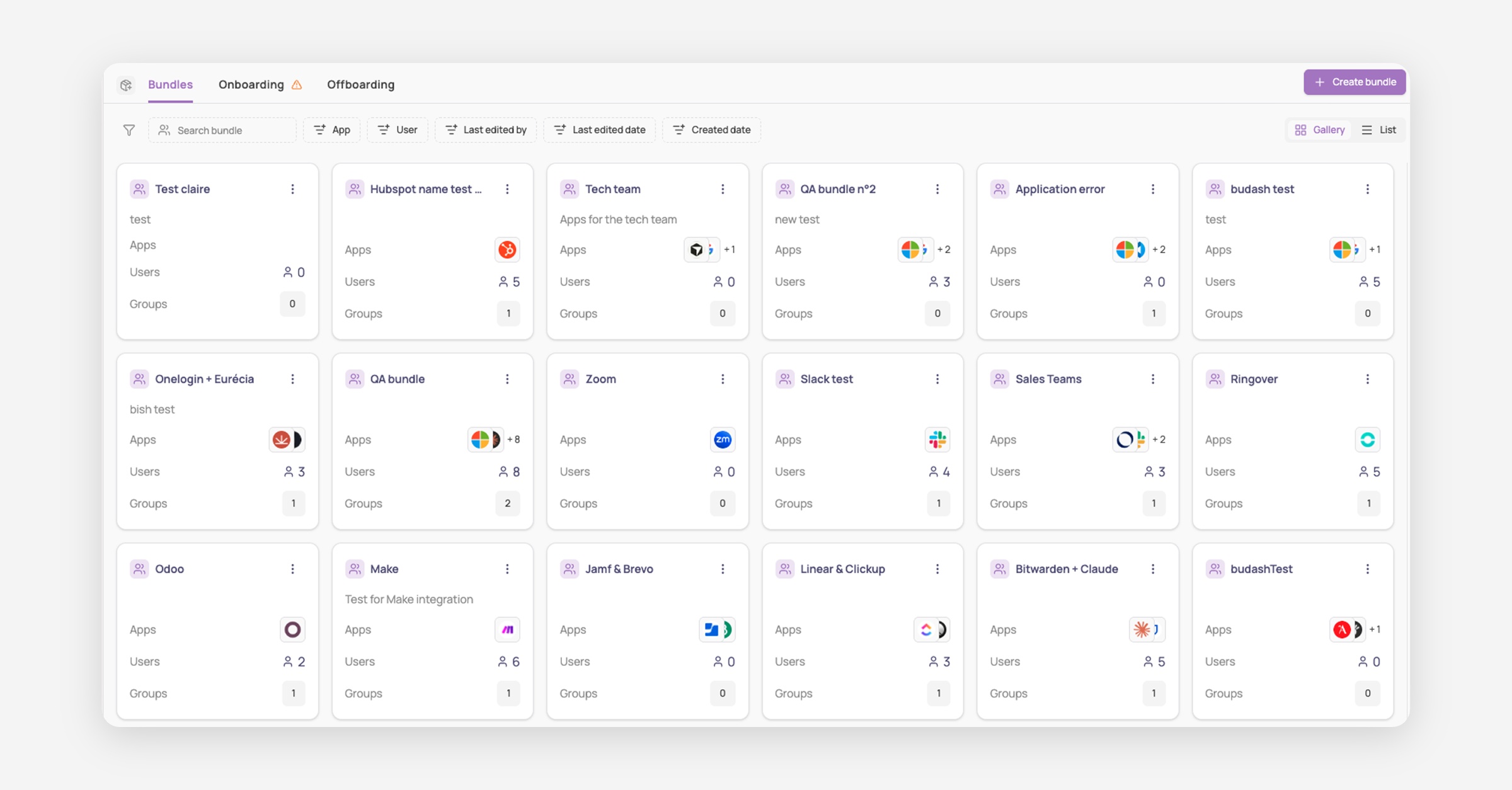
Corma's Provisioning module is where onboarding and offboarding happen. It has three tabs:
Bundles: named collections of apps and users, used to assign access automatically
Onboarding: manage every new hire's access setup
Offboarding: manage every departure's access removal
Onboarding & Offboarding
Both Onboarding and Offboarding use the same 5 statuses, grouped into two sections:
Upcoming
Suggested: users scheduled for future onboardings/offboardings; no actions initiated yet
Started
Drafted: onboarding/offboarding has been drafted
Ongoing: onboarding/offboarding has been started
Needs attention: the run failed and awaits a retry or skip, so nothing silently falls through the cracks
Completed: onboarding/offboarding has been completed
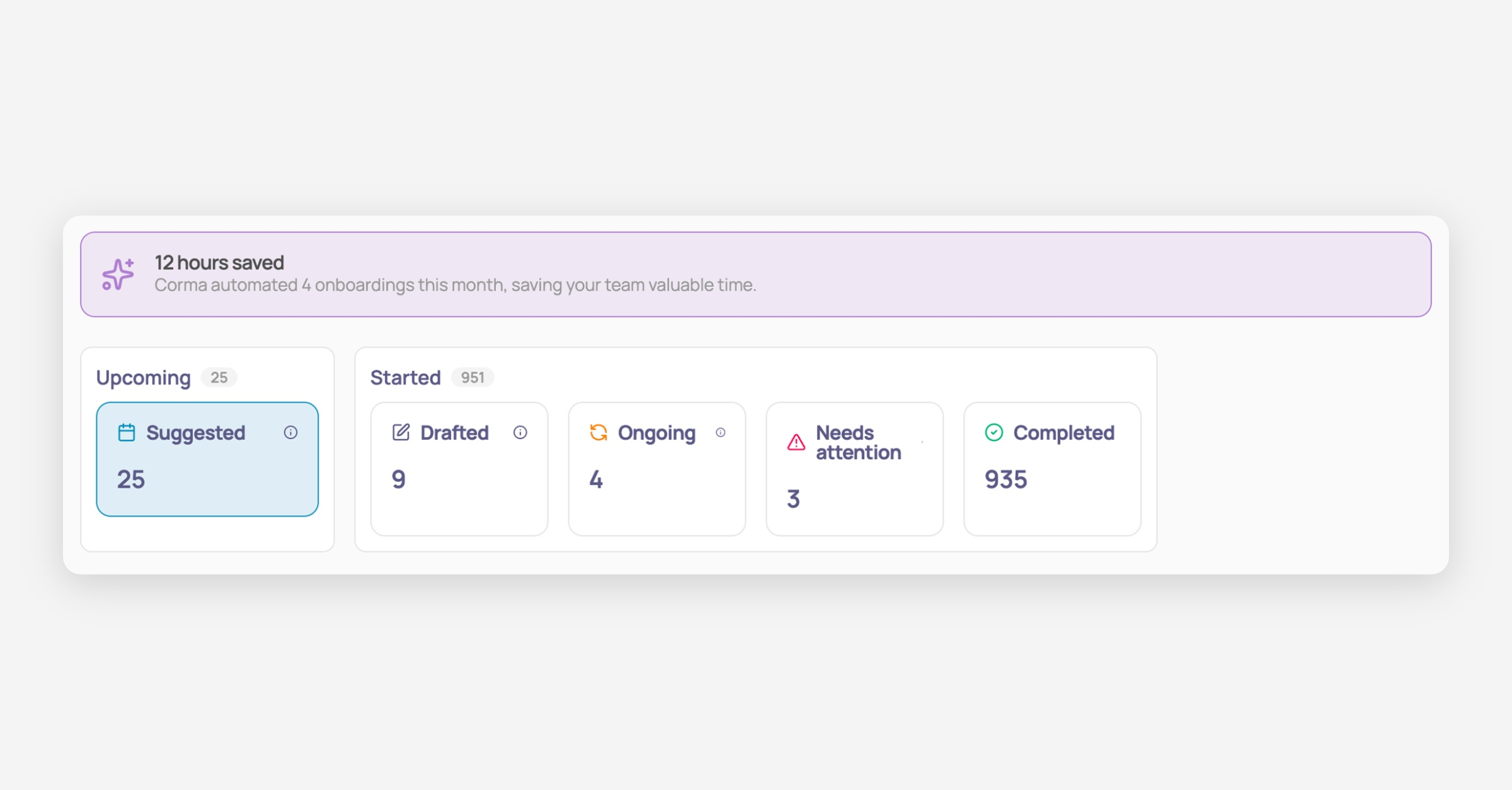
To get started, either click "Suggested" to onboard/offboard a user Corma already flagged via your HR tool, or use "Onboard new user" / "Offboard user" in the top right to start one manually.
See "How to onboard a user" and "How to offboard a user" for the full step-by-step.
Tracking progress
Once launched, click into any onboarding or offboarding record to see exactly which steps are done and which remain: a percentage complete, steps remaining, and a breakdown of what's happening in each connected app, so you always know where things stand without chasing anyone for an update.
See "How to track provisioning & deprovisioning progress" for the full breakdown, including where else progress is visible (Users page, specific user page).
Bundles
Bundles group apps and users together so access gets granted automatically the moment someone is onboarded, saving you from manually assigning the same set of apps to every new hire on a given team.
See "About bundles" and "How to set up app bundles" for the full guide.
App, Access, and Contract owners
Every app has three owner roles, each responsible for different notifications, allowing the right person to get automatically pinged when something needs their attention, instead of requests getting lost or landing on the wrong desk:
| Role | Responsibility |
|---|---|
| App owner | General owner of the application. Notified if the access owner is unavailable for tasks, contract renewals, security updates, or warnings. |
| Access owner | In charge of managing accesses to this application. Notified of manual provisioning/deprovisioning tasks. |
| Contract owner | Manages the contractual information of this application. Notified of contract renewals or approaching notice dates. |
Access owner is the primary contact for manual provisioning/deprovisioning tasks; App owner steps in as the fallback. See "How to define app, access, and contract owners" for where to set each one.