

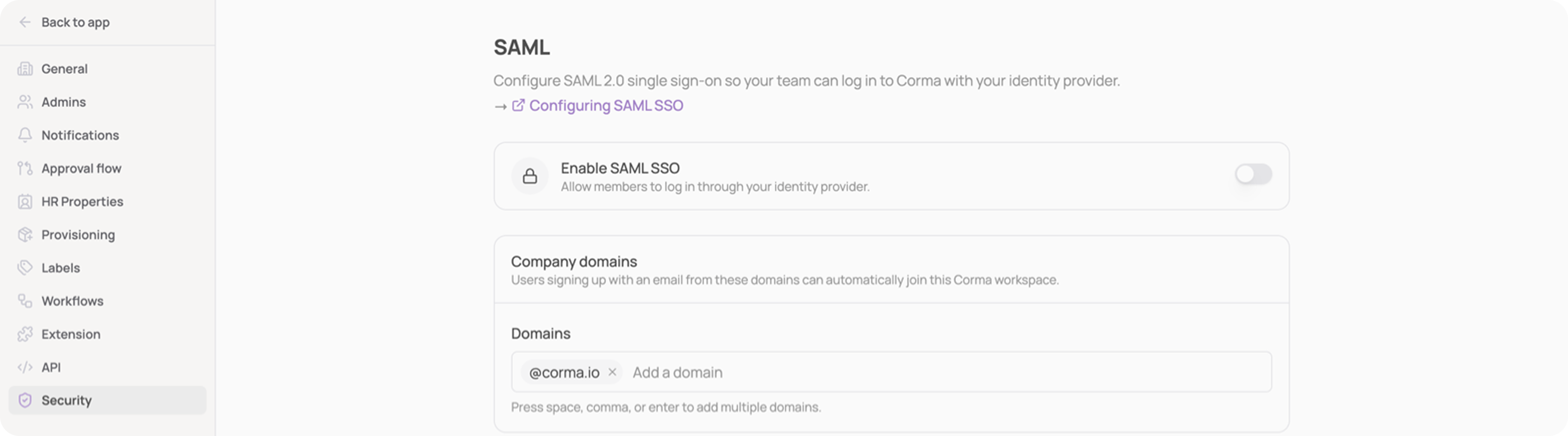
Corma supports SAML 2.0 single sign-on so your team can log in to Corma with your identity provider, alongside the Google and Microsoft sign-in methods. A workspace admin connects your provider once from Settings → Security → SAML.
How it works
One connection per workspace. A workspace admin connects the company identity provider from Settings → Security → SAML, using the provider's metadata, either a URL or an XML file depending on the provider.
Just-in-time provisioning. Any user your identity provider authenticates joins your workspace automatically on first sign-in, as an employee. No invitation or seat pre-provisioning is needed.
Optional enforcement. Once SSO is verified, the Enforce SAML for all members toggle blocks password, Google and Microsoft sign-in for the workspace and steers members to your identity provider instead.
Enforcement requires an active SAML connection, and deleting the connection resets it, so a workspace can never lock itself out.
Service provider values
Your identity provider asks for two values when you register Corma. Both are shown with copy buttons on the settings page once you start configuring.
Field | Value |
|---|---|
ACS URL, also called single sign-on URL or reply URL | Shown as SSO URL (ACS) |
Audience URI (SP Entity ID) | Shown as Audience URI (SP Entity ID), |
Attributes Corma reads from the assertion
Your identity provider has to send the user's email address. Without it, Corma rejects the sign-in. First and last name are optional but make the member list readable.
Attribute | Required | Used for |
|---|---|---|
NameID | Yes | The stable user identifier |
Yes | The user's workspace email, which must be on your company domain | |
firstName | No | Display name |
lastName | No | Display name |
Signing in
Once connected, members use Sign in with SAML SSO on the Corma sign-in page: they enter their work email, and Corma redirects them to your identity provider.
Members can sign in from the Corma sign-in page (Sign in with SAML SSO) or by clicking the Corma tile in their identity provider's dashboard.
Each provider guide shows is below: