

Overview
Users page
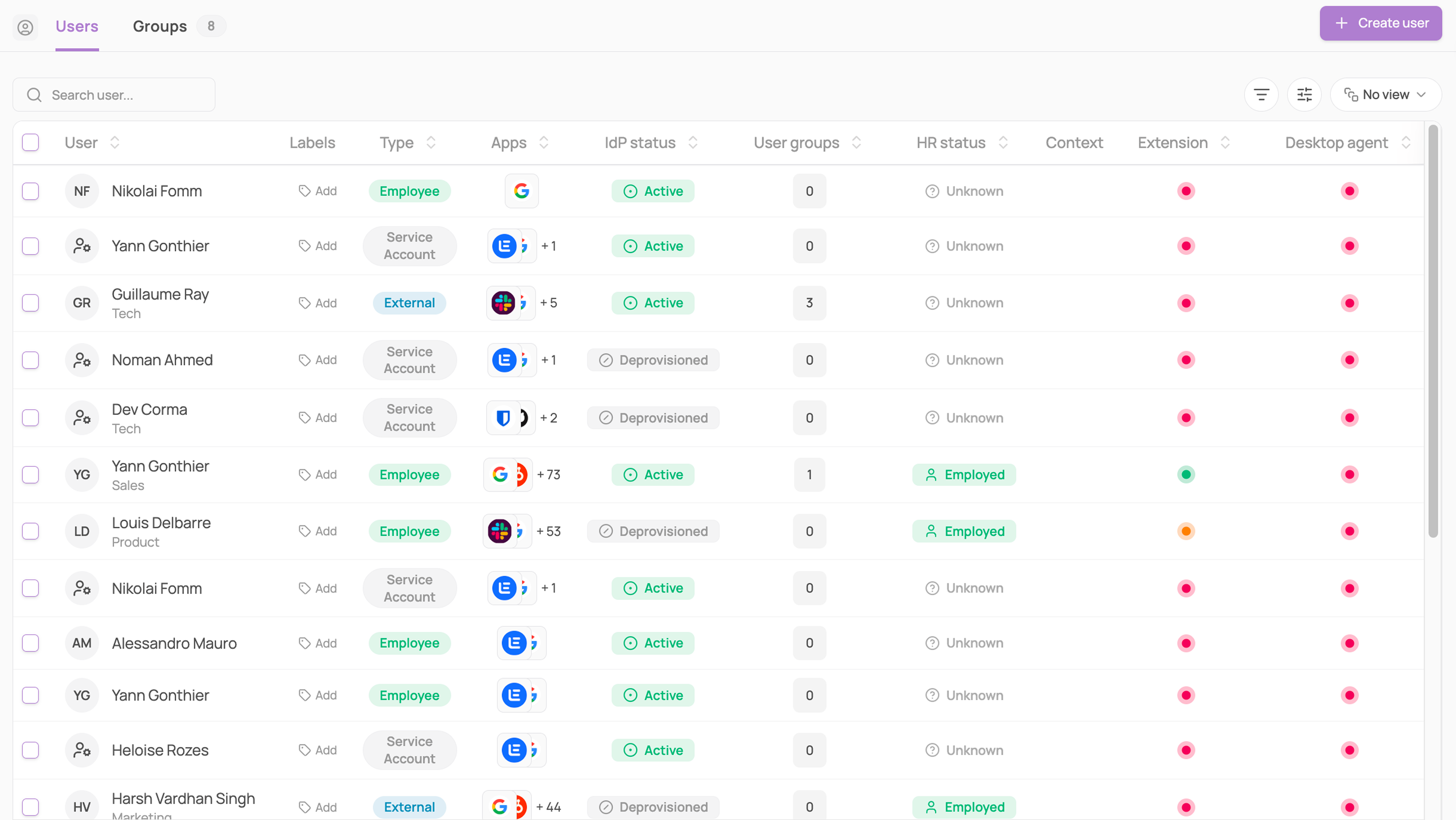
Corma's Users module puts your entire workforce under one roof, no more chasing down who has access to what across a dozen different tools.
Catch what HR and IT miss on their own: HR and IdP statuses are tracked side by side, so the moment someone's terminated in HR but still active in your identity provider, you see it instantly instead of finding out the hard way.
Cut through the noise: filter by department, identity type, IdP status, HR status, country, job title, manager, labels, licenses, if archived, extension, desktop agent, user groups, and start and/or end date, so the exact slice of your workforce you need is always a click away.
Never lose track of who's actually human: every user carries a Type, Employee, External, Service Account, or Agent, so your bots, contractors, and integrations stay clearly separated from real employees. Reassign any user's Type right from the table with a single click.
Turn any list into a report in seconds: bulk-select users, hit the ⋯ menu, and export the list or their activity as a CSV, audit-ready, no extra tools needed.
Group people your own way: apply color-coded labels to any user and filter by them, for the cohorts your HR fields don't cover, like onboarding waves, contractors on a specific project, or people you're mid-review on.
User-specific page
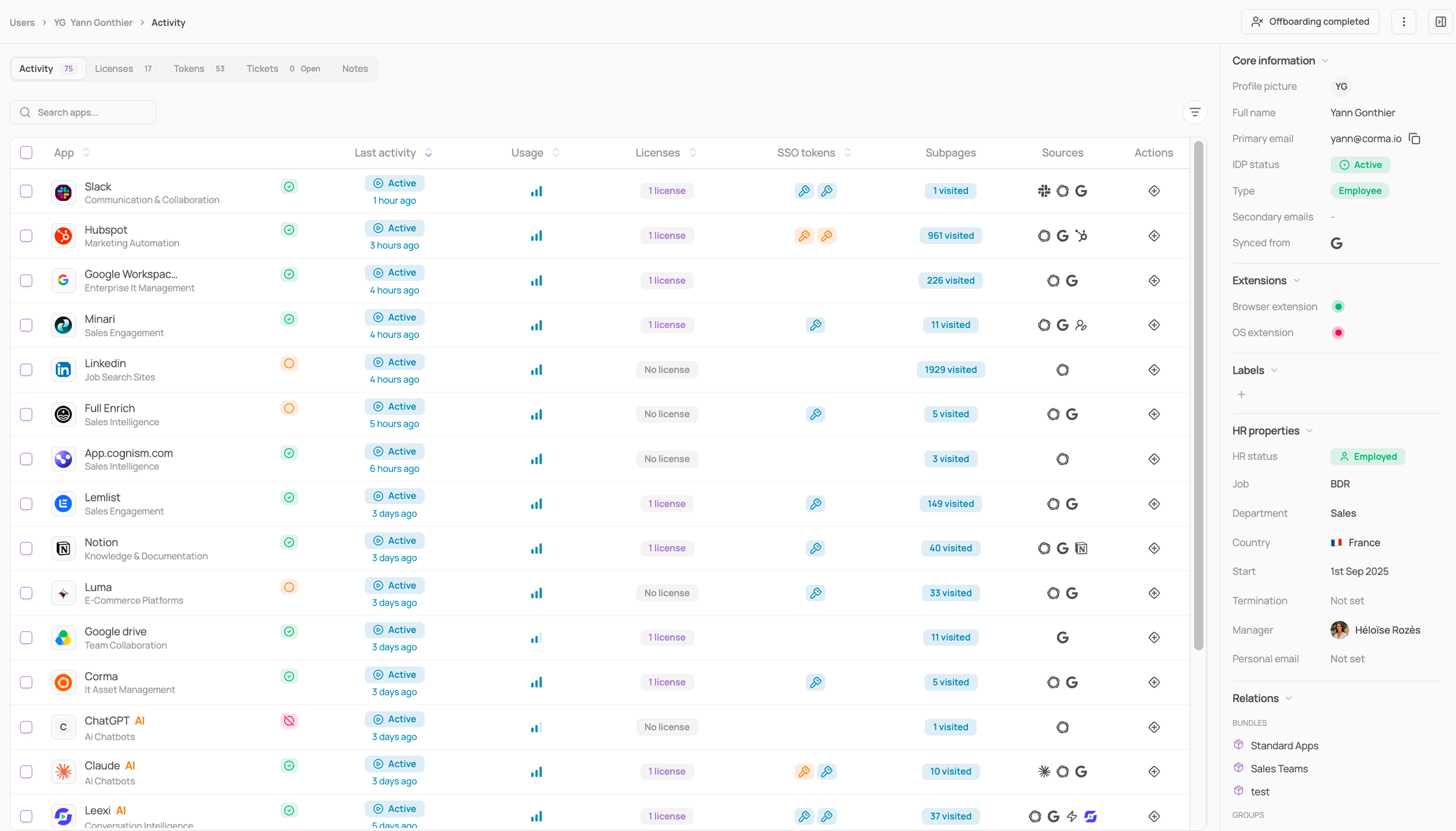
One click into any user gets you the whole story, HR, identity, licenses, and access, all in one place, so you can act the moment something needs attention instead of hunting across systems first.
Activity: every app this person touches, with activity, license count, SSO tokens, subpages visited, and source, so you know exactly how access is actually being used.
Licenses: every license they hold, with status, type, granted date, role, activity, and usage, spot the unused ones before they cost you.
Tokens: every OAuth token they've granted, by app, with the exact scopes requested. Revoke anything suspicious in one click.
Tickets: every access action tied to this person, requests, provisioning, revocations, tracked in one filtered view.
Notes: a running log for this user, so context never gets lost between the people managing their access.
The right-side drawer keeps everything essential in view at a glance:
Core information: Full name, Primary email, IDP status, Type, Extension status, and where the information is synced from.
Extensions: Browser and OS extension status.
HR Properties: HR status, Job, Department, Country, Start date, Termination date, and Manager.
Relations: Bundles, Groups, and App, Access, and, Contract ownership
You can always choose to hide information panel!
Offboarding is one click away with the Offboard button, and the ⋯ menu lets you update a username, archive, or delete a profile whenever you need to.
🎯 Use cases
How to mark a user as a service account