
Corma changelog
Journal des modifications
Les dernières versions et améliorations de Corma.
En continuant, vous acceptez nos CGU et Politique de confidentialité.
Connector pages, sign-in from your identity provider, and CSV invoice import
Every connector now has its own page
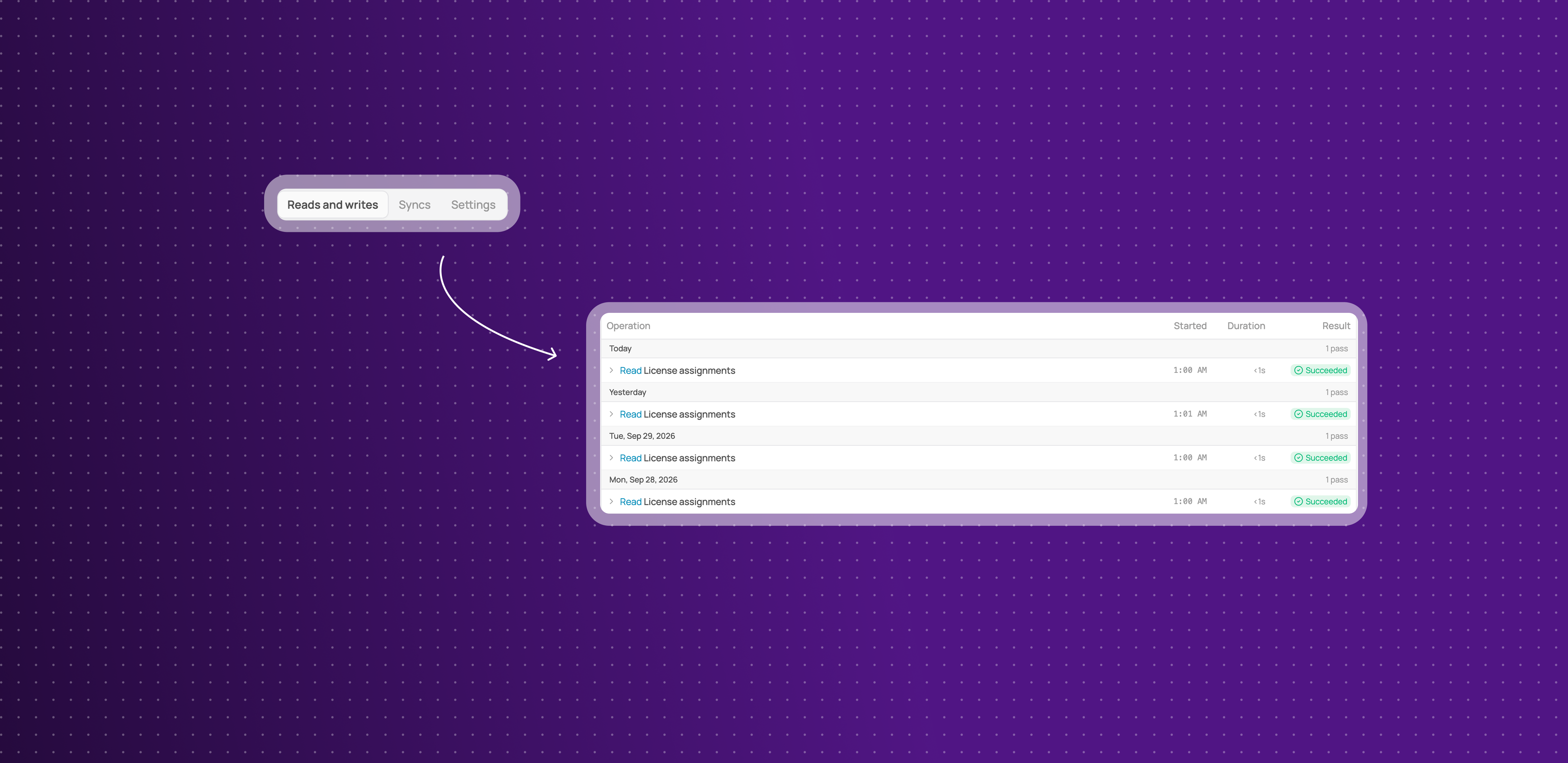
Click any connector on the Connectors page to open a page that holds everything about it, with its sync history alongside.
Three tabs: Reads and writes, Syncs and Settings, under a header that shows the connector's status, connection method and last check.
Reads and writes saves as you click: switch an individual read or write on or off and the change is saved straight away, with no Save button.
Every sync run in the Syncs tab: each run is listed by day with its status and duration, and the top of the tab shows the last successful run and how many runs failed.
Skipped runs say why: a run that did not happen tells you the reason, so a paused connector no longer looks broken.
This means you can check whether a connector is healthy, and fix it, from one page.
A Connectors page that shows what you use
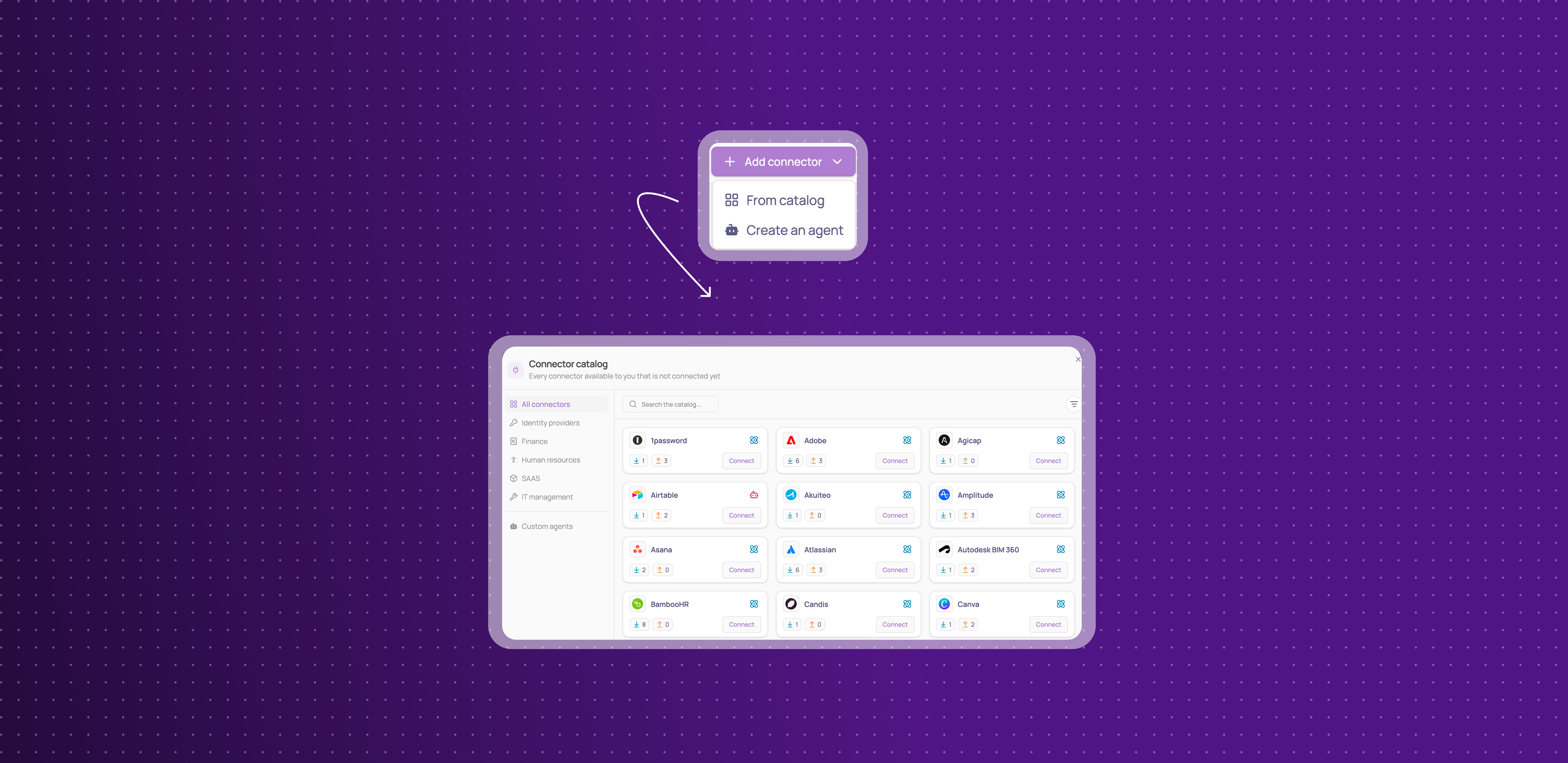
The Connectors page now lists only the connectors you have connected. Everything else is one click away.
Your connectors only: the grid shows the connectors your workspace has connected, with their status.
Suggestions stay visible: suggested connectors still appear in a band above the grid, as smaller cards that link to the connector's page.
Simpler filters: the Type filter now has two values, API and Agent, and the Status filter only offers statuses that apply to connected connectors.
This means the page opens on what needs your attention, not on hundreds of apps you have not connected.
Open Corma straight from your identity provider
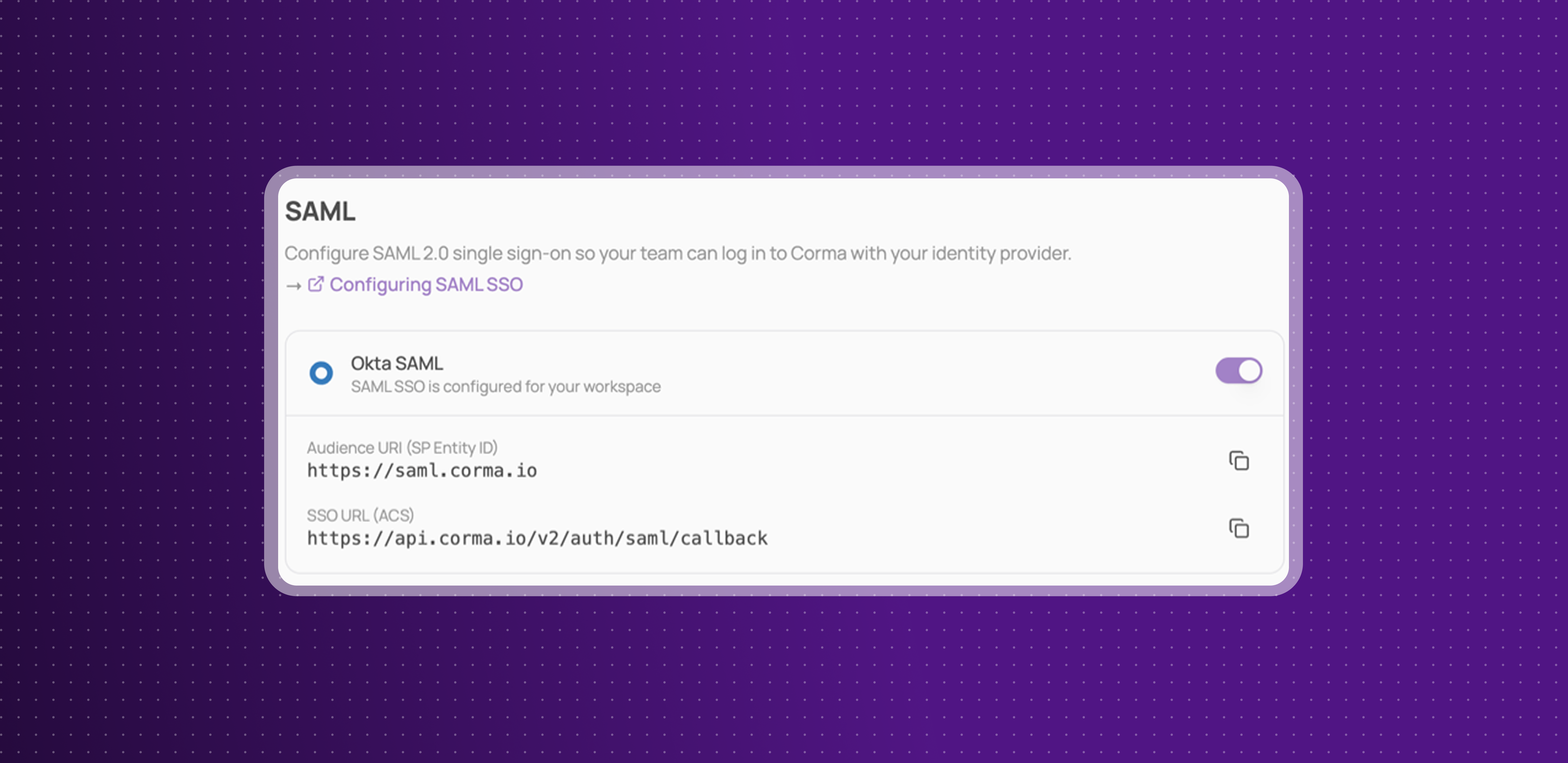
If your workspace signs in with SAML SSO, your team can now open Corma from the Corma tile in their identity provider's dashboard.
One click from the tile: click Corma in Okta, Microsoft My Apps or the Google app launcher and you land in your workspace, signed in.
Nothing to reconfigure: existing SAML connections support it automatically. If you hid the Corma tile earlier, show it again.
Microsoft Entra ID: leave Sign on URL empty in your Corma enterprise app, so the tile signs users in directly.
Same security as before: a tile click goes through the same checks as the Corma sign-in page, including enforced SAML.
This means your team opens Corma the same way they open every other app in your stack.
Import invoices from a CSV file
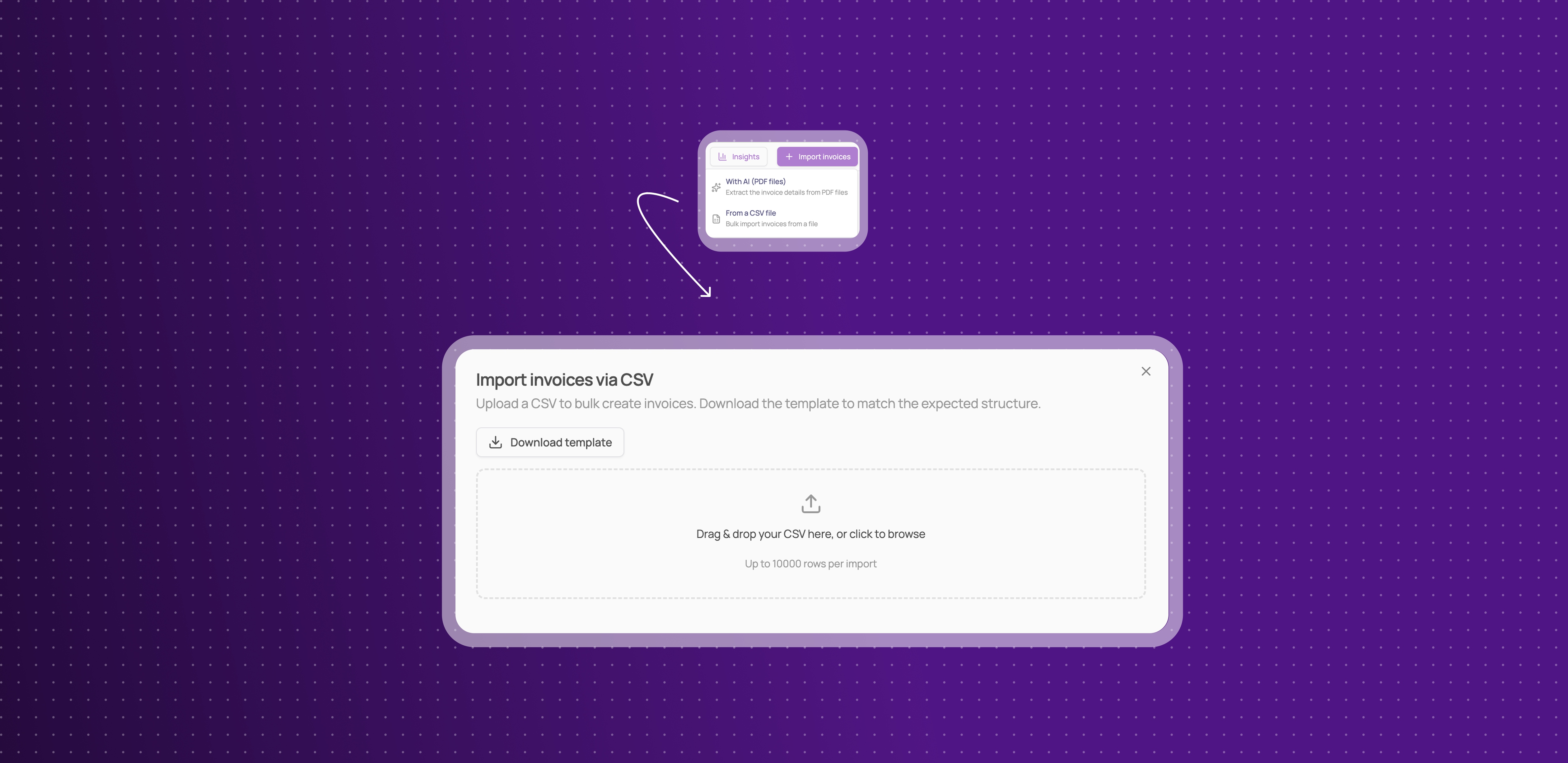
You can now add invoices to Corma in bulk from a spreadsheet, not only from PDF files.
A new import option: open Import invoices on the Invoices page and choose From a CSV file, available on every plan.
Your columns, your formats: start from the template or your own file, map your columns to Corma's fields, and pick your date and amount formats.
No duplicates: invoice numbers already in your workspace, or repeated in the file, are skipped, so importing the same file twice is safe.
Matched to your apps: each invoice is matched to an app from its supplier name. Unmatched ones wait under Unmatched invoices for you to attribute.
This means you can bring months of invoices from your accounting tool into Corma in one step.
Redesigned user and app pages
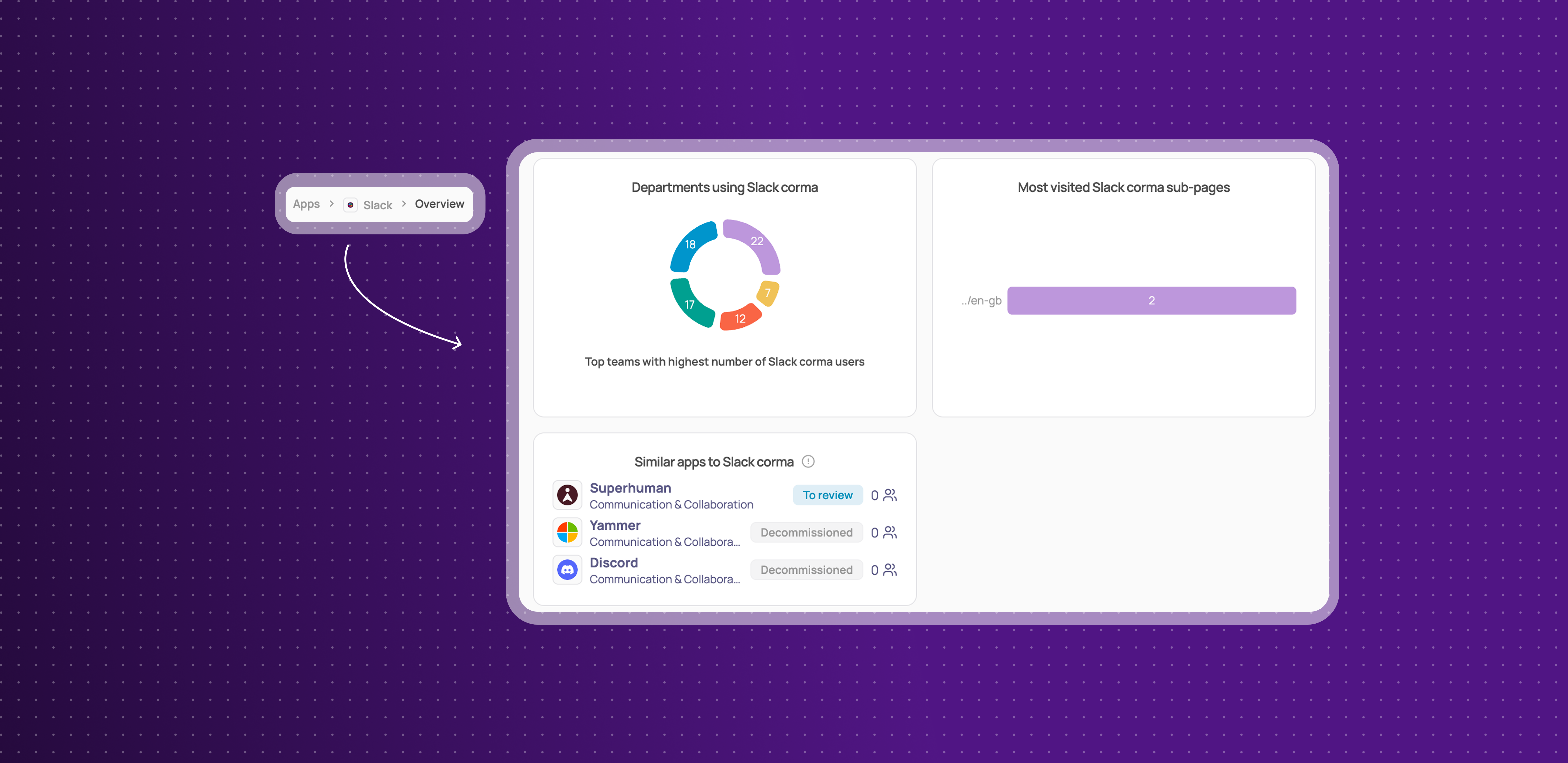
The page for a single user and the page for a single application have a new layout, so the details you check most are visible as soon as the page opens.
Everything in tabs: an application's page is split into tabs for Overview, Activity, Licenses, Contract, Tokens, Requests and Notes, each showing how many items it holds.
Key details in a side panel: connectors, status, criticality, app owner, access owner and labels now sit together in a panel on the right, next to whatever tab you are viewing.
Desktop agent status on user pages: see whether the desktop agent is set up for a user directly from their page.
This means you can see who uses an app, how it is connected and who owns it without leaving a single page.
Improvements
Onboarding and offboarding steps now run side by side, app by app, so a slow step handled by an agent no longer delays the steps that run through an app's API.
Onboarding thousands of users at once is faster, with many steps processed in parallel instead of one at a time.
You can now launch an offboarding through the public API. It appears in the list of available actions.
The filter bar and column picker now also cover Workflows, Shadow IT policies, Access reviews and SSO tokens, so you can filter field by field, including with "is not", and choose your columns on those pages too.
Sub-pages and tables shown inside other pages now use the new filter bar, and the previous filters have been removed everywhere.
Completed access reviews are no longer hidden by default on the Access reviews page. Filter them out, or save a view that excludes them, to get the previous list back.
The Users table now shows each person's main email under their name, and their department in its own column.
You can now filter the Users page by group membership, with "is part of any" and "is part of all".
License tables have a new App account details column, showing the name, email and account ID as they appear in the app, even when the license is matched to a Corma user.
You can now select several tickets on the Tickets page and Mark as complete, Archive or Export them in one go from the selection bar, or use Select all to act on every ticket at once.
Bulk actions on access reviews, onboardings, offboardings and workflows now work on selections of more than 200 rows. They run in the background and show their progress, instead of asking you to narrow your filter.
Google organizational units now show their full path, such as BDR_user/France, when you pick one in a bundle, so units with the same name can be told apart.
The Get user data workflow action now returns the manager's ID and email, so you can pass the manager to another Get user data step or use their email as a recipient.
Lucca now syncs users, teams and licenses as separate operations, so you can switch each one off on its own and follow its runs in the Syncs tab.
Resolving a ticket manually now works when the action was already done in the app, for example a license that was already revoked.
Settings > Securitynow links to the SAML SSO setup guides on the help center.The Sources hovercard now shows each source's own date.
The audit log now tells an action run by an agent apart from the same action run through the app's API.
The message shown when a saved view contains outdated filters is now clearer.
Public API: the Users endpoints now return
departmentanddepartmentKeyinstead ofteamandteamKey. Requests that create or update users still acceptteamKey, but sending both keys with different values returns an error. If your integration readsteam, update it to readdepartment.
Fixes
Microsoft applications missing from Corma's catalogue has been fixed.
Qonto user syncs failing has been fixed.
Resolving a ticket freezing the page has been fixed.
Marking a provisioning ticket complete from Slack failing has been fixed.
"Skip & create a ticket" not creating the ticket has been fixed.
Tickets not reaching the fallback owner in new workspaces has been fixed.
Start and end date triggers missing users whose date arrived late has been fixed.
The Sub-pages tab staying empty on an app's Analytics page has been fixed.
A duplicated bundle sharing its workflow with the original has been fixed.
The bulk delete count including items that cannot be deleted has been fixed.
Some Google and Microsoft SSO tokens not being collected has been fixed.
Searching SSO tokens by part of a scope has been fixed.
Deel connections showing as invalid right after connecting has been fixed.
The Slack /request-access-corma command timing out has been fixed.
The AI contract import losing its progress message has been fixed.
Custom agent cards disappearing after connecting has been fixed.
The filter bar overlapping the table has been fixed.
Save your views, and see what every connector reads and writes
Saved views, custom columns and better filters
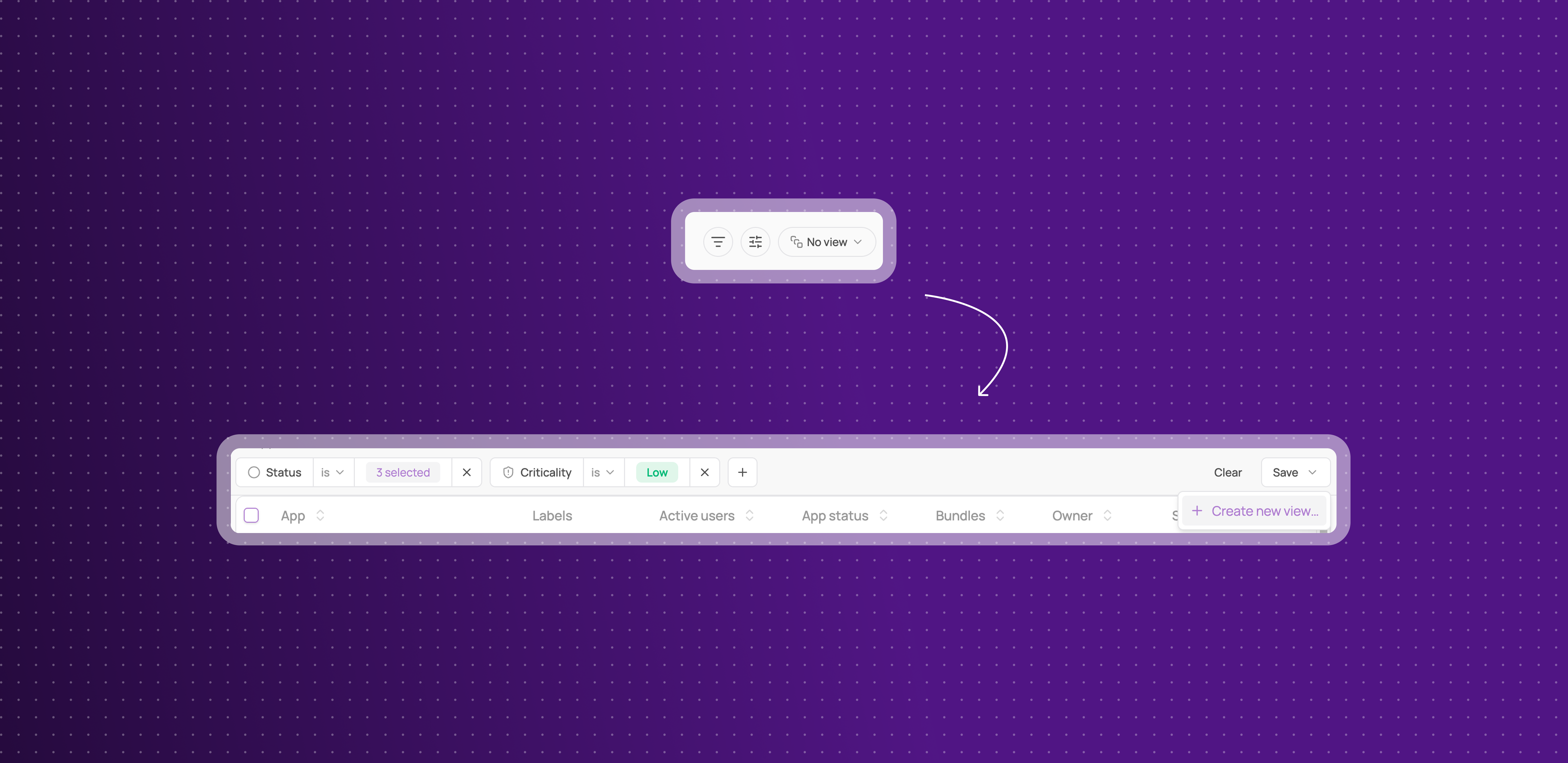
You can now shape a table once and come back to it, on Applications, Accounts and Licenses, Identities and Users, Tickets, and Contracts.
Save a view: name a set of filters and columns, then pick it again from the views dropdown whenever you need it.
A rebuilt filter bar with new operators: build conditions field by field, with operators that suit the field, including "is not" to exclude rather than only include.
Share views to your workspace or keep them to yourself : saves views either as workspace view so any other admin can see it, or save it as a personal view for yourself only.
Define a default view: set on each page a view as a default view and come back to it every time you loads Corma.
Choose your columns: show the fields you care about, hide the rest, and keep that choice per view.
Table or board: switch view mode, and send a link that opens the table exactly as you left it.
This means the filtering you rebuild every morning becomes something you set up once.
Capacities are now reads and writes, with history logs
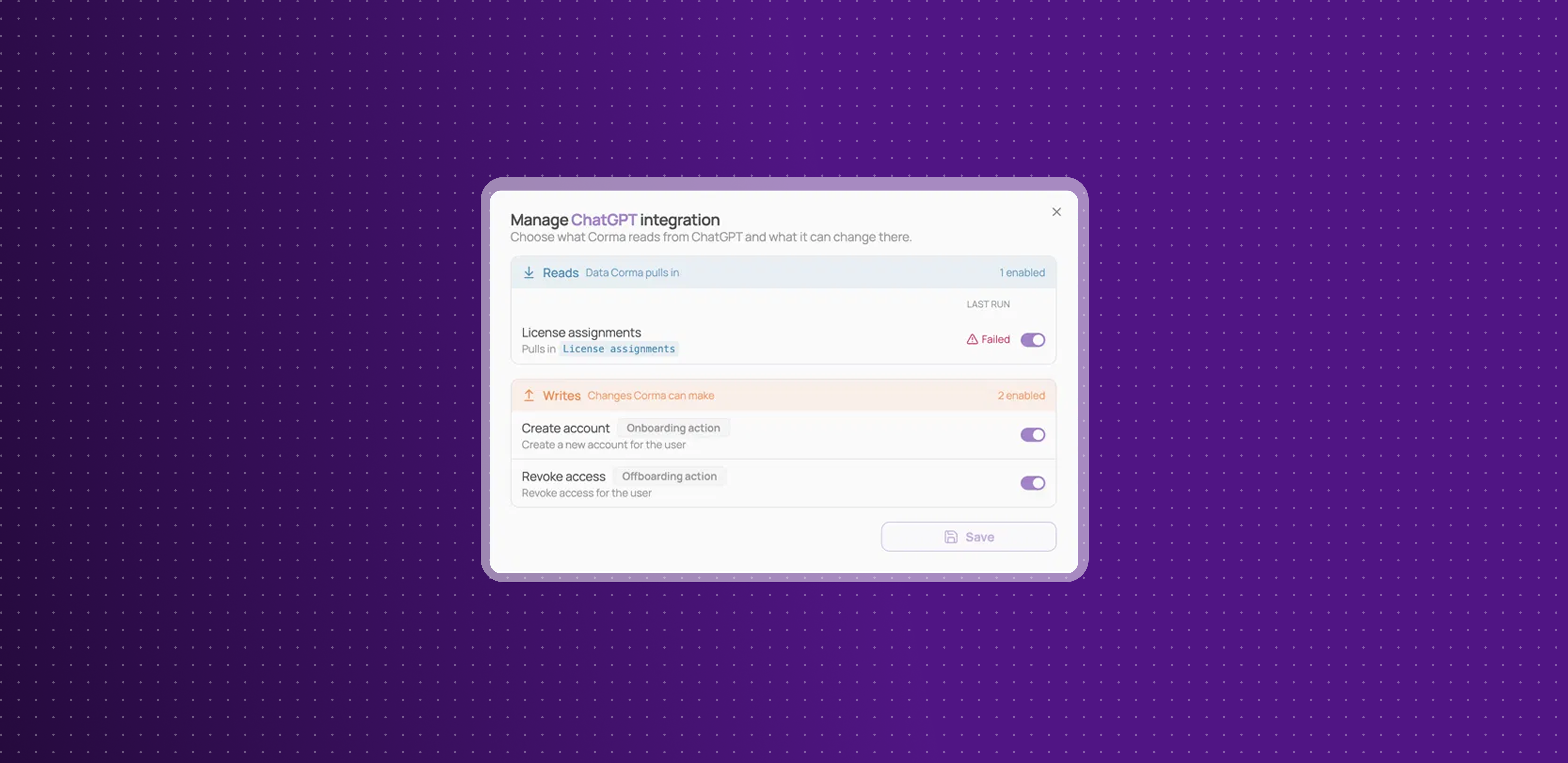
What a connector does is no longer described as capacities. Each connector now tells you plainly what it reads from an app and what it writes back, and lets you control each one.
Reads and writes replace capacities: the same underlying operations, named for what they actually do. Reads are the data Corma pulls in, writes are the changes Corma can make.
Counts on every connector: see how many operations a connector reads and how many it writes before you connect it, not after.
Turn any single operation on or off: open Manage on a connected connector and switch an individual read or write without disconnecting the whole integration.
See what ran and when: each operation shows the outcome of its last run beside it, so a failing sync is visible next to the operation itself instead of buried in a log.
Writes say when they fire: provisioning and deprovisioning actions are tagged as onboarding or offboarding actions, with a line explaining what triggers each one.
This means you can tell exactly what Corma does with an app, in the words you would use yourself, and change it one operation at a time.
Contracts and invoices are now in the public API
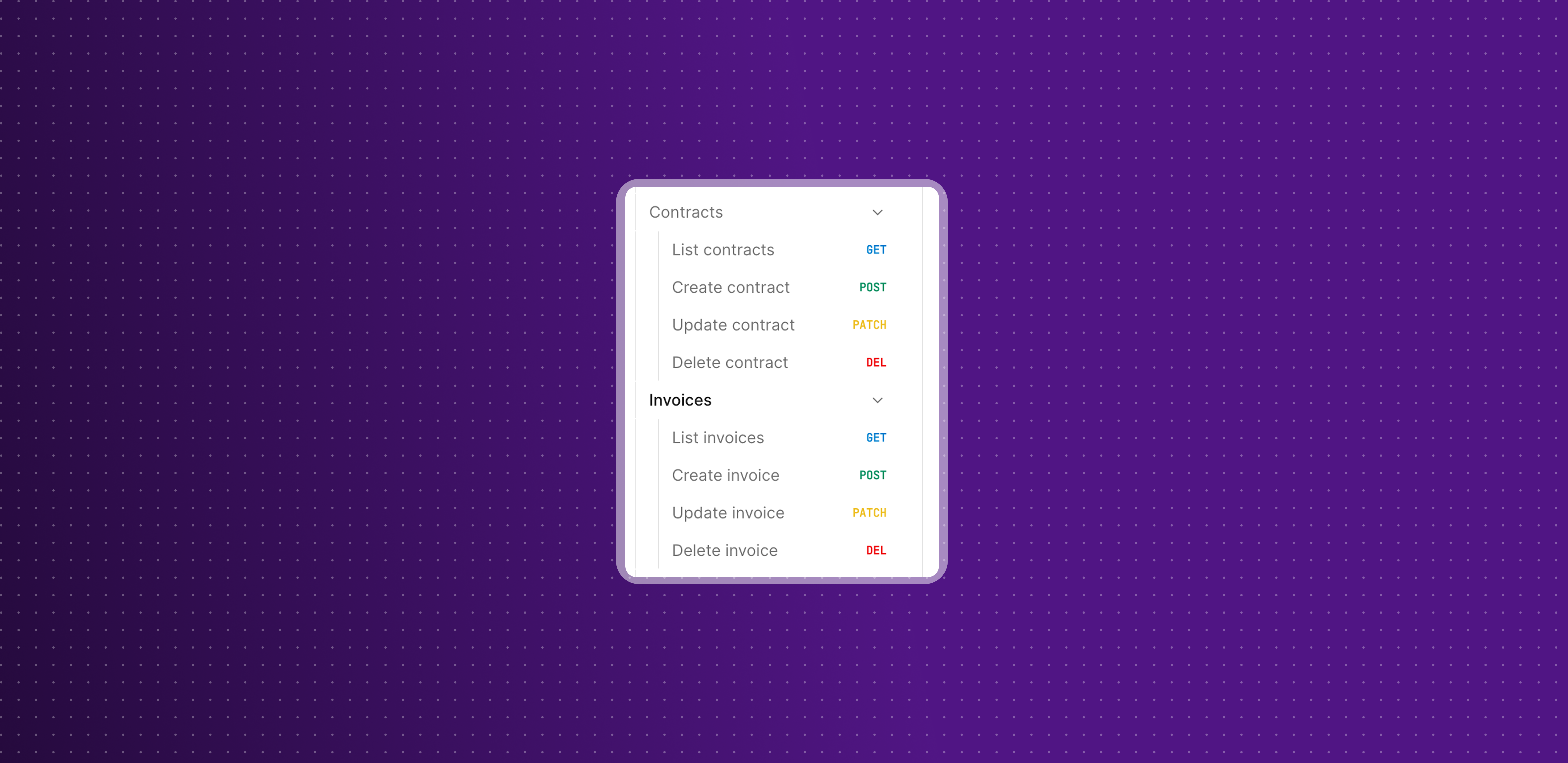
You can now manage contracts, invoices and tickets programmatically, alongside the users, licenses and groups already available.
Contracts and invoices: list, create, update and delete both. Contract responses include seat items with their cost and billing period, plus fixed items and subscription details.
Tickets replace tasks and access requests: the API now matches the product, where those two became tickets. A new Create action endpoint takes over from the legacy Tasks endpoint.
Documented in the API reference: every new endpoint, its parameters and its error cases, in the Dev center.
This means your contract and ticket data can flow into your own finance and ITSM tooling without an export step.
Improvements
Corma now collects more of your Google SSO and SAML applications, including their last activity dates, so more of your stack shows up without extra setup.
Row actions have moved out of the three dots menu at the right of tables and into the selection bar, with 17 new bulk actions across 8 more entities so nothing is lost.
Password reset and creation steps for Google Workspace, Microsoft and AWS now share one recipients picker, with optional subject and message fields, so you can send your own wording along with the temporary password.
Application page cards now cover every status, including restricted, to review and decommissioned, instead of grouping everything into Official and Shadow IT.
The Authentification checkboxes on applications are now labels, so authentication methods work like every other label and can be filtered the same way.
You can now see and edit an employee's personal email from the HR Properties panel on their page.
The main search modal now shows its keyboard shortcuts in a footer.
Public and Internal labels now always appear after your own labels, so yours are the ones shown first in tables.
HubSpot seats are now the source of truth for license types on that integration, so removing a seat in HubSpot updates Corma.
Updating a single license is faster.
Fixes
Google SAML applications not appearing in your SSO applications, and so not being matchable, has been fixed.
A nightly job marking non-Microsoft SSO applications as deleted has been fixed, and the affected records have been repaired.
"Sync members" on a Google or Microsoft identity provider group reporting success while doing nothing has been fixed.
Date-reached workflow triggers never firing when the date landed on the day itself has been fixed.
CSV import failing on users who already exist, instead of updating them, has been fixed.
Nightly Kelio user syncs timing out on large tenants has been fixed.
A declined sync pass showing as a completed run has been fixed, and sources are now ordered by freshness everywhere.
A contract renewal date sent as empty being stored as 1970, and producing renewal reminders dated in the past, has been fixed.
Assigning a country code through the public API when no other user in the workspace had that country has been fixed.
SAML SSO, and a more complete Okta sync
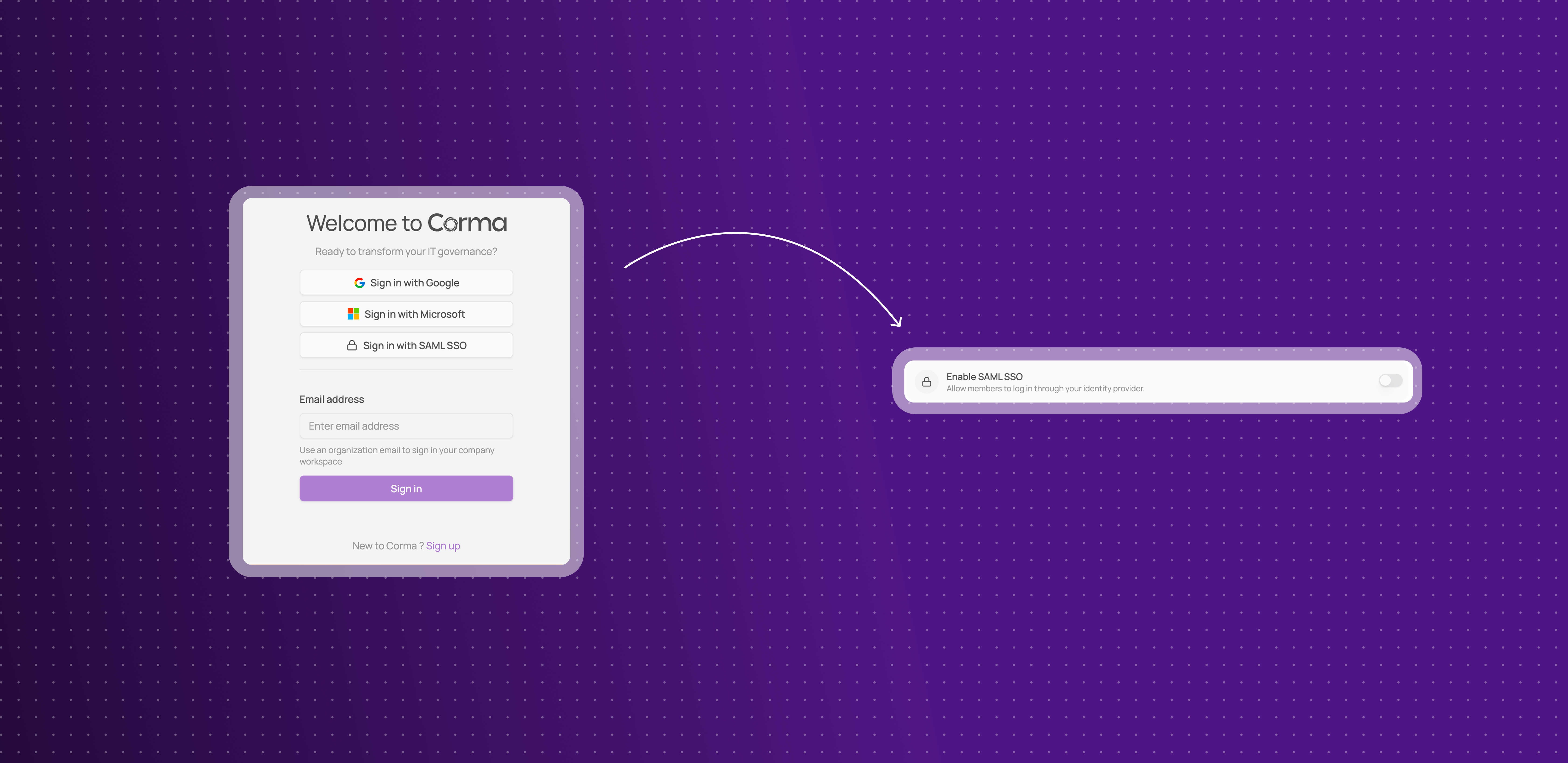
Sign in to Corma with SAML SSO
Corma now supports SAML 2.0 single sign-on, so your team logs in with your own identity provider alongside the existing Google and Microsoft sign-in methods.
One connection per workspace: a workspace admin connects your provider once from Settings > Security > SAML, using the provider's metadata URL or XML file.
Presets for the providers you already use: pick Okta, Google Workspace, Microsoft Entra ID, Keycloak or OneLogin from the provider dropdown, or connect any other SAML 2.0 provider through the "Other" option.
Automatic provisioning on first sign-in: anyone your identity provider authenticates joins your workspace automatically as an employee, with no invitation and no seat to prepare in advance.
Optional enforcement: once your connection is verified, "Enforce SAML for all members" blocks password, Google and Microsoft sign-in and sends everyone through your identity provider instead.
This means access to Corma itself can follow the same identity rules as the rest of your stack.
Enforcement requires an active SAML connection, and deleting the connection resets it, so a workspace can never lock itself out.
Start here: SAML SSO and How to set up SAML SSO, or go straight to your provider: Okta, Google Workspace, Microsoft Entra ID.
A more complete picture from Okta
Corma's Okta sync now keeps every field Okta returns, instead of discarding some of them along the way.
Apps land in the right category: apps that were previously miscategorized, or that failed to match against Corma's catalog, now come through correctly.
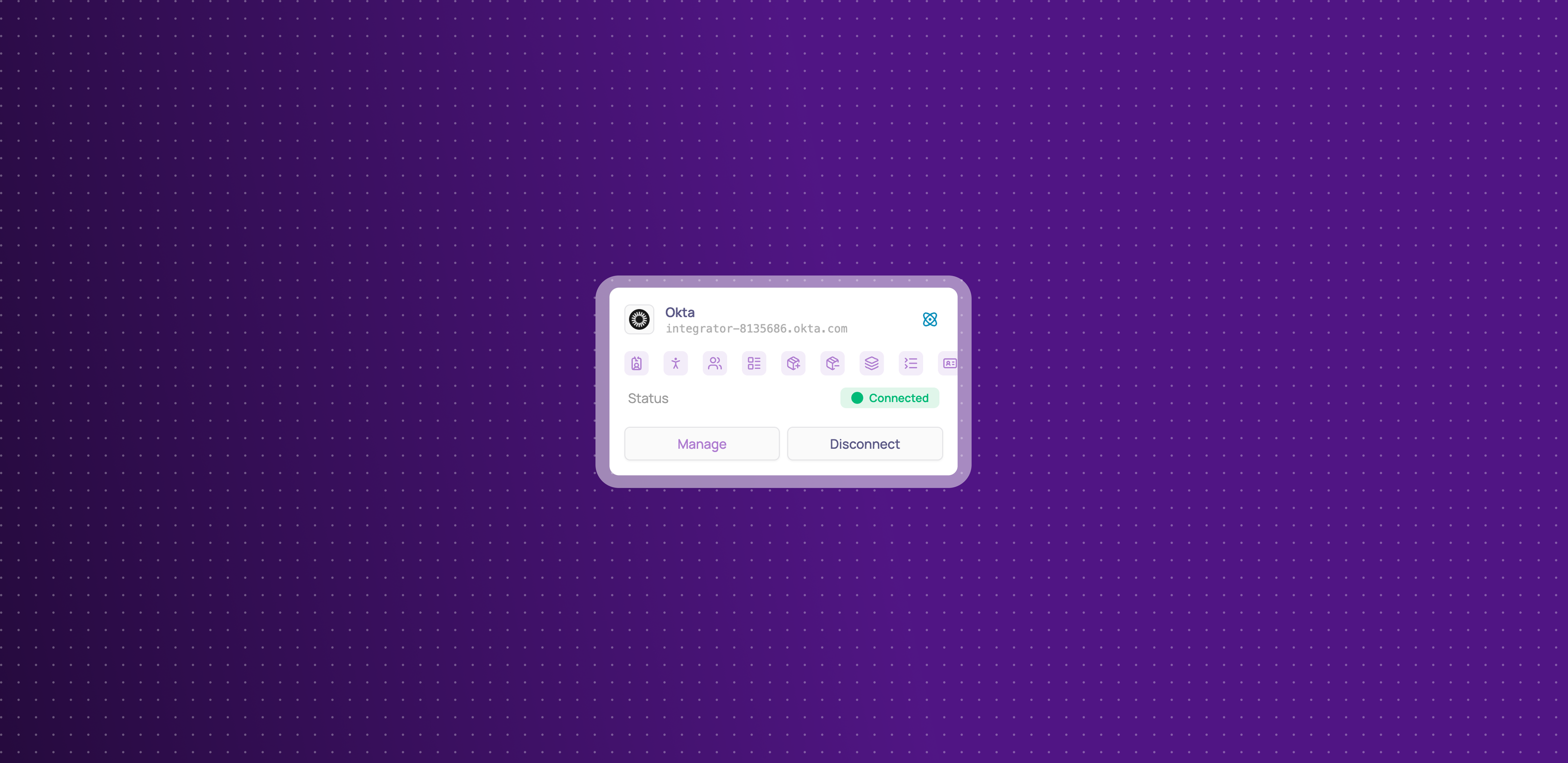
User groups come across too: with the new scopes in place, Corma can collect your Okta user groups.
User Roles are now synced
Corma can now provision and deprovision Okta users
This means what you see under Connectors > Okta now lines up with what you see in Okta.
Improvements
Workflows and Audit logs are out of beta, and Workflows now sits in a new "Power up" section in the sidebar.
Workflows have a new action: add a user to a bundle.
Updating a license status is faster.
Contract line items load faster and are more reliable.
Fixes
Activating a workflow sending it back to draft has been fixed.
Duplicating a workflow losing its branches and its trigger has been fixed, and a duplicated workflow now starts as a draft.
CSV exports timing out on large files has been fixed.
Several Cormie reliability issues, including actions failing to run, have been fixed.
Custom labels for Apps, Users, and Licenses
Introducing Labels
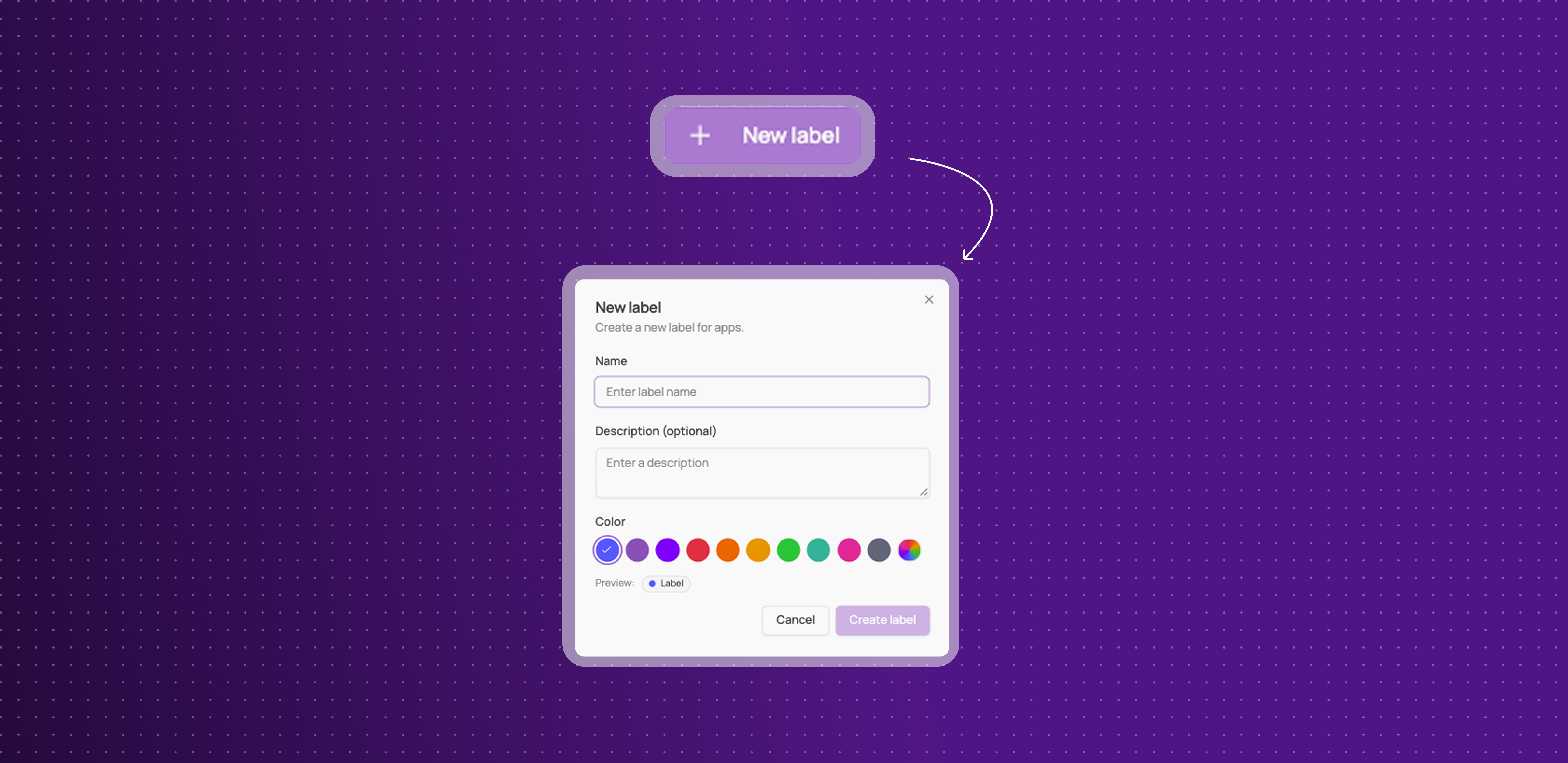
You can now create your own custom labels for Apps, Users, and Licenses — a flexible way to organize your workspace beyond Corma's built-in fields.
Create labels your way: name a label, pick a color from 10 presets (or enter a custom hex), and choose whether it applies to Apps, Users, or Licenses.
Apply them anywhere: add labels directly from an app or user's page, or right from the Applications, Users, and Licenses tables.
See them at a glance: labels show up as colored pills in your tables, with a hover card listing everything if more than one is applied.
Filter by label: find everything tagged with a specific label across your tables.
Manage them centrally: a new Labels page in Settings lists every label, how many items it's applied to, and when it was last used.
This gives you a flexible way to organize and find what matters to your company, on top of everything Corma already tracks.
Improvements
Public API keys can now be created as read-only, in addition to full-access.
Custom agents can now ask for login credentials mid-chat, instead of requiring them all upfront.
The Bitwarden integration now works with self-hosted Bitwarden workspaces, not just Bitwarden Cloud.
Provisioning now has a "No action" option, matching the existing deprovisioning behavior.
CSV imports for users and licenses no longer time out on large files.
The Security page's "Restricted apps in use" card is back, with apps sorted by last activity.
Fixes
Extension activity data no longer updating has been fixed.
Some Modjo license syncs failing has been fixed.
Licenses missing account ID after custom agent provisioning has been fixed.
Workflow runs getting stuck "in progress" has been fixed.
Dropdowns inside modals being cut off has been fixed.
Session cookies growing too large and causing login errors has been fixed.
Okta sometimes misclassifying catalog apps as custom apps has been fixed.
Temporary access requests and Shadow IT policies
Temporary access requests
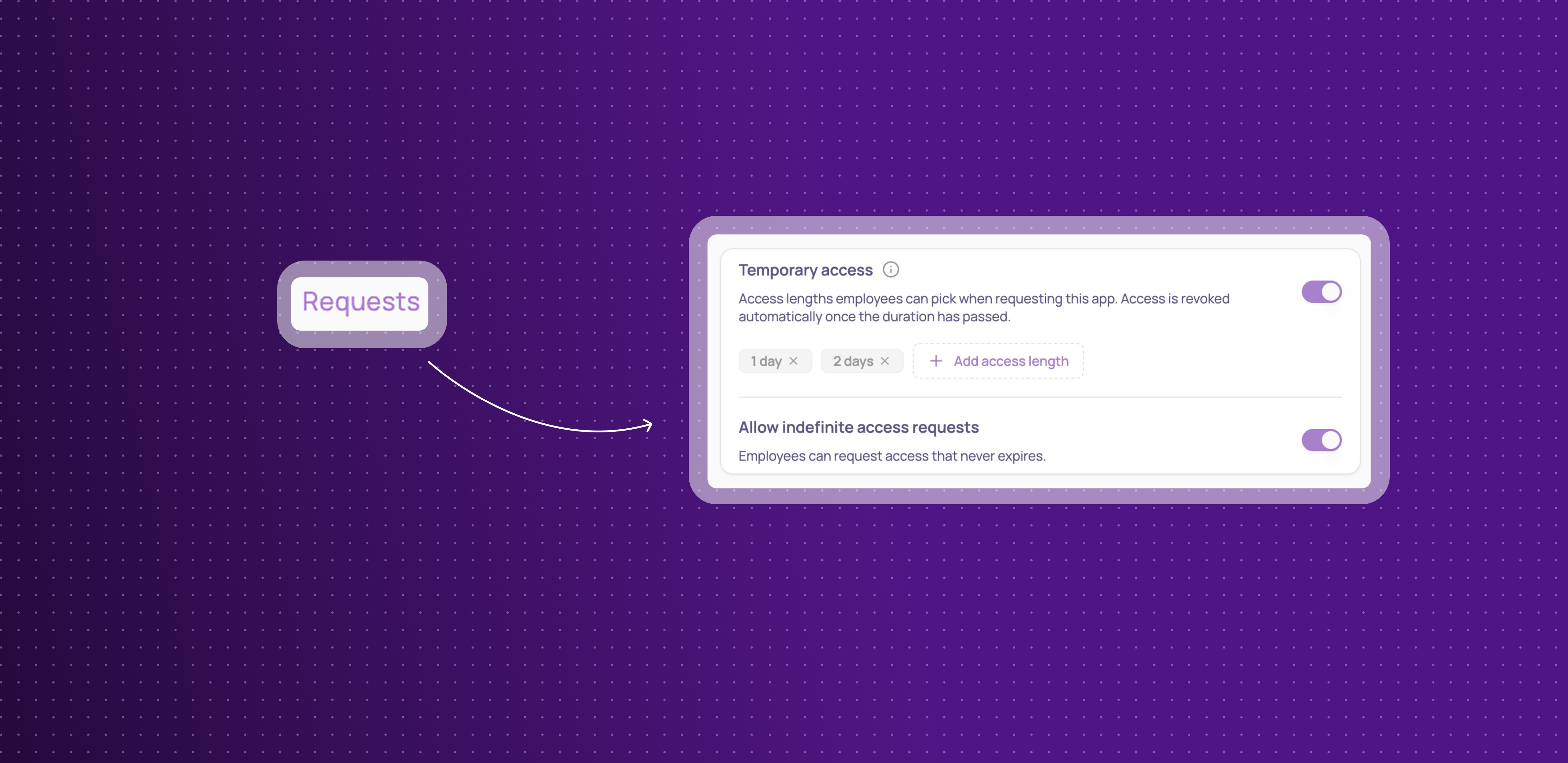
Employees can now request access for a limited time instead of indefinitely, and Corma revokes it automatically once that time is up.
Add access lengths per app: in an app's Requests settings, turn on Temporary access and add the durations employees can choose from — hours, days, weeks, or months.
Choose from Employee App Store or Slack: employees pick their access length from the same dropdown, whether they request through the App Store or Slack.
Decide if indefinite access stays allowed: turn off indefinite requests entirely if every request for an app should be time-bound.
Automatic revocation: once the duration passes, access is revoked automatically and the employee is notified — if they still need it, they submit a new request.
This means access can be granted for exactly as long as it's needed, without anyone having to remember to clean it up afterward.
Shadow IT policies
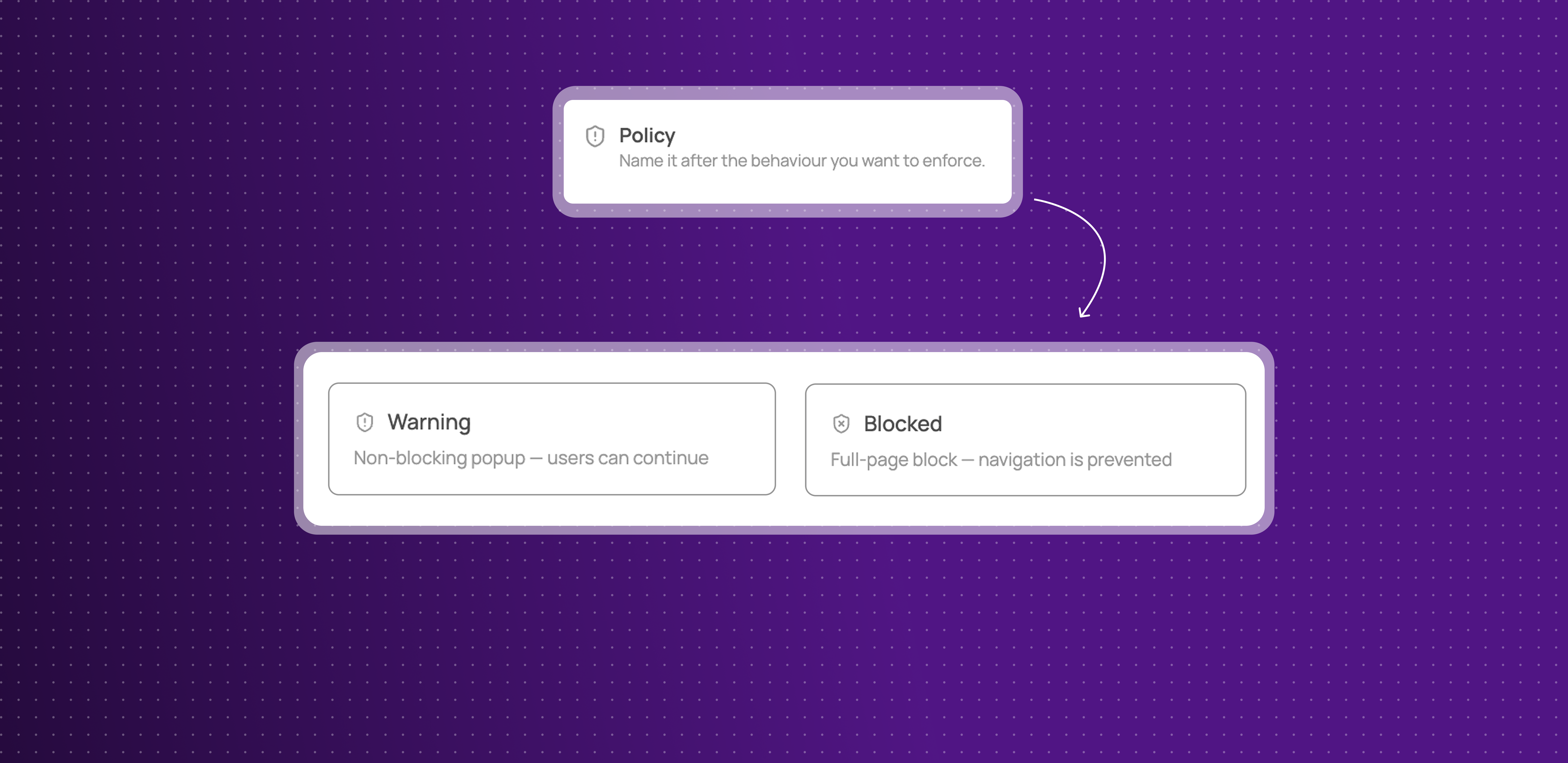
Your Security page has a new look, and you can now define your own policies for how employees are stopped from using unauthorized apps:
Warning or Blocked: choose whether employees see a dismissible warning or a full-page block when they open an app covered by a policy.
Applies to a list of apps: one policy can cover several apps at once, and each app can belong to only one policy.
Exclude specific teams: leave out any user groups who should be allowed to use the app.
Write your own message and call to action: customize what employees see, with optional buttons pointing them to an approved alternative.
Enforced through the browser extension: policies apply the moment an employee opens the app in their browser.
This gives admins real, granular control over Shadow IT, instead of relying on an app's status alone.
Improvements
Okta integration can now sync HR data (department, job title, country, and more), not just identity.
Sorting added for the Extension and Desktop agent columns on the Users table.
Password requirements (length, character rules) for the Reset Password action are now configurable in Settings.
App details, previously hidden behind clicking an app's logo, now live in their own dedicated Settings tab.
Custom agent connections now show their creation and connection date, current credential method, and can be renamed — disconnecting and reconnecting no longer wipes your existing configuration.
Integration connections can now be disconnected directly from their card, without losing existing automations.
Fixes
Slack ticket messages losing their action buttons and outcome has been fixed.
Non-admin users seeing settings controls they shouldn't has been fixed.
Kelio syncs timing out and failing to import data has been fixed.
A Shadow IT policy edge case with certain domains has been fixed.
Offboarding suggestions missing for distant termination dates has been fixed.
The "Re-assign license" button not opening its modal has been fixed.
The Google "transfer email" workflow action failing has been fixed.
Custom agents now support internal apps & Teams notifications are available
Bring custom agents to your internal apps
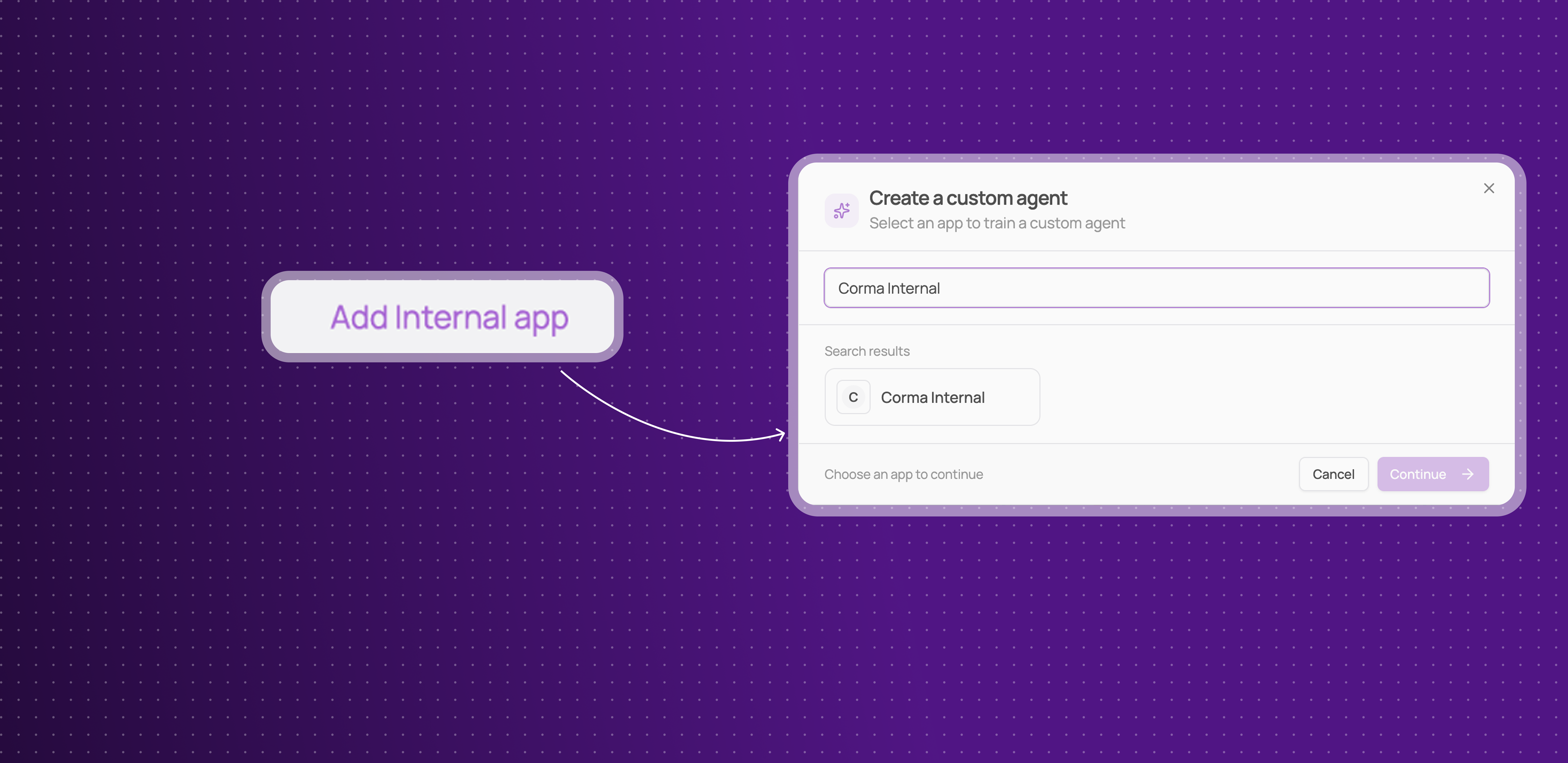
You can now build a custom agent for your own internal applications, not just apps in Corma's public catalog.
Full coverage, even for homemade tools: if your company built or uses a tool that isn't in Corma's 50,000+ apps catalog, you can now train a custom agent for it the same way you would for any other app.
Same provisioning and deprovisioning automation: internal apps get the exact same custom agent capabilities as public ones, no more manual exceptions for the tools built in-house.
This means you can reach closer to full automation across your entire stack, including the tools that are unique to your company.
Microsoft Teams notifications
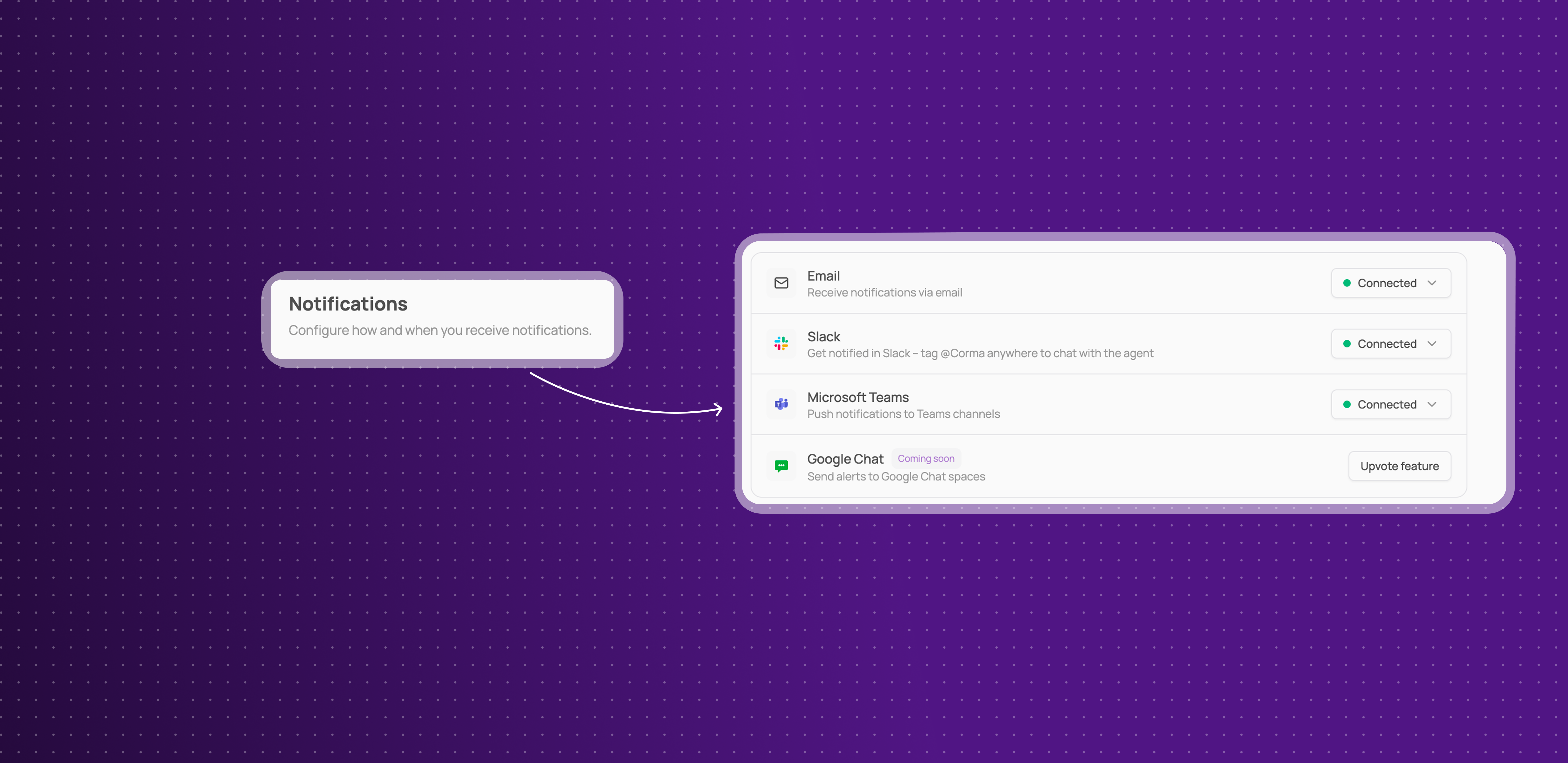
Corma can now send workflow and access management notifications directly to Microsoft Teams, alongside existing Slack support.
Stay informed in Teams: get notified about workflow runs and access events without needing to check Corma or Slack.
This means teams that use Microsoft Teams instead of Slack no longer have to miss out on real-time notifications.
See how to conifgure it here: Enable Microsoft Teams notifications on Corma
Yooz Integration
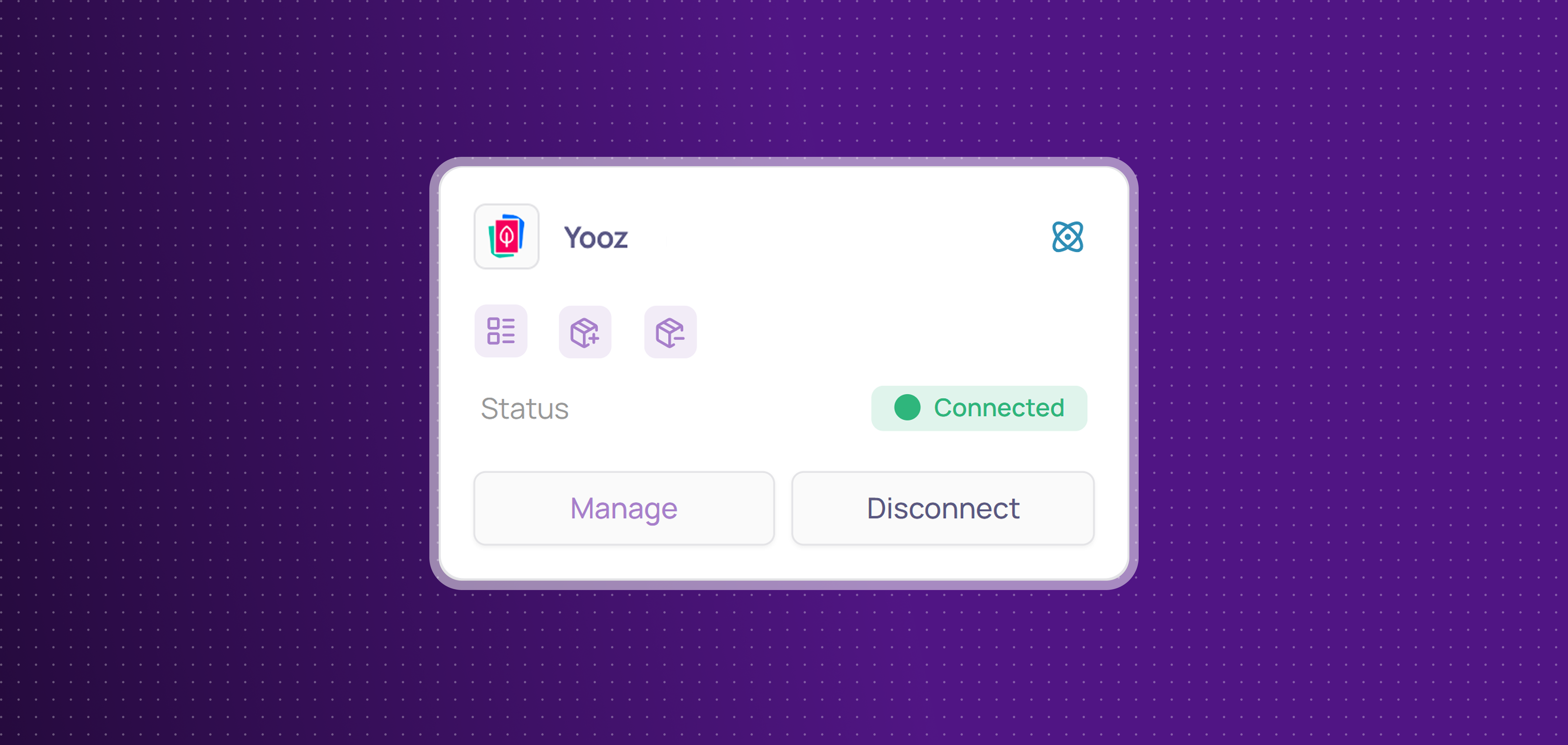
Corma now integrates with Yooz!
Yooz is an AP automation and invoice-processing platform that helps finance teams digitize and streamline their accounts payable workflows.
You can now:
Collect licenses: centralize Yooz users and licenses in Corma
Provisioning & deprovisioning: automatically assign and revoke Yooz access directly from Corma to effortlessly manage your licenses use
Improvements
Custom agent setup no longer disconnects when switching tabs, and you can now see a log of custom agent runs and their status.
Apps that already have a custom agent connected are now shown as disabled with an explanatory tooltip, instead of disappearing from the creation modal.
Start and termination dates can now be cleared once set, with an improved date picker.
Offboarding no longer creates noisy duplicate manual tasks for child products under aggregated vendors like Microsoft, Atlassian, and Google.
User CSV import now supports a personal email column, alongside the professional one.
New filters on the Applications page: filter by User Group or by Country.
The App filter on license tables now supports an "is not" operator, letting you exclude specific apps instead of only including them.
Activity extraction added for Cursor & Claude
Fixes
Onboardings sometimes getting stuck in "Ongoing" status has been fixed.
Admin invitations by email sometimes failing has been fixed.
CSV export emails being wrongly suppressed when email notifications were disabled has been fixed.
Search sometimes treating similarly-named tickets or users as identical results has been fixed.
Termination dates set more than 30 days in advance are no longer hidden and can be nulled
Access owners losing the ability to manage their apps from the employee portal has been fixed.
Tasks and Requests are now merged as Tickets
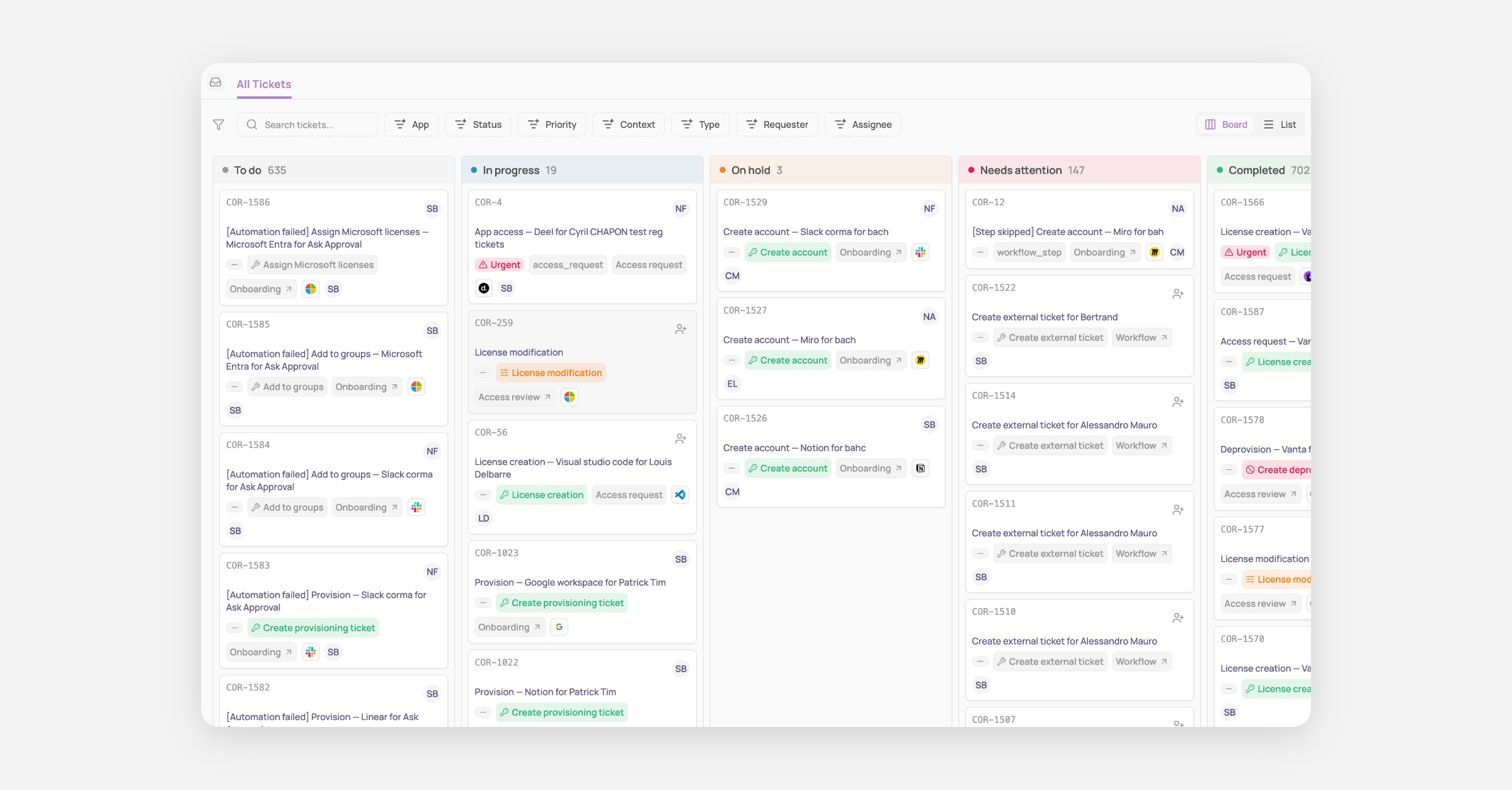
Big announcement today: Tasks and Requests that used to be separate concepts have now been merged as one single concept called “Tickets”!
This is a major shift in the product logic, which aims to greatly simplify how IT teams view and handle every task that requires manual input and is triggered by Corma’s access management solution.
How it was before:
Previously Tasks were all the actions that had to be performed manually and that Corma could not automate via API or Agent. While Requests were all access requests submitted by employees or their managers to gain access to a tool they need to do their job.
Both lived separately; only tasks could generate Jira or Siit tickets, and our users were confused since ultimately both result in the same thing: an IT team member needs to perform a manual action and validate it in Corma so we could update the record of truth of your access and licenses.
Well no more!
How it is now:
As of today, both Tasks and Requests are now living under the same page and concept called Tickets.
This means no more back and forth between what you need to do in Tasks and what you need to do in Requests. Everything is centralized in Tickets, clearly and automatically titled, auto-assigned to the relevant person, and labelled with the full context of this ticket.
An access removal is linked to an access review that was recently completed? You will see it clearly in the ticket and can directly go to the relevant access review to see who made the decision.
This also means that now every ticket, no matter the type of ticket, that lives in Corma can generate a ticket in your main ticketing system. Our goal is to take this further very soon by giving you:
More flexibility to create custom ticket types in Corma (e.g. New app request, Need a password reset, etc…)
A full 2-way synch between Corma tickets and tickets in your ITSM, starting with Jira and Siit.
That’s not all: New Triggers, Actions and APIs
We’re all releasing some new Triggers, Actions and APIs today to go along this massive change in our product:
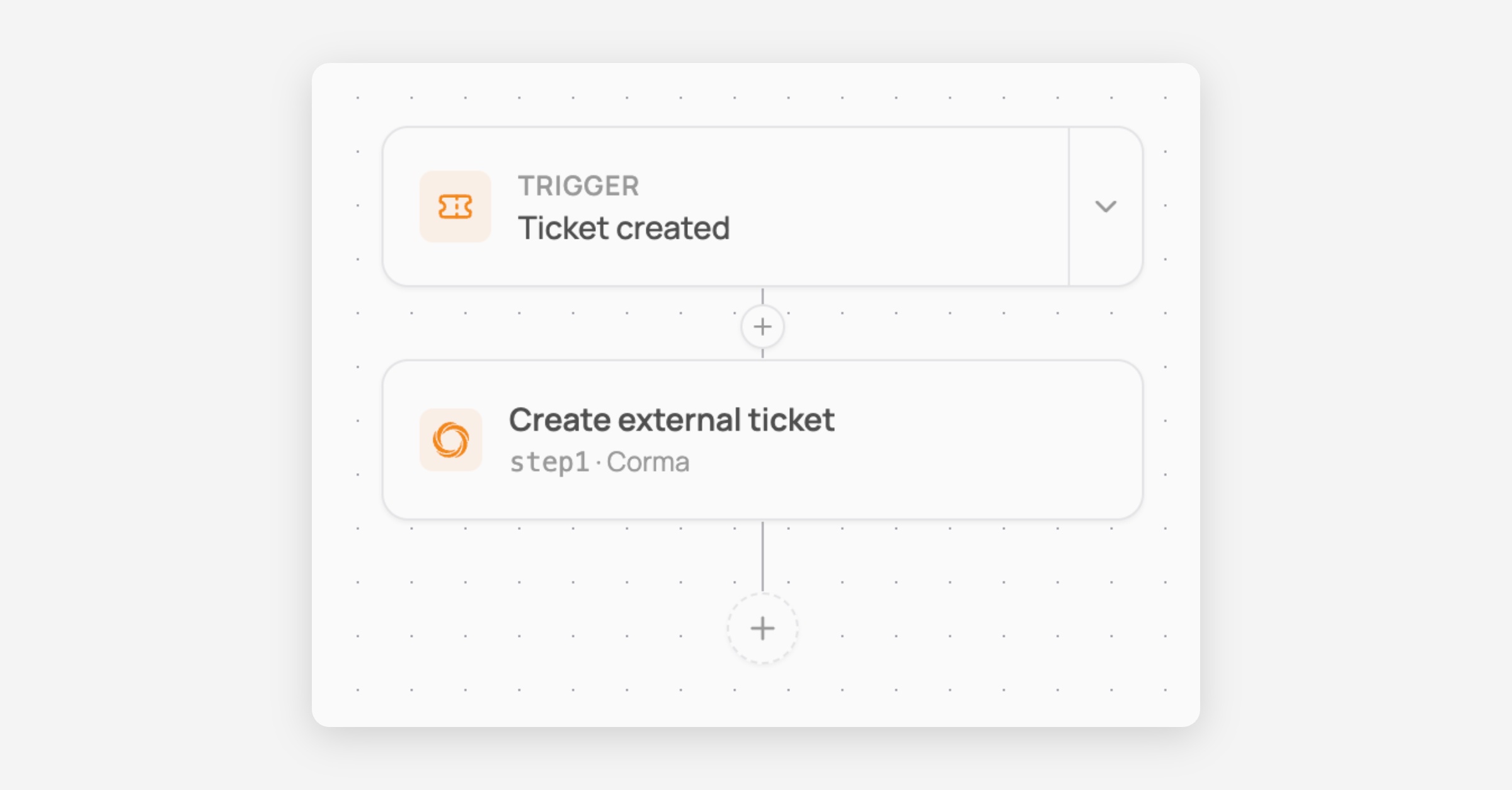
New trigger: Ticket created
You can now trigger workflows whenever a ticket is created in Corma. This allows you to build workflows like the simple one below to create tickets in your main ticketing system every time one is created in Corma so no data silo is created between your tools.
You can go further with our branching system to build much more complex workflows, for instance to put tickets in different Jira projects and with different task types depending on the app being targeted by the workflow!
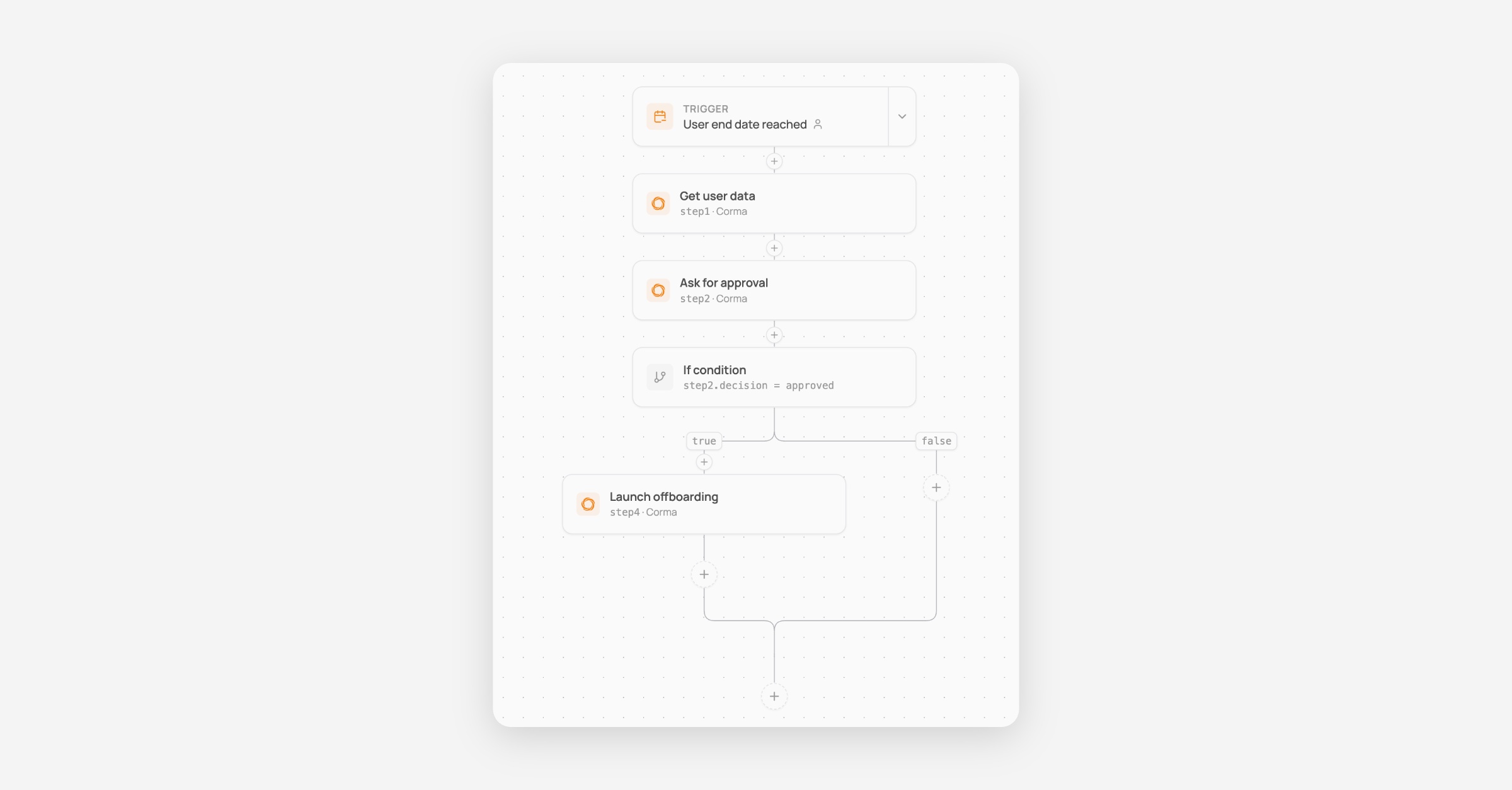
New workflow action: Ask approval
A brand new action to ask approval of anyone before proceeding with the rest of your workflow.
Here is an example below of a workflow where, when a user has their termination date today, it asks the manager for confirmation before deprovisioning all their accounts automatically.
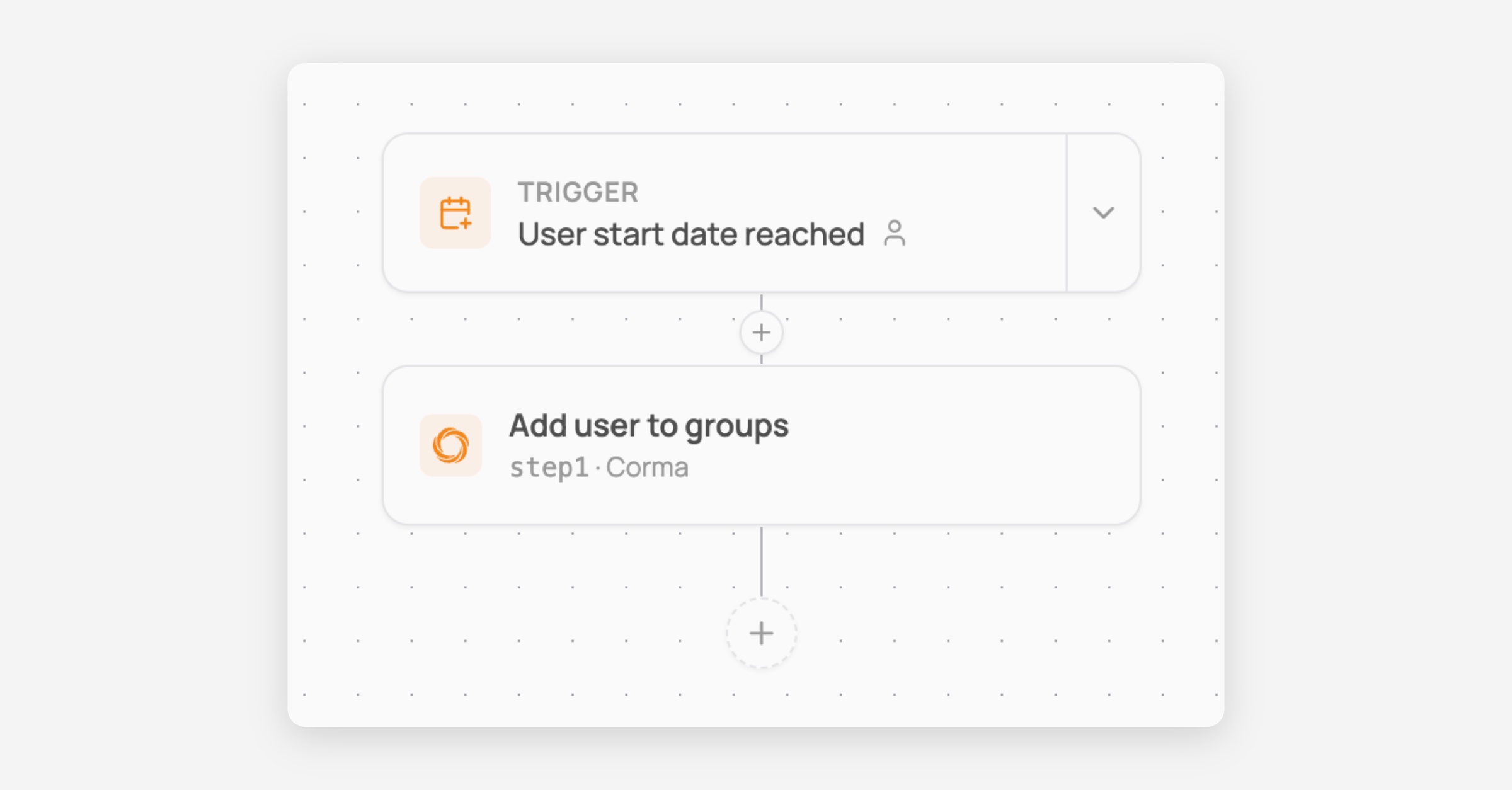
New workflow action: Add user to group
Add user to Corma user groups directly from the workflow as a new automated action
New public APIs: Manage User Groups
Brand new endpoints to manage Corma user groups programmatically outside of Corma.
Perform GET, POST, DELETE and PATCH operations on any group except IdP groups that cannot be modified, as the source of truth lives in the IdP.
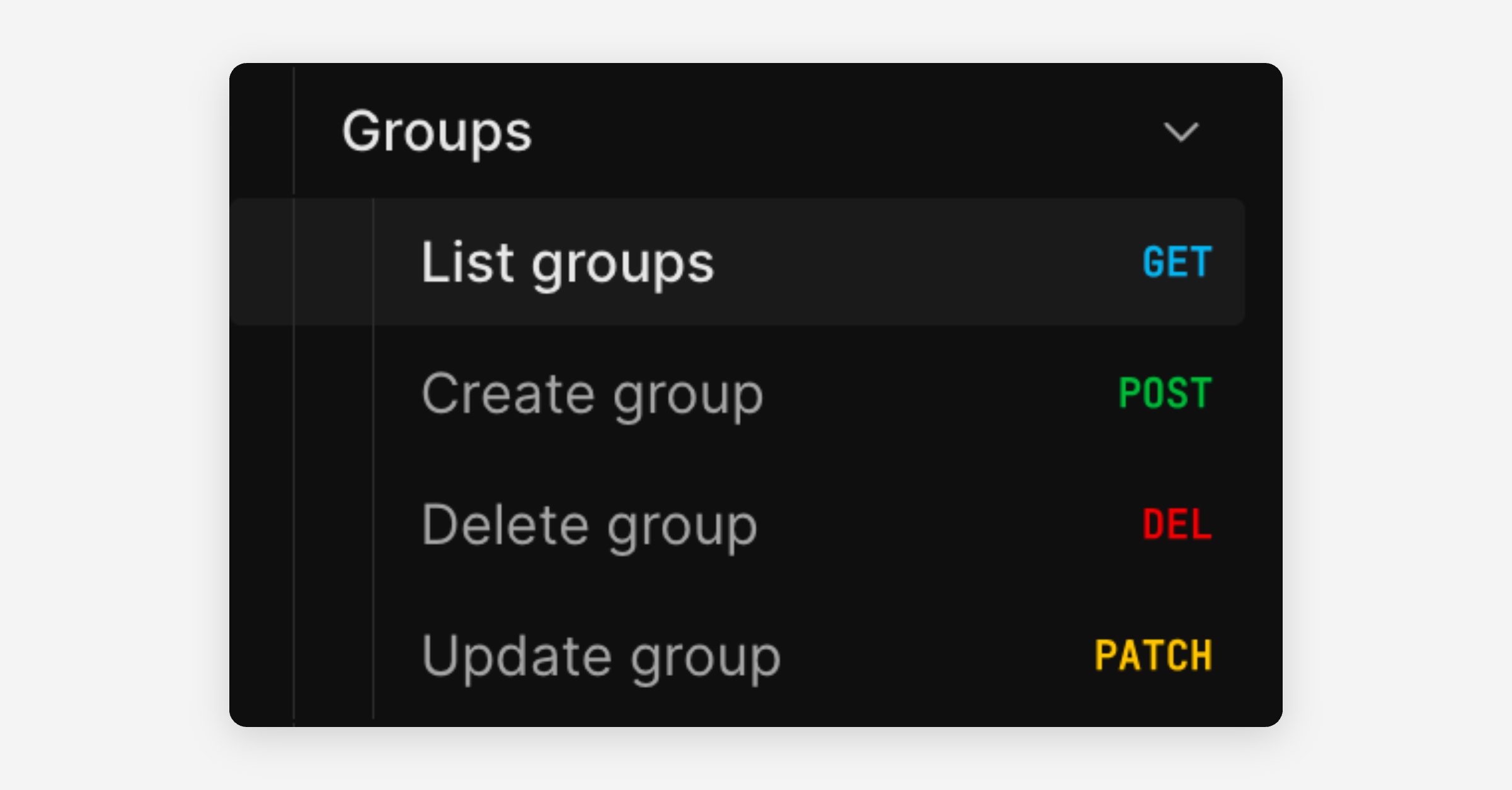
And much more of course:
New User Group rule based on user type
Salesforce connector fixes
Activity extractor for ChatGPT agent
Microsoft token skip fix for large paginated responses
Branching workflows, and custom agent improvements
Add branching logic to your workflows
Your workflows can now split into different paths depending on conditions you set. For example, sending internal employees down one path and external contractors down another.
Branching steps: add if/switch conditions to any workflow, with scoped variables and validation.
Live run graph: see exactly which path a workflow run took, with the ability to retry or skip individual steps.
This makes it possible to handle more complex, real-world processes without needing multiple separate workflows.
(Note: the "ask for approval" branching action is coming soon.)
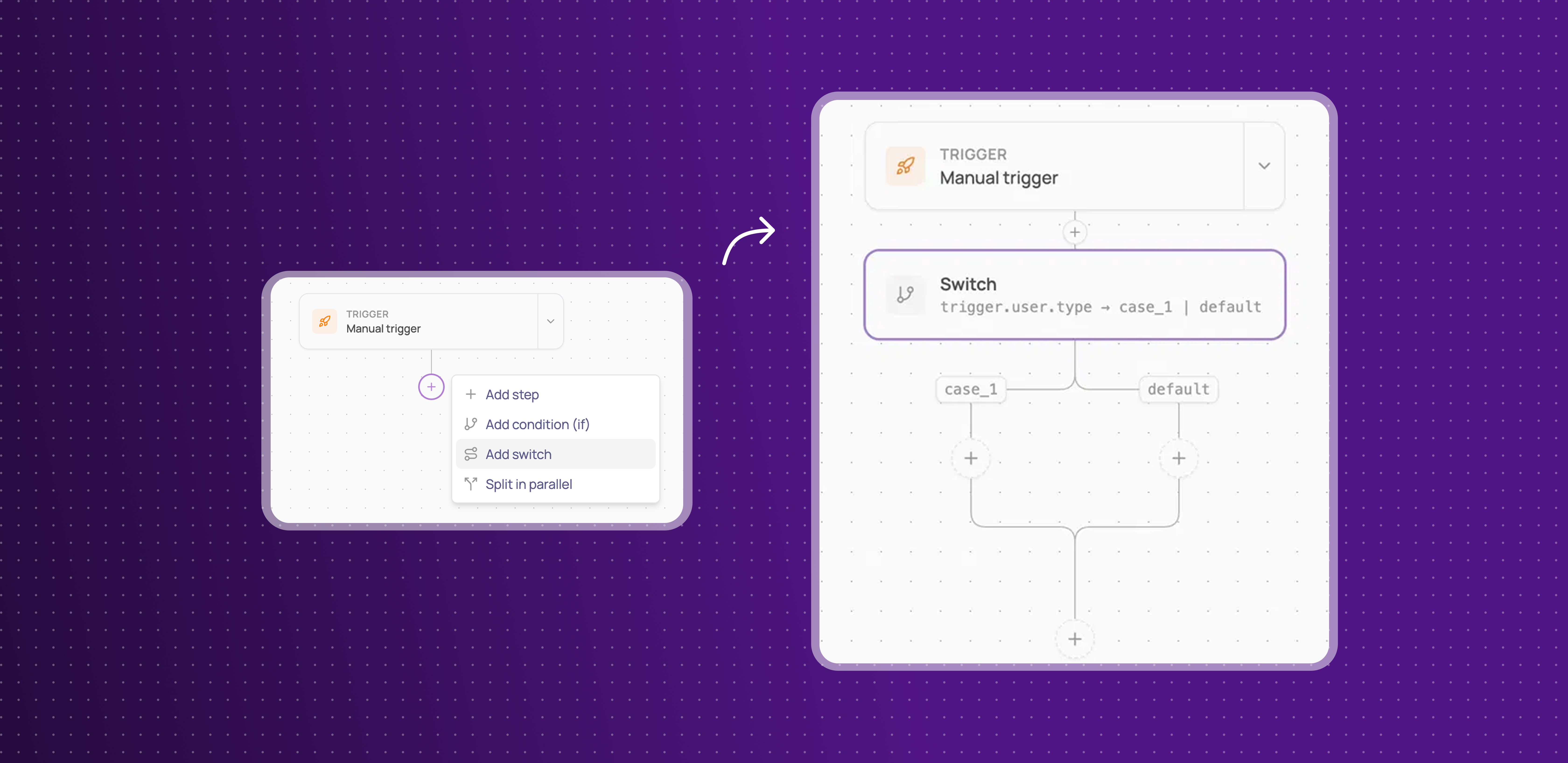
Learn more about how to set up conditional workflows here
Improvements
The chat panel during custom agent setup can now be extended.
Clicking an invoice now opens a redesigned modal.
Fixes
Custom agent not being available for apps that already have an API connector (e.g. Amplitude, Yousign) has been fixed.