
Corma changelog
Setup default (de)provisioning actions & sign out Google users
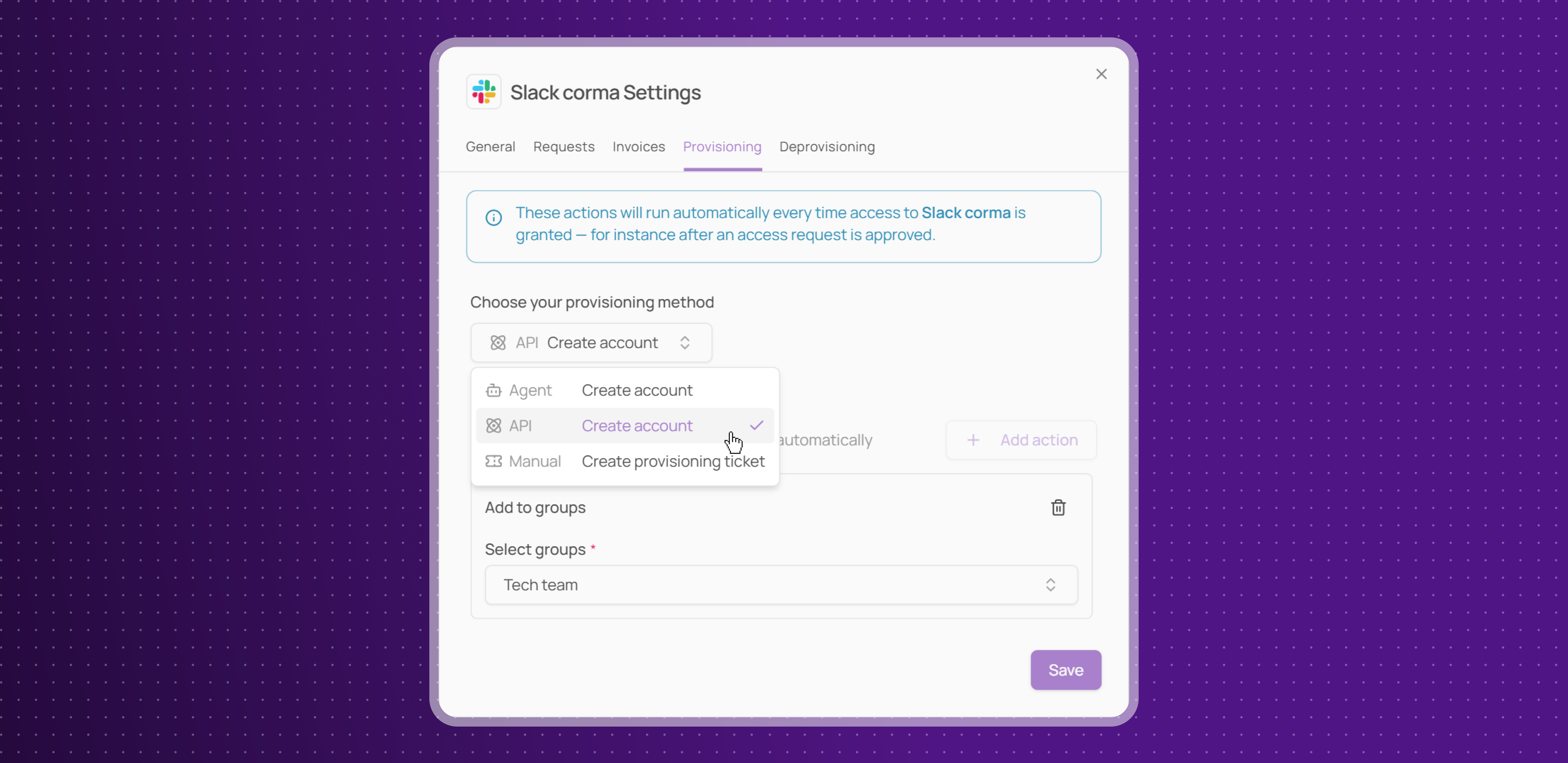
Default (de)provisioning actions
Admins can now define default provisioning and deprovisioning actions per app, so every time access is granted or revoked, the right method is already pre-configured.
Three methods available: manual task, automated via API (with a mini workflow builder to chain actions), or automated via Agent
Applied everywhere: default actions are respected across app settings, manual license revocation, and offboarding flows, for both onboarding and offboarding
To configure, open any app page → settings icon (top left) → Provisioning tab.
Teams managing access at scale will spend less time on repetitive configuration, with the confidence that the right actions always trigger automatically.
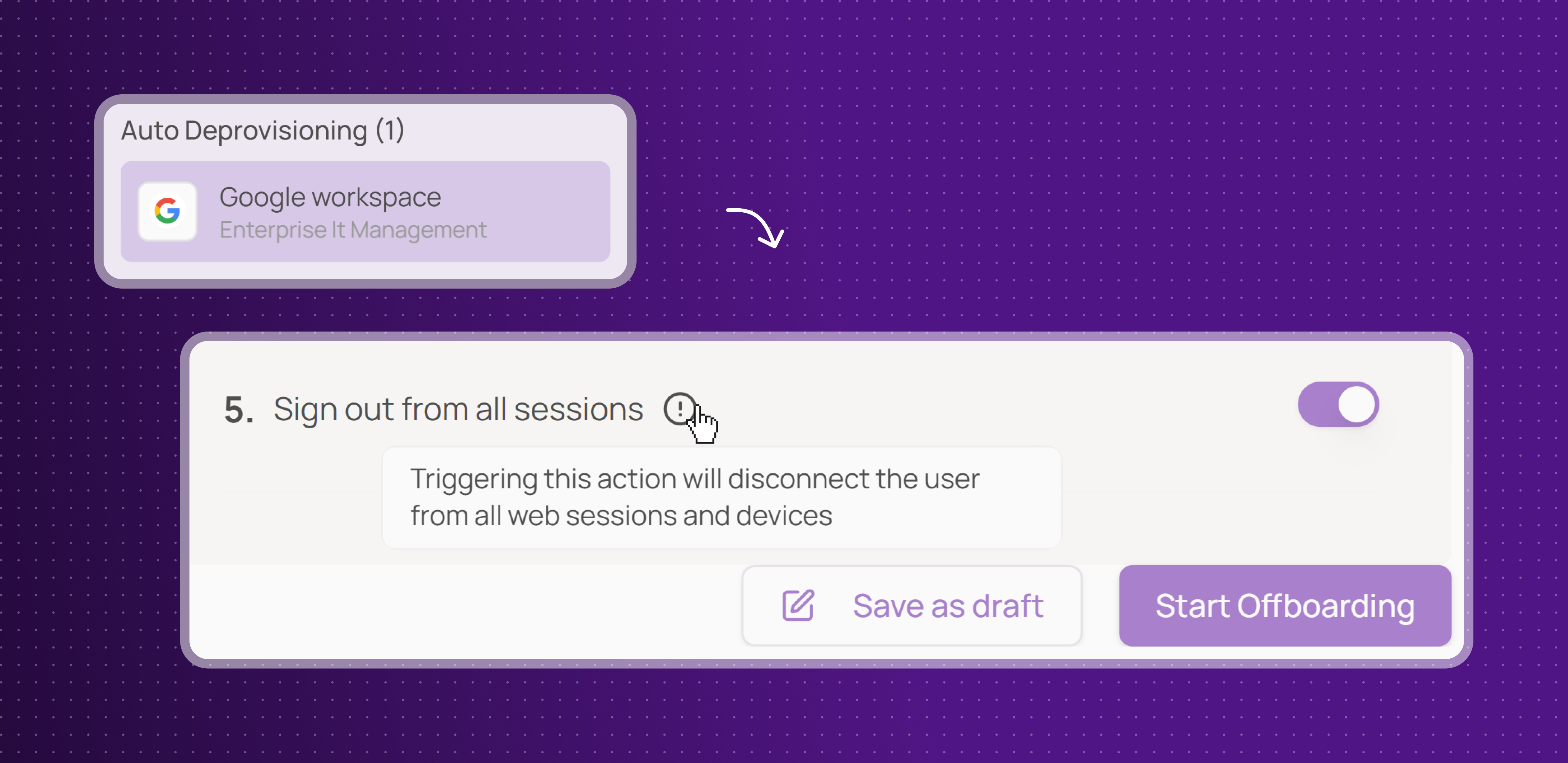
Sign out Google users from all sessions
Admins can now instantly sign out a user from all their devices and active web sessions directly from Corma, as part of a Google offboarding flow.
One-click session revocation: triggering this action immediately disconnects the user from all Google web sessions and devices, ensuring access is cut off the moment offboarding begins
A simple but critical addition for teams who need to act fast when an employee leaves.
Light improvement
Corma now supports Okta SSO, allowing users to sign in with their existing Okta credentials for a faster and more secure login experience.
User search dropdowns now support infinite scroll and smarter sorting, active users first, archived at the bottom, with a 'No Assignee' option where relevant.
Fixes
Claude AI license retrieval bug has been investigated and resolved
Google SSO login issues have been fixed
Multiple bugs in provisioning/deprovisioning workflows including silent failures, missing task logs, incorrect email notifications and UI issues have been resolved
Several Bundles and User Groups bugs causing unexpected modal closures, random deselections, unclickable areas and screen flickering have been fixed
Incorrect title and button on the access review page have been fixed
User selection dropdown now correctly shows active users first, followed by archived ones, and no longer gets stuck on partial lists
Two-click bug and missing loading indicator in the onboarding user creation step have been fixed
Multiple User Groups and Bundles bugs including broken search, unresponsive clicks, hidden save buttons and password manager interference have been resolved
Excessive scrolling beyond content on the access review page has been fixed
Large user and activity exports failing due to outdated export system have been resolved
Missing option to create a new license type or role on the spot when manually adding a license has been added
Confusing technical error when adding an already existing internal app now shows a clear helpful message
OpenAI license data sync error has been fixed