
Corma changelog
Set up your Clicker Agent directly in Corma for available integrations
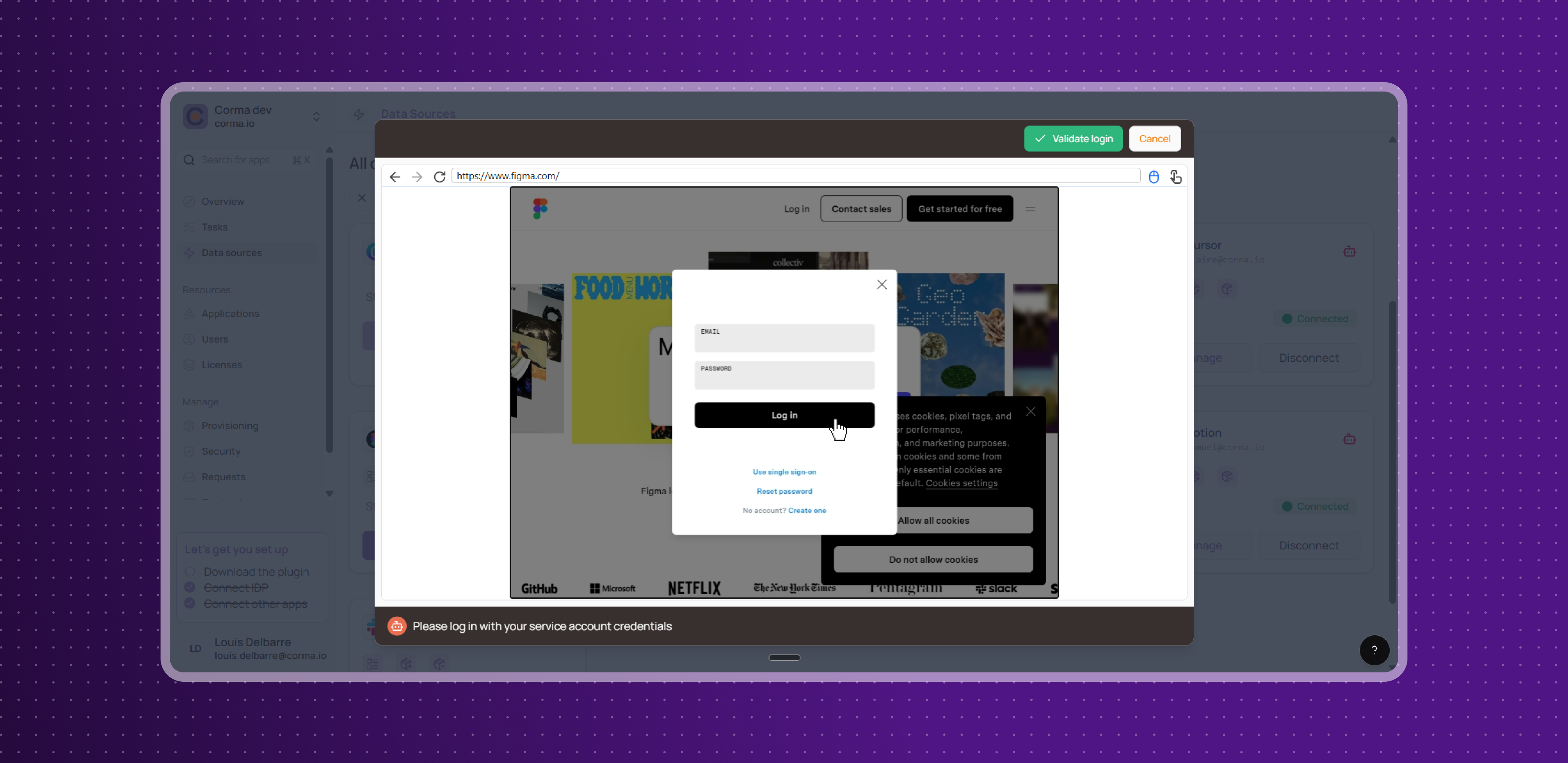
Clicker Agent in-app Setup
Users can now connect the Clicker Agent directly from the Data Sources page even when a 2 step verification via email is required. No need to go through Corma's support team anymore. Two setup methods are available depending on your security preferences.
Credential-based setup: provide a service account email, password, and optional 2FA token; credentials are securely vaulted in Bitwarden, and an embedded browser shows the agent logging in live for you to confirm the connection
Session-based setup: prefer not to share credentials? Log in manually through an embedded browser, entering your service account email and 2FA one-time password, and let Corma save only the session and cookies instead.
Each app's Agent setup is documented step by step in Corma's documentation. Teams that previously had to wait for Corma support to configure their agents can now go live independently, in minutes.
Light improvements
Admins can now set default workflow configurations at the bundle level, making it easier to apply consistent approval processes across groups of apps without configuring each one individually.
Improved the Dashlane integration so that all licenses are detected and tracked, even when users aren't set up through the standard provisioning system.
Fixes
Silent configuration skip during Google or Microsoft identity provider onboarding has been fixed
'Map email alias' offboarding action incorrectly linked to another action's settings has been resolved
Incorrect team counts on the app analytics page have been fixed
Several broken pop-ups including non-scrollable modals and dropdowns closing without saving have been resolved
Broken 'Discard' button in the onboarding/offboarding flow has been fixed
User type sorting in the Users section has been fixed
Several visual issues in the Interactive Agent feature have been resolved
Display issues in the Microsoft actions panel when removing licenses or groups have been fixed
Dropbox integration being broken for all connected customers has been fixed
Frequent Atlassian user provisioning failures have been resolved
Figma account connection failures for Enterprise plan customers have been fixed