
Corma changelog
Temporary access requests and Shadow IT policies
Temporary access requests
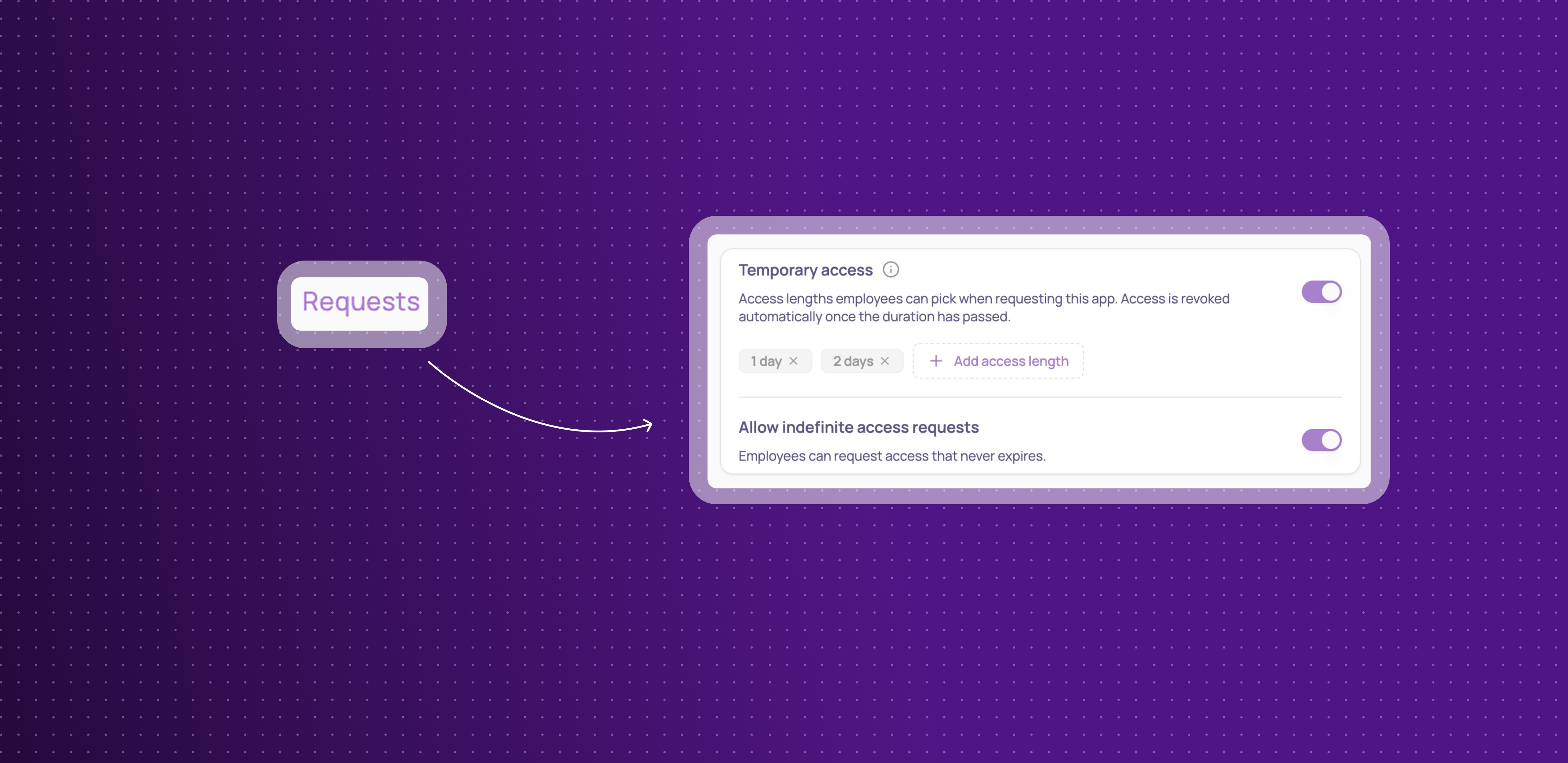
Employees can now request access for a limited time instead of indefinitely, and Corma revokes it automatically once that time is up.
Add access lengths per app: in an app's Requests settings, turn on Temporary access and add the durations employees can choose from — hours, days, weeks, or months.
Choose from Employee App Store or Slack: employees pick their access length from the same dropdown, whether they request through the App Store or Slack.
Decide if indefinite access stays allowed: turn off indefinite requests entirely if every request for an app should be time-bound.
Automatic revocation: once the duration passes, access is revoked automatically and the employee is notified — if they still need it, they submit a new request.
This means access can be granted for exactly as long as it's needed, without anyone having to remember to clean it up afterward.
Shadow IT policies
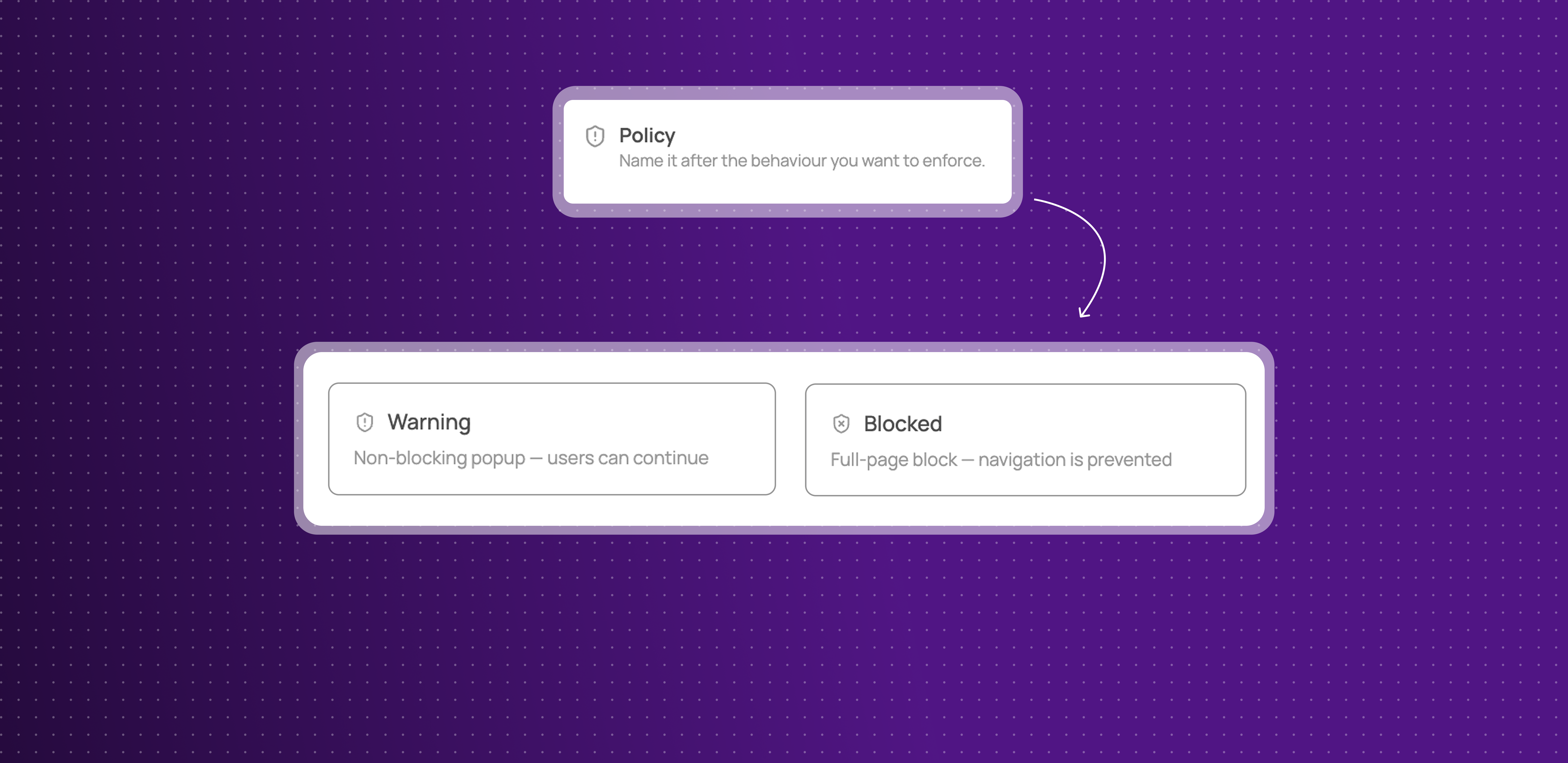
Your Security page has a new look, and you can now define your own policies for how employees are stopped from using unauthorized apps:
Warning or Blocked: choose whether employees see a dismissible warning or a full-page block when they open an app covered by a policy.
Applies to a list of apps: one policy can cover several apps at once, and each app can belong to only one policy.
Exclude specific teams: leave out any user groups who should be allowed to use the app.
Write your own message and call to action: customize what employees see, with optional buttons pointing them to an approved alternative.
Enforced through the browser extension: policies apply the moment an employee opens the app in their browser.
This gives admins real, granular control over Shadow IT, instead of relying on an app's status alone.
Improvements
Okta integration can now sync HR data (department, job title, country, and more), not just identity.
Sorting added for the Extension and Desktop agent columns on the Users table.
Password requirements (length, character rules) for the Reset Password action are now configurable in Settings.
App details, previously hidden behind clicking an app's logo, now live in their own dedicated Settings tab.
Custom agent connections now show their creation and connection date, current credential method, and can be renamed — disconnecting and reconnecting no longer wipes your existing configuration.
Integration connections can now be disconnected directly from their card, without losing existing automations.
Fixes
Slack ticket messages losing their action buttons and outcome has been fixed.
Non-admin users seeing settings controls they shouldn't has been fixed.
Kelio syncs timing out and failing to import data has been fixed.
A Shadow IT policy edge case with certain domains has been fixed.
Offboarding suggestions missing for distant termination dates has been fixed.
The "Re-assign license" button not opening its modal has been fixed.
The Google "transfer email" workflow action failing has been fixed.