
Udemy
An admin access is required to connect Udemy to Corma
On your Corma app go to the integrations page
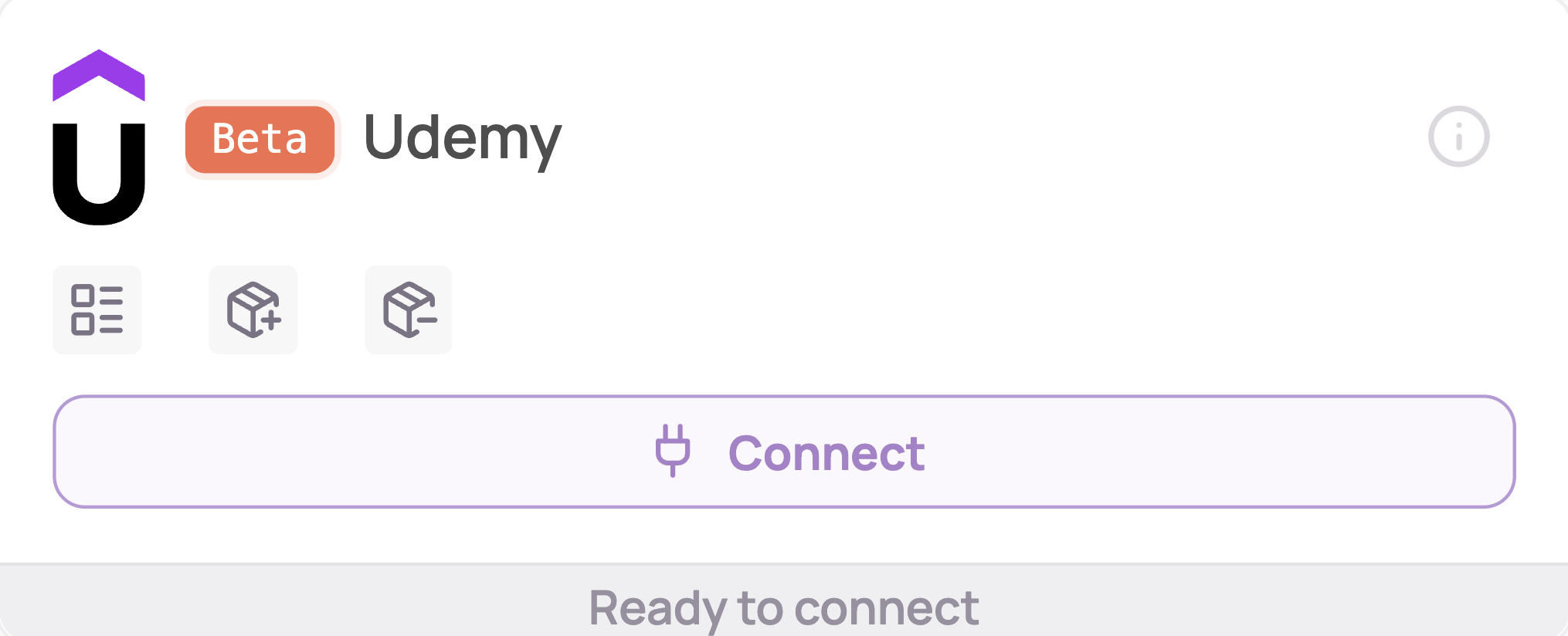
Under "SaaS integrations" click on "Connect" for Udemy
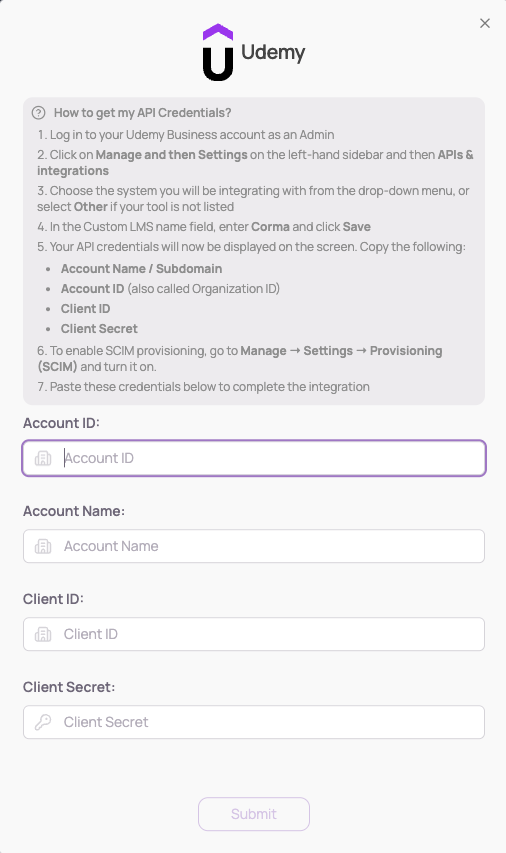
Generate your API credentials
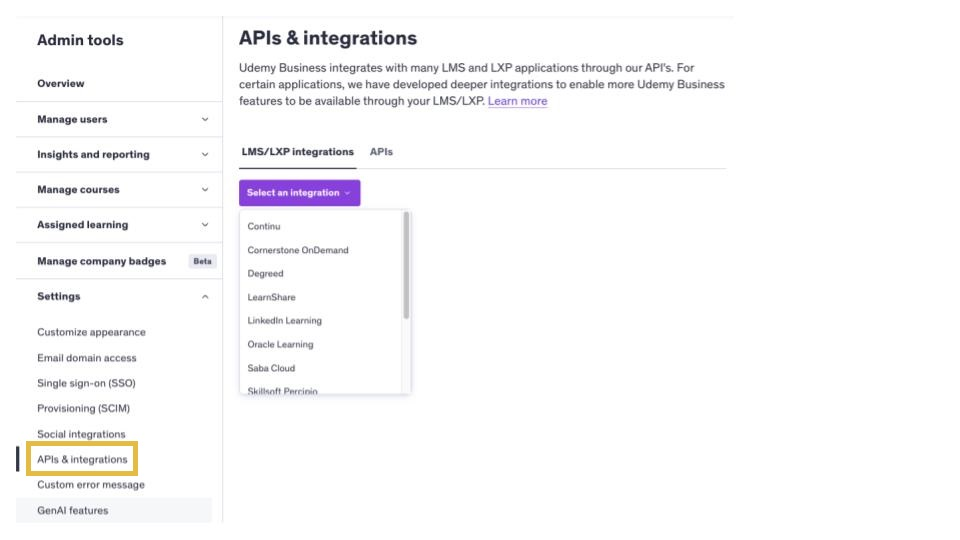
Log in as an admin to Udemy Business
Click on Manage in the upper right of Udemy Business.
Click Settings on the left-hand sidebar and then APIs & integrations. Choose the system you will be integrating with from the drop-down menu, or Other, if your tool is not listed. Click Save. Your API is now enabled.
Your 4 Rest API Credentials will be available in the screen below.
Account Name / Subdomain
Account ID
Client ID
Client Secret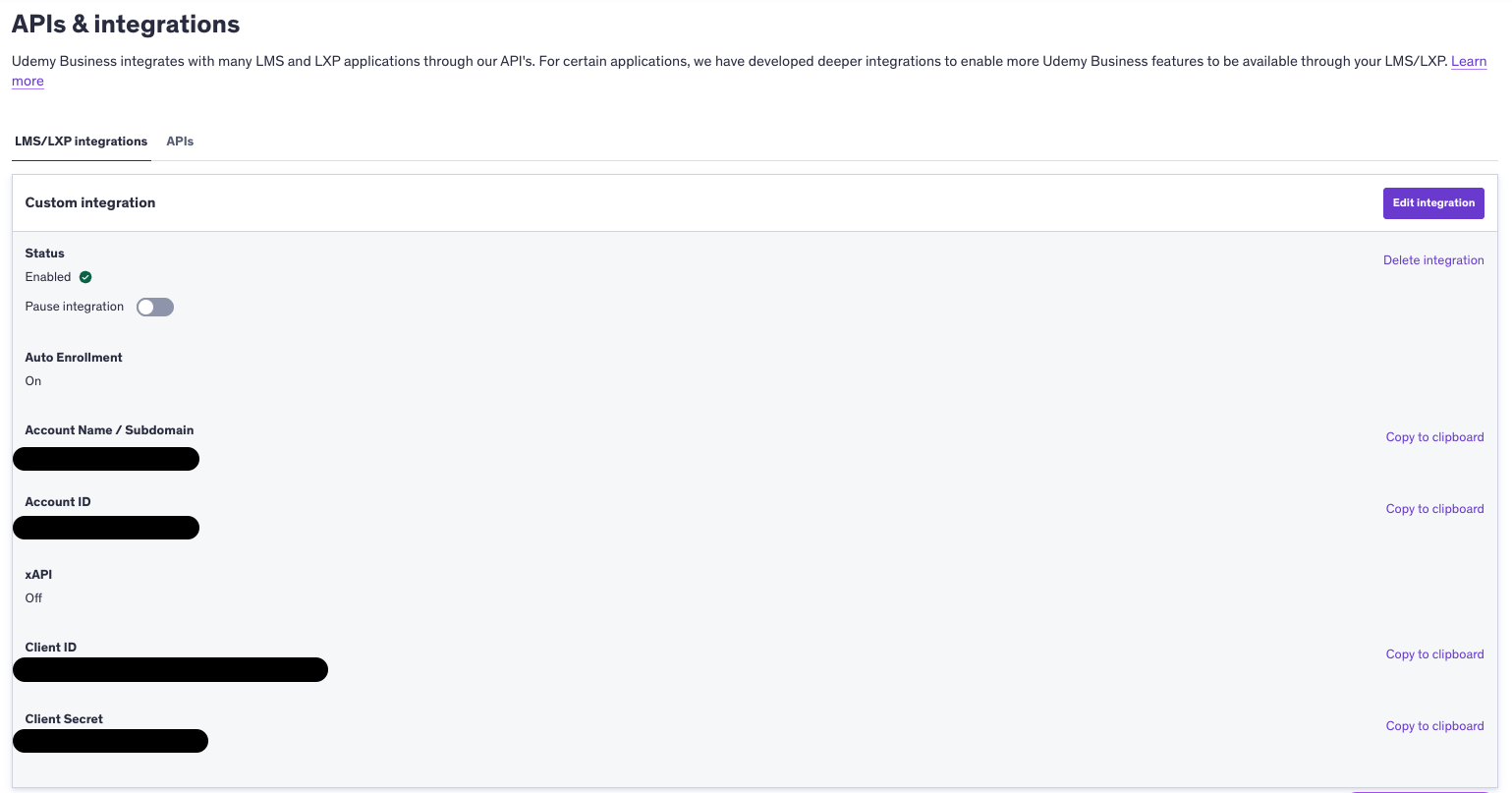
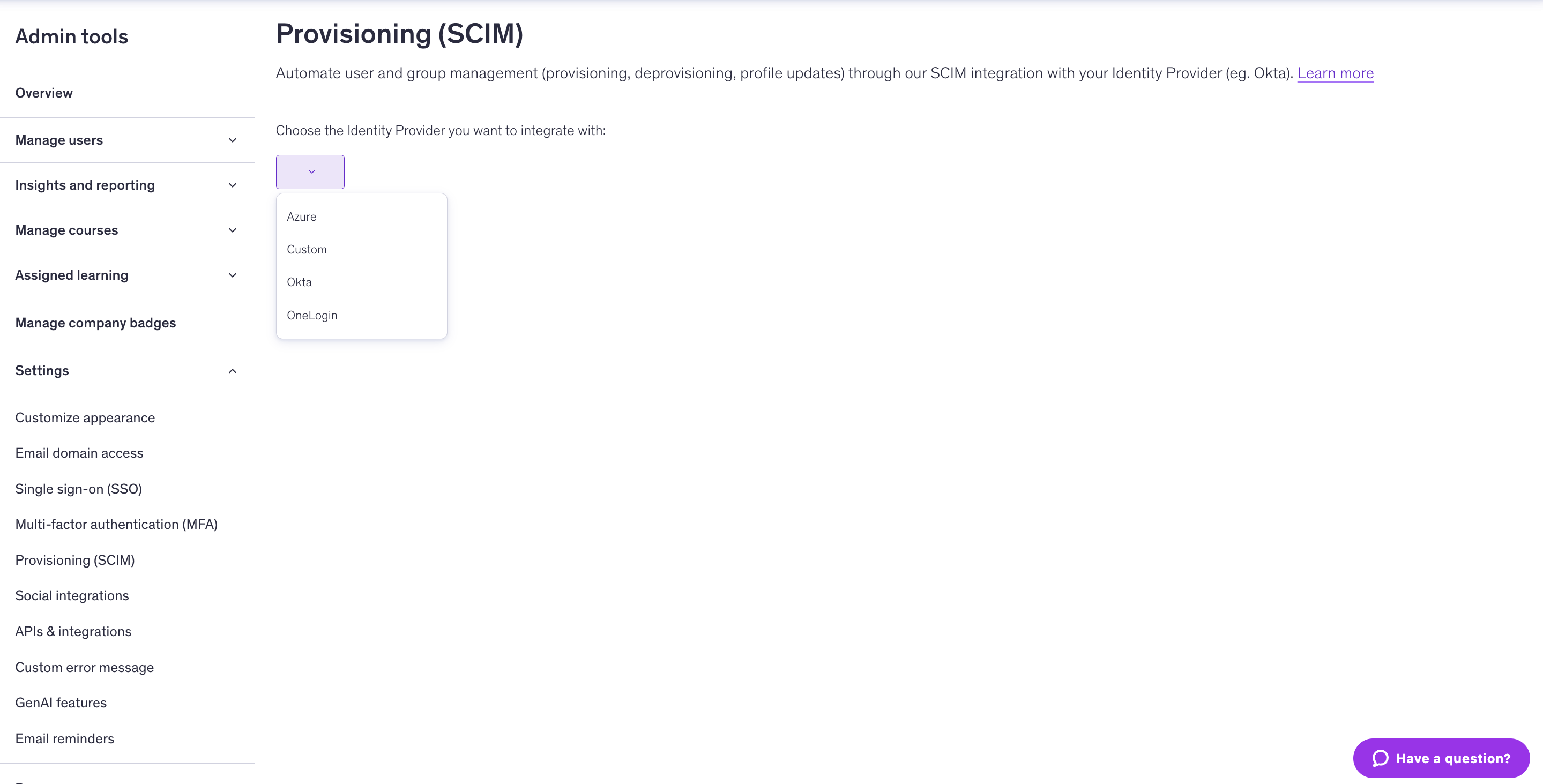
Go to Manage > Settings > Provisioning (SCIM) and activate "Custom" SCIM
You've successfully connected Udemy to Corma!
Data should be synchronized within the next 24 hours and will be synched every day to your Corma app.
Was this helpful?