

ℹ️ Onboarding a user allows you to automatically create accesses and requests for that user on the apps needed for their position. This will save you significant number of hours at every onboarding!
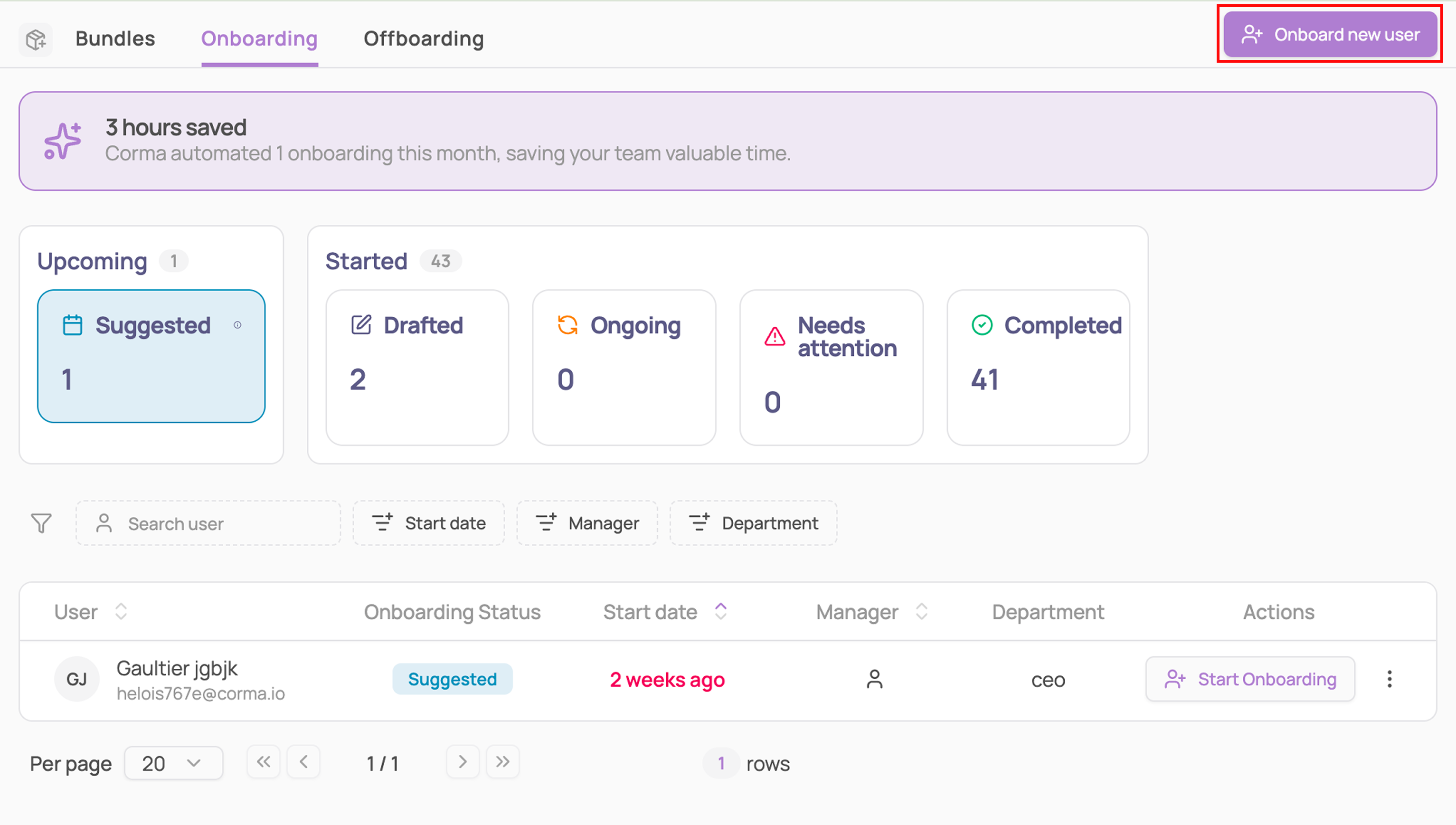
From the Provisioning module navigate to Onboarding

From the main onboarding page you can either:
Click on "Suggested": this will filter to users who have been detected via your HR tool with an upcoming start date
Click on "onboard new user" on the top right corner of the page to onboard a new user on the spot
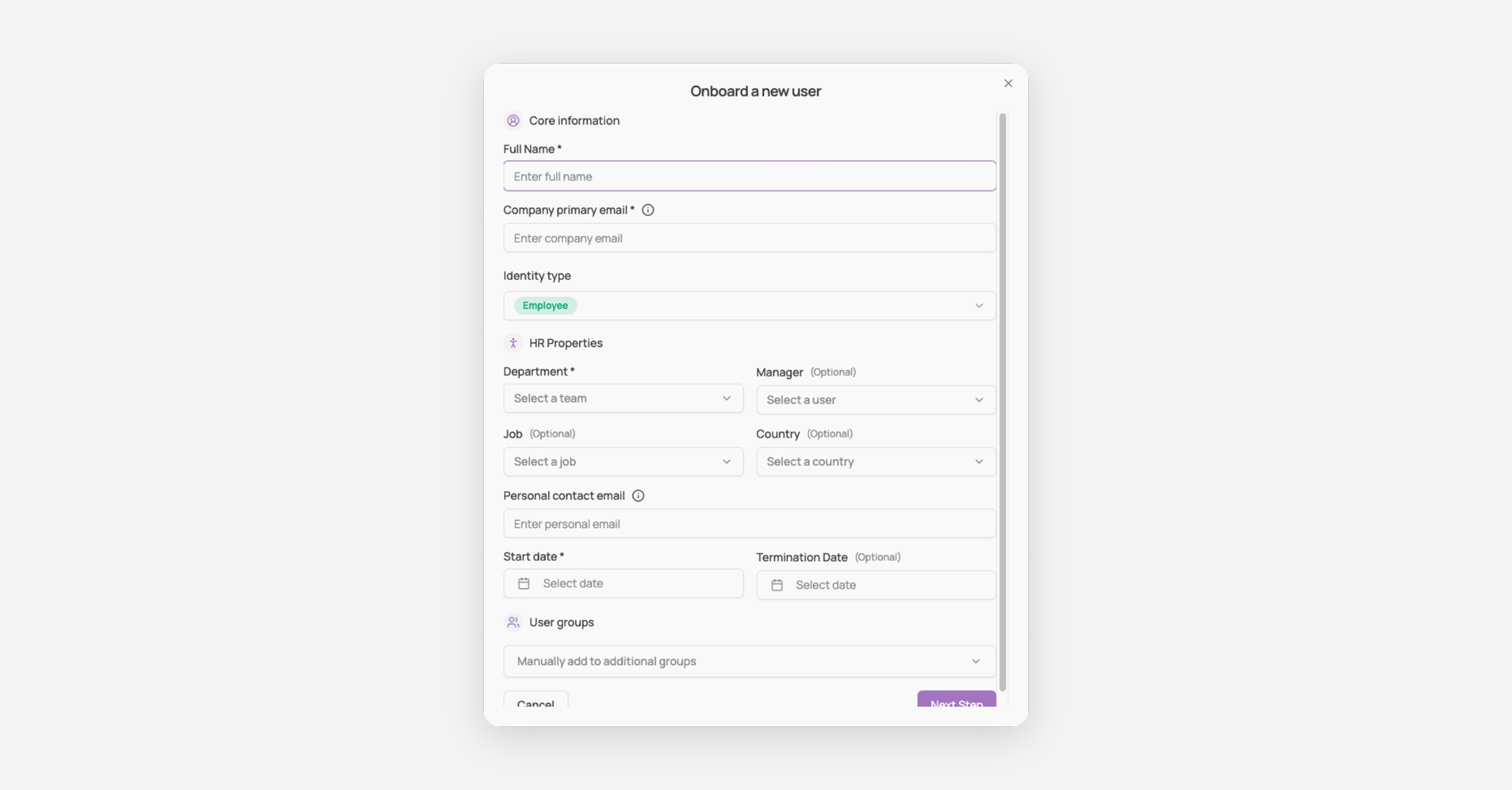
Fill in the onboarding info
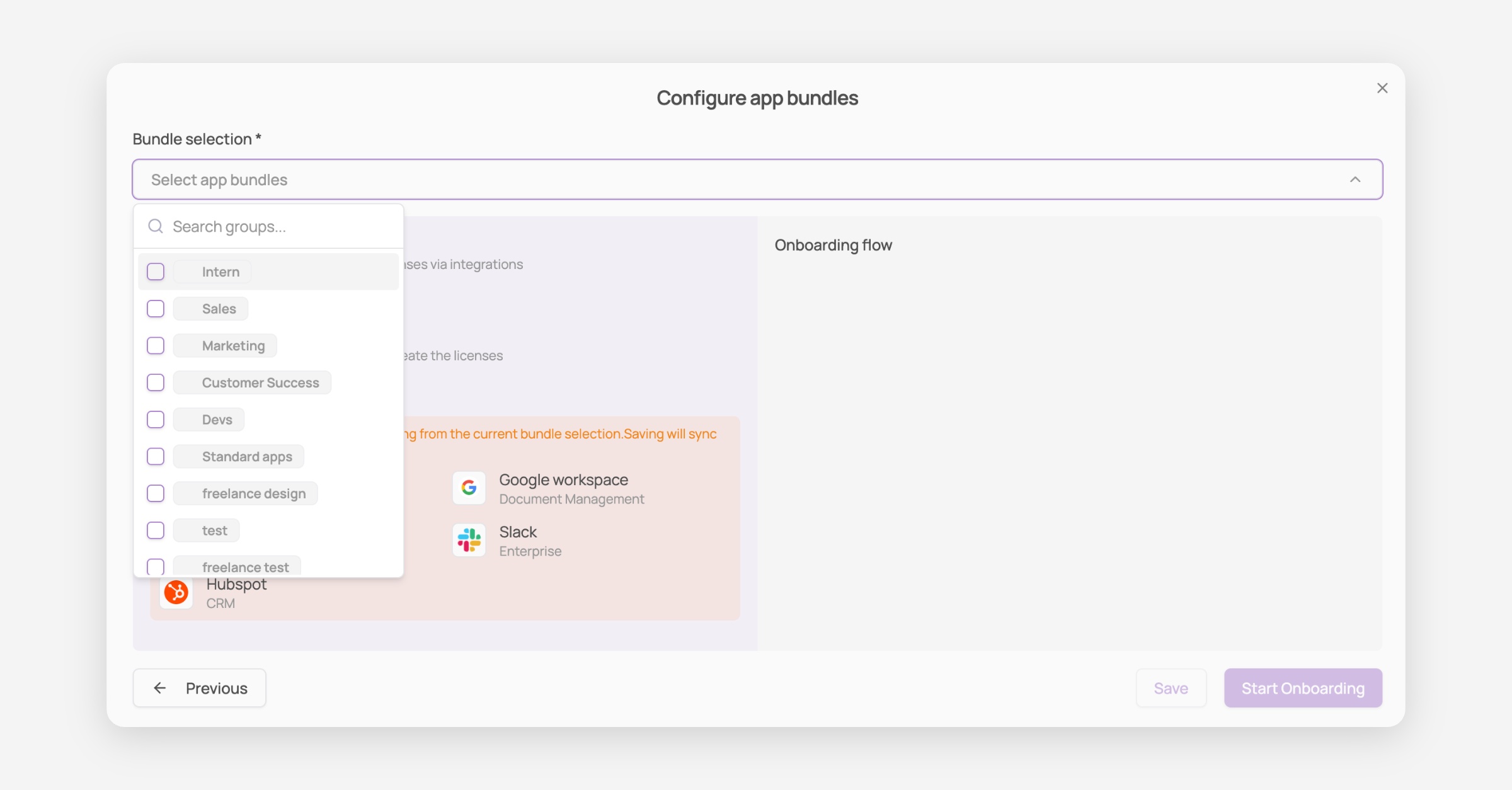
Configure app bundles
Select the relevant app groups for this user based on their team
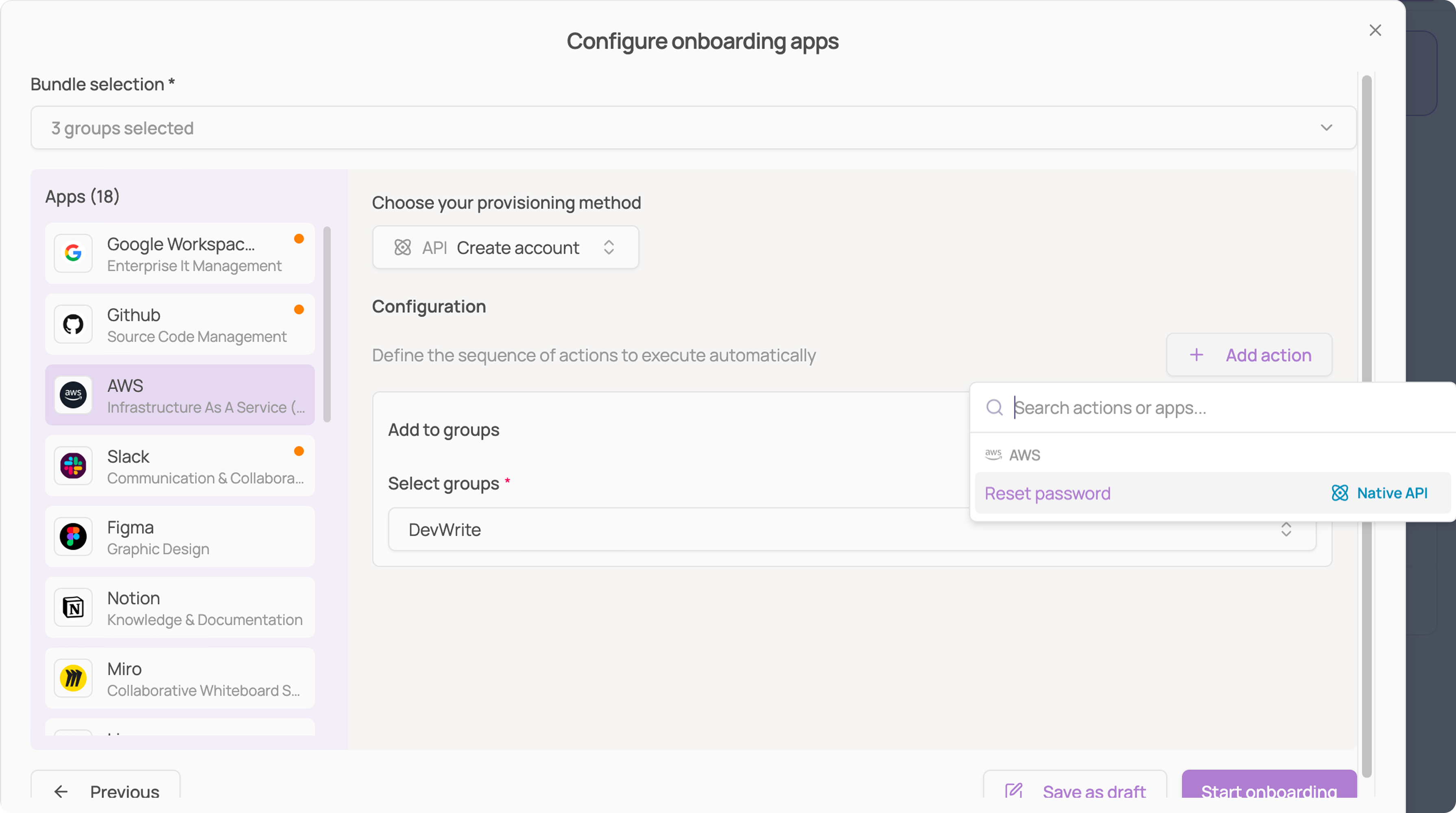
Define an onboarding flow for each app selected
Launch the Onboarding
Click on "Start Onboarding" to get it launched and save a lot of valuable time !
Once launched, each app you configured becomes its own tracked step, showing whether it's completed, in progress, or still pending, along with the date it was done.
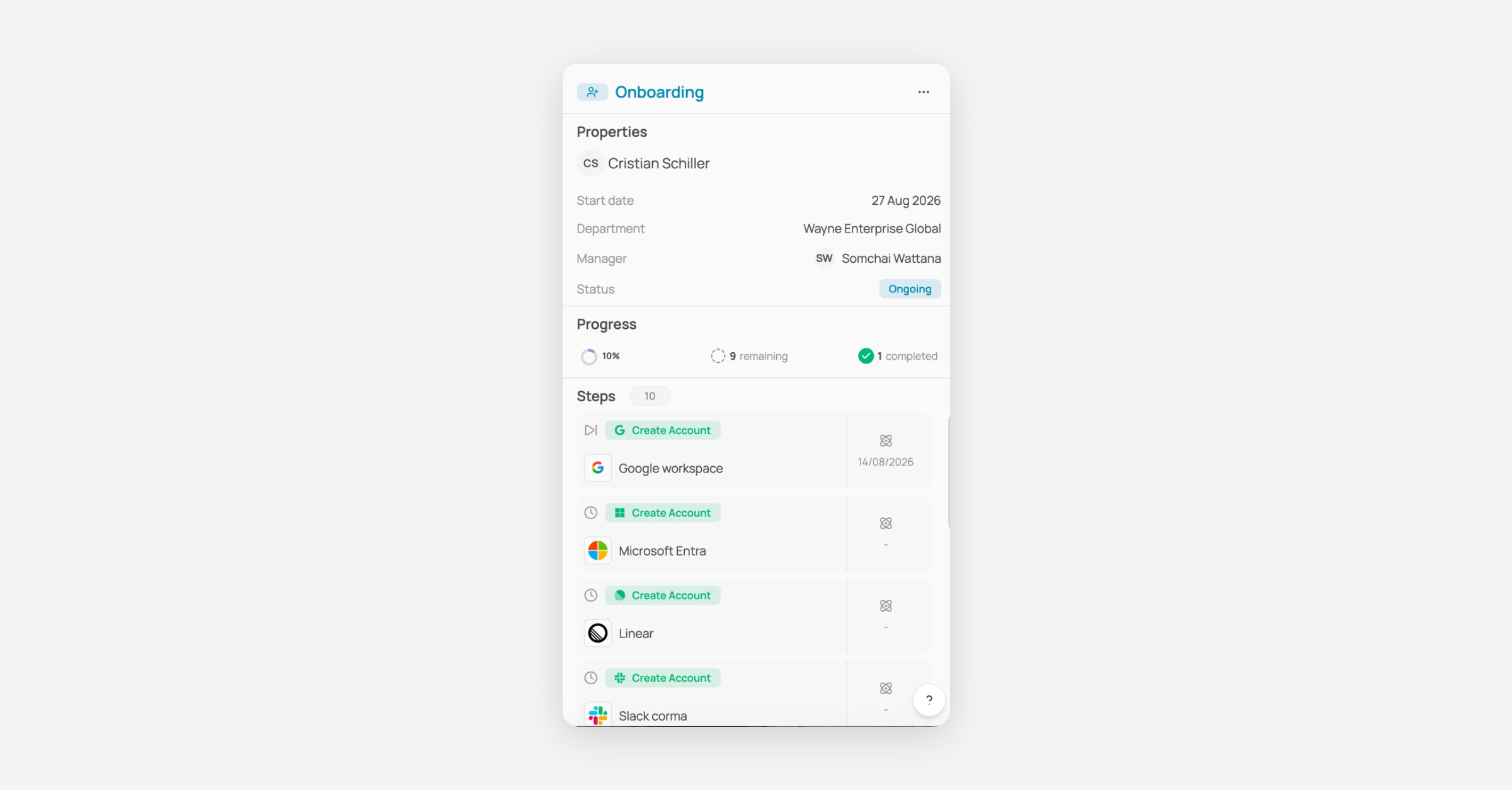
See "How to track provisioning & deprovisioning progress" for the full breakdown of this view.