

ℹ️ Offboarding a user allows you to automatically remove accesses and requests for that user on the managed apps they had access to. This will save you significant number of hours at every Offboarding!
From the Offboarding page
Go to the Provisioning page (side bar)
From the Provisioning module navigate to Offboarding

Select the user to offboard, either:
Click "Suggested" to filter to users detected via your HR tool with an upcoming termination date, or
Click "Offboard user" in the top right to select any user manually
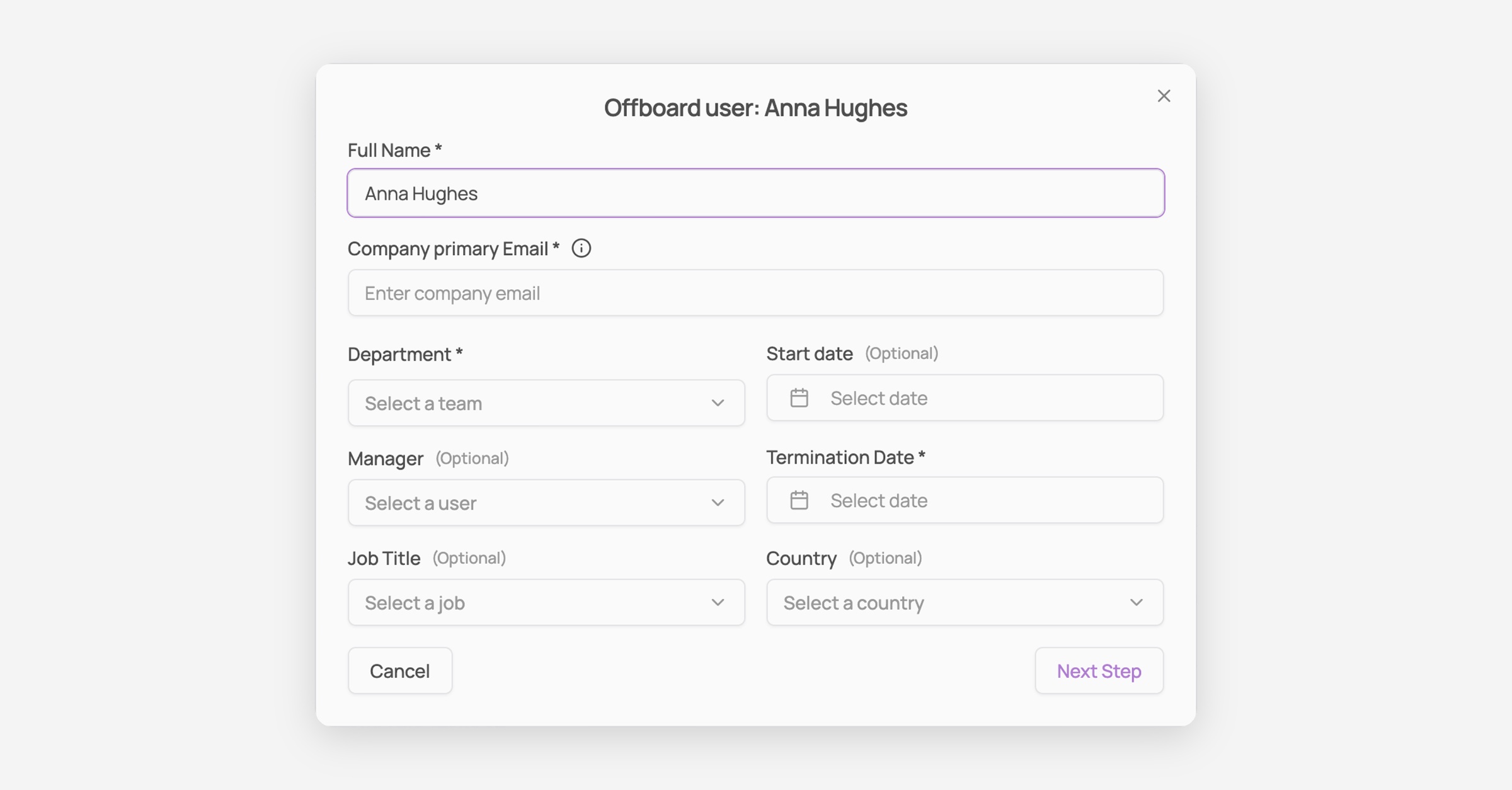
Fill in the offboarding info. Full Name, Company primary Email, and Department are required; Manager, Job Title, Country, and Start date are optional. Termination Date is required. Click "Next Step."
Configure each app's deprovisioning. For every connected app, choose a deprovisioning method (e.g. "Archive user" via API), then click "+ Add action" to define additional steps that run automatically, for example transferring a departing user's files to a new owner.
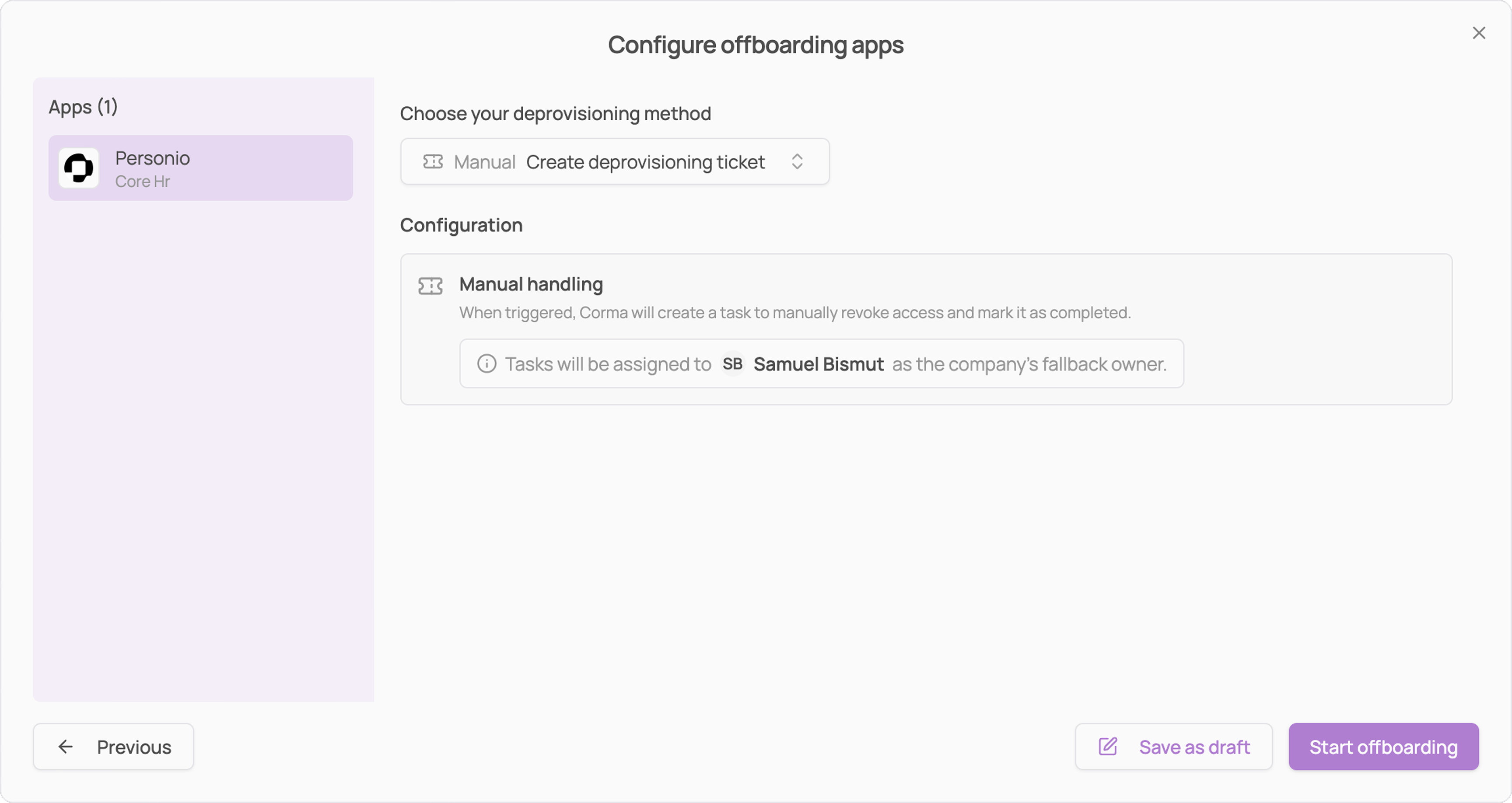
Launch it. Click "Start offboarding" to launch immediately, or "Save as draft" to finish later.
From a specific user page
Open the user's profile, then click "Offboard" in the top right.

This opens the same offboarding flow described above, pre-filled with that user's name and email.