
How to add an approval step to a workflow
Most workflow steps run one after another without stopping. The Ask for approval step pauses the workflow and waits for a person to approve before continuing. This is useful when an action needs a human decision, like granting admin access or approving a new tool.
Adding the step
Open your workflow and click the plus icon where the approval should happen
Select "Ask for approval" from the action library
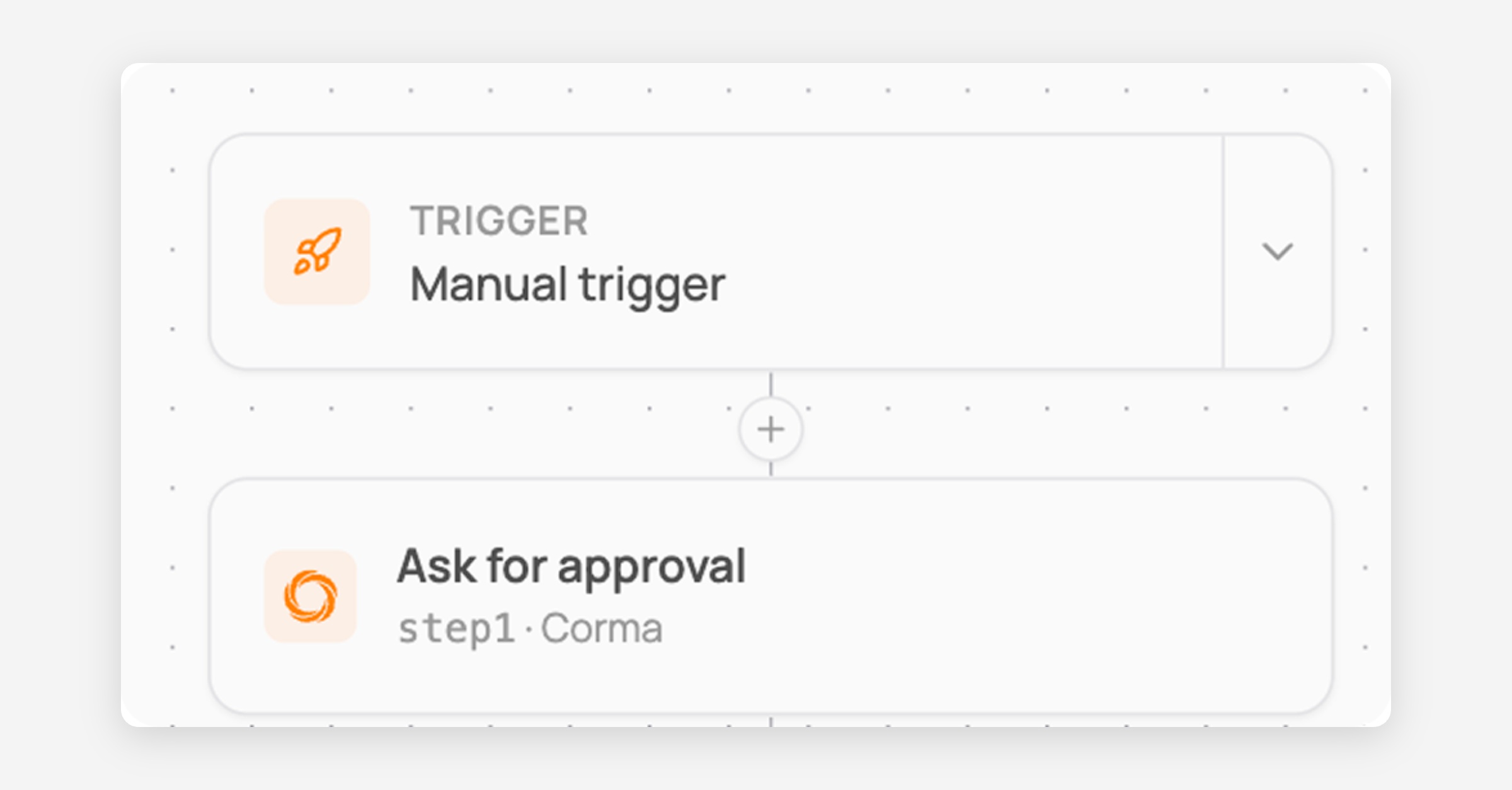
Configure the step:
Approvers: Who can approve this step
Title: The heading the approver sees
Questions: Anything you want the approver to answer alongside their decision
Comment: Extra context for the approver
Timeout (days): How long the request stays open before it is automatically declined. Leave empty to wait forever.
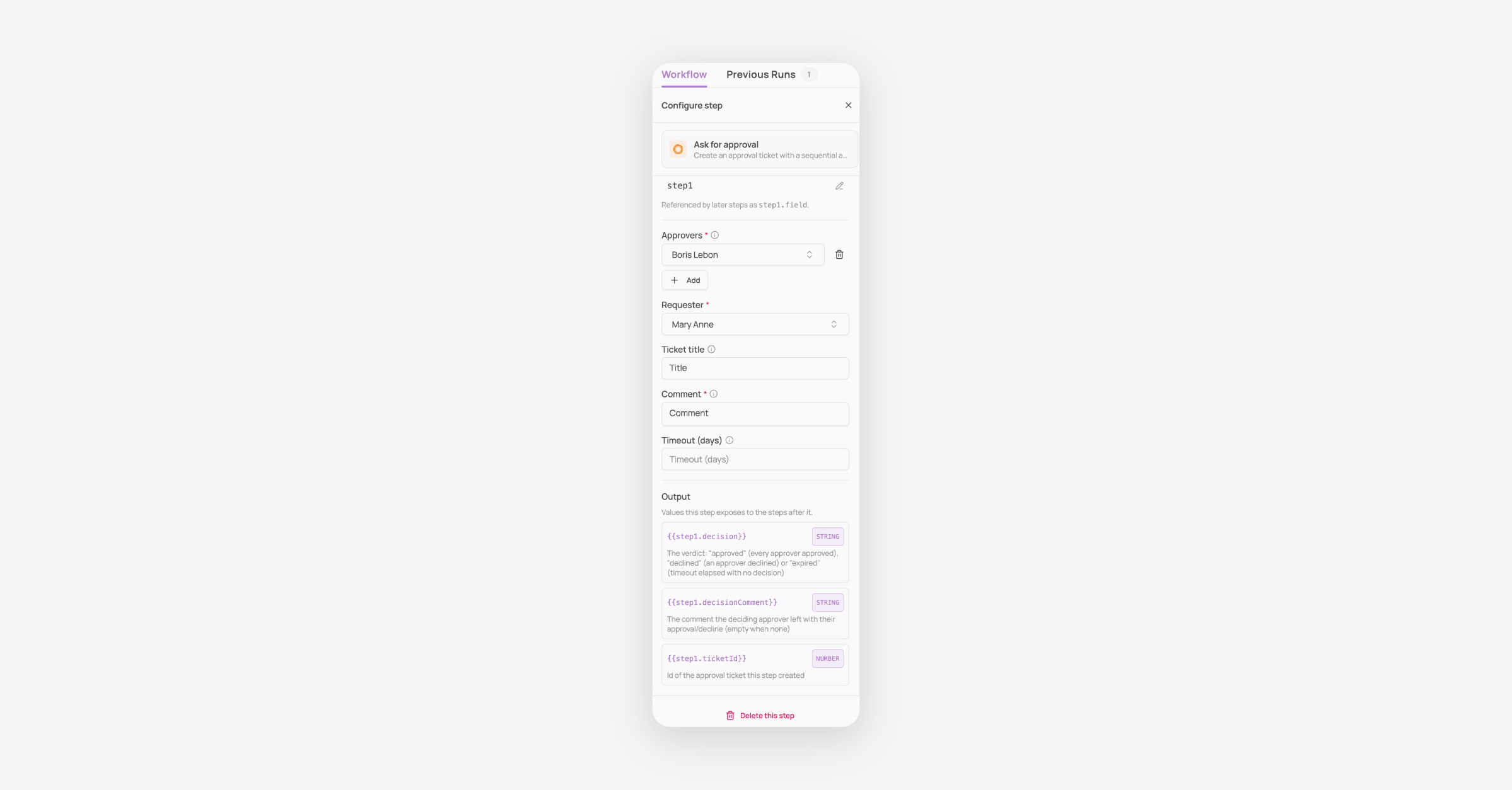
ℹ️ Every field accepts variables from earlier steps, so the request can be personalised per run. Type
{{in text fields, or click [f] for single-value fields. See How to use variables in workflows.Create other steps
Save the workflow
What happens when it runs
The workflow reaches the approval step and pauses
A ticket is created for the approver, visible in the Tickets module
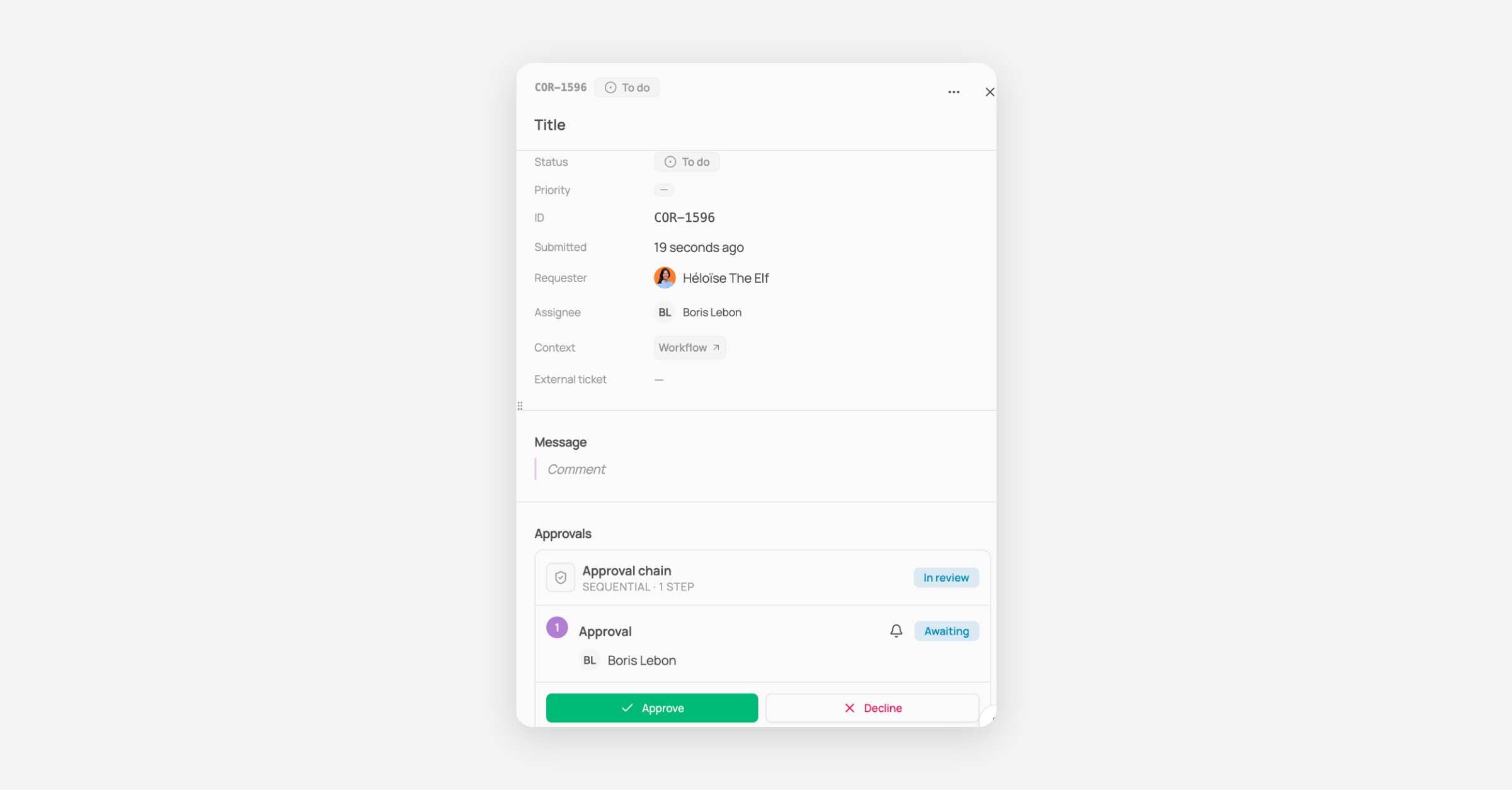
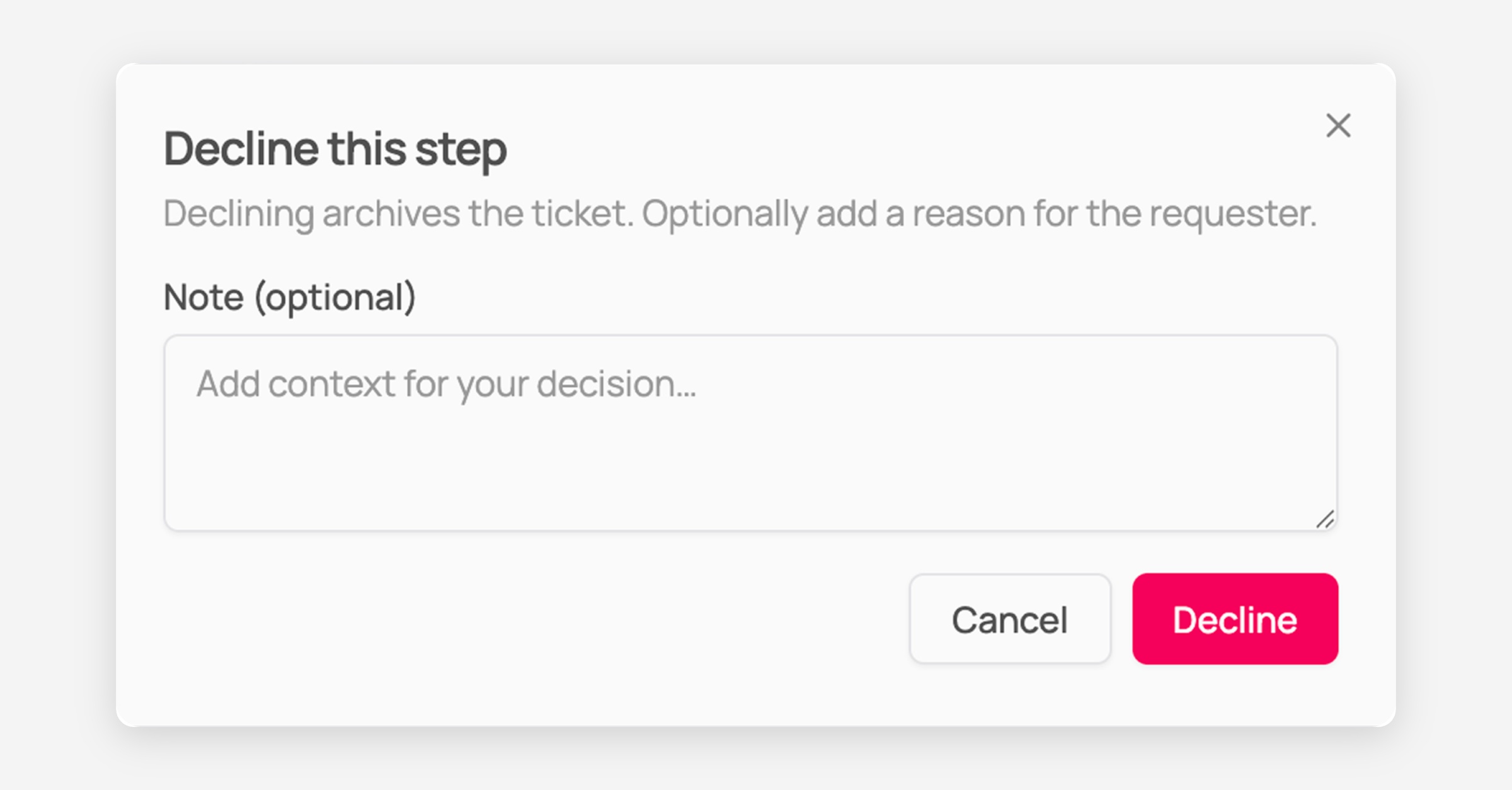
The approver opens the ticket and approves or declines, with the option of adding context for the decision (This can also be performed from Slack directly if you’ve connected Slack as a notification channel. See Enable Slack notifications on Corma )
The workflow resumes from where it stopped
ℹ️ If nobody responds before the timeout you set, the request is automatically declined and the workflow continues on that basis.
Branching on the decision
The approval outcome can route the rest of your workflow:
Add a condition (if) after the approval step
Set the Value to the approval step's decision output
Set "Compared to" to
approved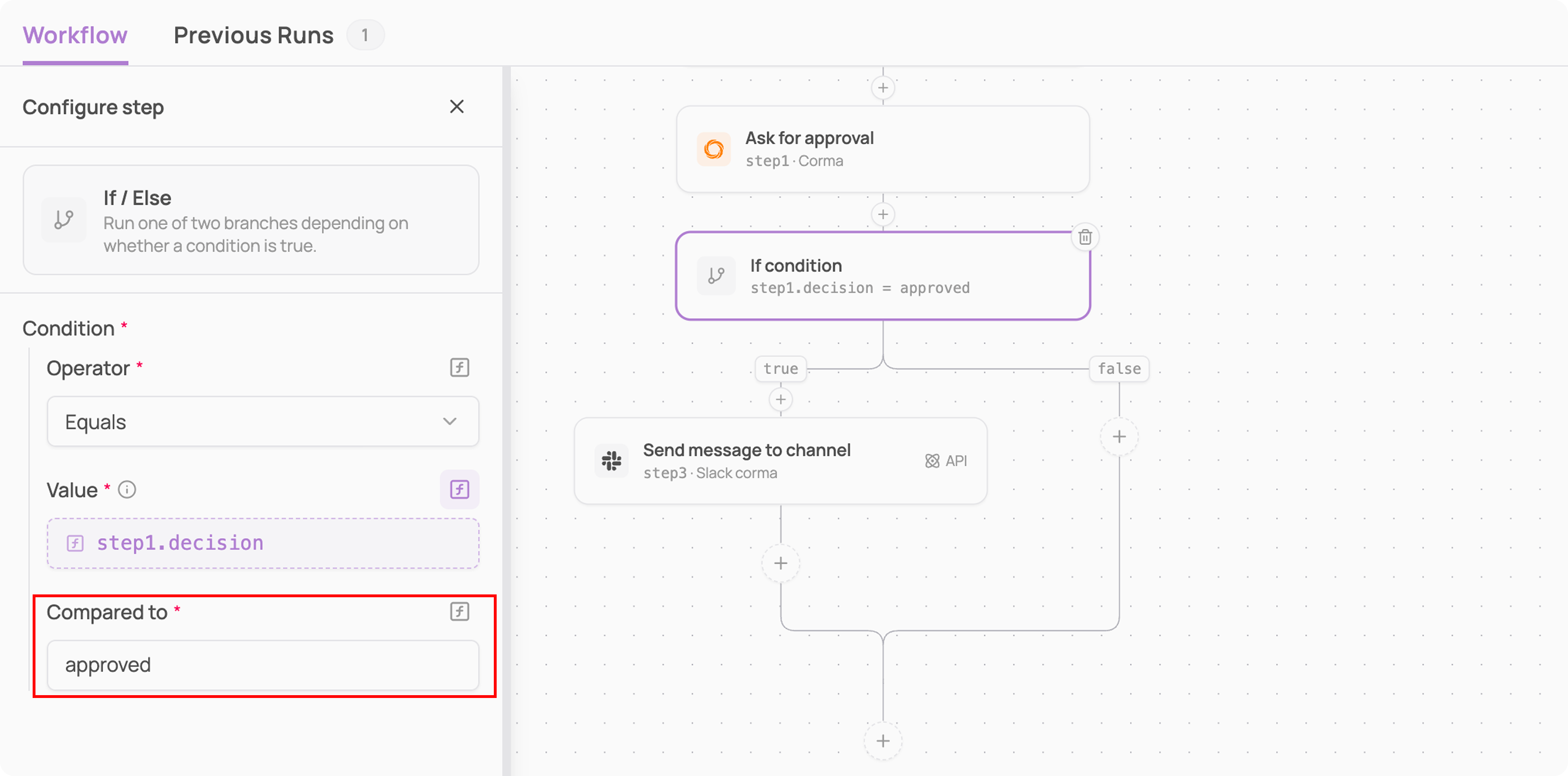
Build the true and false paths: for example, send a Slack message on approval, or notify the requester on refusal
See How to create a conditional workflow for full branching detail.