Corma
Corma
  • Docs
  • Changelog
  • Feature requests
    • Employee guides
    • Applications
      • How to add an application to your Corma workspace
      • How to define app owners
      • How to define an inactive threshold
      • How to define license types and set defaults
      • How to define license roles and set defaults
      • How to set custom app visibility
      • How to define excluded suppliers
    • Users
    • Licenses
    • Provisioning
    • Security
    • Requests
    • Tasks
    • Contracts & Savings
    • Access reviews
    • Workflow Builder
Docs / Guides and How to's / Applications

How to add an application to your Corma workspace

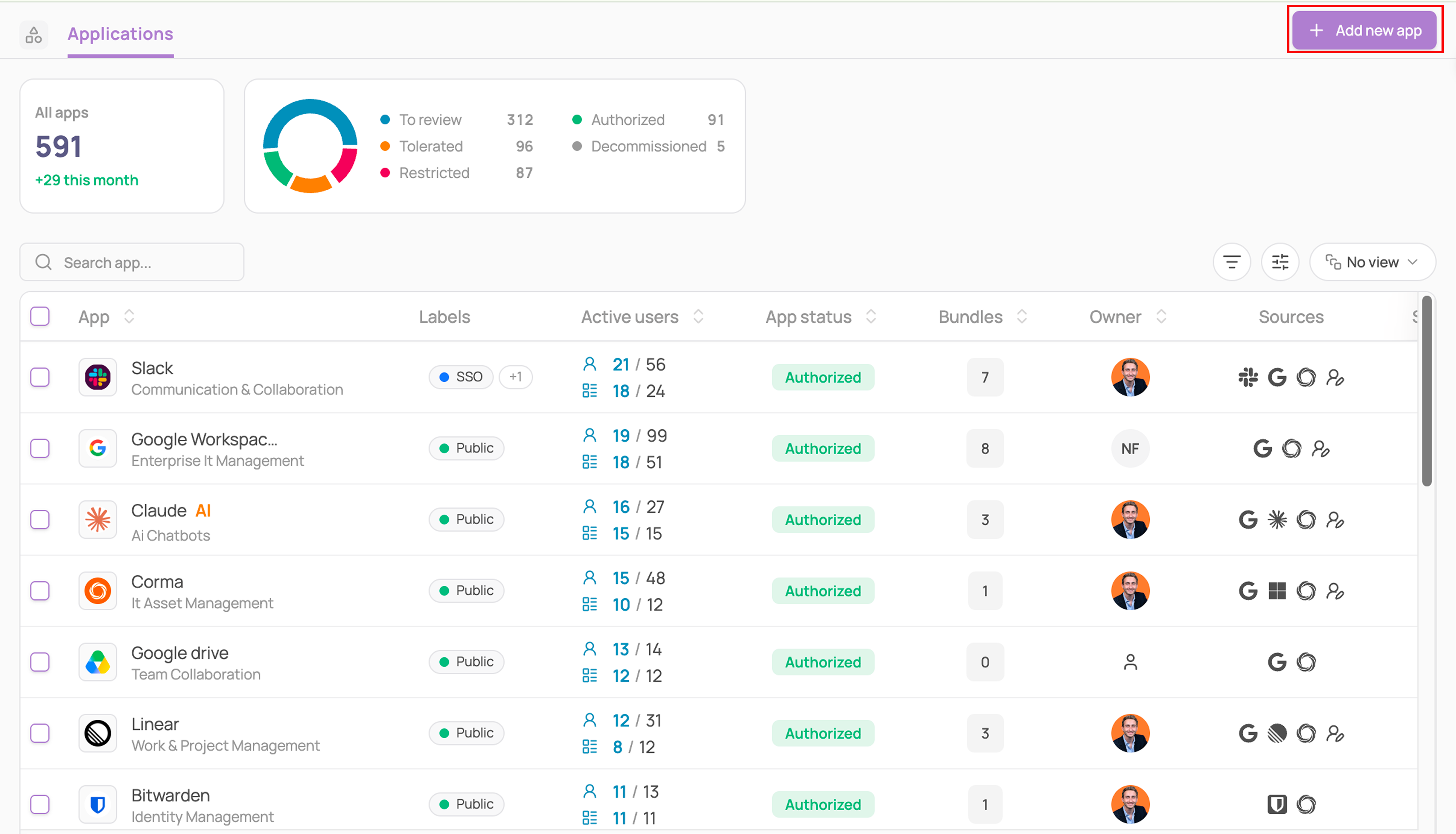
  1. Navigate to the Applications module

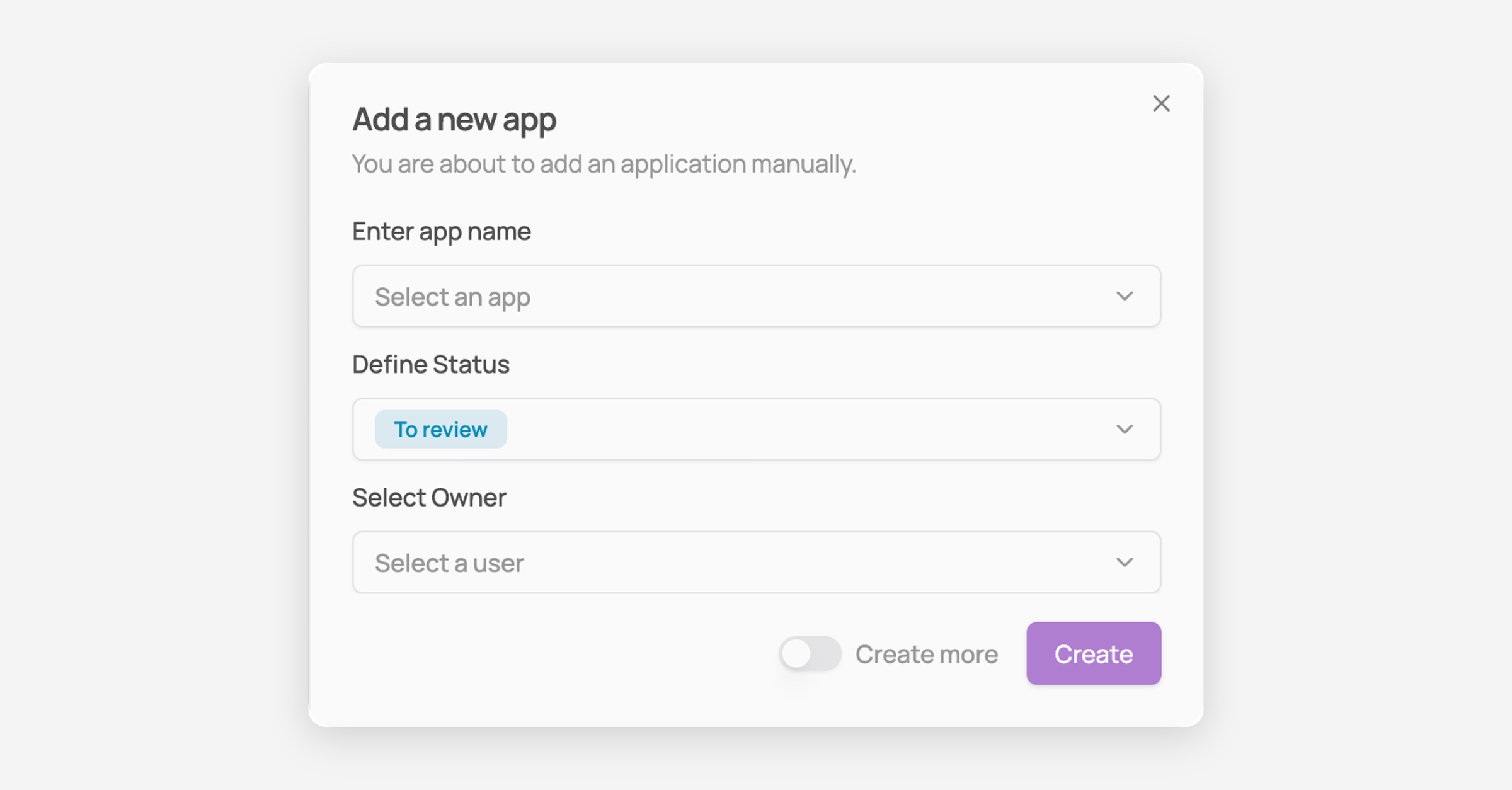
  2. Click on the "+" button to initiate the procedure of adding a new SaaS or AI tool to Corma.
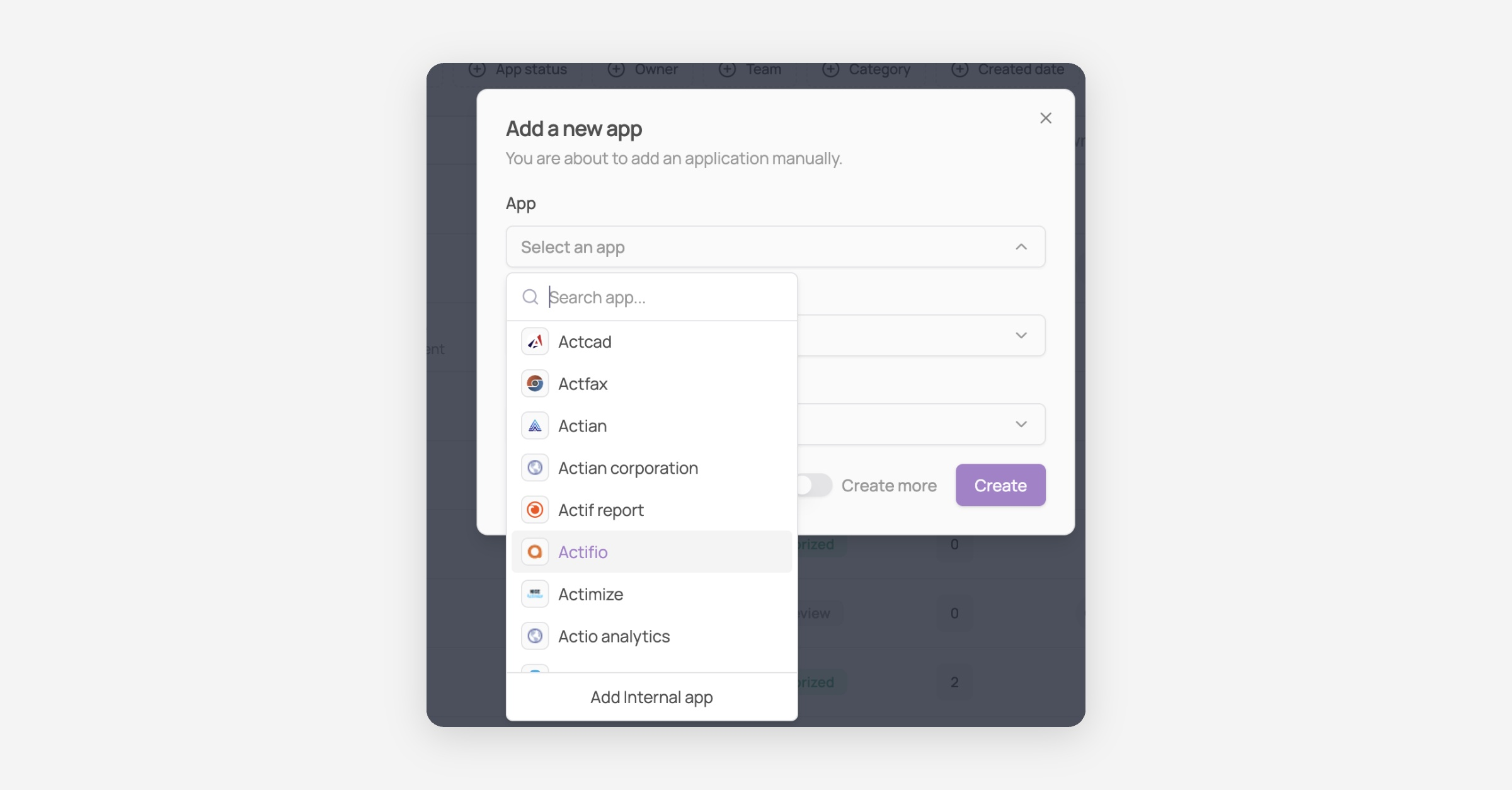
  3. Add an app to your Saas directory

    Select an app from Corma's SaaS list of 35,000+ apps.

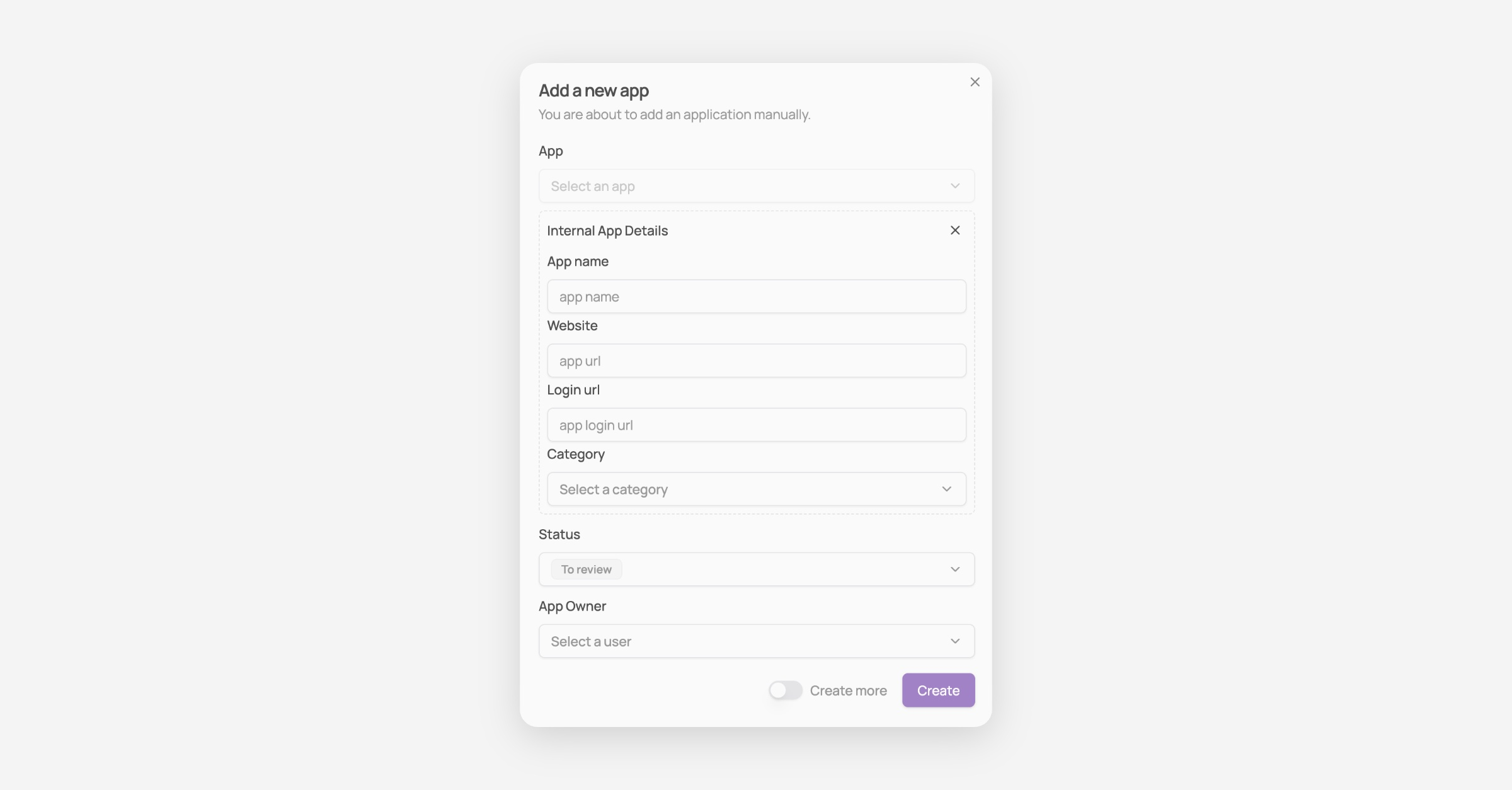
    Add an internal app

    1. From the app dropdown menu select "Add an internal app"
    2. Fill in the app details

    3. The app will appear in your applications module !

Was this helpful?