
About SSO tokens
Overview
When an employee signs into a third-party app with “Sign in with Google” or an equivalent provider, they grant that app a token carrying a set of scopes, meaning the permissions it can use on their behalf. The app keeps that access until the token is revoked, whether or not anyone is still using it.
Corma inventories every token granted across your workspace, so you can see what has been granted, to whom, and by which app.
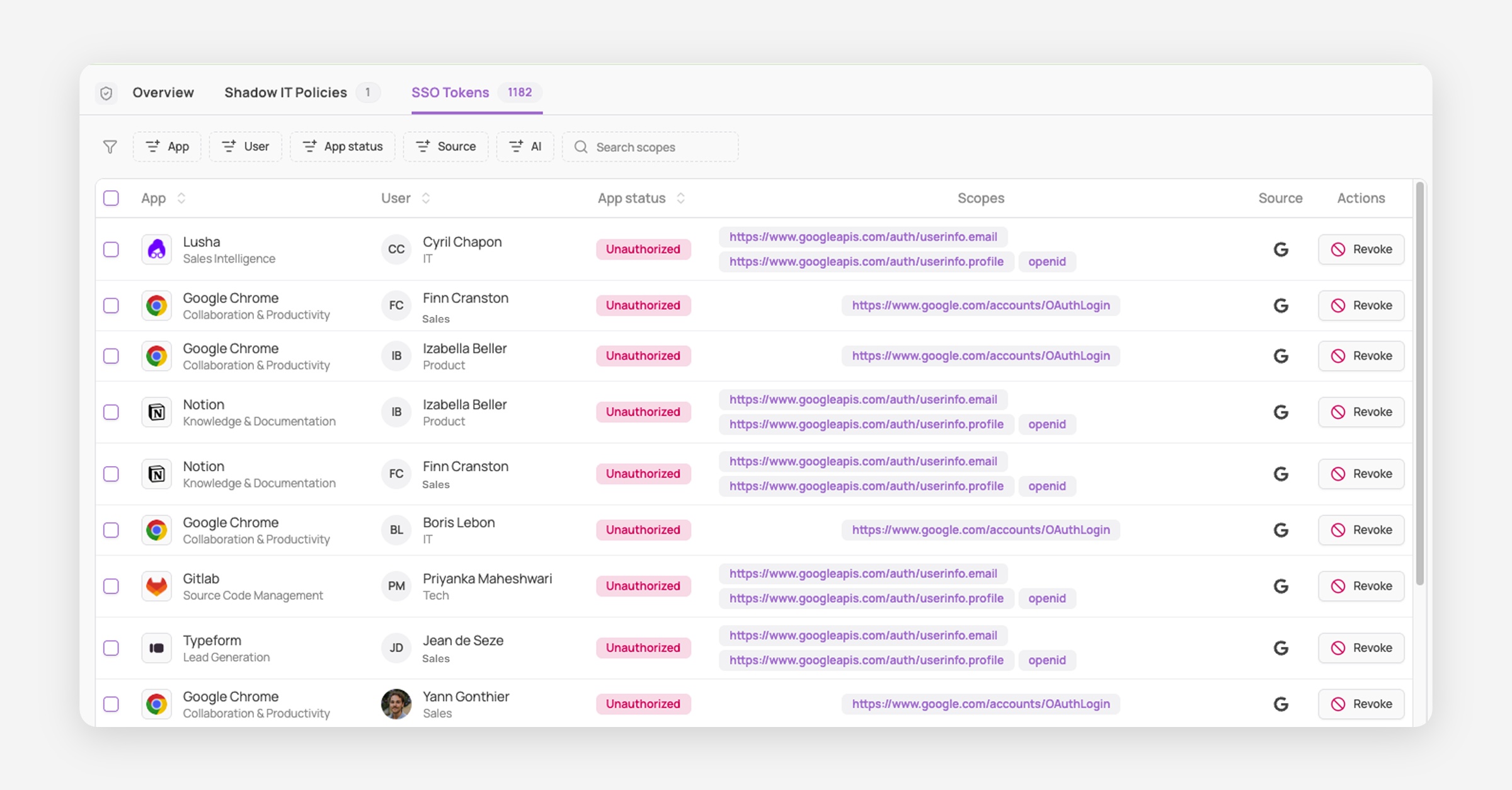
Reading the token table
Each row is one token, granted by one employee to one app.
Column | Description |
|---|---|
App | The application holding the token, with its category |
User | The employee who granted it, with their department |
App status | The app's categorisation in Corma |
Scopes | The permissions granted |
Source | The identity provider that issued the token |
Actions | Revoke the token |
What the scopes mean
A token limited to userinfo.email, userinfo.profile and openid only confirms who the user is and cannot read anything. It is still worth seeing, because it is evidence somebody signed in, which is often the first sign of an app nobody declared.
Scopes beyond those, for example access to drive files or mail, let the app read your company's data. Those are the ones to act on first.
Updating an app's status
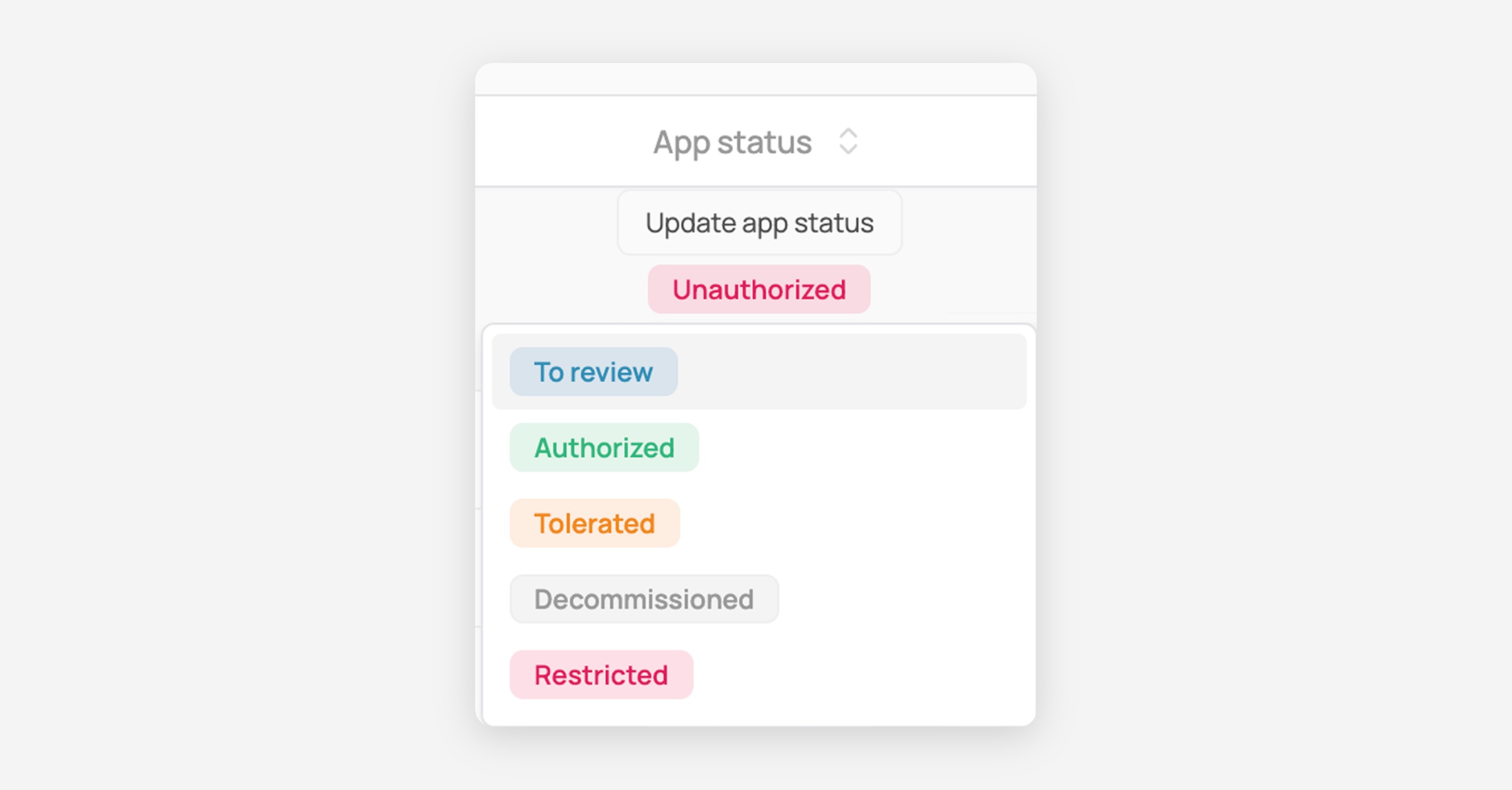
Click the status chip in any row to categorise the app without leaving the table. Reviewing tokens tends to surface apps nobody ever classified.
Finding what matters
The table runs to thousands of rows in most workspaces, so filter rather than scroll.
The quickest entry point is the Overview tab of the Security page, which surfaces two cards drawn from this data, SSO tokens granted to restricted apps and Restricted apps with recent activity. Both open this tab already filtered to the apps you have ruled out.
App status isolates tokens belonging to apps you have restricted
AI isolates tokens granted to AI tools, the fastest way to audit what employees have connected to third-party models
App, User, and Source narrow to a specific app, person, or identity provider
Search scopes finds every token carrying a specific permission, regardless of app
Sort by App, User, or App status from the column headers.

What revoking does
Revoking removes the app's access to that employee's data through your identity provider, immediately.
Revoking is not blocking. It does not delete the employee's account on the app, and it does not stop them signing in again, which issues a fresh token. If the app should stay out, pair revocation with a Shadow IT policy so they are stopped at the browser first.