
About Shadow IT policies
Overview
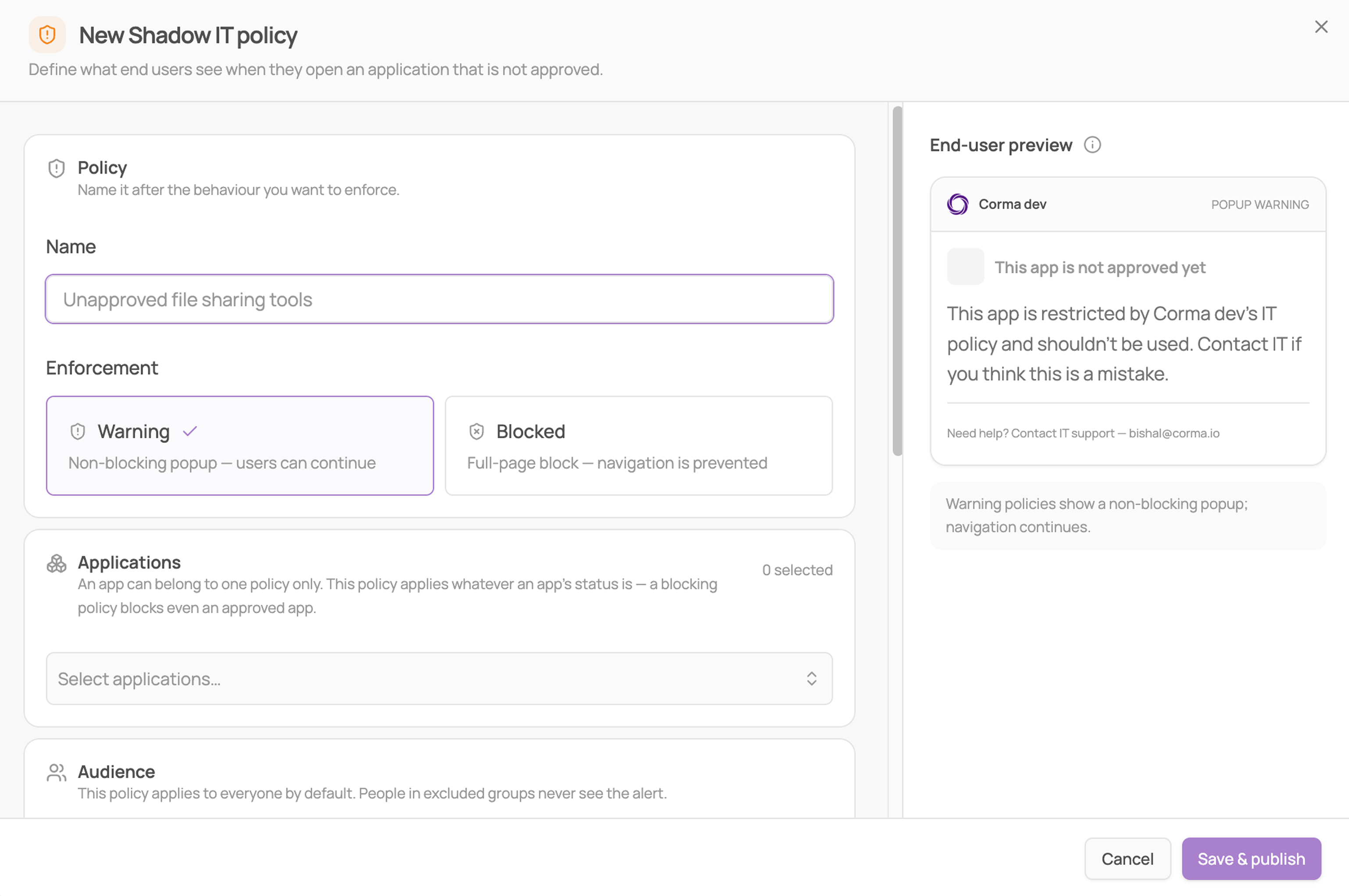
Shadow IT policies define what an employee sees in their browser when they open an application that is not approved, either a warning they can dismiss or a full-page block. An example can be a policy on unapproved file sharing tools, warning anyone who opens Dropbox or WeTransfer and pointing them to Google Drive instead.
Enforcement types
Warning: a non-blocking popup. The employee sees your message and can continue to the app.
Blocked: a full-page block. Navigation is prevented and the employee sees your message instead of the app.
What a policy contains
Applications: the apps the policy covers. A policy covers a list rather than a single app.
Audience: everyone by default, minus any User Groups you exclude. People in an excluded group never see the alert.
Message: your text, shown under a fixed system title.
Call to action: optional buttons pointing employees to an approved alternative.
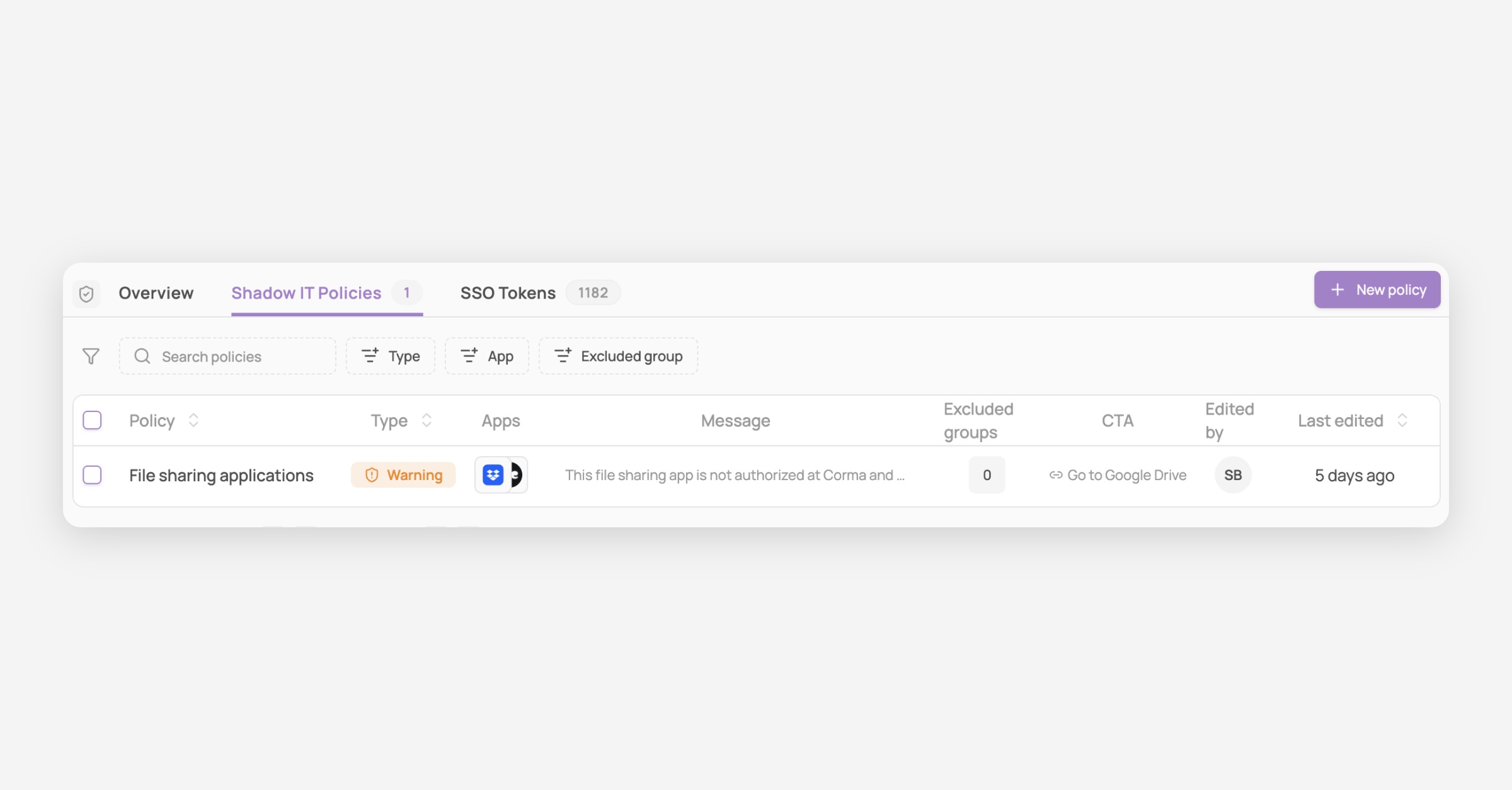
Reading the policies table
Column | Description |
|---|---|
Policy | The name you gave the rule |
Type | Warning or Blocked |
Apps | Every application the policy covers |
Message | The text employees see under the system title |
Excluded groups | How many groups are exempt |
Call to action | The button pointing employees to the approved alternative |
Edited by | Who last changed the policy |
Last edited | When it was last changed |
Things to keep in mind
Policies are delivered through the Corma browser extension. Employees without it installed see nothing, so your coverage figure caps what your policies enforce.
An app can belong to one policy only. Apps already covered are greyed out in the picker with their policy name beside them.
A policy applies whatever the app's status is, so a blocking policy blocks an Authorized app with no warning at save.