
Corma
Corma
  • Docs
  • Changelog
  • Feature requests
    • Employee guides
    • Applications
      • How to add an application to your Corma workspace
      • How to define app owners
      • How to define an inactive threshold
      • How to define license types and set defaults
      • How to define license roles and set defaults
      • How to set custom app visibility
      • How to define excluded suppliers
    • Users
    • Licenses
    • Provisioning
    • Security
    • Requests
    • Tasks
    • Contracts & Savings
    • Access reviews
    • Workflow Builder
Docs / Guides and How to's / Applications

How to set custom app visibility

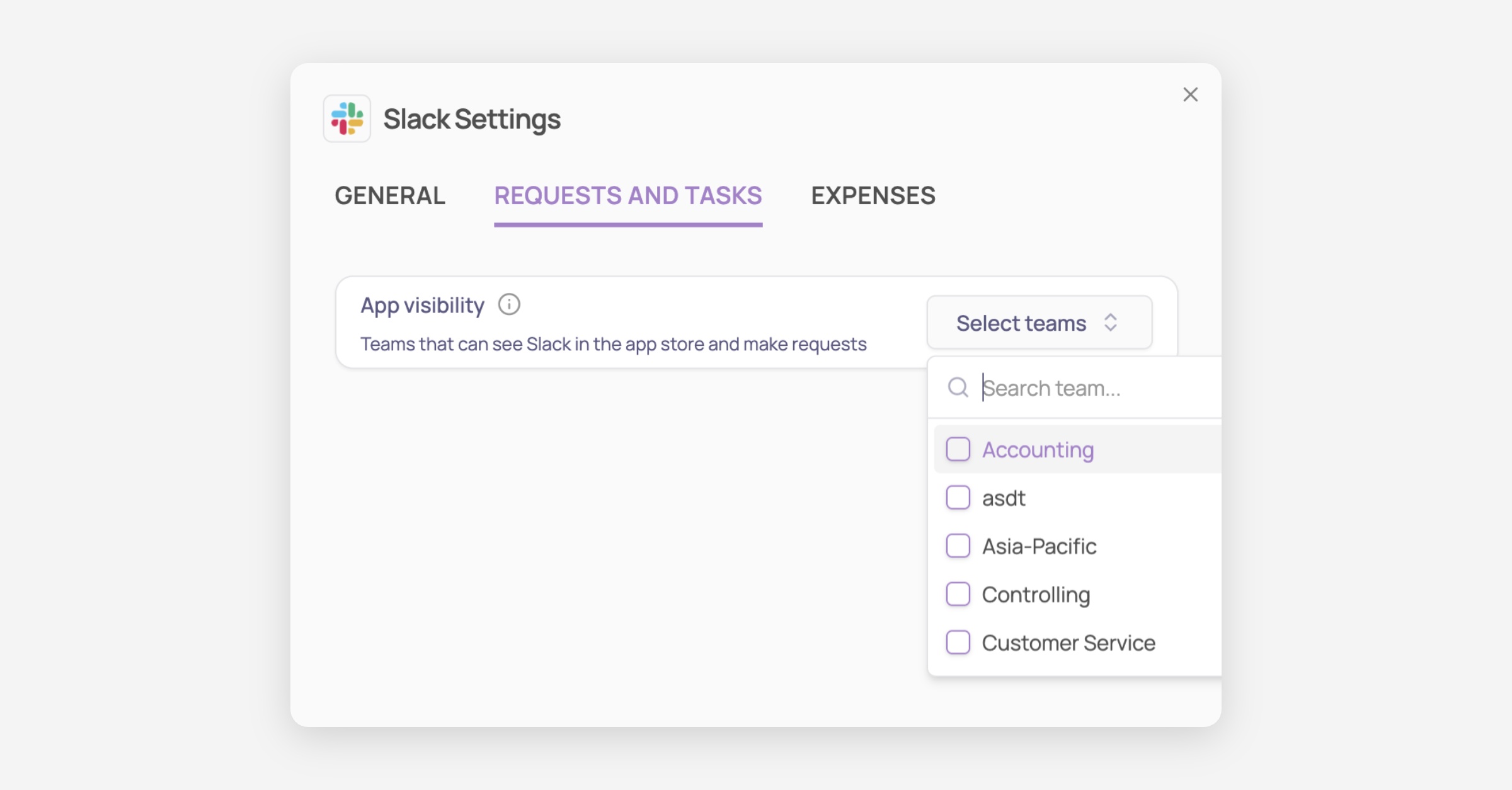
Select which teams can view the app in their Employee App Store and submit requests. If no teams are selected, the app is visible to all employees by default

  1. Access the App Settings for any specific application by clicking the dedicated “Settings” button on the app’s page.

  2. On the "Requests and tasks" tab select teams
Was this helpful?