
Contracts & Savings
Simplify your contract management and get full visibility over license cost optimization
Module Breakdown & overview
The Contracts Module in Corma is designed to give you full visibility and control over your contracts, costs, and savings. Whether you’re tracking license usage, analyzing spending, or optimizing your budget, this module provides the tools you need to simplify contract management and maximize savings.
Access the Contracts module by clicking on the dedicated page in the left sidebar.

🎬See it in action here (2 min)
Disclaimer: cost vs spend
Cost: The fixed amount you commit to when signing a contract. This is what our Contracts module focuses on.
Spend: The actual amount spent over time, which may include variable expenses such as Additional users, add-ons or upgrades, usage-based fees. It corresponds to what you actually pay based on your transactions (invoices).
KPIS
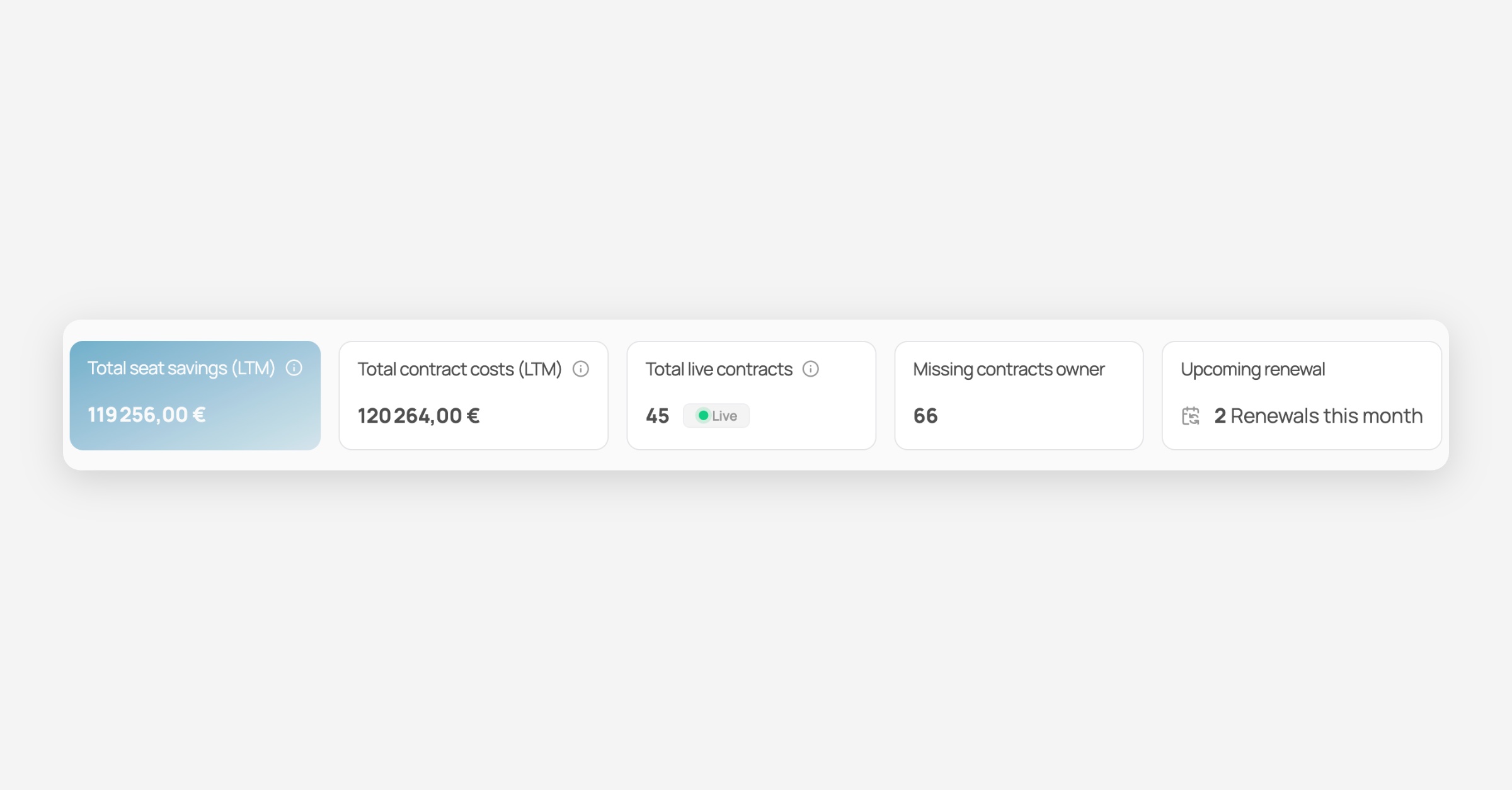
At the top of the Contracts Page, you’ll find KPIs that provide a snapshot of your contract landscape:
Total Seat savings (LTM): The sum of all seat savings for all of your apps
Total Contracts Costs (LTM) The actual amount spent across all contracts.
Total live contracts: Total number of contracts with a "Live" stage
Missing contracts owner: Total number of contracts for which no owner has been assigned
Upcoming renewals: Number of renewals this month`
Contracts Table
The main table displays all your contracts, with the following columns:
App
Spend (LTM): Amount paid in the last 12 months. Calculated from invoices (integrations or manual entry).
Contract owner
Renewal date
Cost (LTM): Estimated cost this year, based on license counts and their assigned value
Usage: overview of the number of active, inactive, spare and over licenses
Seat savings (LTM): Estimated potentials savings in the last 12 months based on the number of spare and inactive licenses.
Contracts drawer
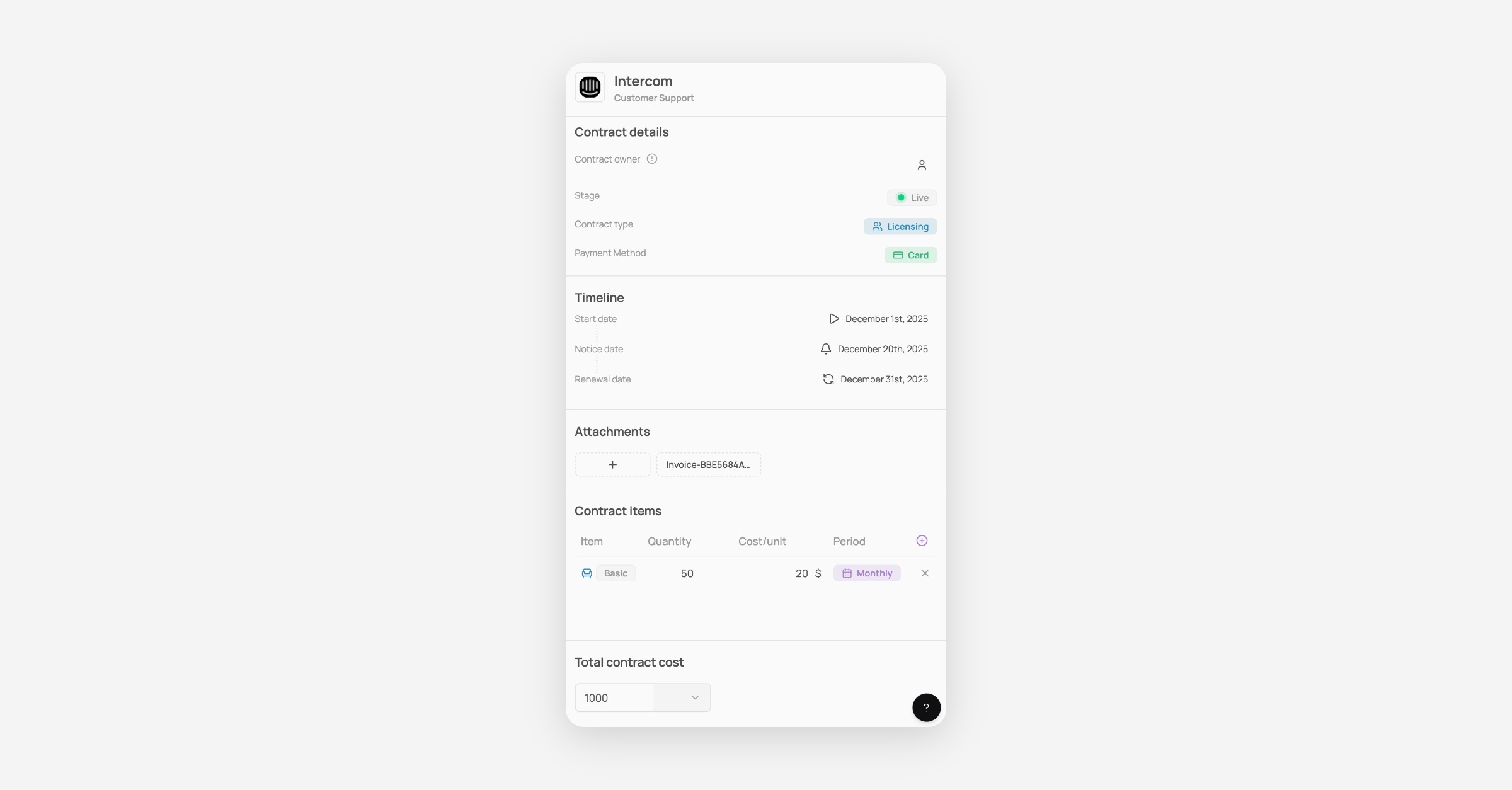
Clicking on any contract in the table opens the Contract Drawer, where you can view & update:
Contract Details: contract owner, stage (live / cancelled / negotiating / rollout / testing), type (one-shot / licensing / usage-based), payment method (Wire / Card / Direct debit)
Timeline: Contrat start date, Notice date, Renewal date
Attachements: Import your contracts here
Contract items: Seat or Fixed item along with their Quantity, Cost/unit, period
Total contract cost
🎯 Use cases
Import contracts into Corma
Import invoices into Corma
Was this helpful?