
Docs / Concepts
Provisioning
Explore key onboarding and offboarding workflows in Corma
Overview
Integration with your HR tool will enhance the possibilities of our provisioning Module. Please refer to the HRIS page for indications on how to integrate it to Corma.
🎬 See it in action here (5 min)
On & Offboarding experience
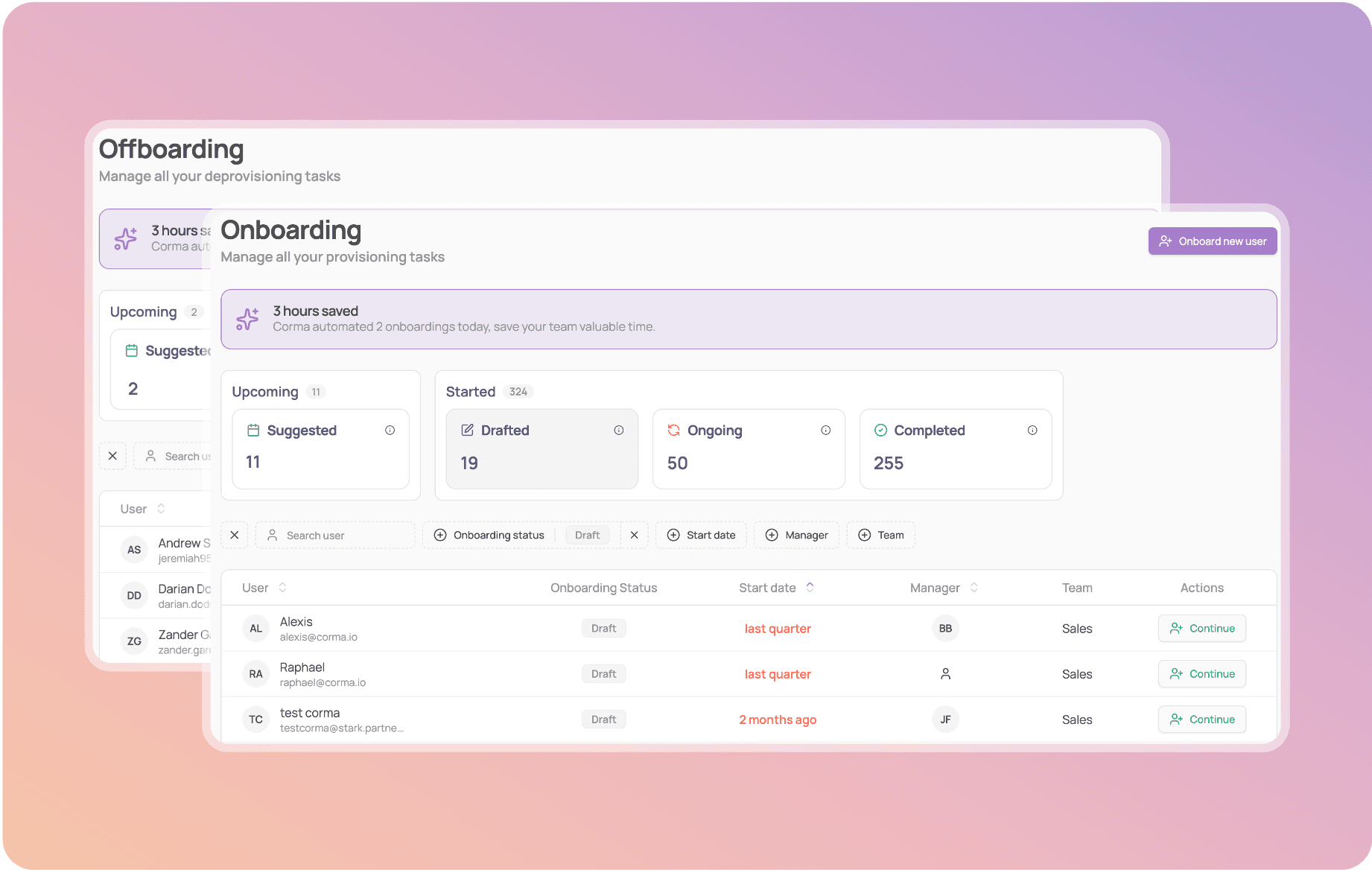
Onboarding & Offboarding pages: See all on & offboardings at a glance. Everything is organized, giving you instant clarity into where every process stands:
Suggested: Data automatically fetched from your HR apps integrated such as Name, arrival date, manager
Drafted: A draft process has been created and is ready for review or customization
Ongoing: The onboarding is in progress, with real-time task tracking
Completed: All tasks are finalized, and the user's access is granted/revoked
Track Progress in Real Time: Monitor ongoing onboardings and offboardings, with detailed status for every task. Know exactly which steps are done, and which remain.
Automated & Manual Task Management: For each onboarding or offboarding, easily review which accounts Corma will create or deactivate automatically.
Complete Audit Trail: Every action for every user is logged and detailed on the Completed page.
App owners
ℹ️ App owners are the admins / person responsible for an application's provisioning, invoice collection and more. They possess admin accesses to revoke and grant access to users to the application as well.
Why are app owners important ?
App owners are critical for Corma's provisioning page to work as our entire notification and task attribution system relies on this owner system.
Each time an Onboarding or Offboarding is launched on Corma a list of requests will be created and dispatched to the relevant app owners to ask them to provision or de-provision the relevant accesses to each user.
For applications where Corma is integrated, those accesses will be automatically created or revoked with the admin manual input needed.
App owners are only important for Authorized applications in Corma as the rest are not considered as "Managed" applications.
🎯 Use cases
Was this helpful?