
Docs / Concepts
Licenses
Identify and deprovision unused software licenses efficiently
Overview
Corma's Licenses Module streamlines the process of identifying and deprovisioning unused software licenses.
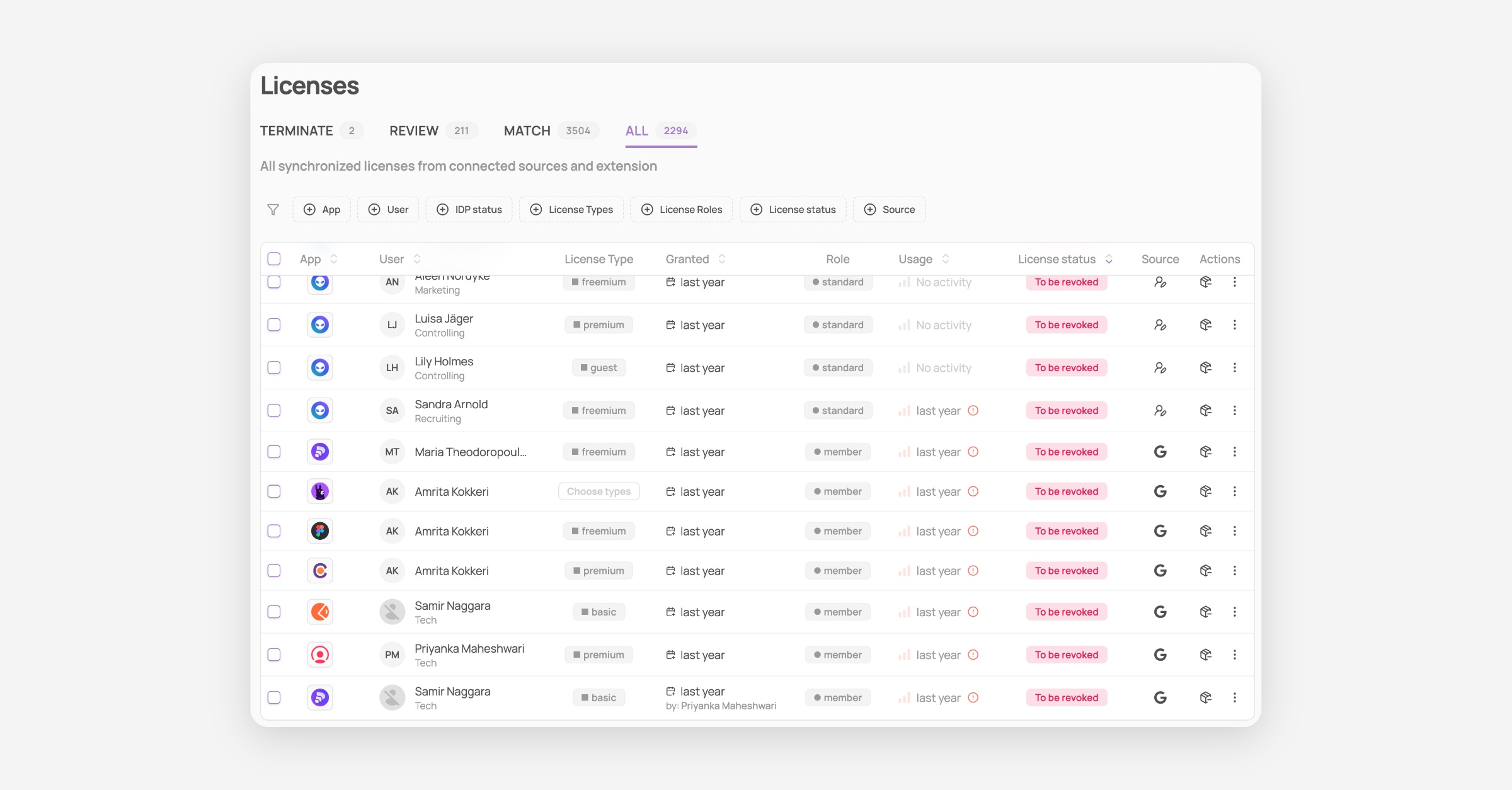
Licenses page
The Terminate tab provides a comprehensive list of paid licenses still attributed to users who have left the organization.
The Review tab highlights licenses that may no longer be in use, including those linked to users who have been deactivated in the organization's Identity Provider (e.g., Google, Microsoft, Okta).
The Match tab highlights provisioned licenses from your direct integrations that could not be matched to any user in your organization’s Identity Provider (Google, Microsoft, or Okta). This typically reveals licenses still assigned to users who have left the company, external collaborators, or accounts registered with personal instead of professional emails. By catching these mismatches, you can quickly identify unnecessary expenses and strengthen your organization’s security posture.
The All tab provides a holistic view of all synchronized licenses from connected sources and the extension, making it effortless to review your complete license landscape at a glance.
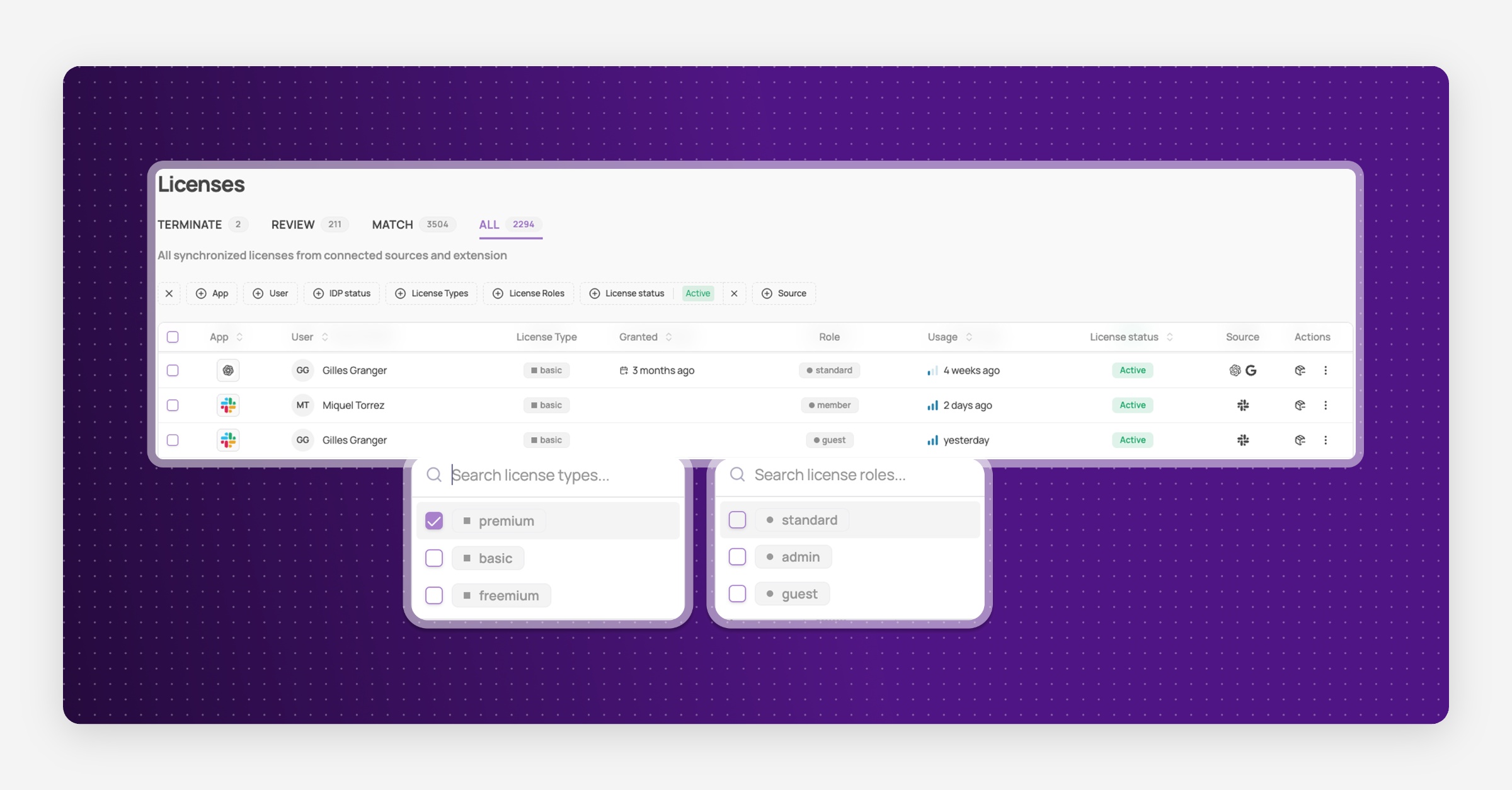
License Types and License Roles
For each user, you can select its license type and role in every app page to simplify access management:
License types define what kind of seat or usage rights a user consumes
License roles define the permissions and responsibilities a user has within an application
You can define licenses types and roles in different places:
Licenses page
App specific page > Licenses tab
License Status and Last Activity
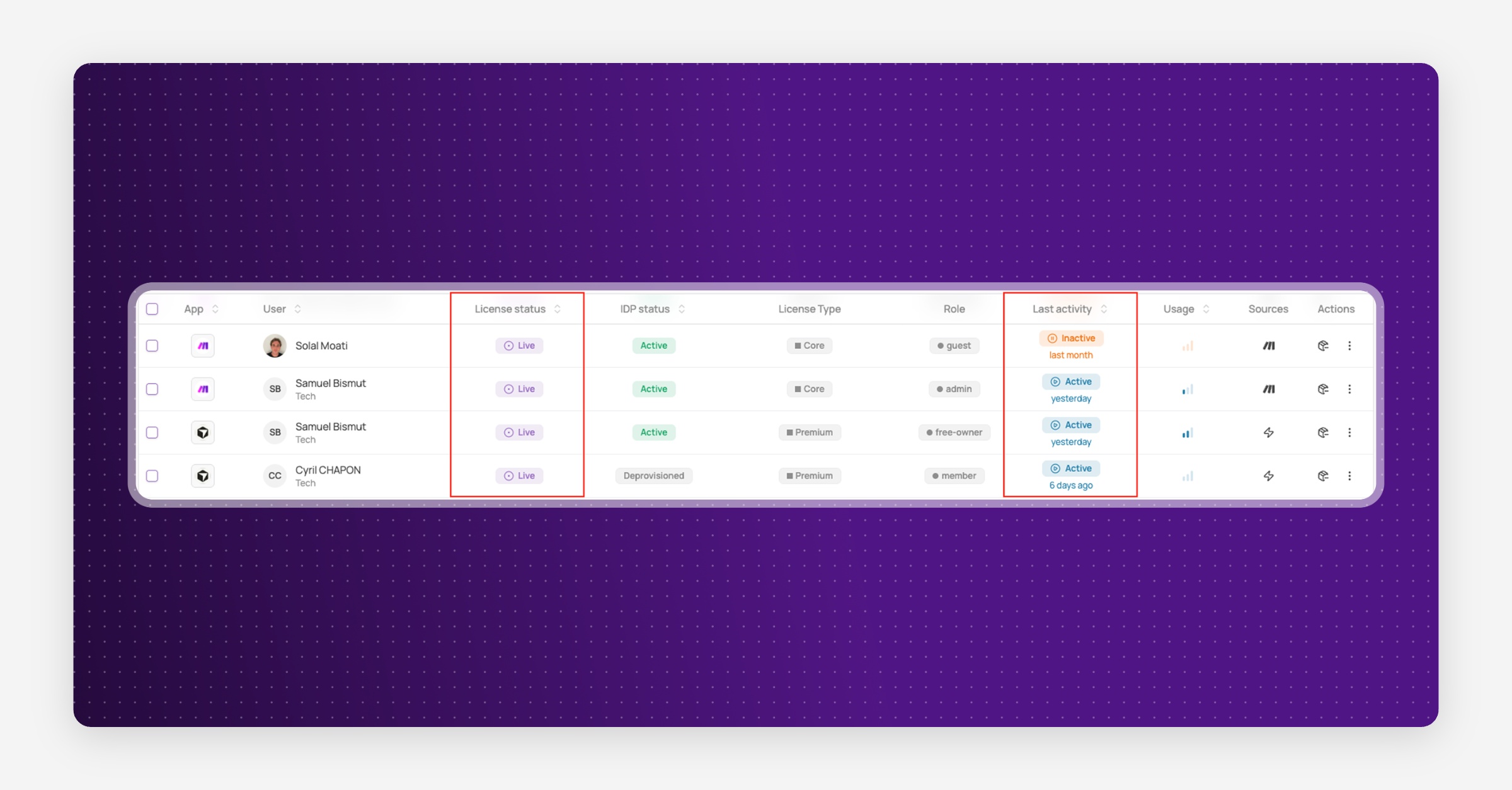
License status
The license status indicates whether a license is currently active from a SaaS billing perspective.
Live: the license is currently provisioned and billed in the SaaS tool
Revoked: the license has been removed or deprovisioned in the SaaS tool
To be revoked: the license will be revoked due to an upcoming offboarding
Unknown: the license status is uncertain
This status helps you understand whether a license still represents a direct cost.
Last activity
The activity status reflects real usage of the application, based on detected activity within a defined time window.
Active: recent activity has been detected for this license
Inactive: no activity has been detected within the activity threshold window
Activity status builds on the last activity date and provides a clearer signal to identify unused or underutilised licenses.
Was this helpful?