
Docs / Concepts
Applications
Add and manage applications seamlessly in Corma
Overview
Applications page
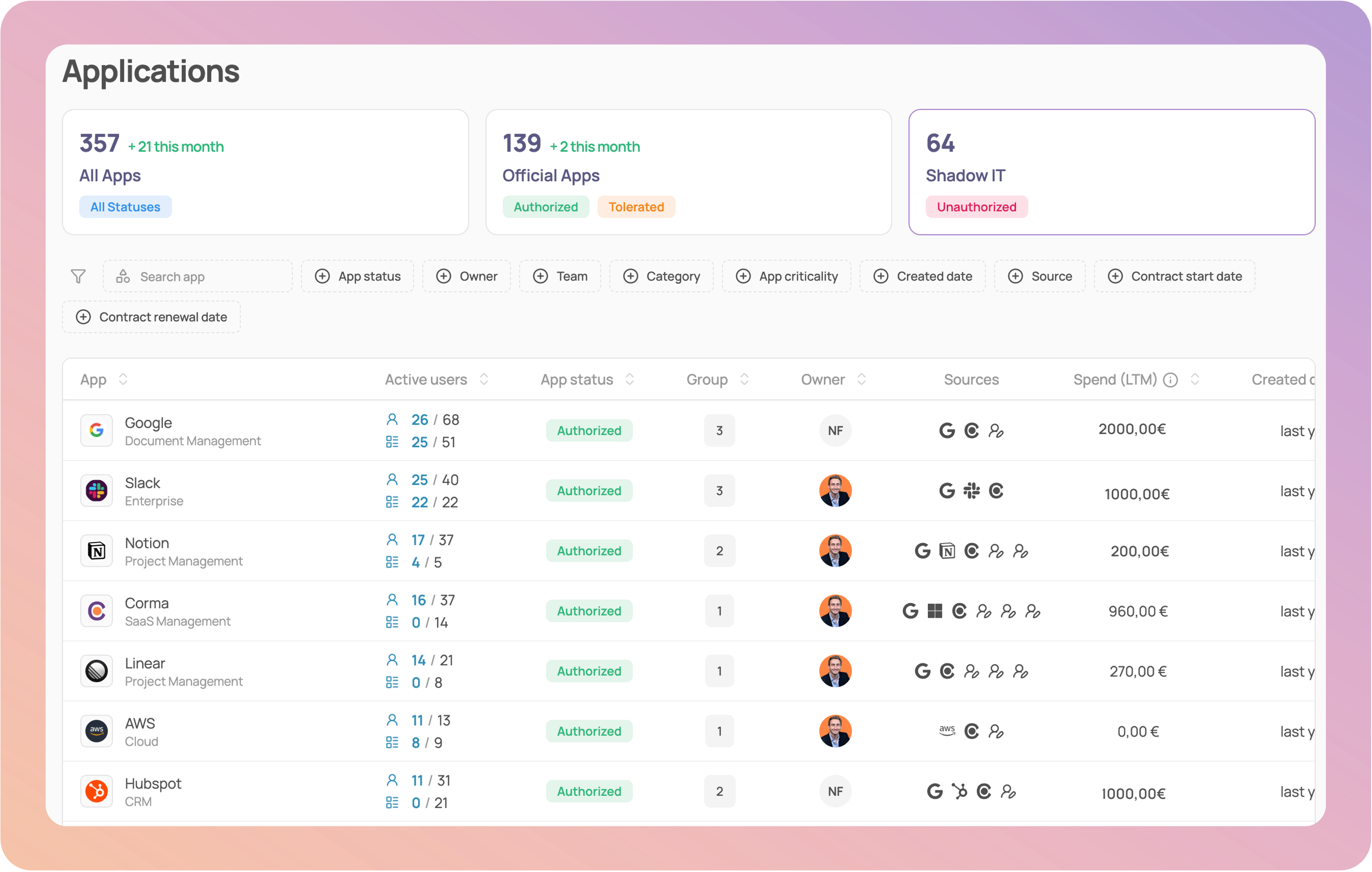
Corma's Applications module provides teams with a clear and actionable view of their IT environment. It centralizes all applications in one place and surfaces the information needed for governance and decision-making.
Streamlined Interface: A structured table layout improves readability and navigation, allowing you to quickly search, sort, and act on your application ecosystem
Authorization Filters: Applications are grouped into three categories: Authorized, Tolerated, and Unauthorized, making it easy to assess compliance and identify potential risks.
Enhanced Application Details: Each application displays its Active users, any related application groups, app owner, Created date, offering deeper operational context. Use filters to quickly sort and analyze applications based on Criticality, Source and Contract dates (Start and renewal dates)
App specific page
Click on any app to access its specific page, which provides a detailed view of an individual application, combining governance, security, and usage data in one place. It helps teams manage ownership, evaluate risks, and optimise licenses with full context.
Tabs
Users: All app users are listed with Status, Activity, Number of associated licenses, SSO Tokens, Subpages and Sources, making it easy to spot inactive or misconfigured access.
Licenses: All users with a professional license are listed with their license status, License type, Granted date, License role, Usage, Source
Analytics: Corma's Analytics page is designed to provide comprehensive insights into individual application usage. It includes:
Activity Breakdown: View the past 30 days of activity segmented by licenses with high, medium, and low usage.
Team-Level Insights: Dive into a pie chart showcasing usage by team, helping you identify which teams rely most on each application.
Similar Apps Comparison: Discover the most similar apps to the one you're analyzing, detailed by risk score and the number of users.
License Provisioning Overview: Track total provisioned versus active licenses with a clear visual chart.
Expenses
Tokens
Requests
Left-side drawer
Core information: Get an overview of the App status, App owner, Groups, Departments
Security: Each application's security card can be enriched with customizable fields, enabling a more structured tracking of key security information: Criticality of an App, Access owner, Additional info such as:
Server location (country)
Data sensitivity (public, internal, confidential, restricted, regulated)
Certifications (HIPAA Compliance, ISO 27001, SOC)
Authentication (MFA, SSO, SAML)
App settings
At Corma, App Settings provide admins with granular control over how applications are managed, accessed, and optimized within your organization. These settings allow you to tailor each app’s behavior to your company’s workflows, security policies, and budgetary needs.
🎯 Use cases
Admin
Employee
Was this helpful?