
Okta

An admin access is required to connect Okta to Corma
On your Corma app go to the integrations page
Under "Identity providers" click on "Connect" for Okta
Go to your Okta admin workspace to authorize Corma
Search for Corma under : Applications > Browser Applications Catalogue > Search Corma
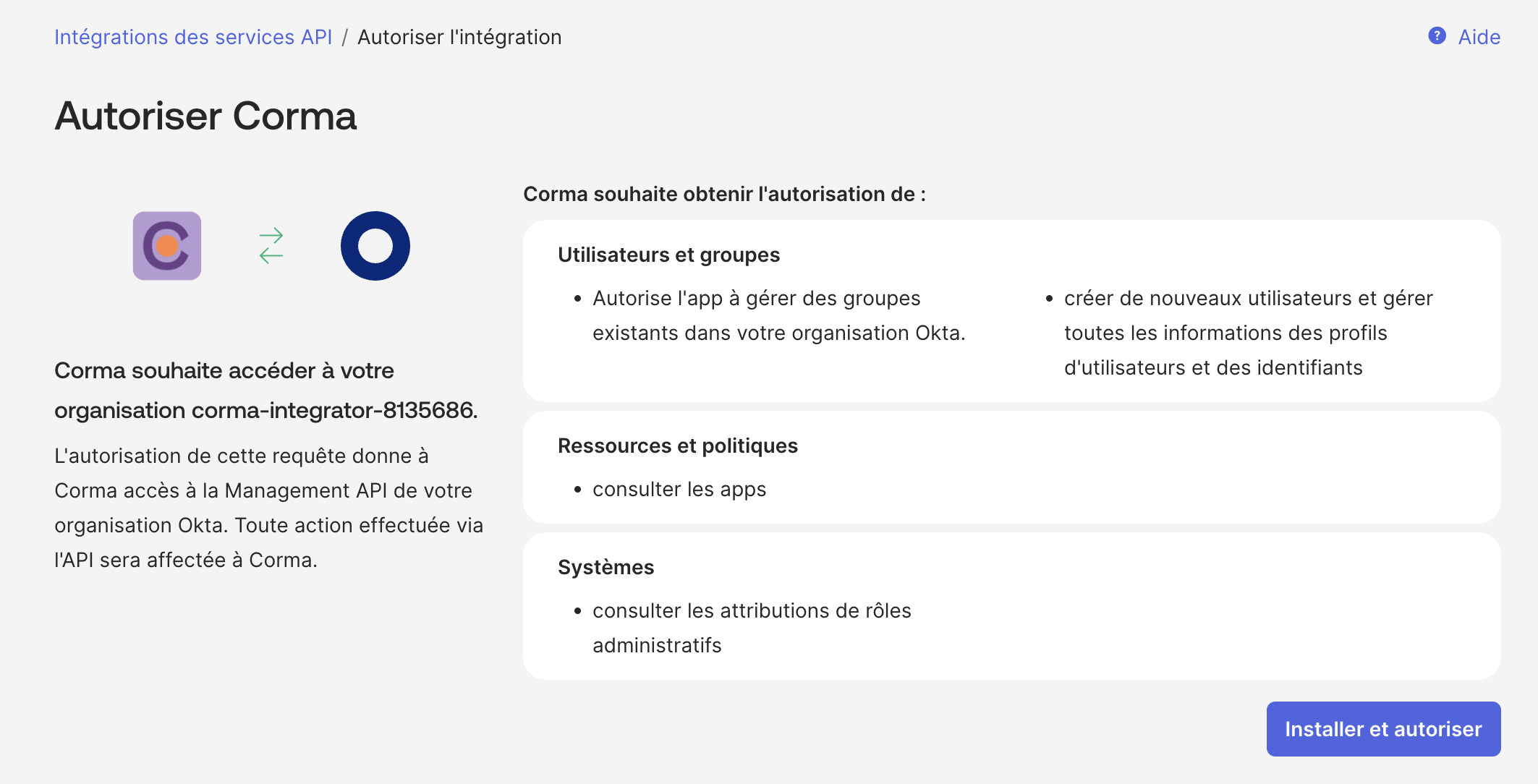
Click on "Install & Authorize"
The scopes requested by Corma are the following:
okta.users.manage
okta.groups.manage
okta.apps.read
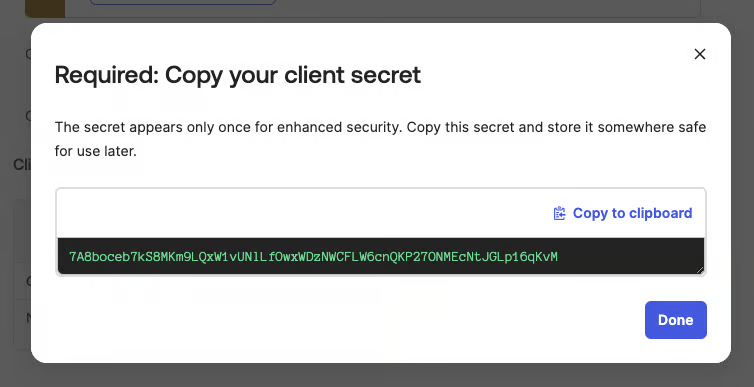
okta.users.readGenerate and copy your client secret in Okta
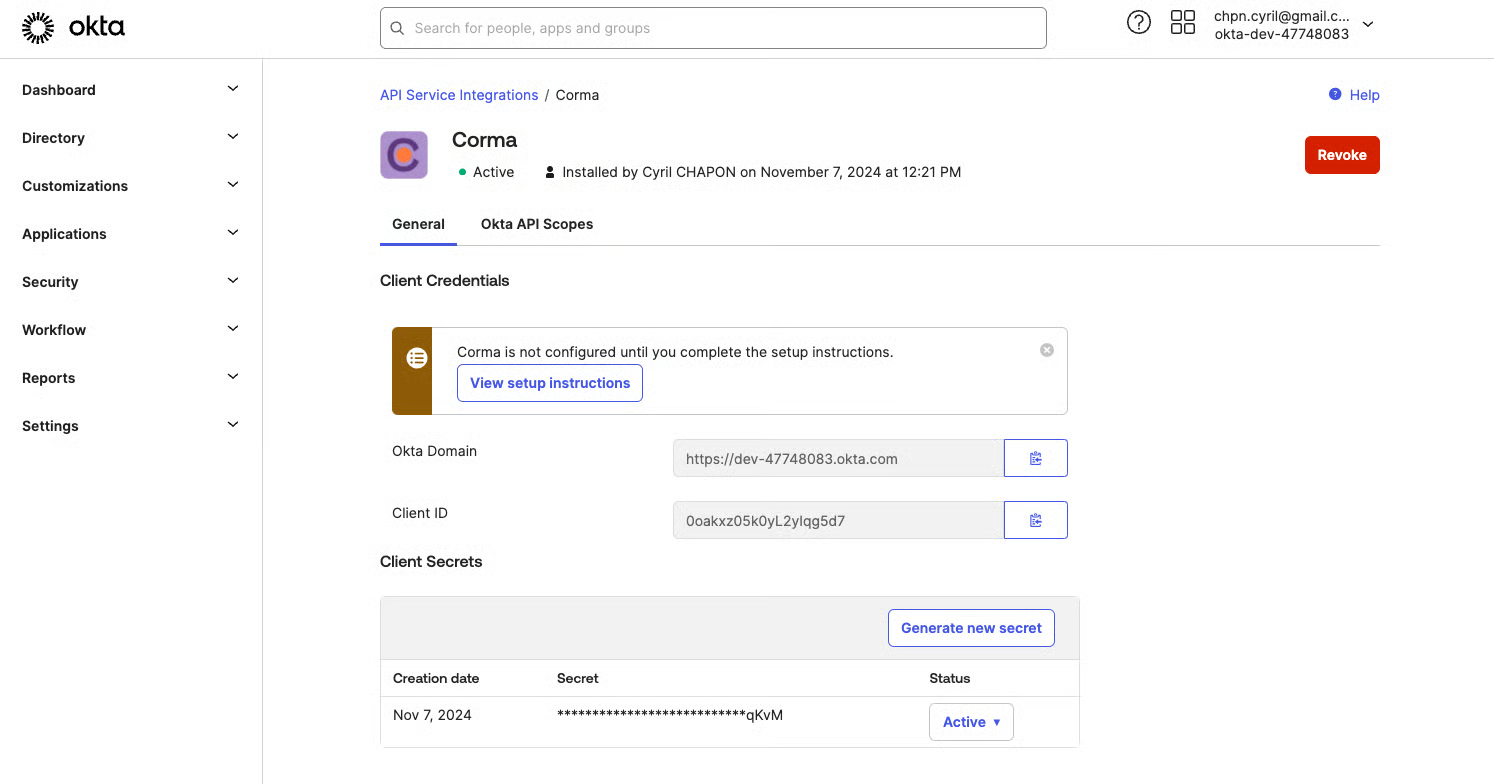
Generate and copy your domain and client ID in Okta
Paste your Okta Domain, Client ID and Client Secret in the popup on Corma
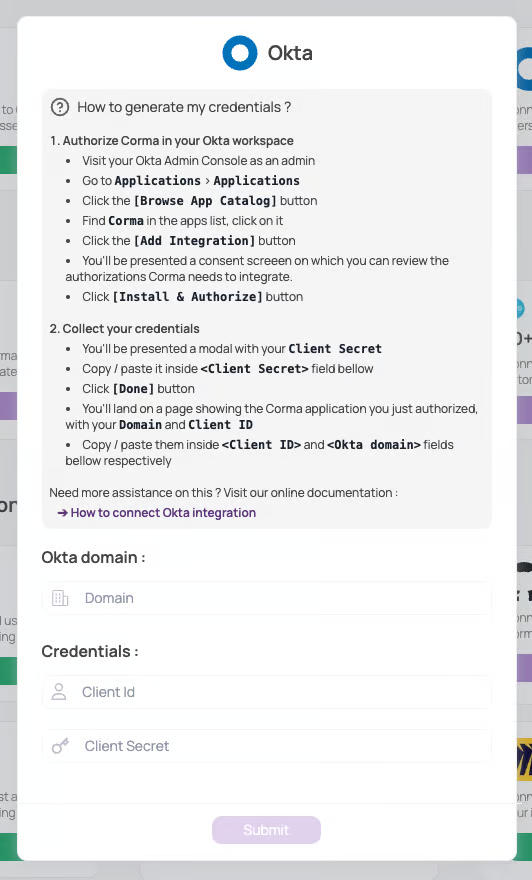
Click on "Submit"
You're all set !
Was this helpful?