
↵Open
Corma changelog
Introducing Cormie, new Devices page, and Multiple connectors
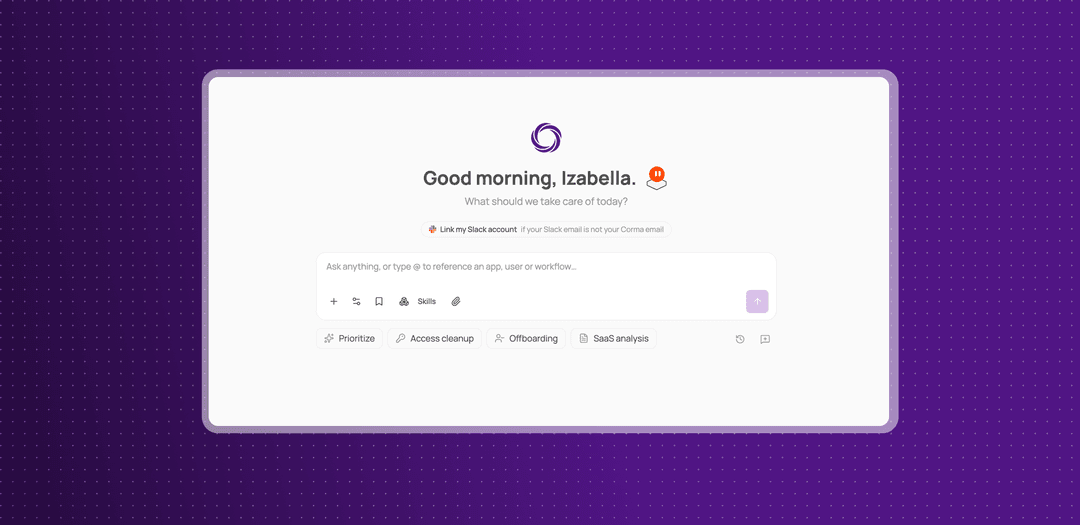
Meet Cormie, your AI assistant in Corma
Cormie is a new AI assistant built into Corma. Ask a question about your workspace in your own words, or ask Cormie to carry out an action for you, from the Overview page or beside any page you are working on.
Cormie follows you everywhere: click Ask Cormie in the header of any page to open Cormie in a side panel. Your conversation stays with you as you move from page to page, so you can ask, click through to a result, and carry on where you left off.
It knows where you are: a bar above the message box shows the page, user, app or ticket you have open. Ask about "this user" or "these apps" and Cormie understands what you mean. Click the X on the bar to ask without it.
Ask in plain language: get answers about your applications, users, licenses and spend, with a table, a short reading of the numbers and a graph when you ask for one.
Let Cormie act for you: start an onboarding, run a workflow or send an access review from the chat. Nothing happens until you click Confirm.
Who can use it: only workspace admins see Cormie, and each workspace has a monthly question limit set by its plan.
This means you can get an answer or an action done without leaving the page you are working on.
Read the Cormie guide to get started.
See every company computer on the new Devices page
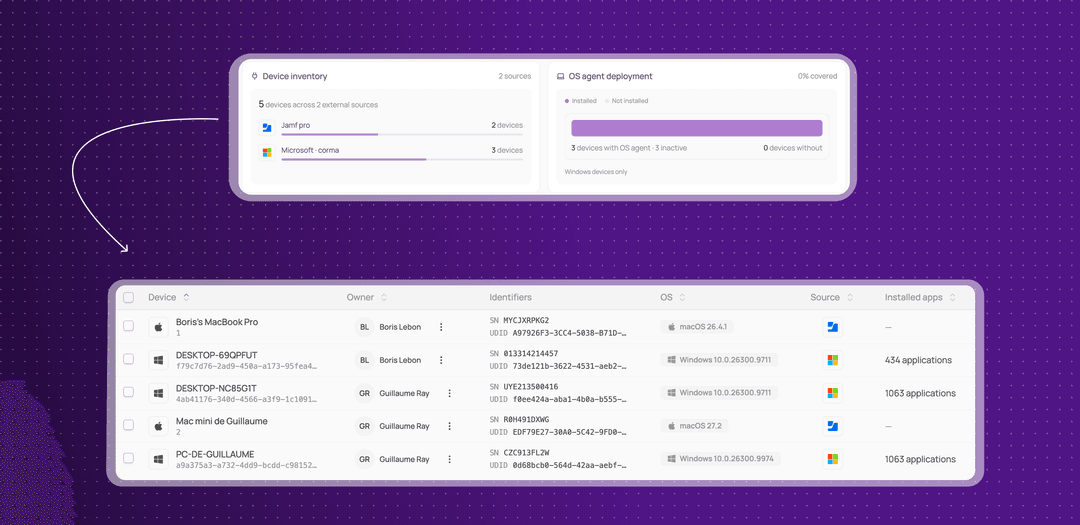
The new Devices page brings every computer from your MDM, Jamf or Microsoft Intune, into one table.
Your whole fleet in one place: the Device inventory card shows how many devices you have, by source, and how many have no owner yet.
Know who owns each device: Corma matches each device to a user from your MDM. When there is no exact match, it suggests an owner you can accept in one click.
Find the gaps in your OS agent rollout: the OS agent deployment card shows how many Windows devices have a connected OS agent, how many are inactive and how many have none.
Turn it on: open your Jamf or Microsoft connector and activate Devices in the Reads section. Your devices appear after the next sync.
This means you can see which computers exist, who uses them and where the OS agent is still missing, without leaving Corma.
Read the Devices guide for filters, owner matching and setup.
Connect the same app more than once
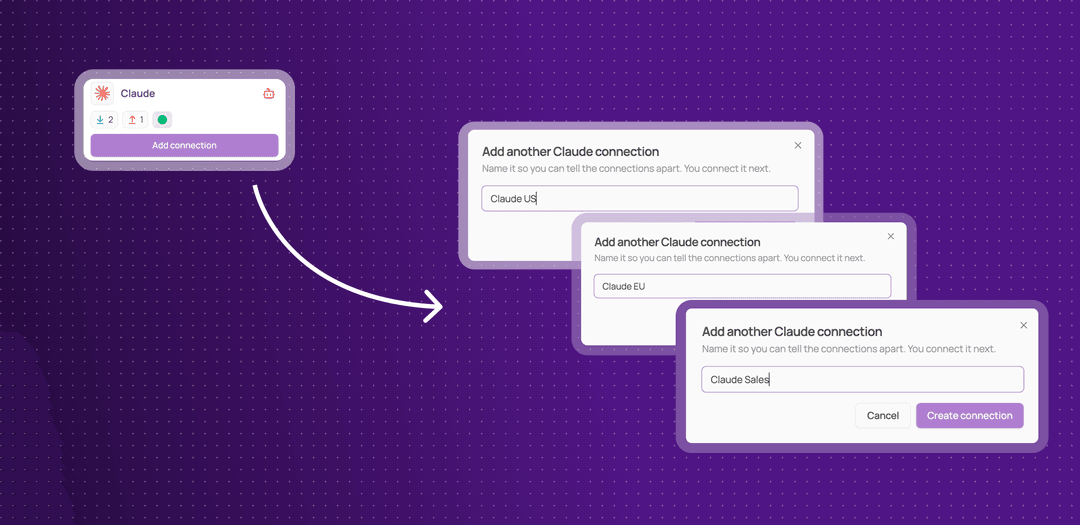
You can now connect the same integration more than once, for example two Slack workspaces, two Google Workspaces or two Payfit entities, and manage each connection on its own.
Add another connection: click Add connector, find an integration you already use, click Add connection and give it a name, like "Slack US".
One page per connection: each connection has its own card on the Connectors page and its own connector page, with its own reads and writes, syncs and settings.
Pick the right one in workflows: when an app has several connections, each workflow step asks which connection it acts on.
Set a default for access requests: choose which connection approved access requests are provisioned on, from the app's settings.
Reconnect and delete safely: reconnecting only accepts the same account, and deleting one connection leaves the others untouched.
This means a company that uses the same tool across several teams, entities or regions can manage all of them in Corma, not just one.
Custom agents still have one connection per app.
Improvements
Cormie's spend answers now include invoices dated on the last day of the period and invoices not attributed to an app.
Cormie now knows the functions you can use in workflow expressions.
Long field names in the HR mapping source picker now show in full.
Microsoft Remove from groups now skips groups Microsoft does not let an app edit (dynamic, synced from on-premises Active Directory, or mail-enabled) instead of failing the whole step.
The Devices page now also has saved views, like Users, Licenses and Applications.
Microsoft offboarding now skips the groups and licenses Microsoft refuses to change, and reports which ones it skipped.
Corma now explains when Microsoft protects a user through a role-assignable group or an eligible admin role, instead of blaming a missing permission.
Fixes
Revoking a Salesforce account created by a workflow has been fixed.
Cormie's Retry asking a different question has been fixed.
OS agent reports not reaching Corma has been fixed.
App icons not uploading has been fixed.
Salesforce account creation failing outside English-language orgs has been fixed.
Retrying a stopped workflow run silently failing has been fixed.
Contract totals not updating after a fixed item changed has been fixed.