
Disable integration capacities
ℹ️ Integration capacities refer to the specific functionalities and automations that an integration can perform within Corma. Each capacity enables Corma to interact with an application to streamline processes such as user management, license tracking, and access control.
Prerequisites:
The integration must be connected to Corma.
You must have admin privileges in Corma.
Navigate to the integrations module in Corma
Locate the integration card you're interested in
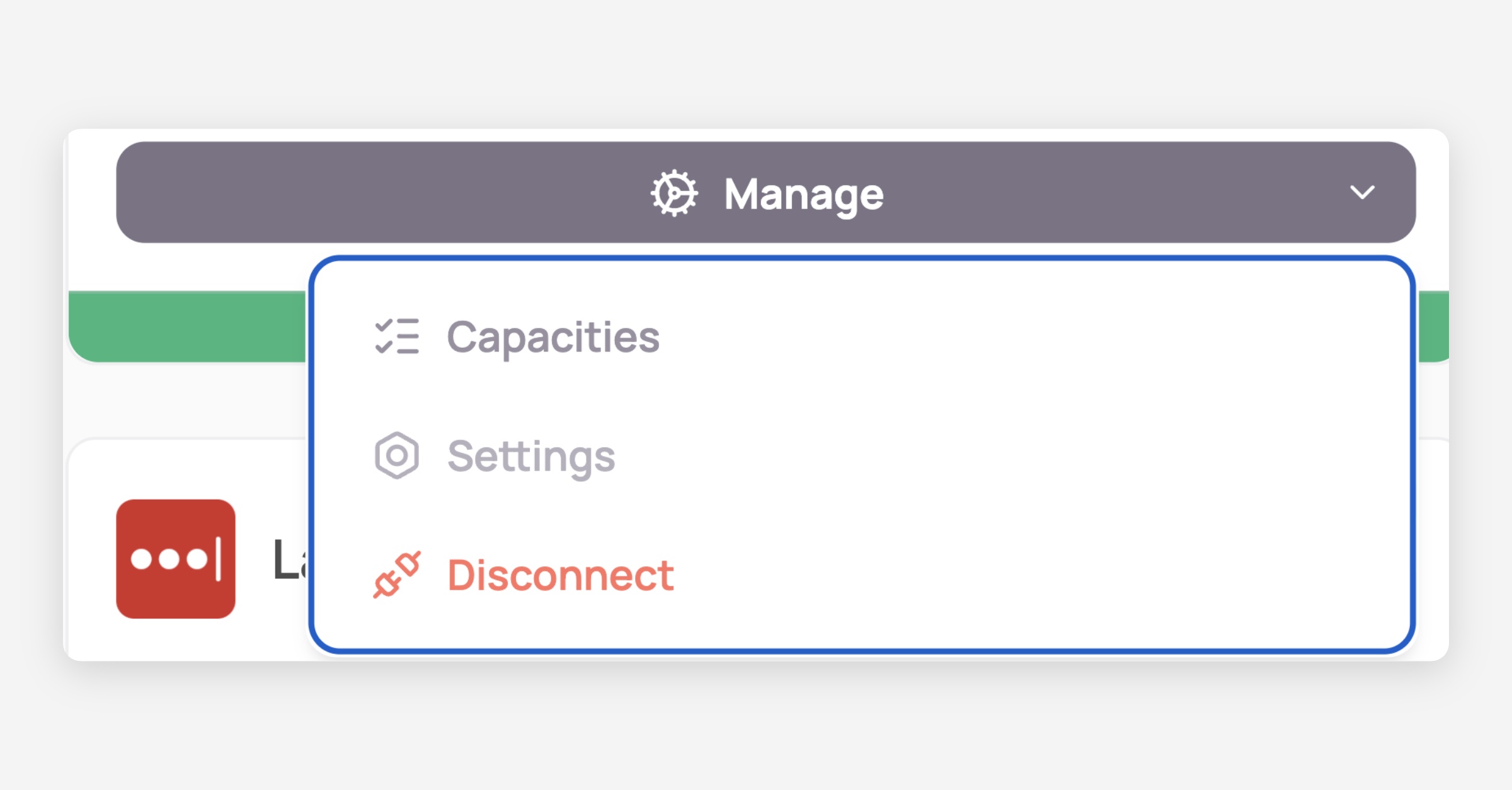
Click on Manage and select Capacities
Toggle the switches to enable or disable each capacity
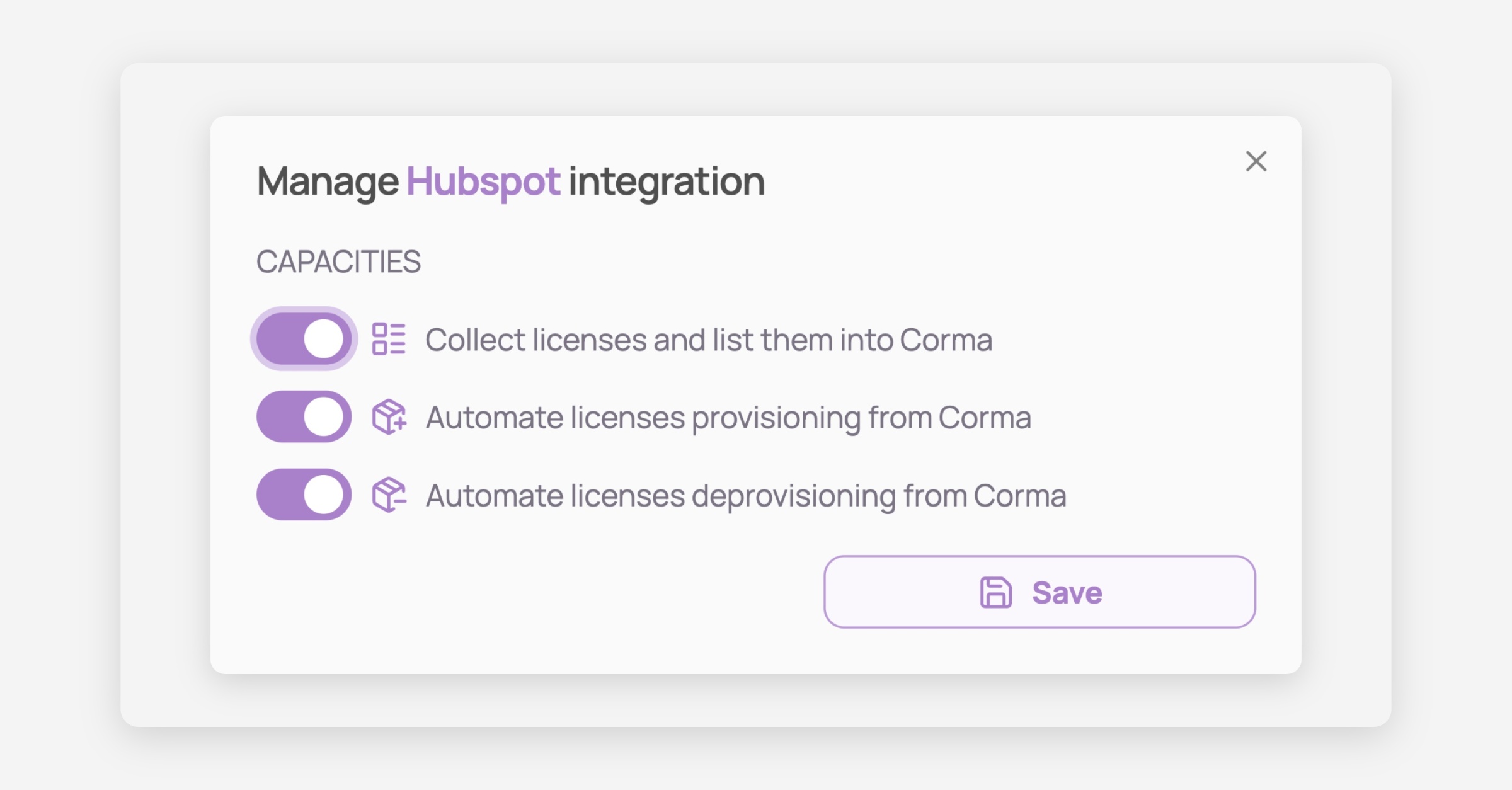
Save your changes !
Was this helpful?