
Corma changelog
Custom data mapping: Corma now follows your own data model
You can now decide where each piece of user data in Corma comes from, and what Corma writes into the accounts it creates in your apps. It works in both directions: inbound (from your HR system and identity provider into Corma) and outbound (from Corma into your apps).
Inbound: choose where each Corma user field gets its value
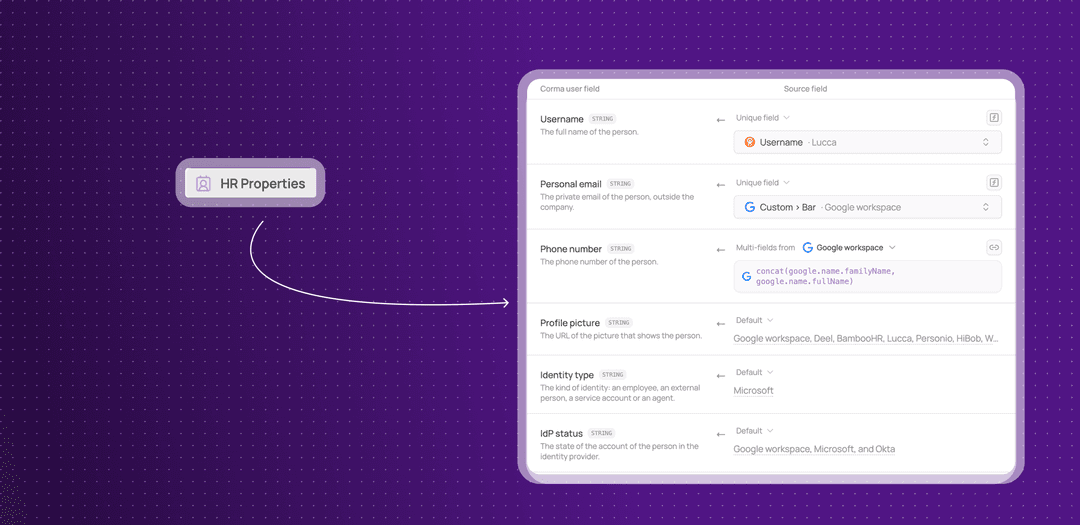
Settings > HR Properties now has a Mapping card, so you decide which source feeds each Corma user field.
One row per Corma user field: each row has a source picker, so you choose where the value comes from.
An expression editor: combine or reshape values before they are saved, for example to join two fields or clean up a format.
Your own user fields: create custom fields on users, and edit them from the same card.
Custom fields in workflows: the Get user data step now returns every custom field of your workspace, so later steps can use them by the label you gave them.
More sources: Okta can now be a source for inbound mapping, the Personio department field is supported, and the Silae connector works with the mapping.
Outbound: choose what goes into the accounts Corma creates
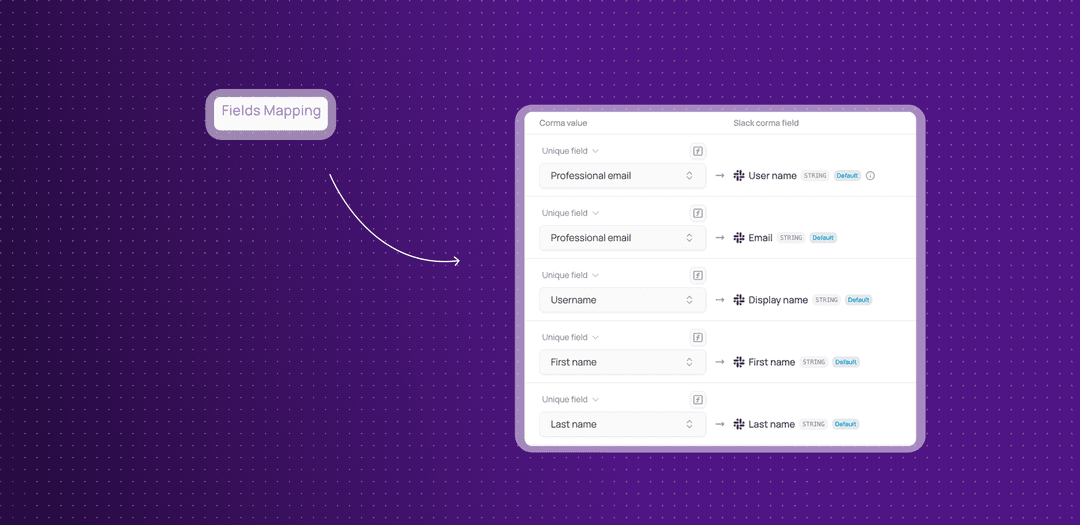
The same control now applies in the other direction. In the settings of an app that supports it (Google, Microsoft, Okta and Slack), the new Fields creation tab lets you choose which Corma fields go into the account Corma creates in that app.
You pick the fields: decide which Corma user fields are written into a new account, instead of relying on a fixed set.
Leave a field unmapped: you can choose not to map a field, and it is left out of the account.
This means the way Corma reads your HR system, and writes into your apps, follows your own data model from start to finish.
If your workspace did not use this before, nothing changes until you add a mapping: Corma keeps reading your sources the way it did.
Silae Integration
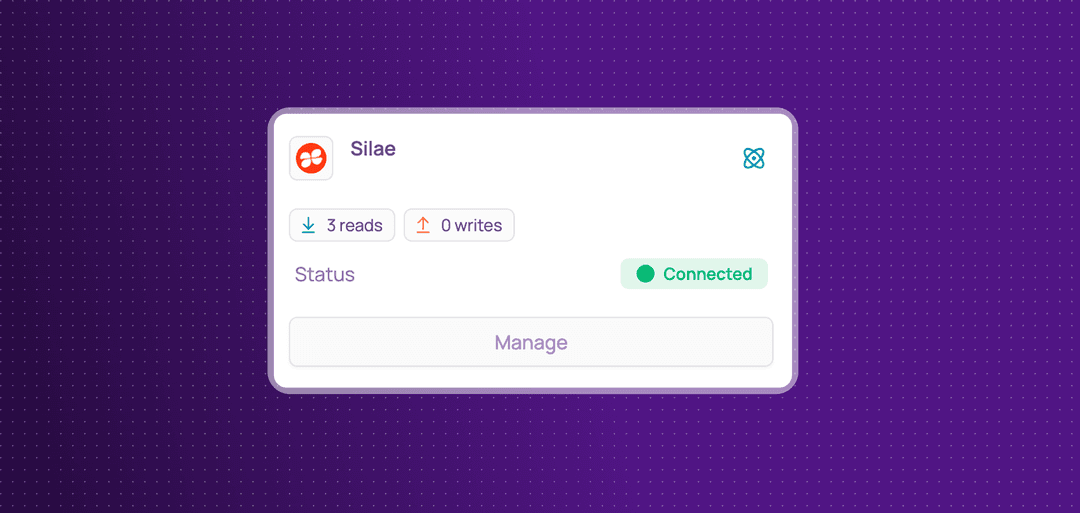
Corma now integrates with Silae!
Silae is a leading cloud-based payroll and HR management software designed to automate complex payroll workflows and manage employee administrative data. You can now:
Collect HR users: centralize Silae users directly within Corma to keep your user directory accurate and up to date.
Collect HR profiles: enrich user profiles in Corma by syncing detailed HR attributes and employee details from Silae.
Sync Custom fields: pull in custom organization attributes and metadata to maintain complete visibility over your workforce structure.
Improvements
Custom agents now report their health like every other connector.
Long lists no longer stop at a page of rows: keep scrolling and Corma loads the next ones.
Your workflows can now create and read licenses, close tickets and clean up Atlassian access on their own.
You can now show a Criticality column on the Applications page from the display properties, and sort by it.
The help center now has its own button in the sidebar, and Audit log has moved out of the user menu into the sidebar.
In Settings > Access requests, an admin can now choose who may submit an access request on someone else’s behalf. The choice applies to the employee portal and to the Slack command.
Corma now reads the organization roles of your GitHub users when it syncs licenses.
The Zoom license sync no longer overwrites the license types you set by hand.
Create user steps for Google, Microsoft, Okta and Slack now reuse an account that already exists instead of failing, for example when someone is rehired.
The Slack add to channels step no longer fails when the user is already in the channel.
Notifications have a new look, with a coloured icon and a smaller close button, and stay clickable when a window is open on top of the page.
The notification shown after you create an app, a user or another item now names it and links to it.
Bulk revokes, concluding an access review and matching licenses to a user now close their dialog straight away and show a notification that follows the progress until the result.
After you change a license’s billing status or type, edit a contract or change your currency, a notification says your totals are being recalculated, and the numbers update when it is done, with no reload.
Errors that were previously not shown, such as an expired session, now appear as notifications.
You can now open a saved view’s filters from Edit saved filters in the three dots menu next to its name, and change them without adding a new filter first.
The Sources hows whether a user signed up with Google, Microsoft or SAML, tells an action run by a workflow apart from a one-off action, names and links the workflow, shows who ran it, and marks records.
License pills with a count of zero are now hidden on the Licenses page.
Atlassian syncs now bring in each user’s plan, role and last activity for every Atlassian app, and now find the users of organizations where they previously found none.
The Invoices page search now also finds invoices by supplier name, and its filter bar is no longer cropped.
The Safari extension now uses the new Corma icons.
Public API: the action IDs
custom_integration.provision,custom_integration.deprovisionandcustom_integration.agent.licenses.get_licensesno longer exist. Each custom agent operation now has its own ID. CallGET /actionsto get the current IDs, and update any integration that used the old ones.
Public API: filtering licenses with
filters[userId][notIn]now also returns unassigned licenses.
Fixes
Connecting 1Password failing with a 404 has been fixed.
Google and Microsoft SSO app syncs failing or stopping partway has been fixed.
Token URLs being cut off has been fixed.
The token count in a user’s details being wrong has been fixed.
License types being removed after each sync has been fixed.
Spare seats on the Contracts table being overstated has been fixed.
Failure to find apps in a bundle has been fixed.
Deleting a large app, such as Google, from its page failing has been fixed.
Deleting a user who held a license with audit log history failing has been fixed.
The “See my request” link in access request emails not working has been fixed.
Employees mistakenly seeing the blocked page has been fixed.
Removing a user from Cursor during an offboarding failing has been fixed.
Atlassian syncs failing on large organizations has been fixed.
Failure to add a newly invited GitHub user to teams during has been fixed.
Error connecting Zoho has been fixed.
Misalignment on applied filters row has been fixed.
The Public API registry actions endpoint returning an error has been fixed.